Answer

Create a flowchart using BPMN 2.0 shapes with Lucid AI

  • February 12, 2025
  • 13 replies
  • 186 views

Forum|alt.badge.img+1

I am trying to automate the creating of the flowchart in Lucidchart using a step by step procedure using shape library as BPMN 2.0. Since BPMN2.0 does not provide change shape feature. Wanted to understand if there is any other way to automate the process

Best answer by Kelsey Gaag

Hi ​@ruchikasinghal and ​@GosiaEsEL

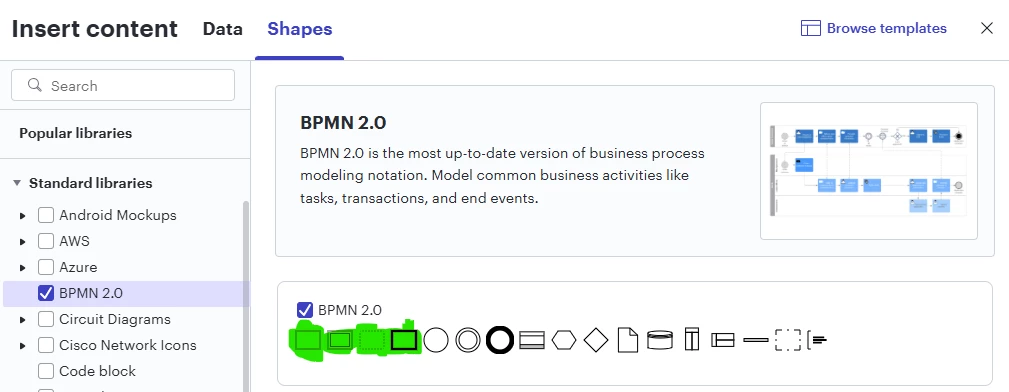
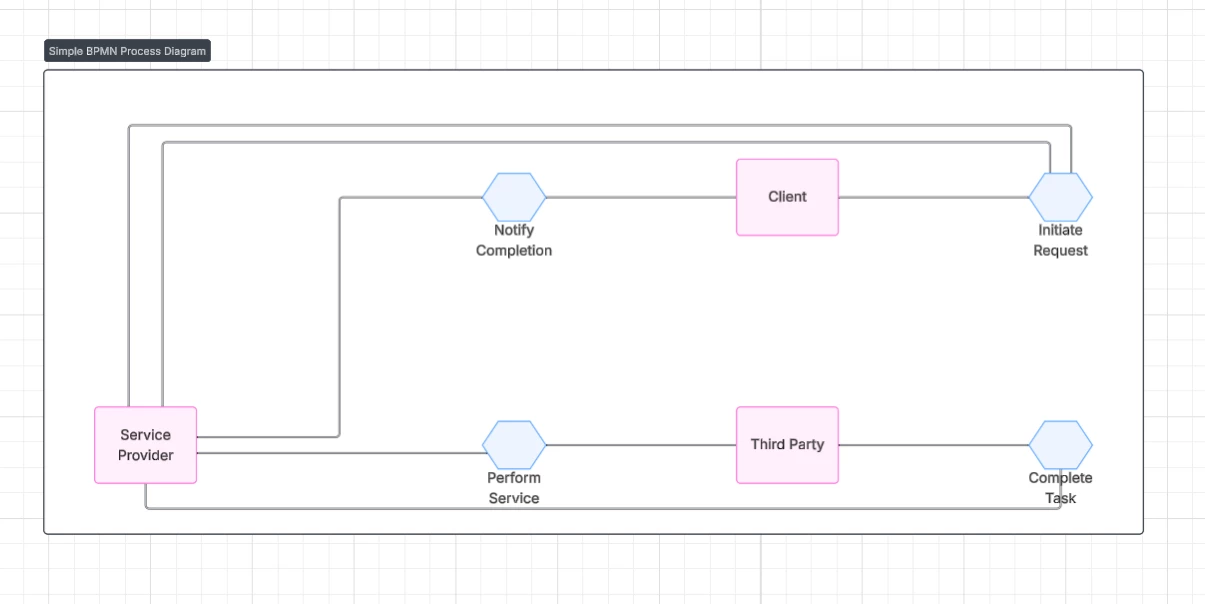
Thank you for the reply! If you got to generate a diagram then create a new preset, you should have the option to choose a diagram type. There is the option to create a BPMN 2.0 conversion diagram and BPMN 2.0 choreography diagram. Both options utilize the BPMN 2.0 shape library. Hope this helps!


 

Comments

TimW
Lucid Legend Level 3
Forum|alt.badge.img+7
  • Lucid Legend Level 3
  • February 12, 2025

Can you use the Advanced Shape Options to do this?

They change the rectangle borders and add markers.


Forum|alt.badge.img+1

Thanks Tim, However I am trying to generate workflow using AI capability, but having shapes as BPMN v2.0 library in an automated manner.


Forum|alt.badge.img+1
  • June 2, 2025

I am trying to automate the creating of the flowchart in Lucidchart using a step by step procedure using shape library as BPMN 2.0. Since BPMN2.0 does not provide change shape feature. Wanted to understand if there is any other way to automate the process

Hi, I guess currently creating BPMN 2.0 business process diagrams with the AI option “Generate diagrams” is not possible


Kelsey Gaag
Forum|alt.badge.img+16
  • Lucidite
  • Answer
  • June 3, 2025

Hi ​@ruchikasinghal and ​@GosiaEsEL

Thank you for the reply! If you got to generate a diagram then create a new preset, you should have the option to choose a diagram type. There is the option to create a BPMN 2.0 conversion diagram and BPMN 2.0 choreography diagram. Both options utilize the BPMN 2.0 shape library. Hope this helps!



Forum|alt.badge.img
  • October 8, 2025

Hi Kelsey

I have a follow up question on that.
It seems like when using the AI that it always generates BPMN 2.0 choreography diagrams or Flowcharts. 

What should i type if a want a “simple” (task) Activity from the BPMN 2.0 template library?
And the shapes “Transaction” and “Call activity”?

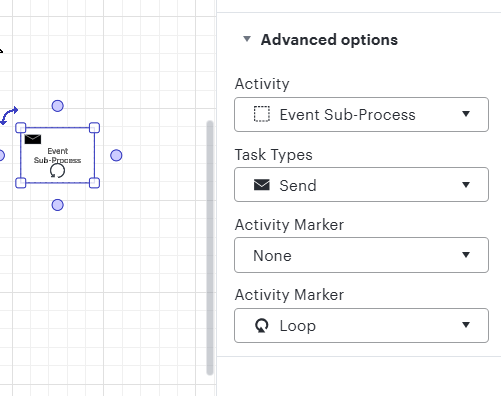
And furthermore is it possible to set “Advanced options” such as 
Activity
Task Types
Activity Maker
Secondary Maker

Directly from the promt?

I tried, but i always end up as a choreography or a Flowchart shape.


Leianne C
Forum|alt.badge.img+15
  • Lucid support team
  • October 13, 2025

Hi ​@MortenHL, thank you for continuing this thread! Would you mind clarifying what BPMN diagram type you are trying to create? This will help us better understand your use-case and share relevant tips. 

Thanks for your help and please let us know if you have any questions! 


Forum|alt.badge.img
  • October 13, 2025


I want to be able to create “Activity”-blocks, with the activity set to “Task” as a minimum.
and maybe even being able to set the “Call Activity”.

Further more setting the “Task Type” to the different types such as “Service”, “Recieve” e.g.
And maybe being able to set the Activity Marker 1 to “Subprocess”

My goal is to firstly just to create the “Activity” blocks from the BPMN 2.0 library template instead of “Cheorography” blocks.

Then i can move them to the correct (manually) created swimlanes and connect the blocks manually with each other.

In the long run, i would like to be able to autocreate the whole process including connections and swimlanes with roles and system using an excel sheet or simply prompting correctly in Lucid Chart.


Leianne C
Forum|alt.badge.img+15
  • Lucid support team
  • October 15, 2025

Hi ​@MortenHL, thank you for sharing more details about your use-case. I’m looking into this and will share an update here as soon as I have more information. Please let us know if you have any additional questions in the meantime! 


Forum|alt.badge.img
  • November 10, 2025

any updates? :)


Leianne C
Forum|alt.badge.img+15
  • Lucid support team
  • November 14, 2025

Hi ​@MortenHL, thank you for following up! Unfortunately I don’t have any updates on this time. I have followed up on this internally and will let you know as soon as I hear back from our development team. If you have any questions, please feel free to let us know! 


Leianne C
Forum|alt.badge.img+15
  • Lucid support team
  • November 19, 2025

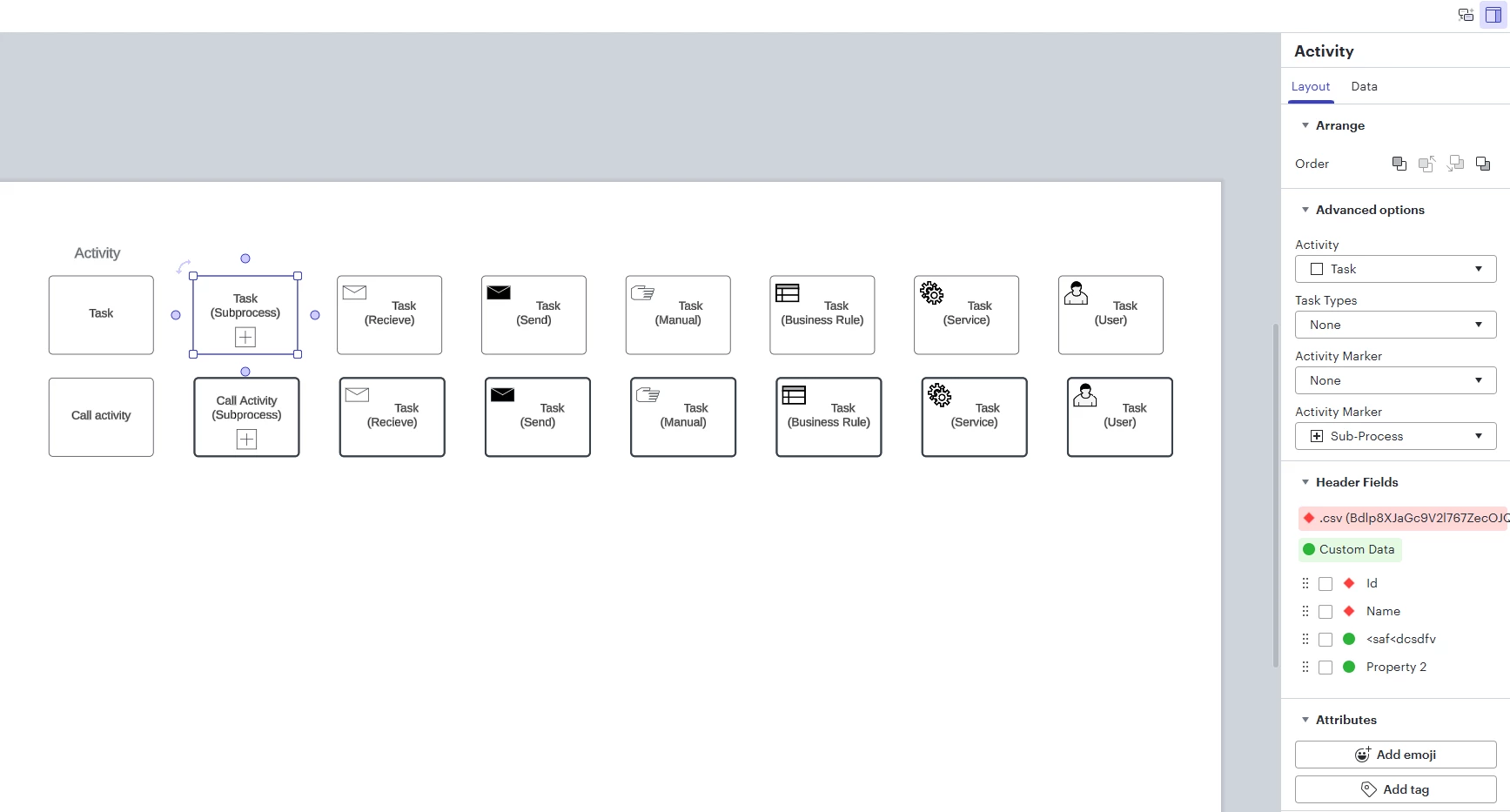
Hi ​@MortenHL, thank you for your patience as I looked into this. Our development team shared that the current workaround is to ask specifically for a "BPMN conversation" diagram. Please note that it is not currently possible to customize anything with the activity blocks used in conversation diagrams, however, it should help to create “Activity”-blocks, with the activity set to “Task”. I’ve included an example screenshot below: 


Hope this helps. Please feel free to let us know if you have any questions! 


Forum|alt.badge.img
  • November 19, 2025

Hi Leianne 
Thank you for the suggestion.
Yeah i tried prompting earlier and got the “BPMN Conversation”-diagram. 
​But that is just another sort of hassle ;) 
I think i will wait and see, if we in the long run gets an option to “just” generate a set of “Activity”-blocks, without having them connected, but maybe placed in swimlanes.


Leianne C
Forum|alt.badge.img+15
  • Lucid support team
  • November 20, 2025

Hi ​@MortenHL, thank you for the response and sorry to hear that wasn’t helpful for you! We’re very interested in your feedback and committed to continually improving our products. If you’re willing to share, we encourage you to create an idea post and include details about your use case or what you’d like to see in this experience. This will allow other users with similar requests to discover and upvote it, then add details of their own.

Finally, for more information on how Lucid manages feedback via this community, take a look at this post:

Thank you again for sharing your ideas and feedback in the community. Please feel free to let us know if you have any questions - we are here to help!