September 9, 2024
Solved

Homepage not updating, can't share documents

Hi,


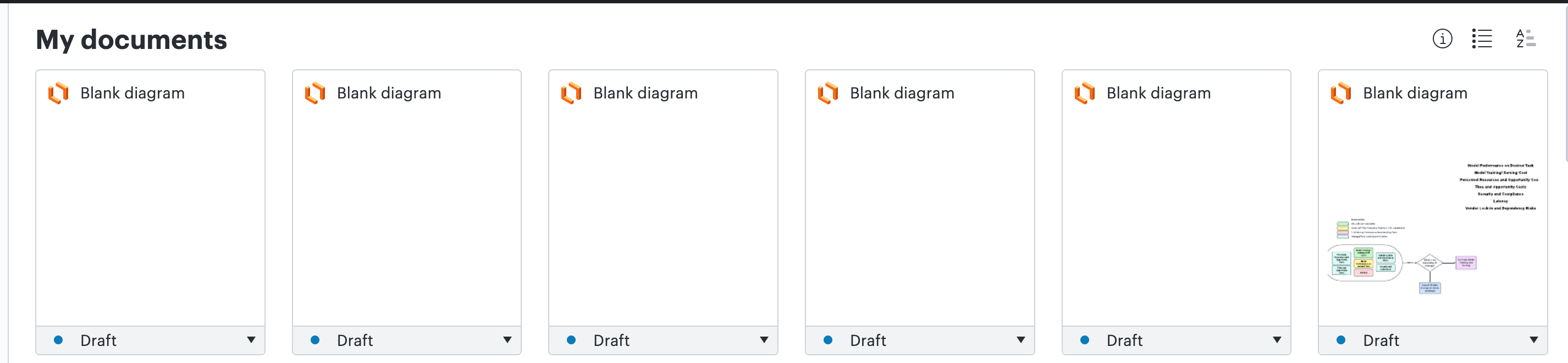
For the past couple weeks my Lucidchart homepage is not updating to show the diagram names I’ve created. My work does get saved, as I can open them and see my diagram name and diagram populated. This makes it very difficult to navigate to the correct document.


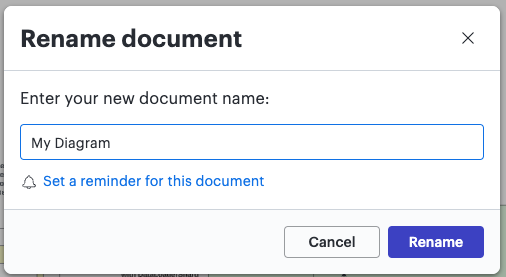
I also notice that when I save my diagram, I will constantly get popups asking if I want to rename my document even though I have already set the document name and haven’t changed the name at all.
 

Finally, it seems saving the sharing settings on my document do not work. I have tried sharing a document with someone or making my document have a shareable link. But it doesn’t persist the settings.


Can someone please help? This is an enterprise account, if that matters.

Kelsey Gaag
Lucidite
September 26, 2024

Hi @sshimizu, 

Thank you for the reply and apologies for the delayed response. Are you seeing this issue in your older document’s still? 

Can you send a screenshot of the associated Javascript Console output? You can open your Javascript Console by pressing Ctrl + Shift + J (if your computer is a Windows / Linux) OR Cmd + Opt + J (if your computer is a Mac).

Can you also  please send a temporary Support PIN for this document? This will allow me to take a closer look at the issue you’re experiencing. For more information on generating a Support PIN, check out this Help Center article.

Comments

Humas1985
Lucid Legend Level 10
September 10, 2024

Hi @sshimizu 

Kindly give a try with the basic troubleshooting and keep us posted.

Basic troubleshooting – Lucid

Hope this helps - Happy to help further!!
Thank you very much and have a great one!
Warm regards


Translate
Huma || Lucid Legend
Kelsey Gaag
Lucidite
September 10, 2024

Hi @sshimizu, 

Please let us know if the steps above helped with your issue!

Translate
sshimizuAuthor
September 25, 2024

Thanks for the suggestions @Humas1985 @Kelsey Gaag . I went through the guide, but it didn’t seem resolve it. I eventually just deleted some old lucidchart documents (I had roughly 35 or so total), and the newer documents started displaying properly on the homepage after a few minutes. Very strange...

Translate
Kelsey Gaag
Lucidite
September 26, 2024

Hi @sshimizu, 

Thank you for the reply and apologies for the delayed response. Are you seeing this issue in your older document’s still? 

Can you send a screenshot of the associated Javascript Console output? You can open your Javascript Console by pressing Ctrl + Shift + J (if your computer is a Windows / Linux) OR Cmd + Opt + J (if your computer is a Mac).

Can you also  please send a temporary Support PIN for this document? This will allow me to take a closer look at the issue you’re experiencing. For more information on generating a Support PIN, check out this Help Center article.

Translate