Solved

Error exporting Lucid documents: An error occurred. Failed to download.

  • September 3, 2025
  • 9 replies
  • 124 views

Forum|alt.badge.img+1

tried exporting to various options: pdf, png, png-transparent, svg, etc.

It says “generating file”, but then an error shows up “An error occurred. Failed to download”.
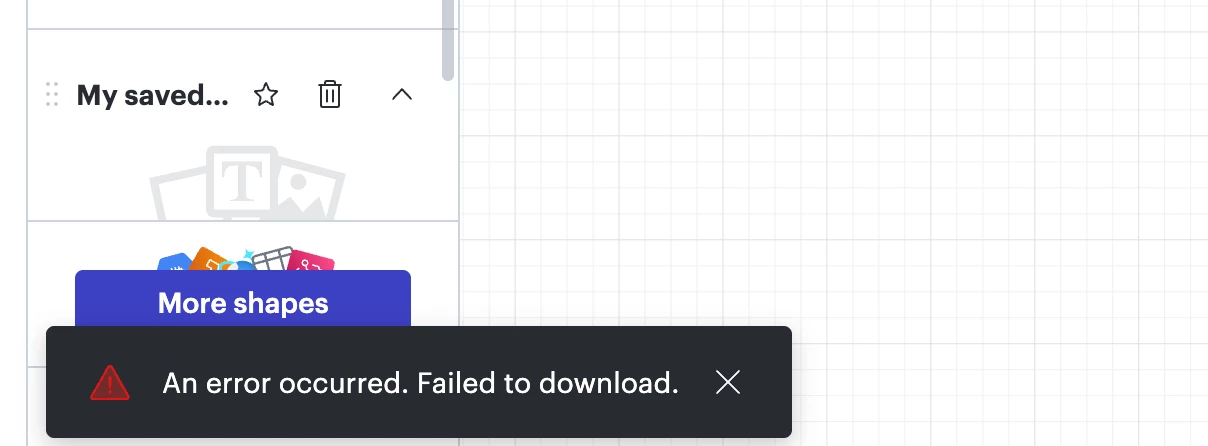
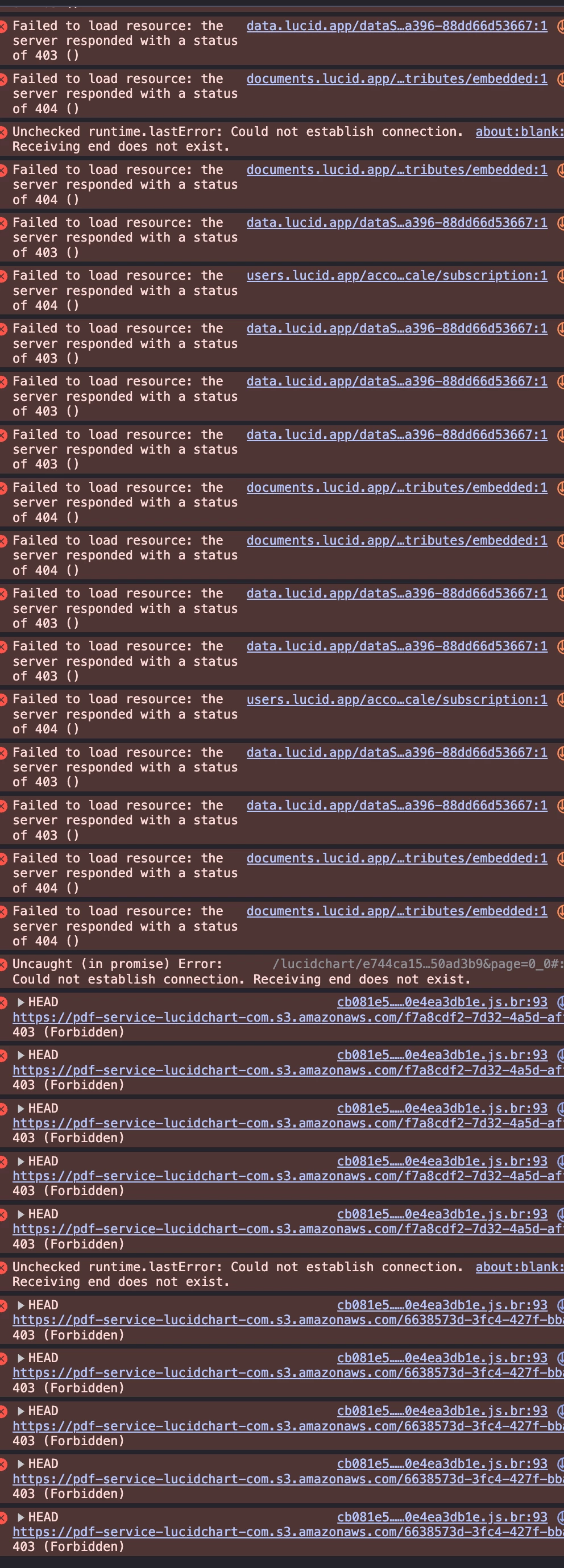
error message
​​​​​


Best answer by ikalu

Hi ​@send2dj ,

Thanks for sharing those details and the console output, that’s very helpful. To narrow this down further, can you let me know if the issue happens with just this one document, or if you’re seeing it across multiple documents (and accounts, if applicable)?

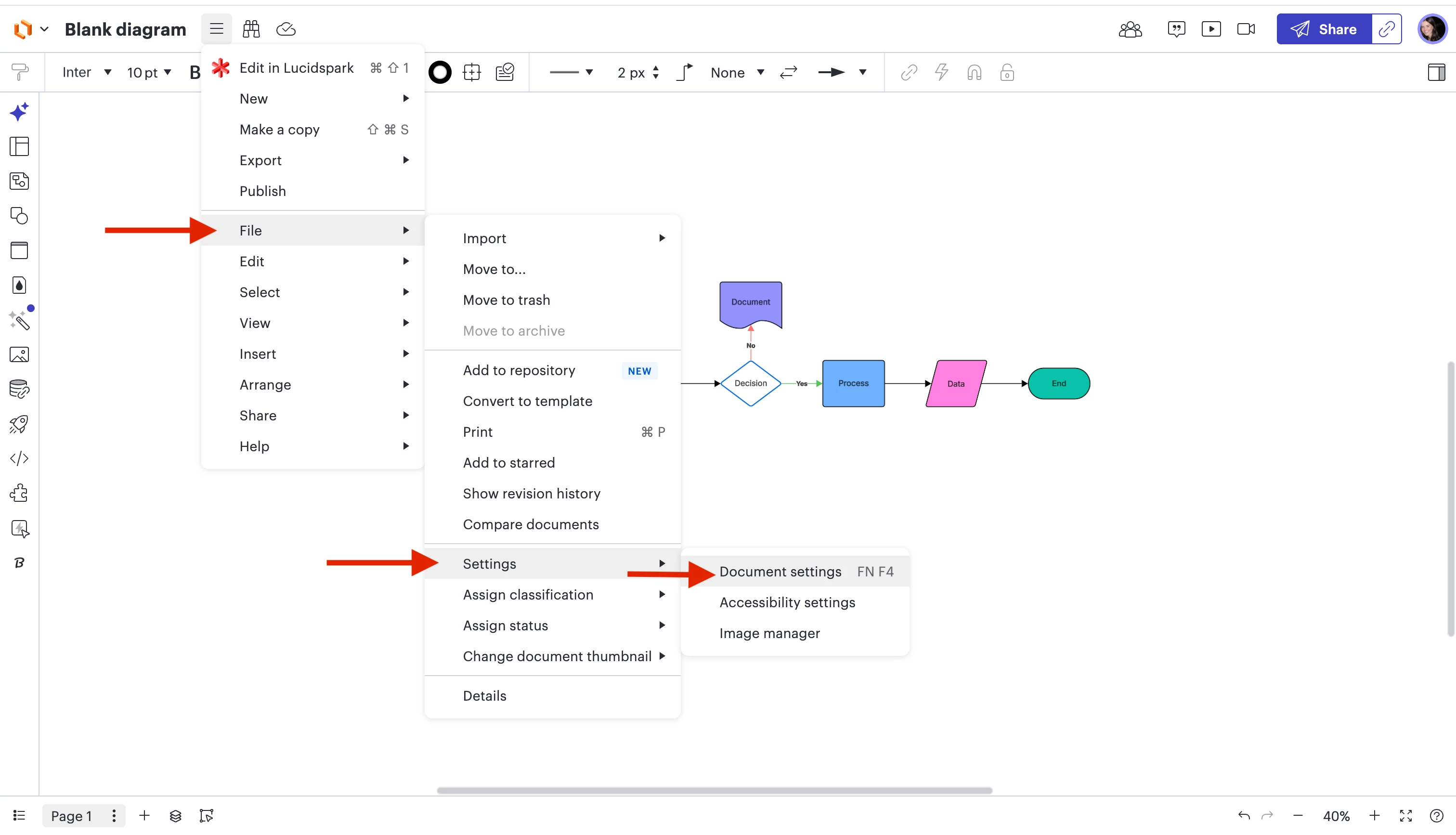
If it’s only affecting one document, please try duplicating it (File > Duplicate) and attempt the export again from the copy. This can sometimes clear up file-specific issues.

Additionally, can you please send a Technical Support PIN for your account? This will allow me to take a closer look at the issue you’re experiencing. Please navigate to your Account Settings to generate this PIN. For more information on generating a Support PIN, check out this Help Center article.

Once I have that information, I’ll be able to investigate more deeply.

Comments

Forum|alt.badge.img+5
  • Lucid support team
  • September 3, 2025

Hi ​@send2dj ,

Thanks for contacting Lucid Support!

Just to make sure that we are on the same page, please review our Export Your Lucid Documents article from the Lucid Help Center. Additionally, please see our Troubleshooting: Export article from the Lucid Help Center for steps to resolve any issues you may be having. Let me know if you have any questions about how downloading/exporting your document should work.


There are a few specific things worth noting when working with exporting your document:

  • Try the export in a Chrome Incognito browsing session. This often improves performance by clearing your cache and cookies and disabling your extensions.
  • Sometimes issues like this can be related to internet connection speed or network security. Please try the export again on another network, ensuring that you are on a strong, stable connection.
  • If you are using Lucidchart, is the page that you are trying to export a master page? If so, it will be omitted from the downloaded version of your document and you will need to convert it into a page before exporting. To do this, left-click on your master page tab and select "Convert to Page."
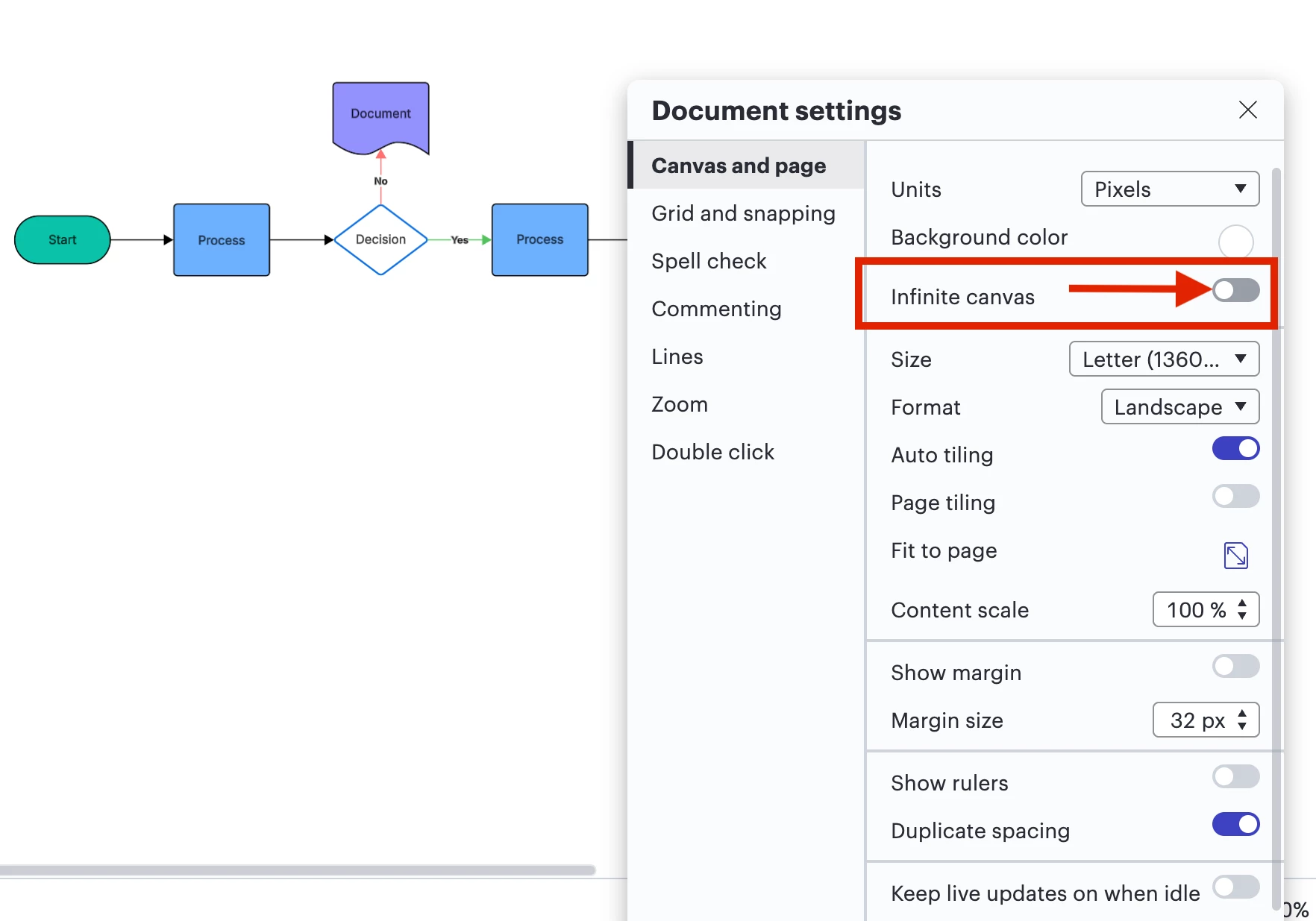
  • If your export is timing out or your content is the wrong size in the downloaded version, adjusting the content scale can help. To adjust the content scale, infinite canvas must be toggled off.

If the issue persists, please send the following information:

  • A description of the download settings (file type, document pages, cropping, quality, etc.) that you selected for the download.
  • A screenshot of the associated Javascript Console output. You can open your Javascript Console by pressing Ctrl + Shift + J (if your computer is a Windows / Linux) OR Cmd + Opt + J (if your computer is a Mac).


Thank you for your help and patience.


Forum|alt.badge.img+1
  • Author
  • September 4, 2025

THANKS FOR THE SUGGESTIONS, BUT I AM STILL BLOCKED.  SEE MY RESPONSES IN-LINE BELOW

  • Try the export in a Chrome Incognito browsing session. This often improves performance by clearing your cache and cookies and disabling your extensions.

NOT APPLICABLE TO MY ENT SETTINGS

  • Sometimes issues like this can be related to internet connection speed or network security. Please try the export again on another network, ensuring that you are on a strong, stable connection.

I AM ON A CORPORATE WAN, SO SPEED/SECURITY IS NOT AN ISSUE

  • If you are using Lucidchart, is the page that you are trying to export a master page? If so, it will be omitted from the downloaded version of your document and you will need to convert it into a page before exporting. To do this, left-click on your master page tab and select "Convert to Page."

N/A

  • If your export is timing out or your content is the wrong size in the downloaded version, adjusting the content scale can help. To adjust the content scale, infinite canvas must be toggled off.

TRIED REMOVING INFINITE CANVAS - STILL GETTING THE SAME ERROR :-/


  • A description of the download settings (file type, document pages, cropping, quality, etc.) that you selected for the download.

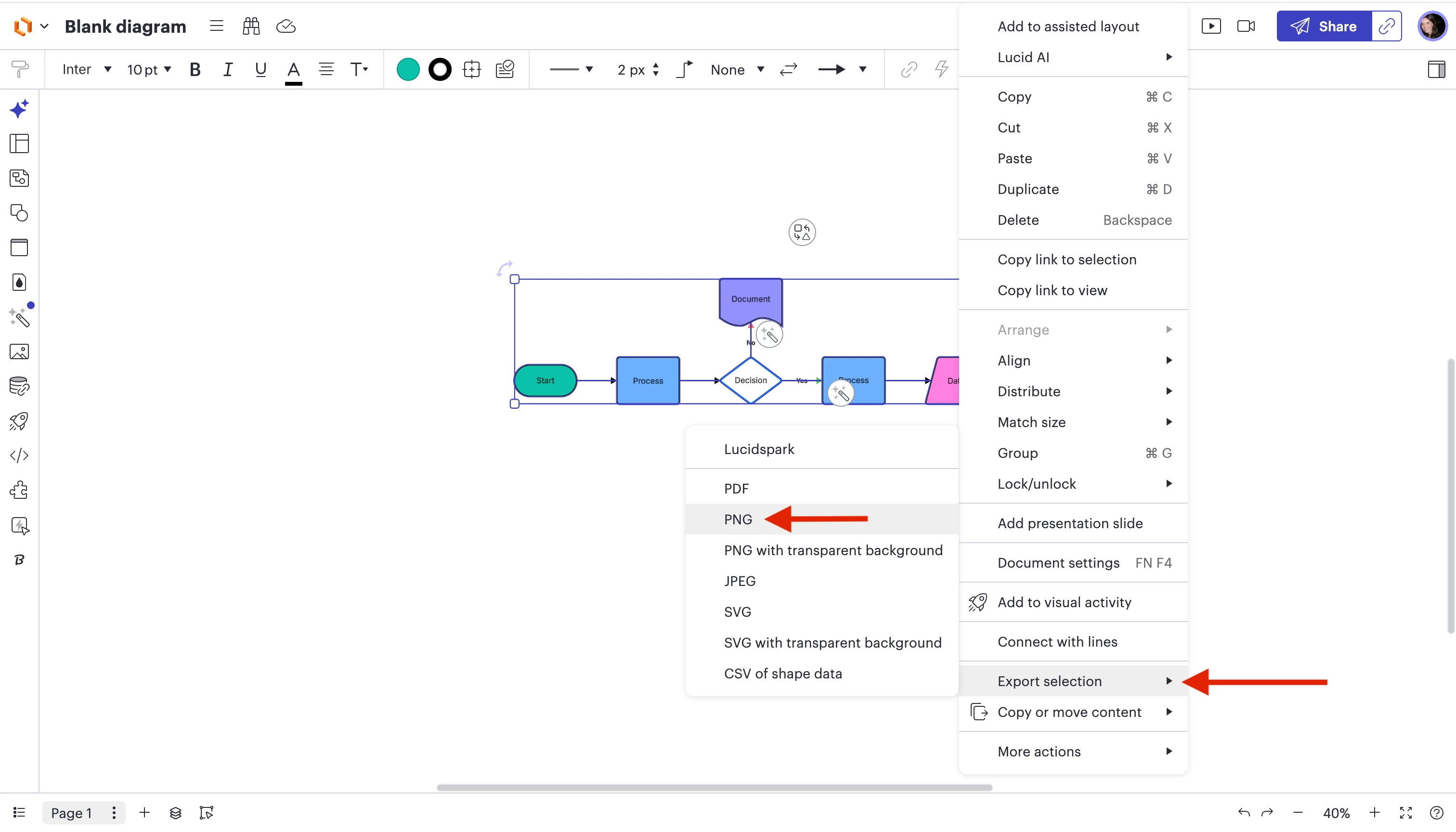
FILE TYPE: I TRIED THE FOLLOWING (NONE WORKED)

  1. PNG WITH TRANSPARENT BACKGROUND
  1. PNG
  1. SVG

 document pages: SINGLE PAGE

cropping: CROP TO CONTENT

quality: SCREEN QUALITY

A screenshot of the associated Javascript Console output; SEE ATTACHED


Forum|alt.badge.img+5
  • Lucid support team
  • Answer
  • September 5, 2025

Hi ​@send2dj ,

Thanks for sharing those details and the console output, that’s very helpful. To narrow this down further, can you let me know if the issue happens with just this one document, or if you’re seeing it across multiple documents (and accounts, if applicable)?

If it’s only affecting one document, please try duplicating it (File > Duplicate) and attempt the export again from the copy. This can sometimes clear up file-specific issues.

Additionally, can you please send a Technical Support PIN for your account? This will allow me to take a closer look at the issue you’re experiencing. Please navigate to your Account Settings to generate this PIN. For more information on generating a Support PIN, check out this Help Center article.

Once I have that information, I’ll be able to investigate more deeply.


Forum|alt.badge.img+1
  • Author
  • January 6, 2026

the issue is still there.

I tried duplicating and exporting - still did not work.

it does work on other files (less complicated)


PIN: iu03Ld7jNdNjjalUEt8EPC8owUgWHJcnjr134119972


alison cheney
Forum|alt.badge.img+4
  • Lucid community team
  • January 6, 2026

Hi ​@send2dj,

Just jumping in here after Ike! ​@ikalu, thank you for your engagement and support.


Thank you for sending over that technical support pin. To take a closer look at this issue, could you provide me with the specific name of the document that is failing to export? I tried reproducing this issue on one of your documents using the technical support pin you provided, and was able to export without any issues. Is this happening to every single one of your documents or just one specific document?


Forum|alt.badge.img+1
  • Author
  • January 6, 2026

it’s happening on another large doc:

“ASCII / GCL Sprout - Vineyard CIF (go/ascii-sprout-drawing)”

try enabling these settings:

  • Crop to content
  • Print quality


alison cheney
Forum|alt.badge.img+4
  • Lucid community team
  • January 6, 2026

@send2dj, thank you for providing the name of your document! I was able to take a look at your document and I received the same error you are seeing when I tried to export it as a PNG or SVG file (with the crop to content and print quality settings you mentioned). However, I was able to export your document in the format of a PDF and JPEG files. I know you mentioned earlier trying to export it as a PDF, but have you tried exporting it as a JPEG file? This could be a great workaround. 


Could you let me know if your document is still having issues exporting after attempting to export as a JPEG or PDF? If you’re still running into issues, could you try opening your document in a private or incognito window to help us narrow down the potential cause, connecting to a different network, and disconnecting from your VPN (if applicable)?


Here is this help center article that might be helpful on the best steps to take when documents fail to export. Thanks!


Forum|alt.badge.img+1
  • Author
  • January 7, 2026

Thanks.  Exporting to jpg worked for me. please fix the png export issue.  I need an image format - pdf is not a good fit for me.  export to pdf did work for me. 


alison cheney
Forum|alt.badge.img+4
  • Lucid community team
  • January 8, 2026

Thank you ​@send2dj for your feedback! I’m glad to hear the JPG format worked for you. We’ve noted the trouble you had with the PNG export. Because PNGs are uncompressed, very large documents can sometimes exceed what the browser or the export tool can generate. For now, JPG is our recommended image format for files of this size to ensure they render correctly. 

We are very interested in your feedback and committed to continually improving our products. Please first search the Product Feedback section of this community (with the filter Topic Type = Idea) to see if it’s already been submitted. If so, please add any additional details you’d like and upvote the request - this consolidation helps to refine feedback and properly capture the popularity of the request.

If no one has submitted this idea yet, please create one of your own and be sure to include details about your use case or what you’d like to see in this experience. This will also allow other users with similar requests to discover and upvote it, then add details of their own.

Finally, for more information on how Lucid manages feedback via this community, take a look at this post: What happens to my feedback? | Community