Yeva S
November 29, 2017
Solved

Changing arrow in Lucidchart to straight line

  • November 29, 2017
  • 1 reply
  • 98 views

Help! Creating a basic flow chart  in Lucidchart and all lines connecting to boxes are presented as "arrows"

I've tried to change it using the suggested methods and nothing works. Please advise!

Thanks

Best answer by Keyvan S

Hi Yeva

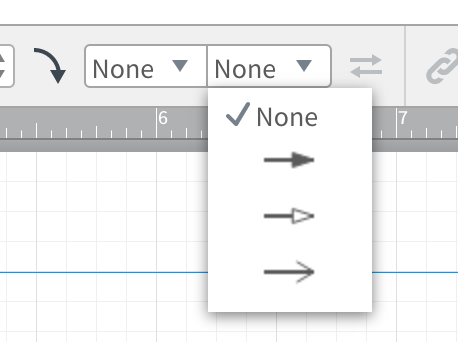
Thanks for your question. Once you select the arrow you can toggle off the arrow portion on the left and/or right using the menu options (toggled to "None" in the screenshot). Please let me know if you have any questions.

Comments

Keyvan S
Keyvan SAnswer
Lucid support team
November 29, 2017

Hi Yeva

Thanks for your question. Once you select the arrow you can toggle off the arrow portion on the left and/or right using the menu options (toggled to "None" in the screenshot). Please let me know if you have any questions.