September 3, 2025
Solved

Unable to export: "An error occurred. Failed to download."

  • September 3, 2025
  • 21 replies
  • 464 views

tried exporting to various options: pdf, png, png-transparent, svg, etc.

It says “generating file”, but then an error shows up “An error occurred. Failed to download”.
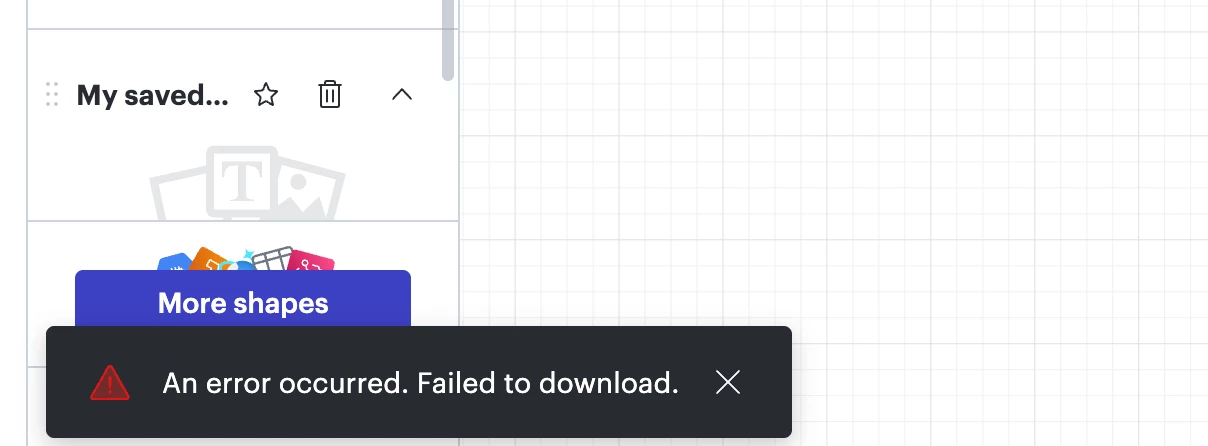
error message
​​​​​


Best answer by alison cheney

Hi ​@Wladimir J. A,

I completely understand! It makes sense that presenting directly within Lucid doesn't fit your specific workflow, so thank you for clarifying!

Since the export is the priority, I really want to help you get to the bottom of that "An error occurred. Failed to download" message. Often, this error is tied to the browser's ability to process the file generation or a specific element within the document.

I’d love to encourage you to try the steps in this troubleshooting guide again. Sometimes it can be a surprisingly simple fix, like:

  • Adjusting the content scale: If the document is very large, reducing the scale can help the export process.

  • Copying content to a new document: This often clears out any "stuck" background data or document-specific glitches.

  • Exporting a different file type: Testing a different format (like SVG or JPEG) can help determine if the issue is specific to the PDF/PNG generator.

A few extra things to try:

  1. Try the export in a Chrome Incognito window. This is one of the most successful fixes because it rules out interference from browser extensions or cached data.

  2.  If you are using Lucidchart, ensure you aren't trying to export a "Master Page" directly, as these need to be converted to a standard page first.

  3. We’ve seen cases where special characters in the document title or on the canvas can cause a download failure. Try a simple title to see if that helps!

If those don't work, could you share a Technical Support PIN for your account? I know you are experiencing export issues with multiple documents, so this will help me take a closer look at what’s going on. This PIN is safe to post in this thread because it is only accessible by members of the Lucid support staff. You can find steps for generating a Support PIN in this Lucid Help Center article: Generate a Lucid Support PIN. If you could also provide the names of the documents you are having trouble exporting, that would be great.

We're determined to get this working for you and appreciate your patience!

Comments

Lucid support team
September 3, 2025

Hi ​@send2dj ,

Thanks for contacting Lucid Support!

Just to make sure that we are on the same page, please review our Export Your Lucid Documents article from the Lucid Help Center. Additionally, please see our Troubleshooting: Export article from the Lucid Help Center for steps to resolve any issues you may be having. Let me know if you have any questions about how downloading/exporting your document should work.


There are a few specific things worth noting when working with exporting your document:

  • Try the export in a Chrome Incognito browsing session. This often improves performance by clearing your cache and cookies and disabling your extensions.
  • Sometimes issues like this can be related to internet connection speed or network security. Please try the export again on another network, ensuring that you are on a strong, stable connection.
  • If you are using Lucidchart, is the page that you are trying to export a master page? If so, it will be omitted from the downloaded version of your document and you will need to convert it into a page before exporting. To do this, left-click on your master page tab and select "Convert to Page."
  • If your export is timing out or your content is the wrong size in the downloaded version, adjusting the content scale can help. To adjust the content scale, infinite canvas must be toggled off.

If the issue persists, please send the following information:

  • A description of the download settings (file type, document pages, cropping, quality, etc.) that you selected for the download.
  • A screenshot of the associated Javascript Console output. You can open your Javascript Console by pressing Ctrl + Shift + J (if your computer is a Windows / Linux) OR Cmd + Opt + J (if your computer is a Mac).


Thank you for your help and patience.

send2djAuthor
September 4, 2025

THANKS FOR THE SUGGESTIONS, BUT I AM STILL BLOCKED.  SEE MY RESPONSES IN-LINE BELOW

  • Try the export in a Chrome Incognito browsing session. This often improves performance by clearing your cache and cookies and disabling your extensions.

NOT APPLICABLE TO MY ENT SETTINGS

  • Sometimes issues like this can be related to internet connection speed or network security. Please try the export again on another network, ensuring that you are on a strong, stable connection.

I AM ON A CORPORATE WAN, SO SPEED/SECURITY IS NOT AN ISSUE

  • If you are using Lucidchart, is the page that you are trying to export a master page? If so, it will be omitted from the downloaded version of your document and you will need to convert it into a page before exporting. To do this, left-click on your master page tab and select "Convert to Page."

N/A

  • If your export is timing out or your content is the wrong size in the downloaded version, adjusting the content scale can help. To adjust the content scale, infinite canvas must be toggled off.

TRIED REMOVING INFINITE CANVAS - STILL GETTING THE SAME ERROR :-/


  • A description of the download settings (file type, document pages, cropping, quality, etc.) that you selected for the download.

FILE TYPE: I TRIED THE FOLLOWING (NONE WORKED)

  1. PNG WITH TRANSPARENT BACKGROUND
  1. PNG
  1. SVG

 document pages: SINGLE PAGE

cropping: CROP TO CONTENT

quality: SCREEN QUALITY

A screenshot of the associated Javascript Console output; SEE ATTACHED


Lucid support team
September 5, 2025

Hi ​@send2dj ,

Thanks for sharing those details and the console output, that’s very helpful. To narrow this down further, can you let me know if the issue happens with just this one document, or if you’re seeing it across multiple documents (and accounts, if applicable)?

If it’s only affecting one document, please try duplicating it (File > Duplicate) and attempt the export again from the copy. This can sometimes clear up file-specific issues.

Additionally, can you please send a Technical Support PIN for your account? This will allow me to take a closer look at the issue you’re experiencing. Please navigate to your Account Settings to generate this PIN. For more information on generating a Support PIN, check out this Help Center article.

Once I have that information, I’ll be able to investigate more deeply.

send2djAuthor
January 6, 2026

the issue is still there.

I tried duplicating and exporting - still did not work.

it does work on other files (less complicated)


PIN: iu03Ld7jNdNjjalUEt8EPC8owUgWHJcnjr134119972

alison cheney
Lucid community team
January 6, 2026

Hi ​@send2dj,

Just jumping in here after Ike! ​@ikalu, thank you for your engagement and support.


Thank you for sending over that technical support pin. To take a closer look at this issue, could you provide me with the specific name of the document that is failing to export? I tried reproducing this issue on one of your documents using the technical support pin you provided, and was able to export without any issues. Is this happening to every single one of your documents or just one specific document?

send2djAuthor
January 6, 2026

it’s happening on another large doc:

“ASCII / GCL Sprout - Vineyard CIF (go/ascii-sprout-drawing)”

try enabling these settings:

  • Crop to content
  • Print quality


alison cheney
Lucid community team
January 6, 2026

@send2dj, thank you for providing the name of your document! I was able to take a look at your document and I received the same error you are seeing when I tried to export it as a PNG or SVG file (with the crop to content and print quality settings you mentioned). However, I was able to export your document in the format of a PDF and JPEG files. I know you mentioned earlier trying to export it as a PDF, but have you tried exporting it as a JPEG file? This could be a great workaround. 


Could you let me know if your document is still having issues exporting after attempting to export as a JPEG or PDF? If you’re still running into issues, could you try opening your document in a private or incognito window to help us narrow down the potential cause, connecting to a different network, and disconnecting from your VPN (if applicable)?


Here is this help center article that might be helpful on the best steps to take when documents fail to export. Thanks!

send2djAuthor
January 7, 2026

Thanks.  Exporting to jpg worked for me. please fix the png export issue.  I need an image format - pdf is not a good fit for me.  export to pdf did work for me. 


alison cheney
Lucid community team
January 8, 2026

Thank you ​@send2dj for your feedback! I’m glad to hear the JPG format worked for you. We’ve noted the trouble you had with the PNG export. Because PNGs are uncompressed, very large documents can sometimes exceed what the browser or the export tool can generate. For now, JPG is our recommended image format for files of this size to ensure they render correctly. 

We are very interested in your feedback and committed to continually improving our products. Please first search the Product Feedback section of this community (with the filter Topic Type = Idea) to see if it’s already been submitted. If so, please add any additional details you’d like and upvote the request - this consolidation helps to refine feedback and properly capture the popularity of the request.

If no one has submitted this idea yet, please create one of your own and be sure to include details about your use case or what you’d like to see in this experience. This will also allow other users with similar requests to discover and upvote it, then add details of their own.

Finally, for more information on how Lucid manages feedback via this community, take a look at this post: What happens to my feedback? | Community

Wladimir J. A
February 11, 2026

I’m also posting again because, unfortunately, I seem to be out of luck with exporting from Lucidchart.

Previously, I reported issues with background gradients being lost in PDF exports. I also tested different troubleshooting steps (including WebGL toggling), and a bug was identified and reported. I appreciated the support in that case.

However, now I am facing an even more basic problem: as the user that initiated this topic,  I am simply trying to export a diagram as a PNG file, and I receive the message:

“An error occurred. Failed to download.”

I was actually considering recommending Lucid for an institutional subscription for my team. But at this point, I am hesitant. Reliable export is a fundamental feature. If exporting the material that users generate cannot be done consistently and reliably, it becomes very difficult to justify broader adoption.

I am seriously considering exporting all the work I’ve created in Lucidchart and migrating to another tool. I say this with some sadness, because I am accustomed to the Lucid environment, and such a migration would involve a significant amount of work and learning. Still, if exporting cannot be made dependable, I do not see much alternative.

I hope this can be addressed promptly.
