Hi all thanks for posting in this thread! I'm hoping to clarify Lucidchart's BPMN functionality with this post and provide resources for making BPMN diagramming in Lucidchart more efficient.
First to clarify default line styles such as Message Flow are not part of the BPMN 2.0 shape library. As with other Lucidchart shape libraries lines are not included among the other shapes As such you will not find a dropdown menu to choose the type of line connector or flow as you do with Tasks Data Objects Events etc.
However it is still possible to style these lines to represent proper BPMN semantics using the line styling tools. Simply choose the correct line style and endpoints from the line menu to apply to any line you've manually created. Please see the GIF below for an illustration of this method:
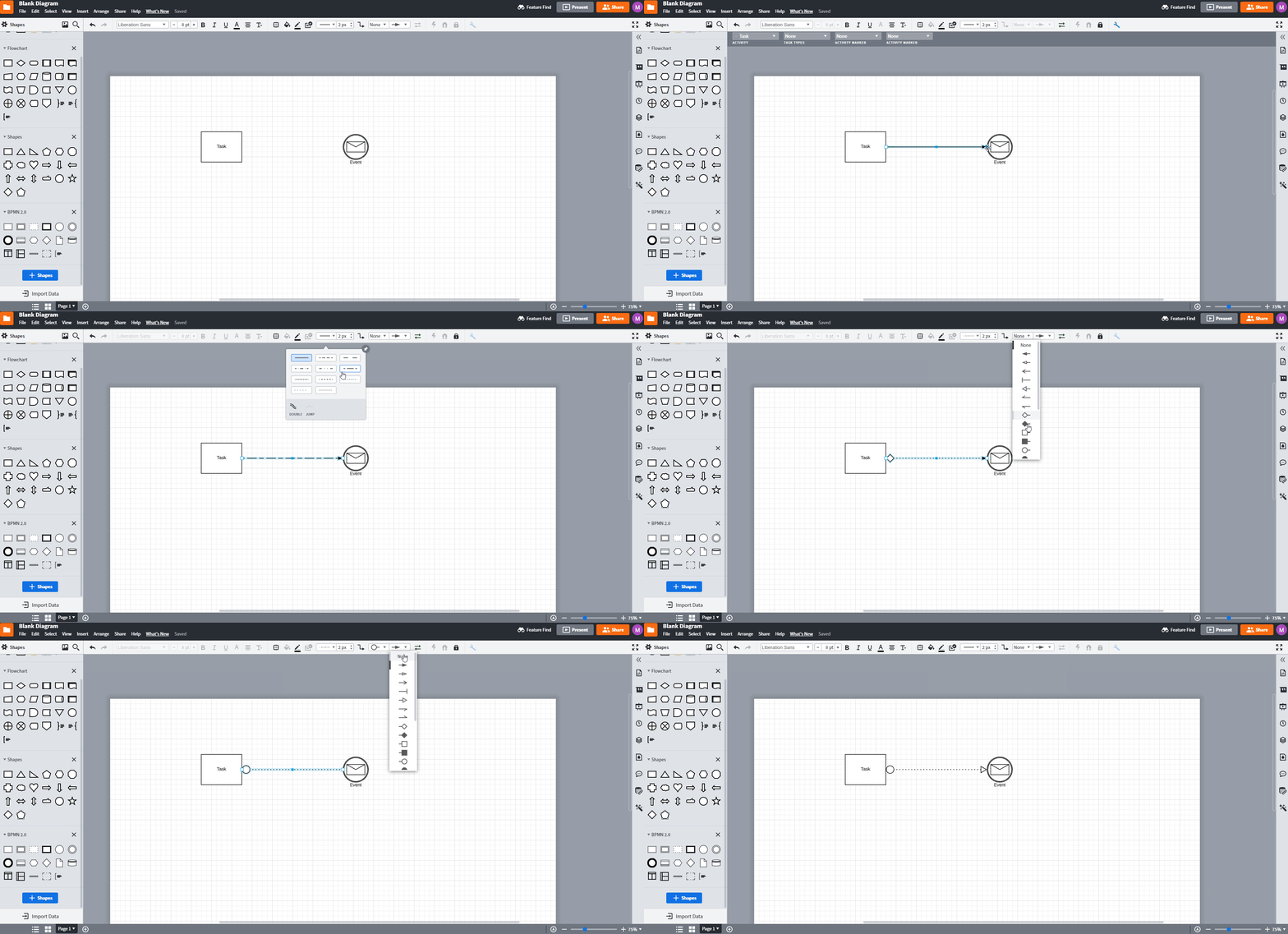
You can also set this to be your default line style by making the line style and endpoint choices when you do not have any other object selected. Then any lines created after will be made with this default style applied.
For ease of use and to avoid having to apply or change line styles with each line creation you can save your frequently used line style as a custom shape which will then be easily accessible from a shape library and can be dragged and dropped onto the canvas just like other shapes. For instructions on how to create a custom shape please view the GIF below and review our Add and customize shapes in Lucidchart article.
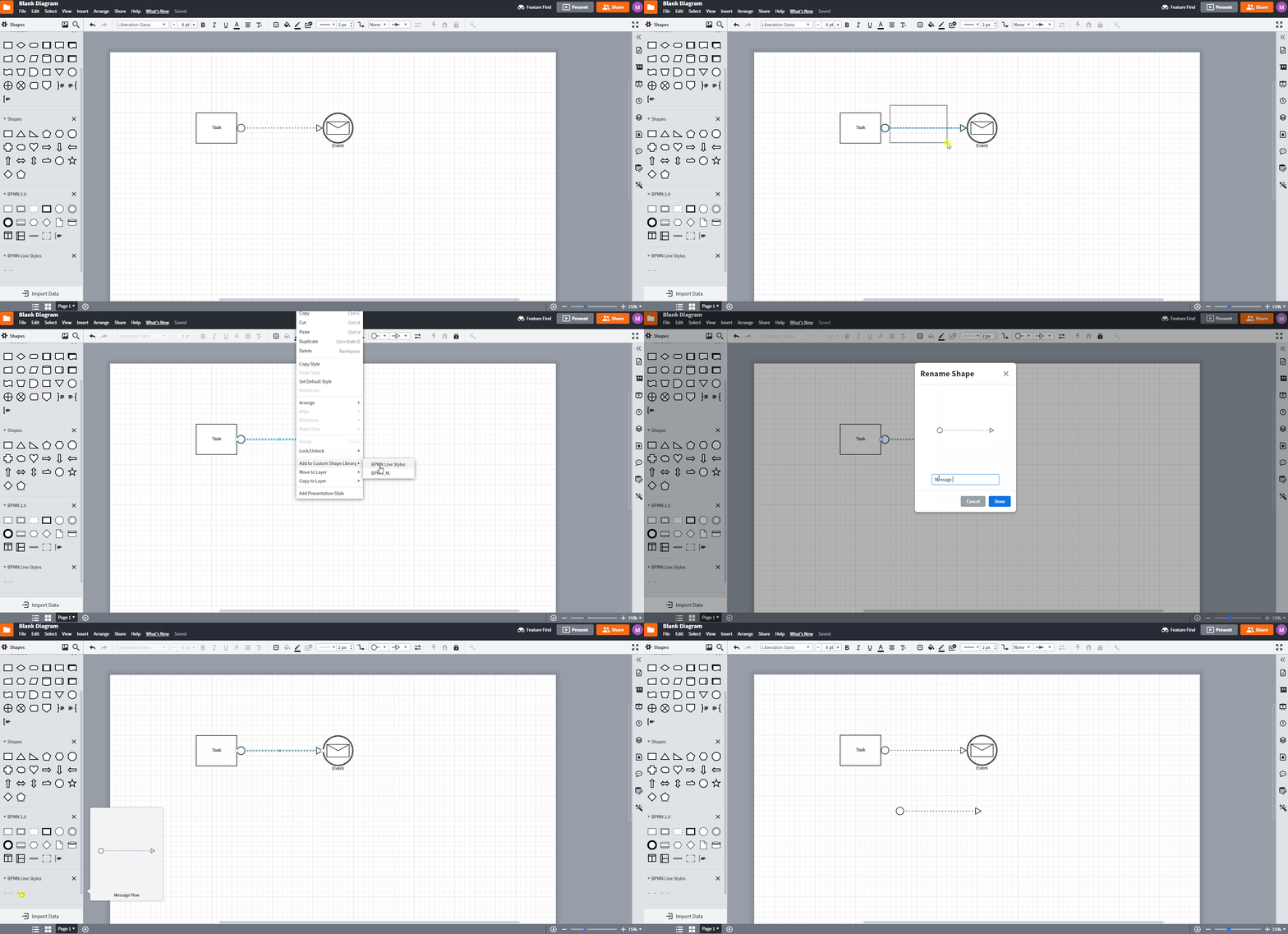
Finally if you would prefer that line creation and styling would be automated please continue to share feedback in our Product Feedback space as this is the best way to help our development team prioritize improvements to the product. Thanks!



 Your privacy choices


