July 1, 2024
Solved

Azure DevOps integrated cards are all greyed out for editing

  • July 1, 2024
  • 32 replies
  • 870 views

Hi, I’ve got a board with a bunch of ADO linked cards that has been working great but today when I’ve logged into Lucid to try and edit the cards the edit fields are all greyed out.  I can open the cards in ADO from Lucid and make the updates in ADO which do sync back but I can’t seem to make any edits in Lucid directly.  It was all working find last week.  I’ve tried disconnecting and reconnecting my Microsoft account but the problem persists.  Any idea’s what the problem might be? 

Best answer by Shantel Gillette

Good afternoon,

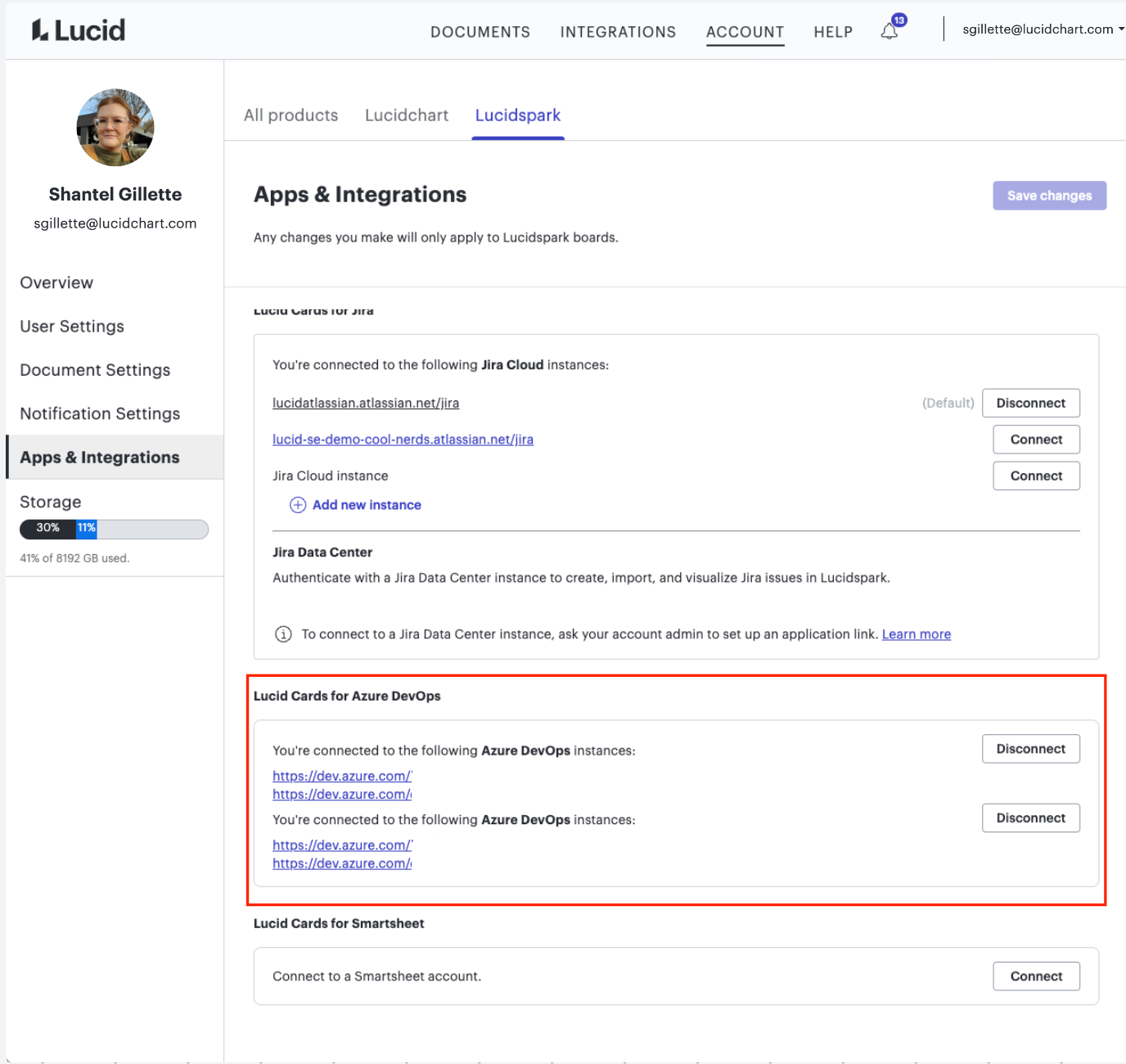
Thank you for trying those steps. It’s unfortunate that they didn’t resolve the issue. One possibility is that you are still somehow connected to two (or more) Azure instances. You can check that by going to your Account Settings (by clicking on your user icon in the upper right hand corner of the home page), then to the left clicking on “Apps and Integrations”, and then under Azure you should see how many connected instances there are. 


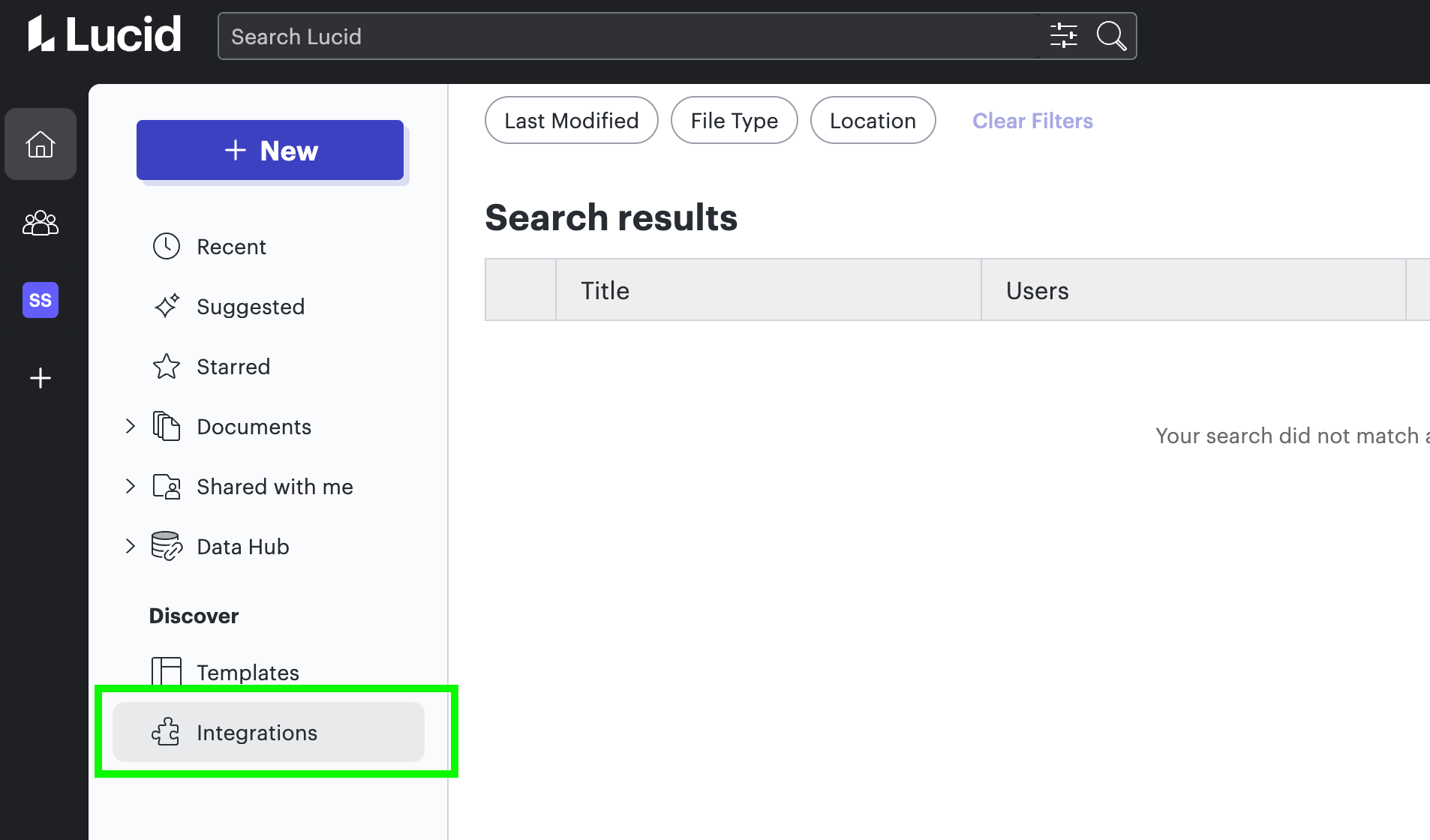
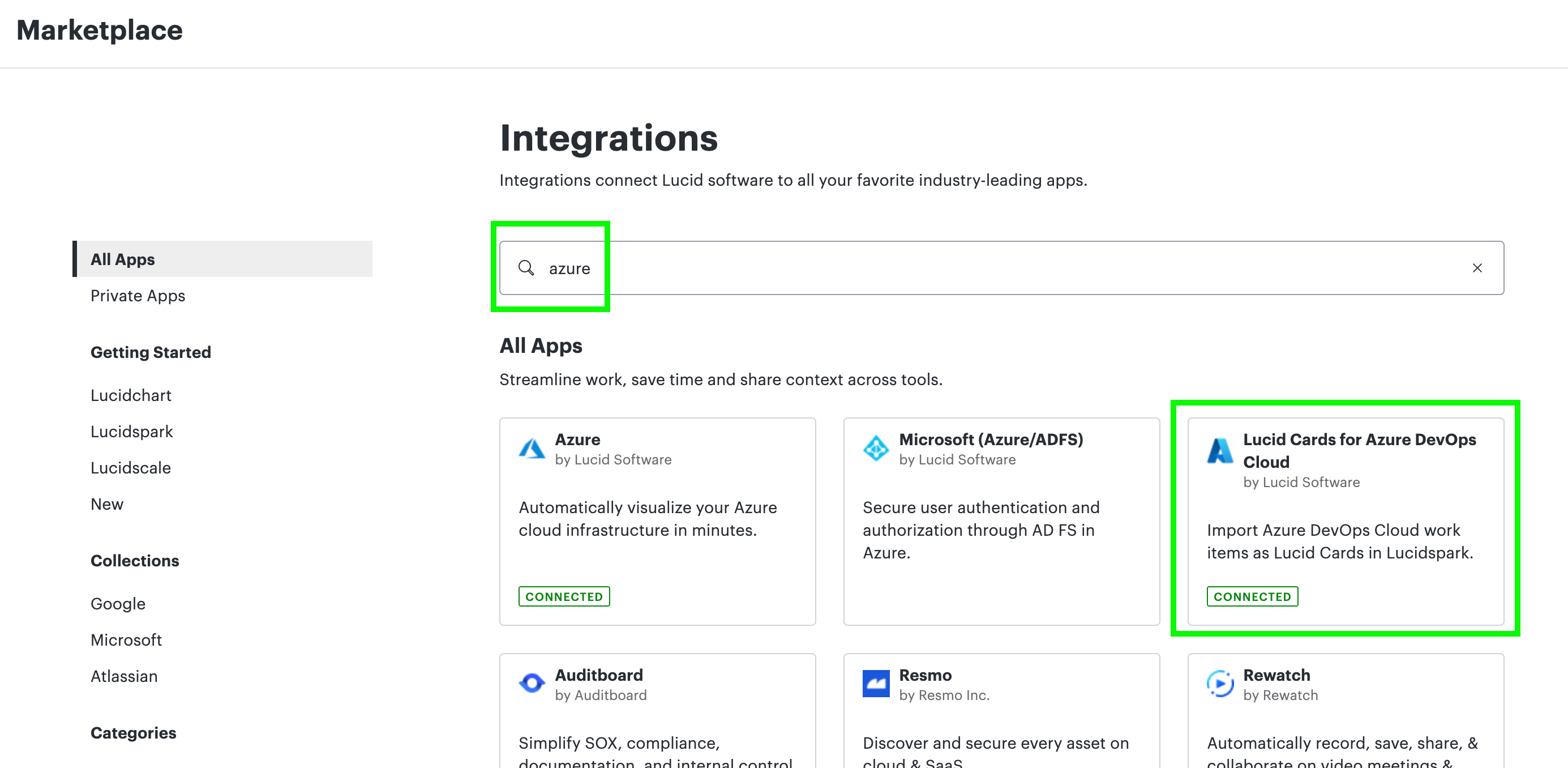
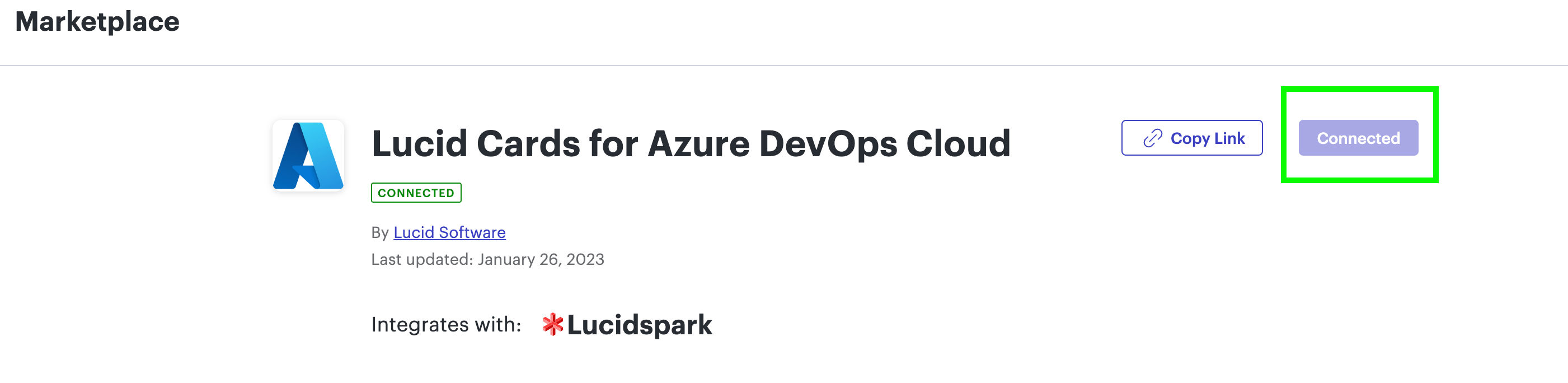
Another suggestion was to completely uninstall the integration from the Marketplace page. You can do this by going to Integrations> Click the Lucidspark tab> Find Lucid Cards for Azure DevOps (or just do a search)> Click the listing> Click “Disconnect” in the top right of the listing. It’s part of my corporate account so I can’t disconnect mine, but the images below should give you an idea of what to do.


Let me know if that works! 

Comments

September 23, 2024

Has a solution been found to ADO bi-directional integration not working?   I have similarly tried everything on this thread and no matter what I do I cannot update ADO tasks/bugs/user stories etc. All fields are greyed out. 

Kelsey Gaag
Lucidite
September 23, 2024

Hi @KE_VH

Thank you for your post! I have converted your post to a support ticket so our team can help you further!

Andrii Prokhorov
September 26, 2024

Hello @Kelsey Gaag !

I have the same issue within my org.

September 26, 2024

Hi @Kelsey Gaag - same issue here. 

Kelsey Gaag
Lucidite
September 26, 2024

Hi @Andrii Prokhorov and @catc

Thank you for your posts! I’ve converted your replies to tickets so that our support team can help you further. 

September 27, 2024

I am wondering if there is any new updates to the same old issue (details on card are disabled). Without this feature, the tool remains ineffective. 

Also, when we import, can we import children if we select parent? For example, select a feature and all user stories will be added as well?

Thanks!


This is a great idea! +1

Parent epic > feature >  story relationships would be amazing. Combine that with timeline integration and it would make our backlog planning so much easier.  

September 30, 2024

I have the same issue.

Kelsey Gaag
Lucidite
September 30, 2024

Hi @Shaima Radwan Thank you for the reply! I have converted your post into a ticket so our support team can help you further!

Kelsey Gaag
Lucidite
September 30, 2024

Hi @KE_VH  and @Chetana S

Thanks for your post! Unfortunately, this isn’t currently supported in Lucid, but we’re very interested in your feedback and committed to continually improving our products. If you’re willing to share, we’d love to hear more details about your use case or what you’d like to see in this experience within this thread. I’ve also moved this to an idea so that it’s visible to others within the Product Feedback section of the community - from here, they can upvote it and add details of their own.

For more information on how Lucid manages feedback via this community, take a look at this post:


September 30, 2024

I am still having this problem as well. I would welcome either a support ticket or details on a fix that I can action.