October 5, 2026
Question

AI and toolbar issues

  • October 5, 2026
  • 1 reply
  • 4 views

Why do I have to use ChatGPT to find out how to use your product now? I asked your AI a simple question about page orientation and  after 10 minutes of waiting it crashed. Useless.

And why have you drastically decreased the viewing work space because you have fixed the properties menu on the right? Who thought that was a good idea? It was much better on the top where I can have it open all the time and maximum what I can see which helps you think better and do better diagrams
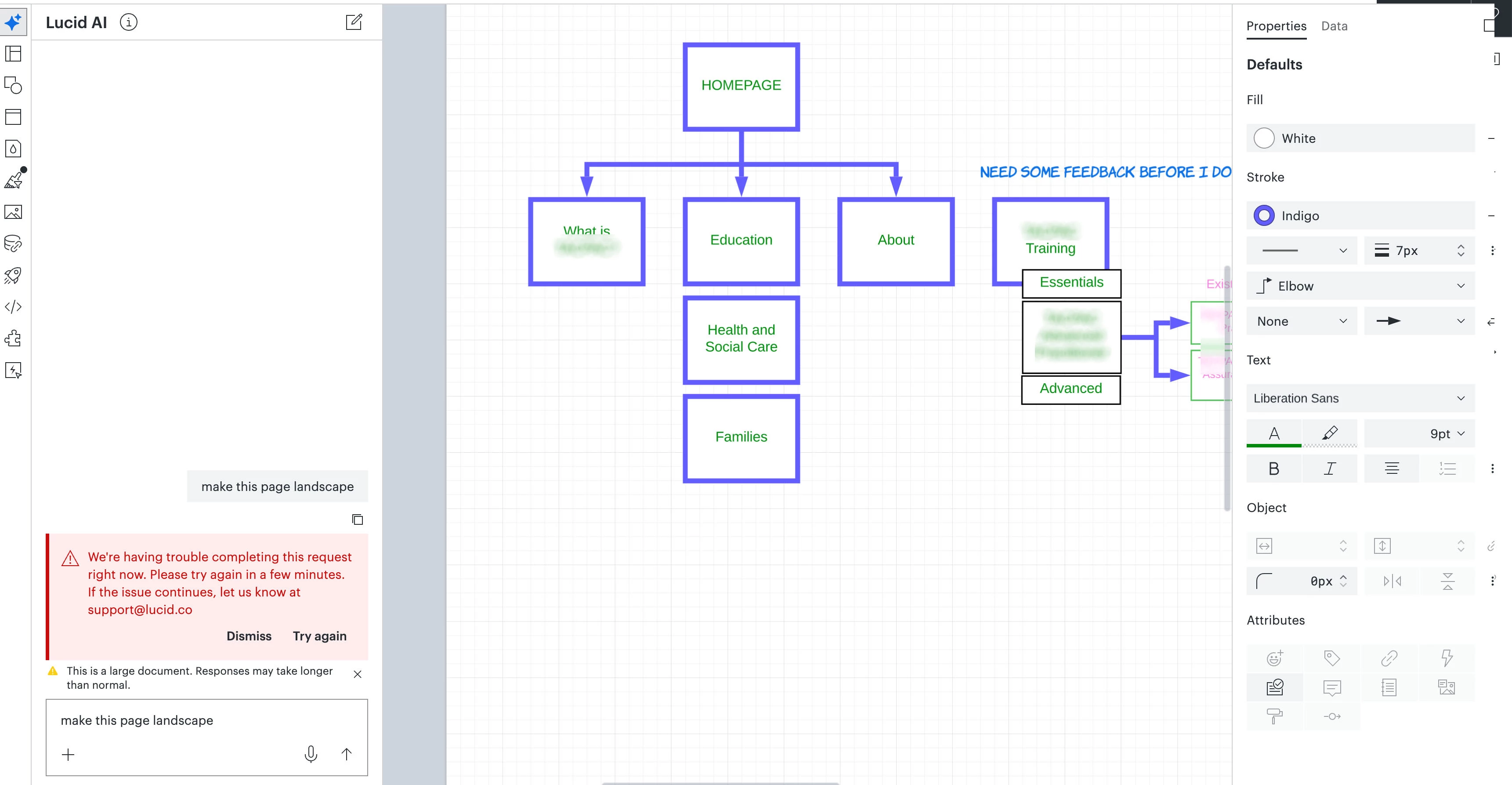
.I don’t want to keep hiding and showing it, that’s not productive at all. 

Please have an option to put this where is should be.

And given I am part of the community, why is the help about asking the community and not you, it’s your software? That’s not customer service at all. 

Comments

Zuzia S
Lucid community team
October 7, 2026

Hi ​@Dom1, thank you for posting in the Community! 

After discussing the matter internally, it seems like there was a bug relating to our AI tool, which should be fixed now. Could you please let me know if it persists?

Additionally, it looks like you've come across the new way to edit shapes in Lucidchart.

This change is intentional. We reorganized editing controls so the ones you use most are faster to reach: your most common controls now live in a mini bar right above your selected shape, instead of a fixed toolbar at the top of the screen you'd have to look away from your work to use.

Here are a couple quick tips:

  • The mini bar also only shows controls relevant to what you've selected, so you're not scanning past options that don't apply.
  • You can drag that bar anywhere on your canvas.
  • The right panel to the right of your canvas (under the Share button) has those same controls, plus more advanced options, if you need them.

We’re very interested in your feedback and committed to continually improving our products.

If you'd like to provide further feedback on this topic for our product teams to review, you can create an idea within the Product Feedback section of this community. This will also allow other users to discover and upvote your post, then add details of their own.

Finally, for more information on how Lucid manages feedback via this community, take a look at this post.

Thank you!