If xls contains links to something how to embed it in employee's box? So that if someone clicks on employee's name then it will go to employee's home page (or whatever set in the appropriate column in the imported xls file).
Thanks for posting in the community! You have several options to achieve this:
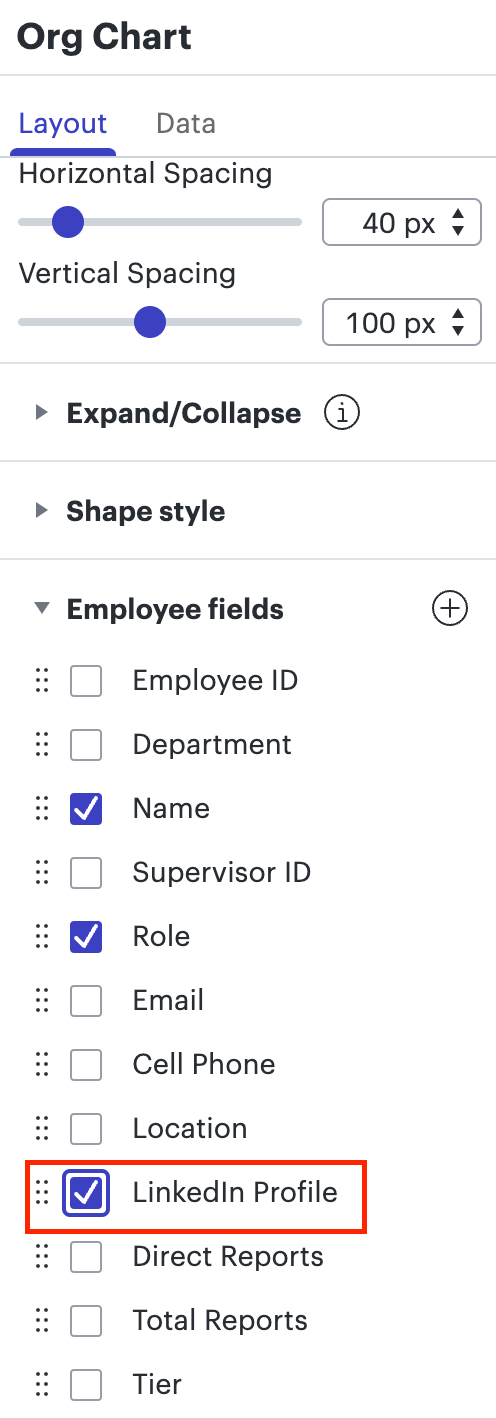
If you want the URL itself to display directly in the employee shape you can create an additional column in your Excel file (LinkedIn Profile CV etc.) and paste the link for each employee under it.Then after importing your Excel sheet you can add that field to display on your employee shapes under the shapes section of the org chart menu. For more information on importing your data please refer to our Org Charts article from our help center.
If you don't want the full URL to display you can simply add a field entitled "LinkedIn Profile" "CV" or whatever you want to link to then set that field to display that same text ("LinkedIn" "CV" etc.)
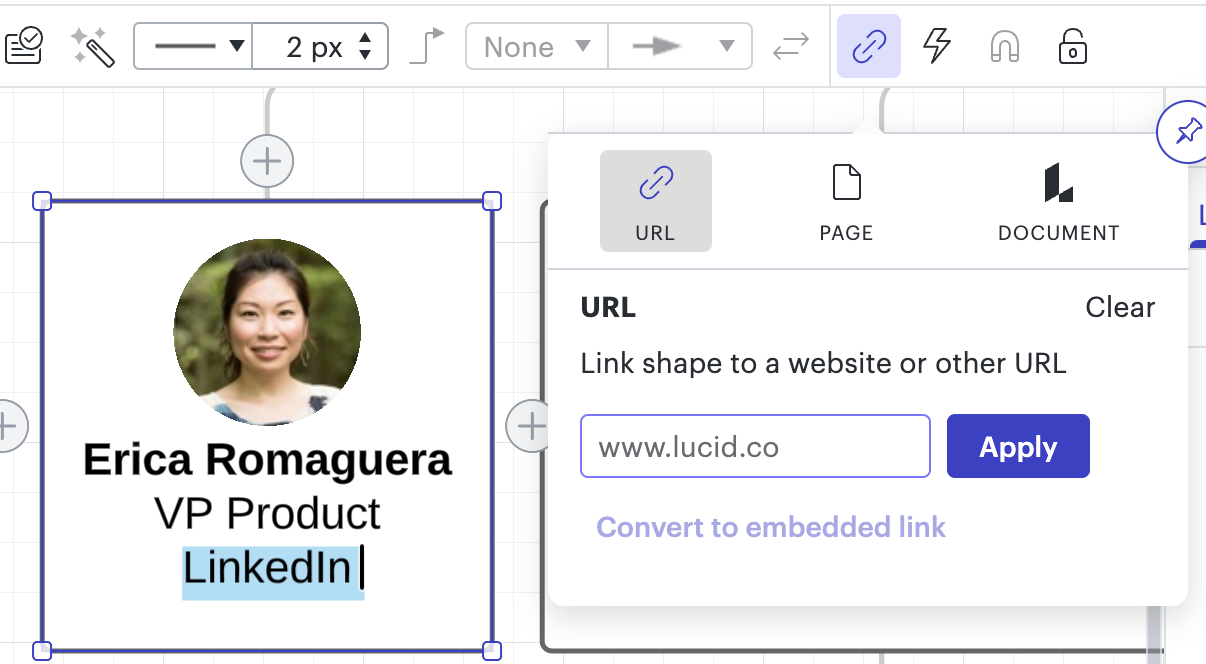
Finally after adding your field by either method to your employee shapes you can select an element of that shape (the URL the text "LinkedIn Profile" or "CV" the employee name or the entire shape itself then use the Actions tool to insert the corresponding link. After doing so anyone viewing your document can click to navigate to the linked website. For more detailed instructions on creating links like this please take a moment to review our Actions and Hotspots article from our help center.
Hope this helps! Please let me know if you have any additional questions.
Thanks for posting in the community! You have several options to achieve this:
If you want the URL itself to display directly in the employee shape you can create an additional column in your Excel file (LinkedIn Profile CV etc.) and paste the link for each employee under it.Then after importing your Excel sheet you can add that field to display on your employee shapes under the shapes section of the org chart menu. For more information on importing your data please refer to our Org Charts article from our help center.
If you don't want the full URL to display you can simply add a field entitled "LinkedIn Profile" "CV" or whatever you want to link to then set that field to display that same text ("LinkedIn" "CV" etc.)
Finally after adding your field by either method to your employee shapes you can select an element of that shape (the URL the text "LinkedIn Profile" or "CV" the employee name or the entire shape itself then use the Actions tool to insert the corresponding link. After doing so anyone viewing your document can click to navigate to the linked website. For more detailed instructions on creating links like this please take a moment to review our Actions and Hotspots article from our help center.
Hope this helps! Please let me know if you have any additional questions.
Unfortunately it is not possible to import a live link from an .XLS file into a Lucidchart org chart. While the text of the URL will certainly import (described in the first bullet point of my first response) the ability to click it and navigate to the corresponding website will not be. You will have to re-add that action manually according to the final paragraph of instructions in my previous response and the help center article linked there. Please let me know if you have further specific questions about how to add these links.
However I can see how having link imports automatically would be more efficient than adding each link individually-would you mind adding your thoughts to our Product Feedback section? Ideas submitted here are passed along to the development team for their consideration.
I am trying to figure a way out to use the full persona data from linkedin (title photo etc) to build out an org chart - and cant seem to find an easy way to do that. Is that possible?
Thanks for your post. You can use information from an employee's LinkedIn profile by including that information in your data file (described in the posts above.) With that said there isn't a specific integration to import an employee's information directly from LinkedIn. Would you mind adding your idea to our Product Feedback section? We share these submissions with our developers.
I hope this helps. Please let us know if you have anymore questions.
Hi so I imported the 93 lines in my spreadsheet there are two URLs one for the bio image and the other for their online profile. The URL for the online profile can be displayed (long URL text) under the title and is even clickable in a PDF export. But to make their online profile link clickable without displaying the entire URL text do I have to edit EVERY SINGLE ONE of the 93 shapes to add their online profile as an action?
Hi Frank thanks for continuing this thread. To clarify are you hoping to replace the long URL text with a label like "Online Profile" that would then be clickable? If so unfortunately yes each employee shape will need to be edited in order to create clickable text for a viewer to interact with. I do understand how this is not efficient for a large number of employees and I've logged this feedback for review by our development team which utilizes requests like this when prioritizing improvements to Lucidchart. I sincerely apologize for any frustration this causes. Please let me know if you have additional questions!
@Micah I read in your previous post that you would be logging this idea feedback for review by your development team. Do you have a link to that idea request so I can upvote it?
@ASawatzky Thanks for your post, and apologies for the confusion. In the past, we collected feedback on our products via a separate form, which is what was linked above and what I referred to. Now, in order to make requests more discoverable so others can upvote them and add their own context, we use the Product Feedback space of this community to collect feature requests and ideas.
If you have feedback about the ability to import links, please first search the product feedback space (with the filter Topic Type = Idea) to see if it’s already been submitted. If so, please add any additional details you’d like and upvote the request - this consolidation helps to refine feedback and properly capture the popularity of the request.
If no one has submitted the idea yet, create one of your own and include as much detail as possible as described in this post:
We are actively working on updating existing posts like this one with this new process and appreciate your patience as we do so!
A Lucid or airfocus account is required to interact with the Community, and your participation is subject to the
Supplemental Lucid Community Terms.
You may not participate in the Community if you are under 18. You will be redirected to the Lucid or airfocus app to log in.
A Lucid or airfocus account is required to interact with the Community, and your participation is subject to the
Supplemental Lucid Community Terms.
You may not participate in the Community if you are under 18. You will be redirected to the Lucid or airfocus app to log in.



 Your privacy choices


