

Turn on the new Lucidchart editor
The new Lucidchart is here
We hope you’re loving the new Lucidchart editor as much as we are! You may have noticed that the redesigned Lucidchart editor is minimalistic and modern- maximizing speed, focus, and clarity.
The new interface is currently in public beta and will become default to everyone on December 7th, 2026. If you’re ready to try it out now, early access is available to everyone! Switching into the new editor also unlocks dark mode.
Two ways to access the new Lucidchart editor
Note: You may automatically be opted-in to this new experience by default, in which case you won’t need to switch into the new editor.
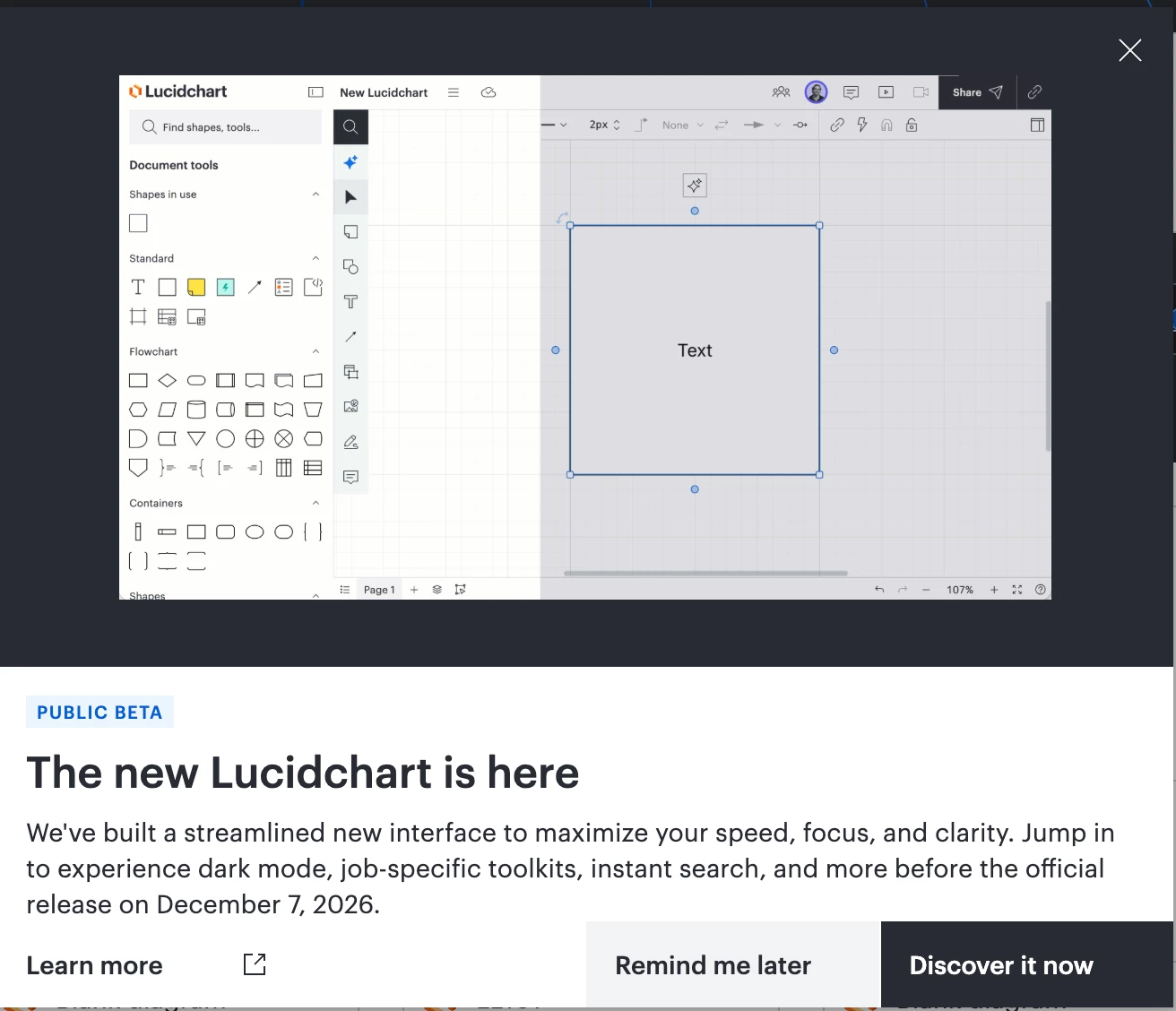
Pop-up modal: Log in to Lucid or open a Lucidchart document and you’ll be prompted with the pop up below. Select the button ‘Discover it now’ to be led through an in-product tutorial of what’s new.
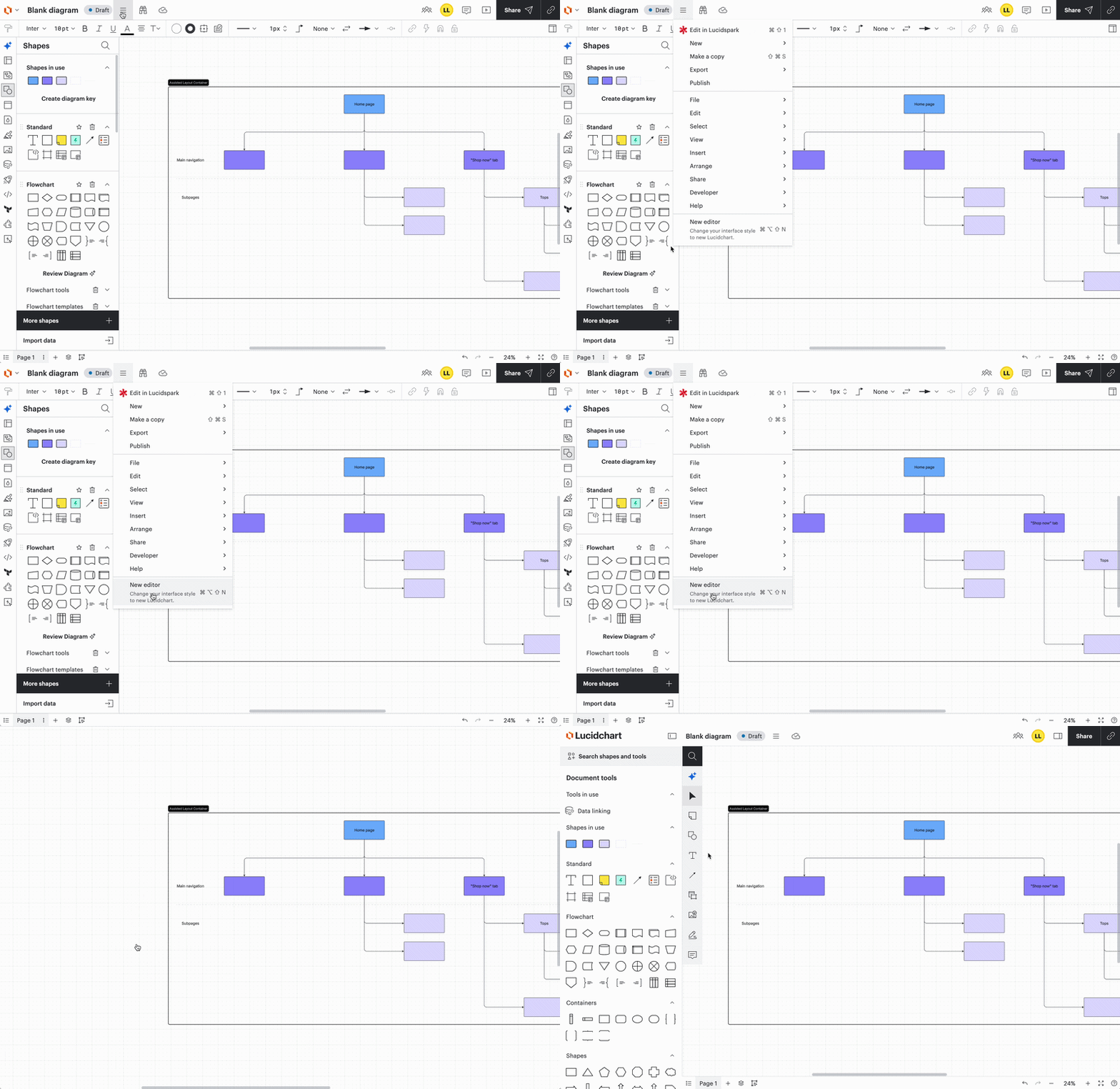
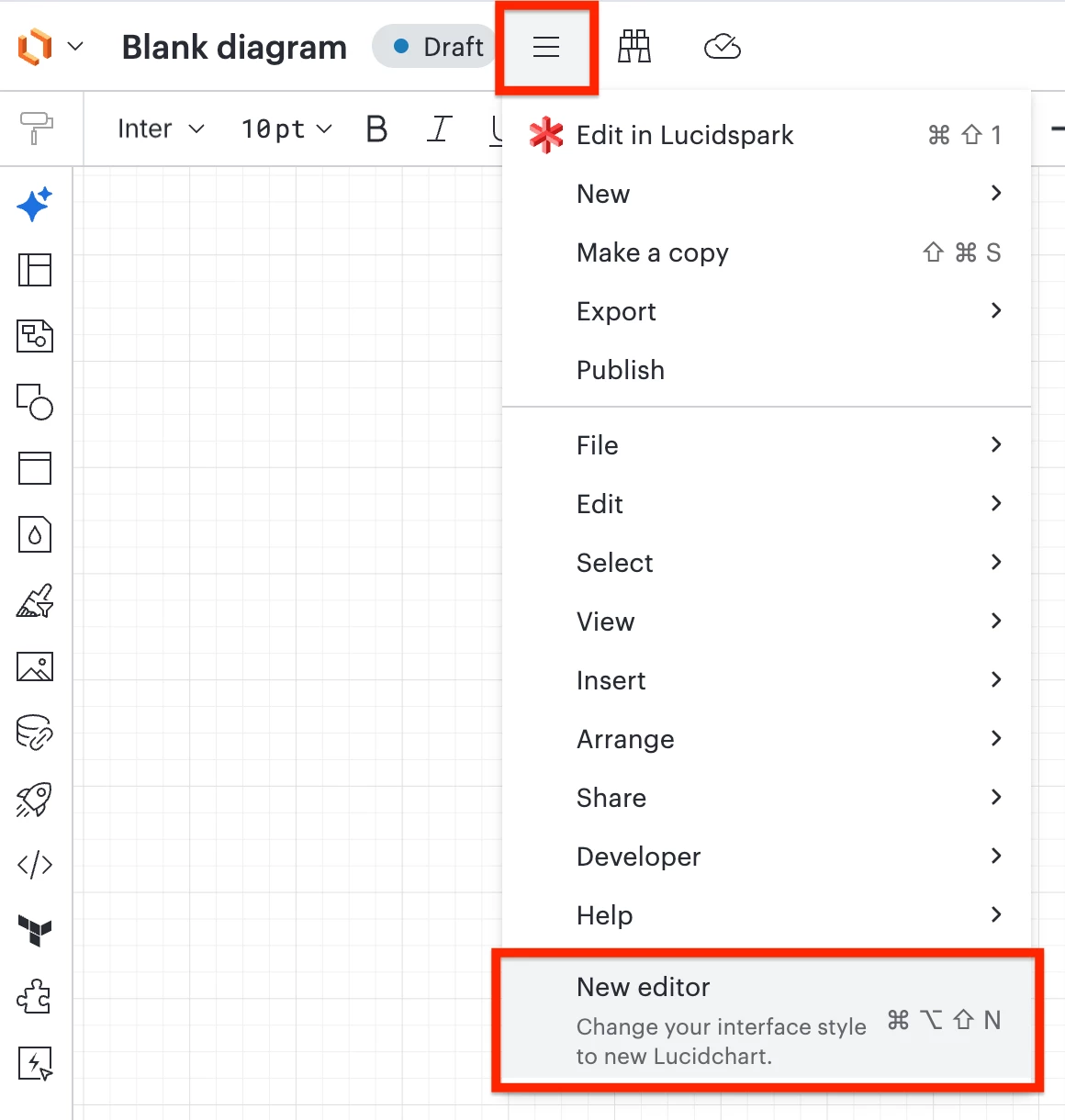
From the file menu: If you closed out of or missed the pop-up, you can still access the new editor. Open a Lucidchart document, navigate to the file menu, and select ‘New Editor’.
Try out the new editor
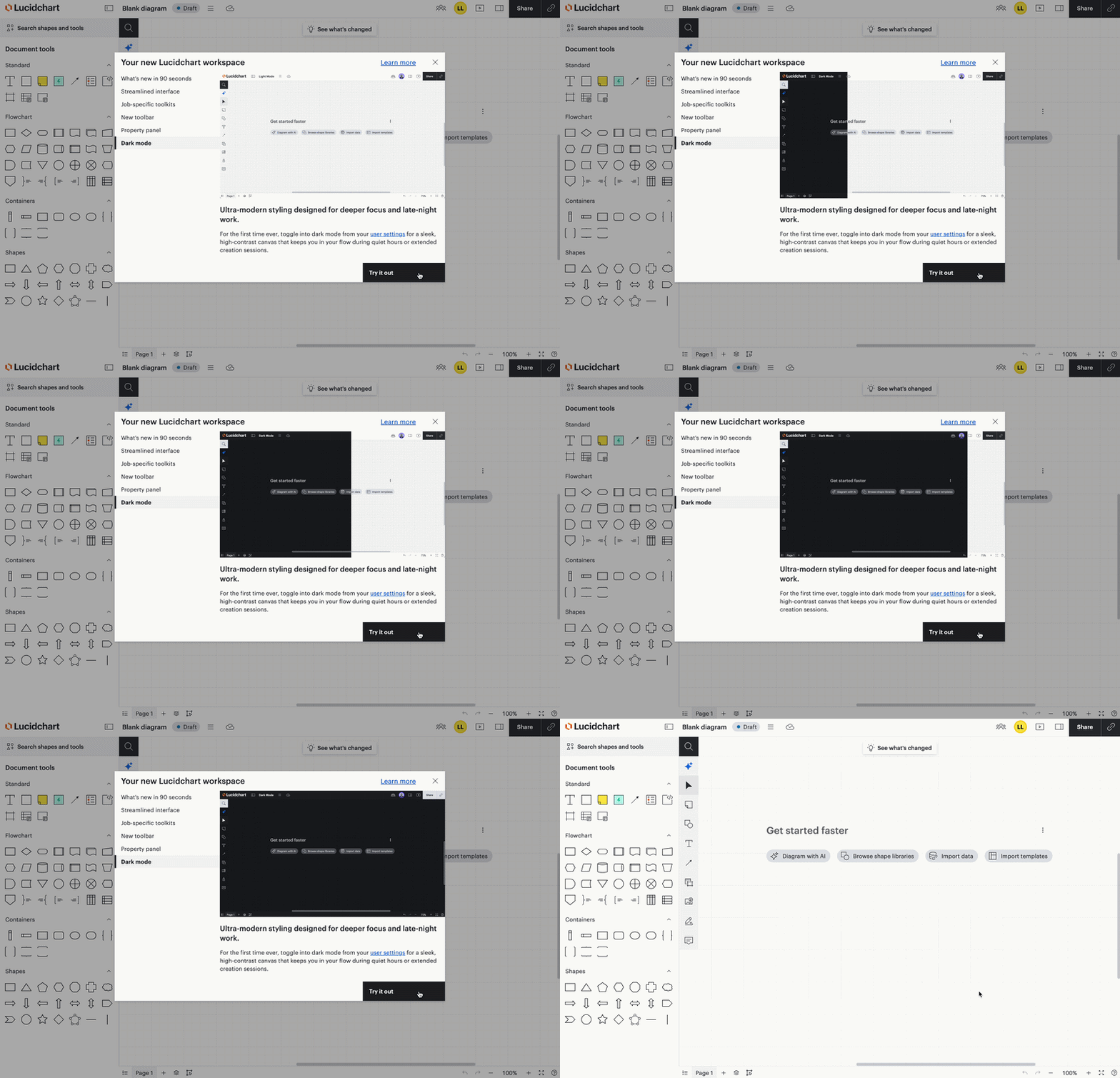
If you continue through the pop-up modal and complete the tutorial, you can select ‘Try it out’ or exit out of the tutorial to test it out for yourself!
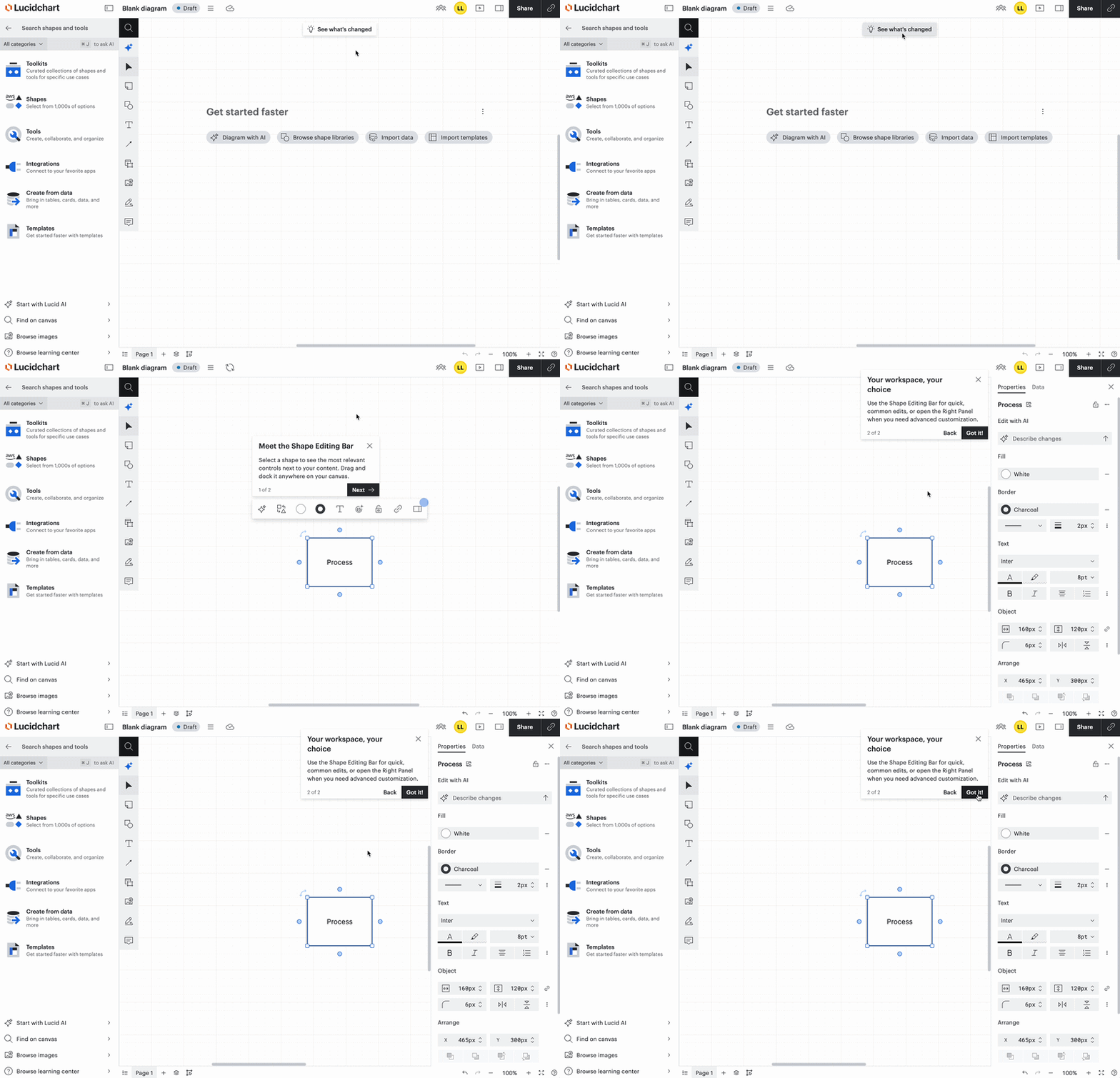
You may also notice a button at the top of your Lucidchart document that says ‘See what’s changed’. Select the button for an overview of the new shape properties bar and right panel.
To try things out and familiarize yourself with the new interface, check out the resources below:
- Introducing the Lucidchart editor article from the Community for a brief orientation.
- Welcome to Lucidchart article from the Help Center for step-by-step instructions.
Switch to the new editor
If you ever find yourself in the old editor, you can always switch back into the new editor by going to the file menu and selecting ‘New editor’.
Questions? Feedback?
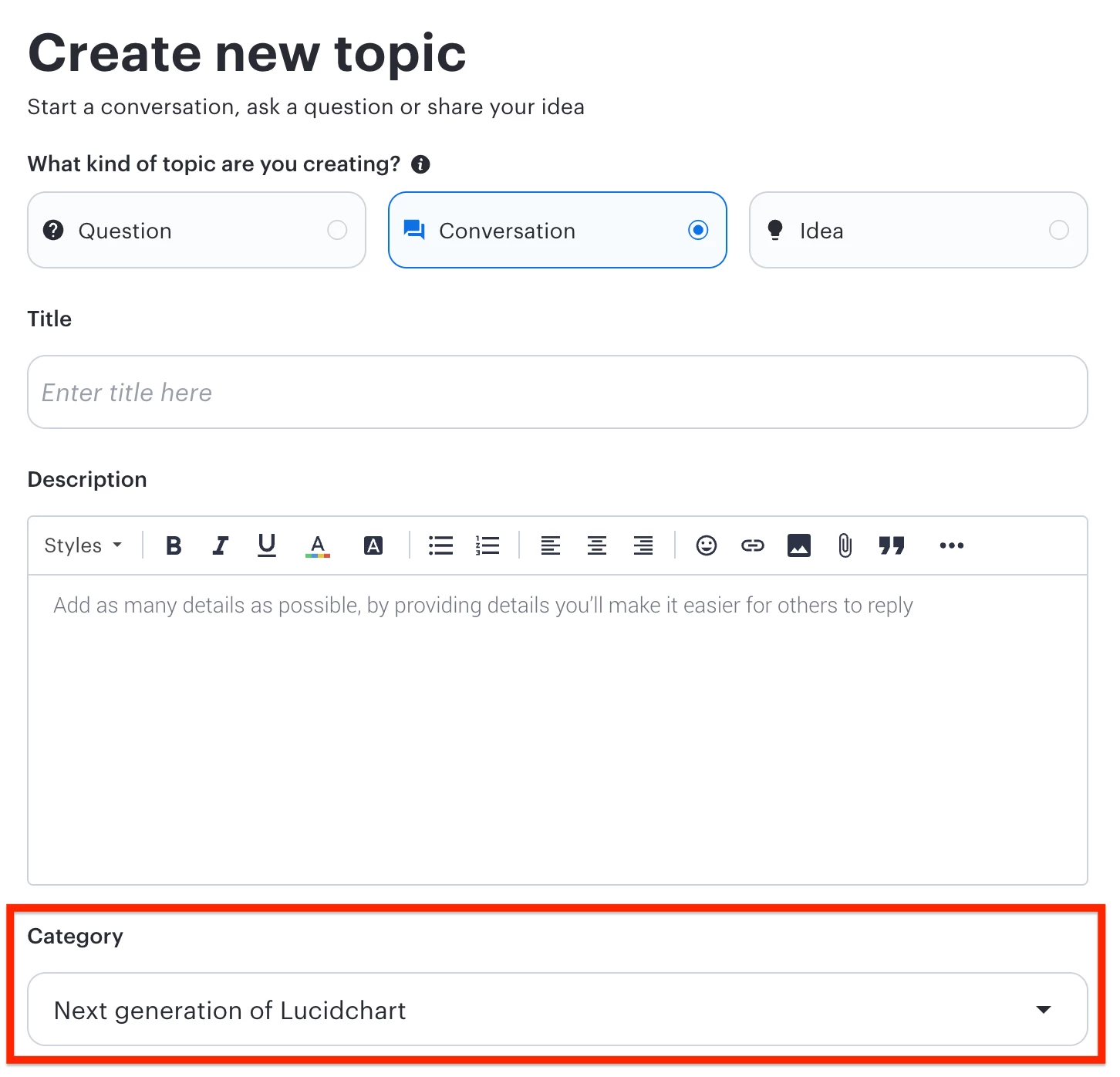
We’d love to hear from you - create a new topic and set the Category to Next generation of Lucidchart. Our Product teams are closely monitoring user feedback while this is in public beta.
 Your privacy choices


