
Astrid_G
March 4, 2026
Solved

Why can't comments be added to an embedded repo document

  • March 4, 2026
  • 3 replies
  • 122 views

see this earlier question for difficulties actually getting a repo doc embedded in Excel in Comment mode - Embedding of repo docs with Comment ability - why does it hang | Community

When you finally get the content embedded, and try and use the Add new comment button, a black popup message appears with the same content, but nothing else happens and there’s no way to add the comment.  Nothing happens when attempting the Attach Debugger menu option.
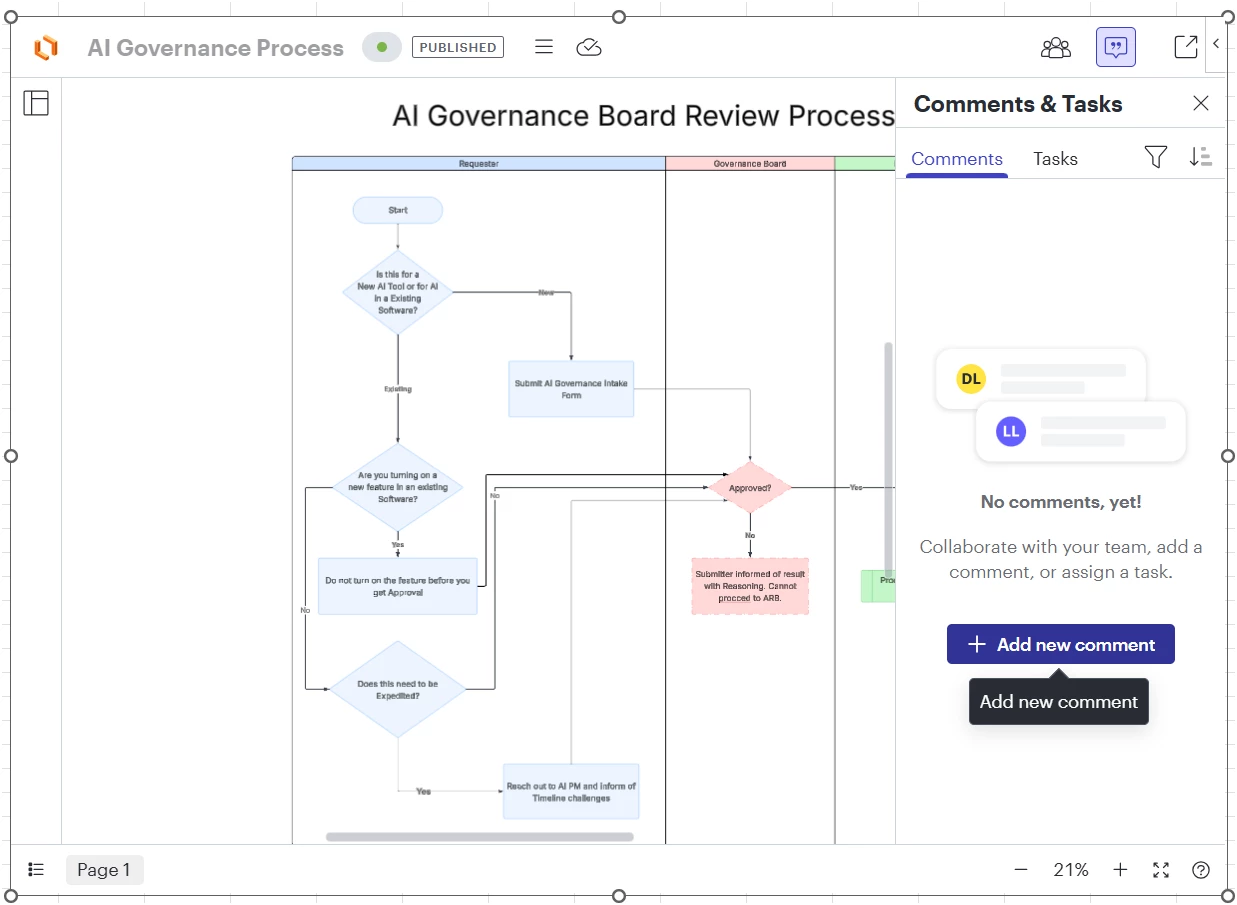
I am the overall Process Accelerator admin, but not the repo/process owner, so it shouldnt be a permissions issue.


I also had a non-licensed user try the commenting feature without anything being embedded, ie they just opened a doc from a repo, and same nothing when pressing the comment button.

Best answer by Leianne C

Hi ​@Astrid_G, my sincere apologies for the delay in getting back to you on this. First off, would you mind confirming if this issue still happening for you?

If so, to help narrow down what's going wrong, could you clarify the exact steps being taken on the document?

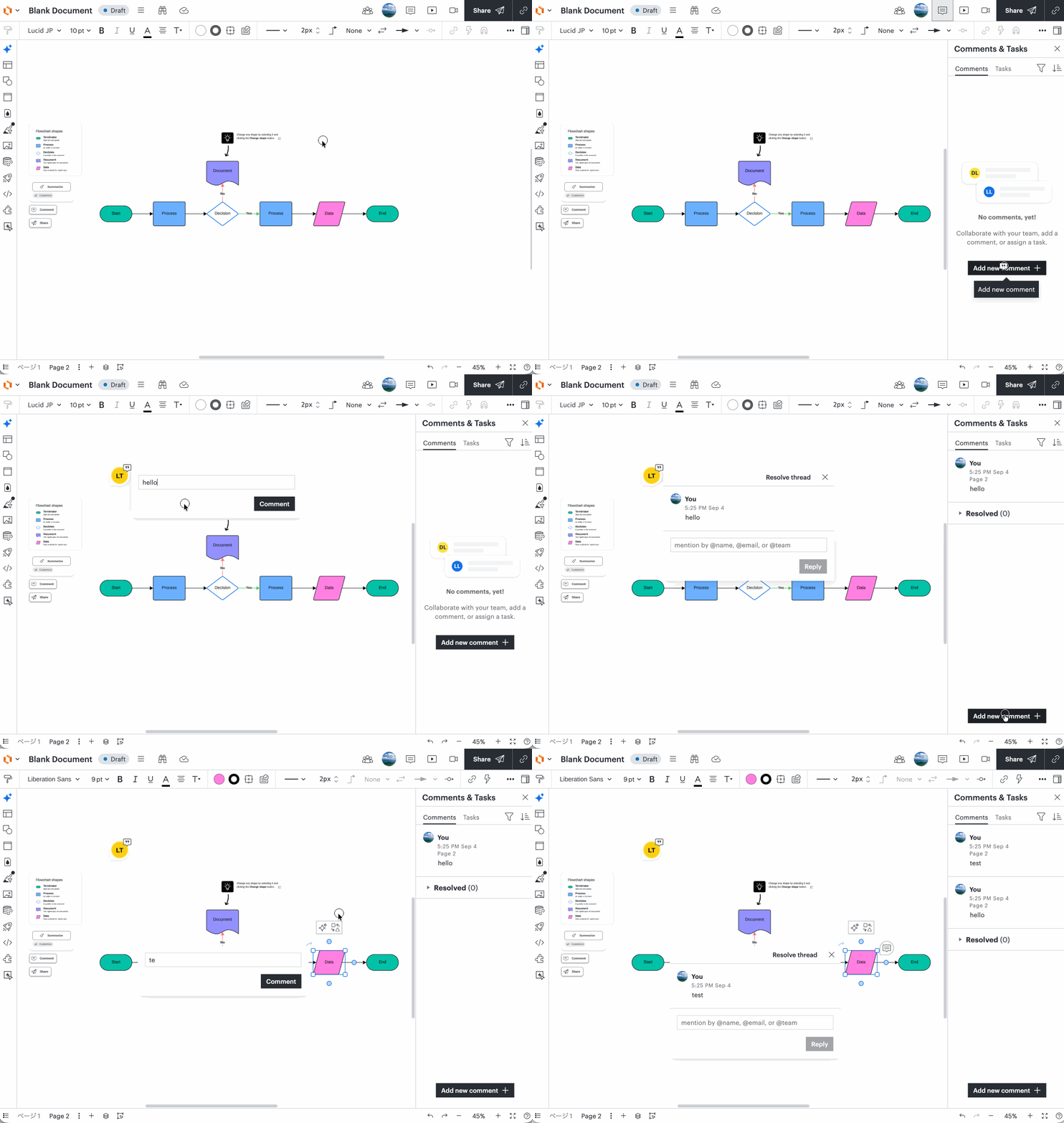
Specifically, after clicking the Comment button on the panel, are you (or the user) then clicking on a specific shape or area on the canvas to drop the comment pin?

I've attached a quick GIF showing the expected workflow. Knowing if the issue happens immediately when pressing the panel button, or only after trying to drop the pin on the canvas, will help us pinpoint what's going on!
 

Please feel free to let me know if you have any questions! 

Comments

Leianne C
Leianne CAnswer
Lucid support team
September 4, 2026

Hi ​@Astrid_G, my sincere apologies for the delay in getting back to you on this. First off, would you mind confirming if this issue still happening for you?

If so, to help narrow down what's going wrong, could you clarify the exact steps being taken on the document?

Specifically, after clicking the Comment button on the panel, are you (or the user) then clicking on a specific shape or area on the canvas to drop the comment pin?

I've attached a quick GIF showing the expected workflow. Knowing if the issue happens immediately when pressing the panel button, or only after trying to drop the pin on the canvas, will help us pinpoint what's going on!
 

Please feel free to let me know if you have any questions! 

Astrid_G
Astrid_GAuthor
September 4, 2026

Hi ​@Leianne C 

We don’t have an active Process Accelerator license currently so that may impact my current results.

I can still access a few documents that were put in a repo while the license was active.  opening one of those directly in the Lucid app does not provide any commenting ability at all.

When trying to embed a published repo doc into Word, I can find one with the search but am not able to select it for embedding.

So, can’t recreate the original scenario, sorry.

Leianne C
Lucid support team
September 9, 2026

Hi ​@Astrid_G, thank you for the update and giving that a try. I will continue to investigate on my end and share an update here as soon as I have more information.