Solved

Unable to load fonts in Lucidchart

  • May 7, 2024
  • 3 replies
  • 99 views

Forum|alt.badge.img

Hi,

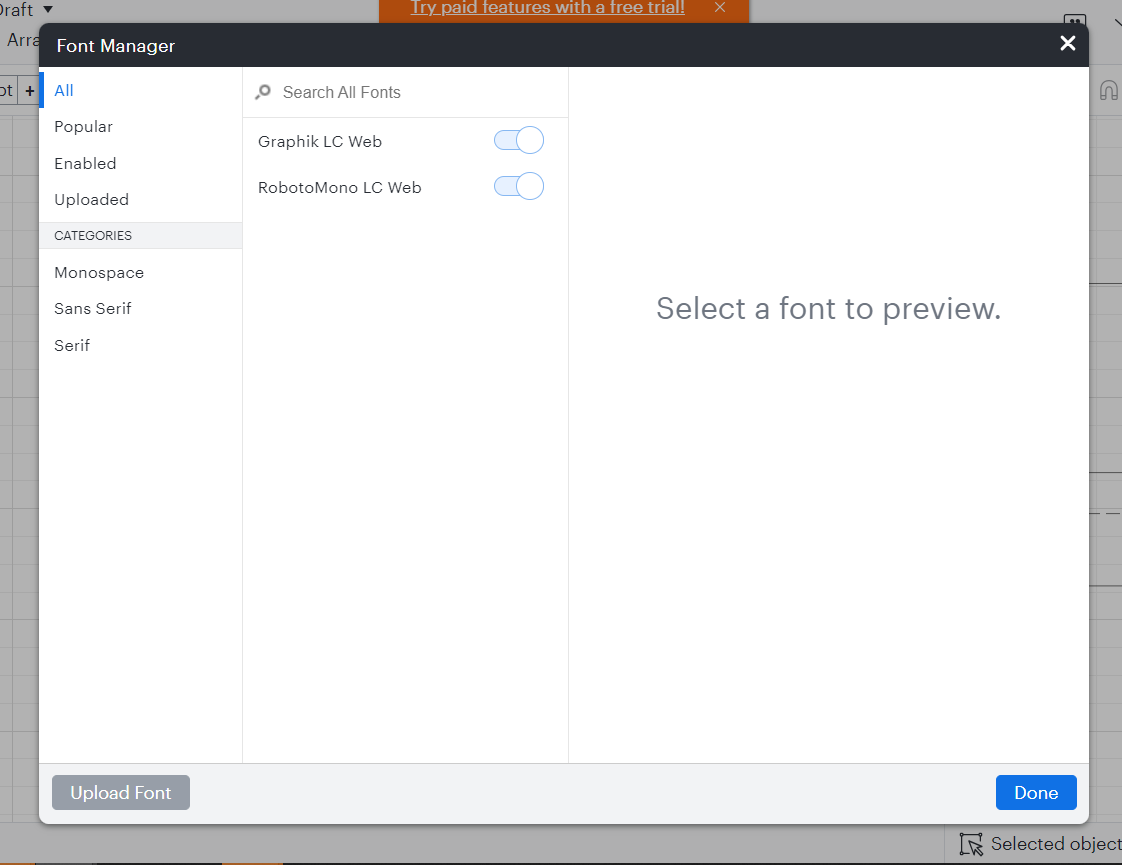
Trying to use Lucid for the first time and started from a suggested template and have the error "We were unable to load fonts. Contact Support". 

Launched in Chrome 
Launched in Chrome Incognito - issue persists
There are no fonts to select at all. Font manager is empty.


Best answer by Kelsey Gaag

Hi @Rees

Thank you for posting in the Lucid Community! Could you also try connecting to a different network or disconnecting from your VPN (if applicable)? Sometimes account performance issues can be related to internet security/speed or browser issues.

If the issue persists, Can you provide the following so I can take a closer look?

  • A screenshot of the associated Javascript Console output after reproducing the issue. You can open your Javascript Console by pressing Ctrl+Shift+J (if your computer is a Windows/Linux) OR Cmd+Opt+J (if your computer is a Mac).

Comments

Kelsey Gaag
Forum|alt.badge.img+16
  • Lucidite
  • Answer
  • May 8, 2024

Hi @Rees

Thank you for posting in the Lucid Community! Could you also try connecting to a different network or disconnecting from your VPN (if applicable)? Sometimes account performance issues can be related to internet security/speed or browser issues.

If the issue persists, Can you provide the following so I can take a closer look?

  • A screenshot of the associated Javascript Console output after reproducing the issue. You can open your Javascript Console by pressing Ctrl+Shift+J (if your computer is a Windows/Linux) OR Cmd+Opt+J (if your computer is a Mac).

Mark E
Forum|alt.badge.img+4
  • December 22, 2025

Corporate users can’t disconnect from VPNs… is there another solution?


Ambar D
Forum|alt.badge.img+10
  • Lucid community team
  • December 23, 2025

Hi ​@Mark E, are you having trouble loading fonts entirely? Are you running into the same error from the previous user?

First, I recommend trying the following steps. Sometimes account performance issues can be related to internet security/speed or browser issues. These steps will help us eliminate that possibility.

  • Could you try opening your board in a private or incognito window to help us narrow down the potential cause? For help with opening an incognito window, please see this community post.
  • Could you also try connecting to a different network?

If those don’t resolve the problem, can you please send the following information so I can take a closer look?

  • A screenshot of the issue or any associated error messages.
  • A screenshot of the associated Javascript Console output after reproducing the issue. You can open your Javascript Console by pressing Ctrl+Shift+J (if your computer is a Windows/Linux) OR Cmd+Opt+J (if your computer is a Mac).

Thanks in advance for your help and patience!