Question

The Colour of the Background of Notes attached to Shapes

  • April 26, 2026
  • 1 reply
  • 8 views

Forum|alt.badge.img

Hi,

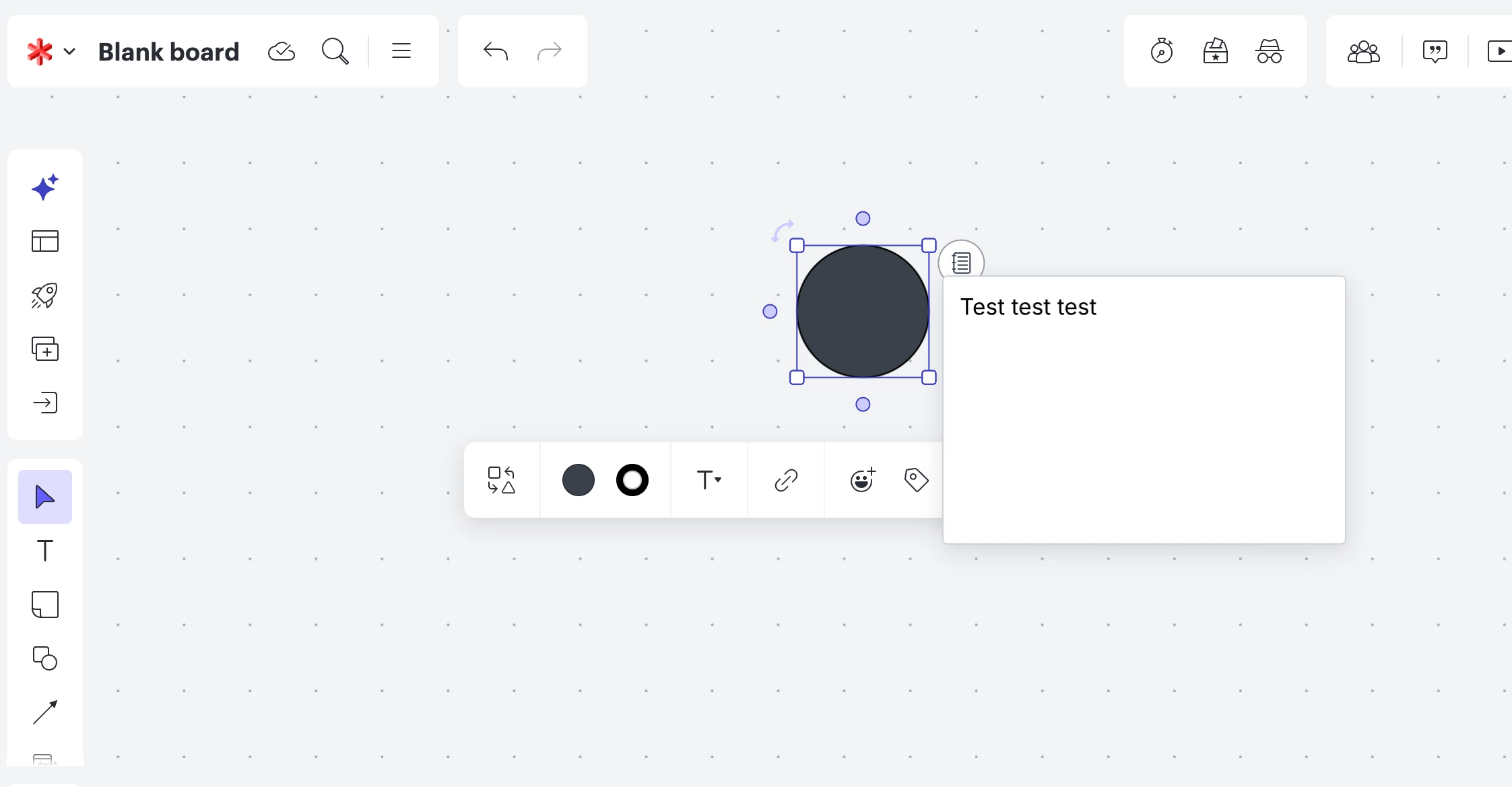
I’m having an issue with the “Notes” attached to “Shapes” in Lucidspark.

The background of these notes appears dark grey, which makes the text very hard to read. This significantly impacts usability to the point where the feature is almost unusable for my workflow.

It would be extremely helpful if:

  • the background color of notes could be customized, or
  • a higher contrast / lighter display option was available.

Right now, this limitation makes it difficult to use notes effectively in collaborative or structured work.

Is there already a solution for this I’m unaware of?

Thanks in advance!

Comments

Forum|alt.badge.img+1
  • Lucid support team
  • April 27, 2026

Hello ​@DEOtto91, thank you for posting in the Lucid Community! I’m sorry you’re having trouble with Notes in Lucidspark, but I’m happy to help. Would you mind clarifying what specific shape type you’re using when you’re seeing this? 

Testing on my end, it doesn’t appear that the Notes background is dark grey. Are you experiencing something different here?


A couple of things to try here to see if they help:

Could you try opening your document in a private or incognito window to help us narrow down the potential cause? Could you also try connecting to a different network or disconnecting from your VPN (if applicable)? Sometimes account performance issues can be related to internet security/speed or browser issues. These steps will help us eliminate that possibility. For help with opening an incognito window, please see this community post.

If those don’t resolve the problem, can you please send the following information so I can take a closer look?

  • A screenshot of the issue.

  • A screenshot of the associated Javascript Console output after reproducing the issue. You can open your Javascript Console by pressing Ctrl+Shift+J (if your computer is a Windows/Linux) OR Cmd+Opt+J (if your computer is a Mac).

Thanks in advance for your help and patience!