Please see the images below it illustrates my problem very clearly.
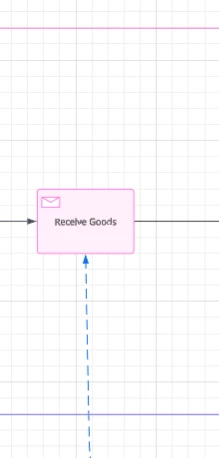
When I take a line from a task in one pool to a task in another pool the line goes behind the background colour of the lanes it crosses, even the one that contains a task it is connecting to.
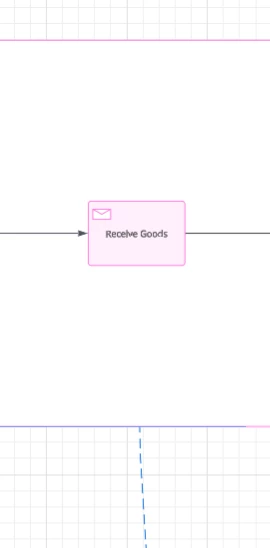
The line in the screenshot is actually connecting to the receive goods task but you see is behind the lane.
This problem occurs only when a line has a background colour assigned. If I remove the background of the one lane then you can see the line connecting to the task.
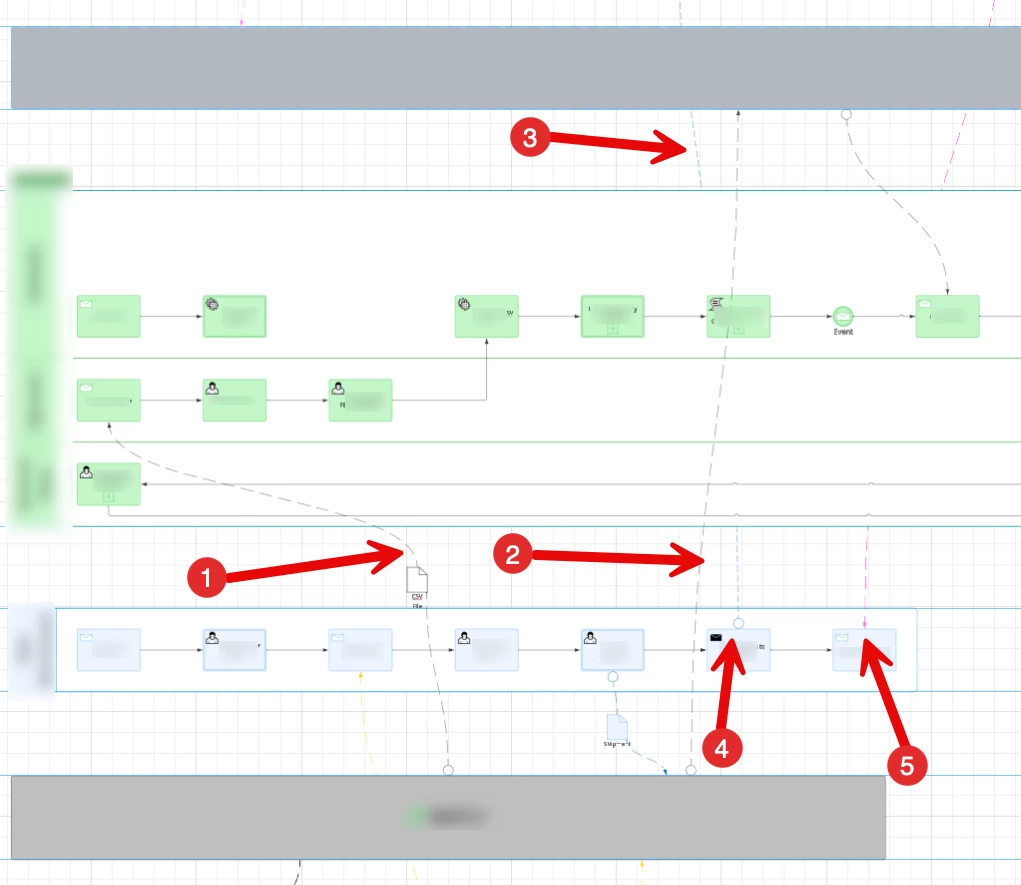
This problem also seems to depend on what elements are being linked, for example in the image below you can see the differences in this image, arrow 1is a black box to a task line, arrow 2 points to a black box to black box line, these display correctly. However arrow 3,4 and 5 points to the earlier example showing that the task to task line behind lanes backgrounds.
Can somebody tell me why this is and help me see the lines.

Best answer by alison cheney
Hi @FaltulentFowl,
Thank you for posting in the Lucid Community, and thank you @aparrish for your support and resources!
I wanted to jump in here and add a few recommendations for you to fix the issue you are experiencing:
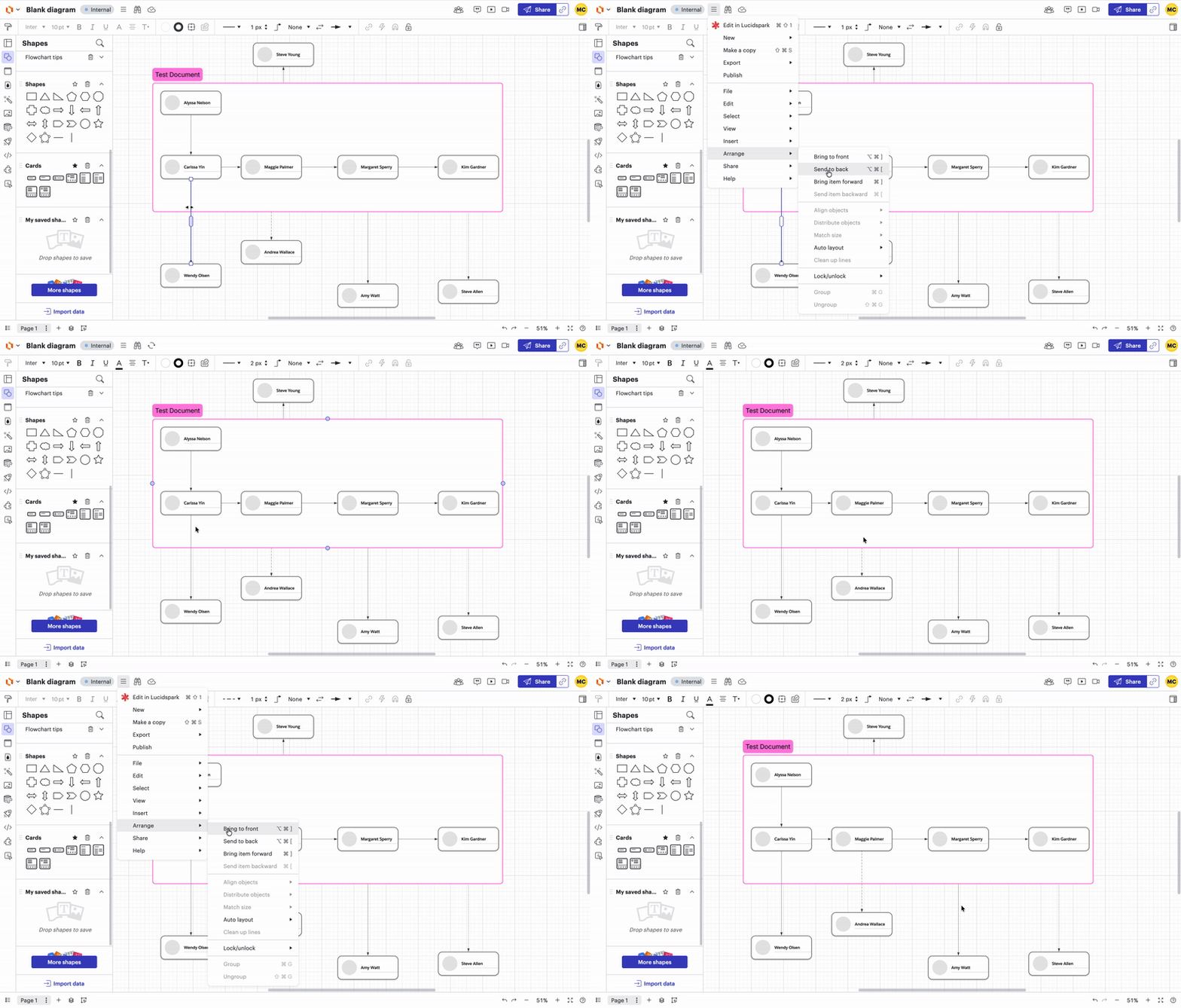
Select a single line on your diagram.
Click the three horizontal line (hamburger) menu at the top left of your lucidchart document.
Click “Arrange”.
Click “Bring to front”.
This will push all of your lines to the front of the page. (please see screenshot below)
Select a single line > Click three horizontal line menu > Click “Arrange” > Click “Bring to front”
If the issue persists after attempting the step above:
WebGL might be causing an issue with the graphics card on your computer. Can you try toggling WebGL off? This can be done by selecting View > Rendering > Use WebGL and un-selecting this option. For help with disabling WebGL, please see this Community post (in English).
Could you try opening your document in a private or incognito window to help us narrow down the potential cause?
Could you share a temporary Document Support PIN for this document? This will help me take a closer look at what’s going on. This PIN is safe to post in this thread because it is only accessible by members of the Lucid support staff. You can find steps for generating a Support PIN in this Lucid Help Center article: Generate a Lucid Support PIN.
Thank you for posting in the Lucid Community, and thank you @aparrish for your support and resources!
I wanted to jump in here and add a few recommendations for you to fix the issue you are experiencing:
Select a single line on your diagram.
Click the three horizontal line (hamburger) menu at the top left of your lucidchart document.
Click “Arrange”.
Click “Bring to front”.
This will push all of your lines to the front of the page. (please see screenshot below)
Select a single line > Click three horizontal line menu > Click “Arrange” > Click “Bring to front”
If the issue persists after attempting the step above:
WebGL might be causing an issue with the graphics card on your computer. Can you try toggling WebGL off? This can be done by selecting View > Rendering > Use WebGL and un-selecting this option. For help with disabling WebGL, please see this Community post (in English).
Could you try opening your document in a private or incognito window to help us narrow down the potential cause?
Could you share a temporary Document Support PIN for this document? This will help me take a closer look at what’s going on. This PIN is safe to post in this thread because it is only accessible by members of the Lucid support staff. You can find steps for generating a Support PIN in this Lucid Help Center article: Generate a Lucid Support PIN.
A Lucid or airfocus account is required to interact with the Community, and your participation is subject to the
Supplemental Lucid Community Terms.
You may not participate in the Community if you are under 18. You will be redirected to the Lucid or airfocus app to log in.
A Lucid or airfocus account is required to interact with the Community, and your participation is subject to the
Supplemental Lucid Community Terms.
You may not participate in the Community if you are under 18. You will be redirected to the Lucid or airfocus app to log in.