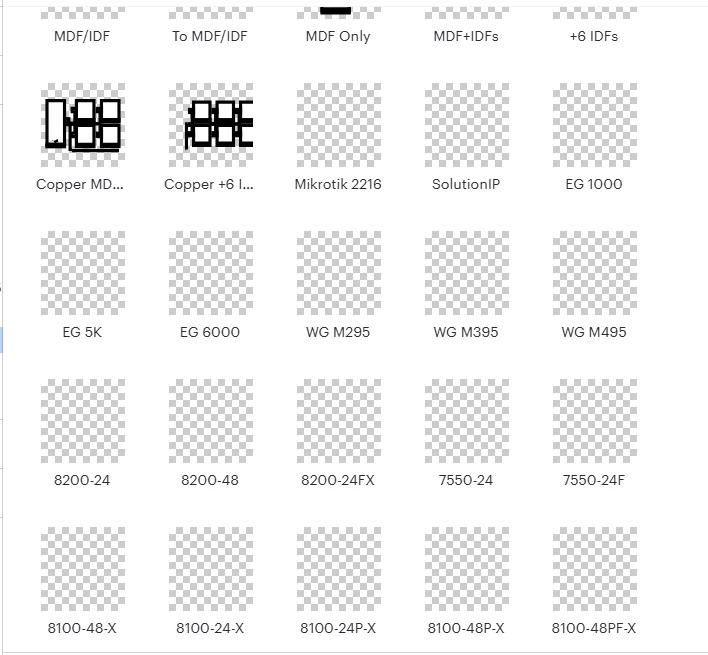
Solved

Shape library missing images

  • August 19, 2026
  • 3 replies
  • 69 views

Forum|alt.badge.img

Shape library is fully functional, but the images are missing
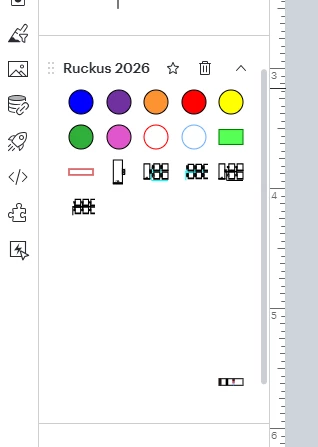
I can drag and drop into my document just fine, but the preview images are gone.

Best answer by alison cheney

Hello ​@derickson, thank you for posting in the Lucid community!

Could you try opening your document in a private or incognito window to help us narrow down the potential cause? Could you also try connecting to a different network or disconnecting from your VPN (if applicable)? Sometimes account performance and rendering issues can be related to internet security/speed or browser issues. These steps will help us eliminate that possibility. For help with opening an incognito window, please see this community post

If those don’t resolve the problem, can you please send the following information so I can take a closer look?

  • Could you share a temporary Document Support PIN for this document? This will help me take a closer look at what’s going on. This PIN is safe to post in this thread because it is only accessible by members of the Lucid support staff. You can find steps for generating a Support PIN in this Lucid Help Center article: Generate a Lucid Support PIN.

  • A screenshot of the associated Javascript Console output after reproducing the issue. You can open your Javascript Console by pressing Ctrl+Shift+J (if your computer is a Windows/Linux) OR Cmd+Opt+J (if your computer is a Mac).

Thanks in advance for your help and patience!

Comments

alison cheney
Forum|alt.badge.img+4
  • Lucid community team
  • Answer
  • August 21, 2026

Hello ​@derickson, thank you for posting in the Lucid community!

Could you try opening your document in a private or incognito window to help us narrow down the potential cause? Could you also try connecting to a different network or disconnecting from your VPN (if applicable)? Sometimes account performance and rendering issues can be related to internet security/speed or browser issues. These steps will help us eliminate that possibility. For help with opening an incognito window, please see this community post

If those don’t resolve the problem, can you please send the following information so I can take a closer look?

  • Could you share a temporary Document Support PIN for this document? This will help me take a closer look at what’s going on. This PIN is safe to post in this thread because it is only accessible by members of the Lucid support staff. You can find steps for generating a Support PIN in this Lucid Help Center article: Generate a Lucid Support PIN.

  • A screenshot of the associated Javascript Console output after reproducing the issue. You can open your Javascript Console by pressing Ctrl+Shift+J (if your computer is a Windows/Linux) OR Cmd+Opt+J (if your computer is a Mac).

Thanks in advance for your help and patience!


Forum|alt.badge.img
  • Author
  • August 21, 2026

Support PIN: duTHLf0vaEpF2y9OHEaRMmCJQBiVceIKTn172823514


Opening in an incognito window worked

It would appear the items effected were the items that contained images.


alison cheney
Forum|alt.badge.img+4
  • Lucid community team
  • August 21, 2026

Hi ​@derickson,

I’m so glad to hear that the incognito window did the trick! If it happens again in your regular browsing session, try clearing your browser's cache & cookies for Lucid by going to your browser's settings.

Thanks so much for confirming and for sharing that extra detail about it being the image-containing items specifically — that's really helpful context for us. Please let us know if you have any additional questions!