
How to reset the double-click feature to insert sticky notes rather than text within my account?
Solved
How can I adjust my settings so that double-clicking a Lucid document creates a sticky note?
 +1
+1Best answer by Zuzia S
Hi
I would be happy to provide some clarity regarding Double click behaviour.
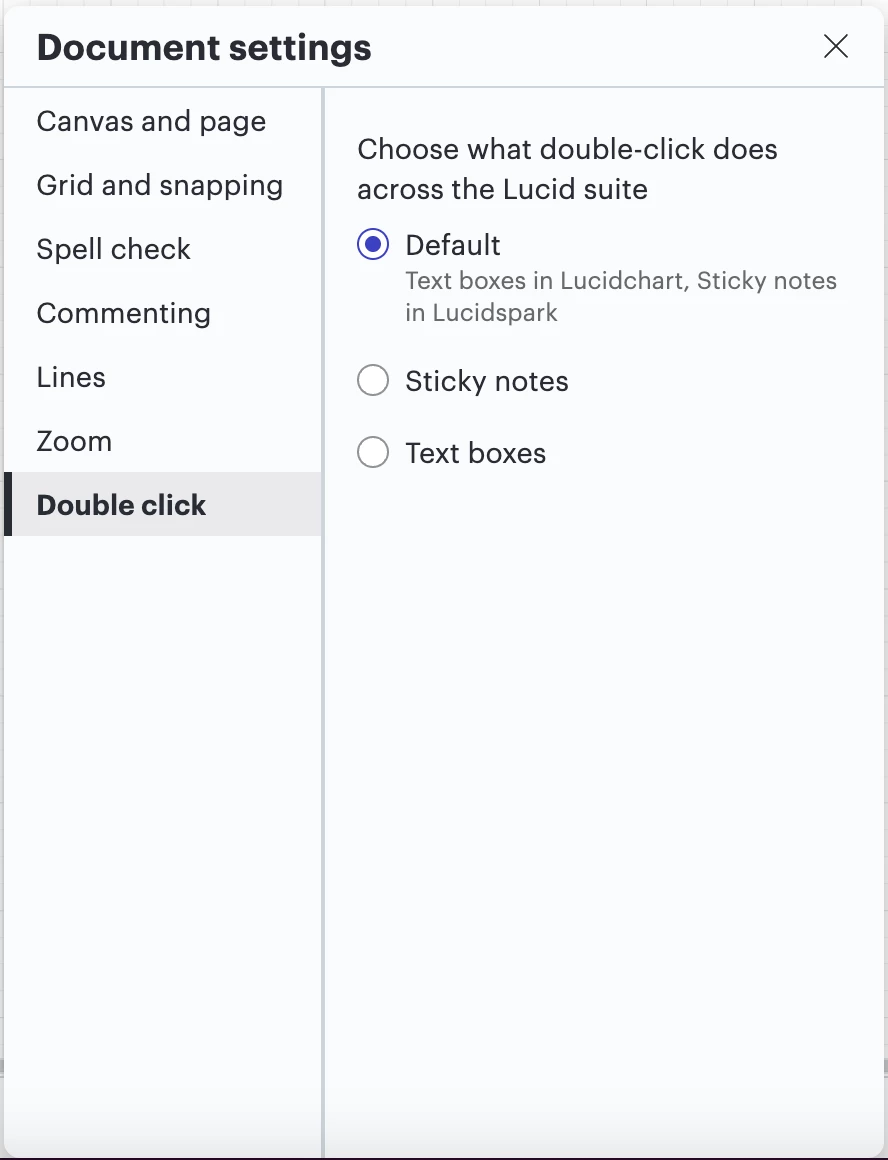
It is now possible to choose between Default behaviour (“Sticky note” for Lucidspark and “Text box” for Lucidchart), Sticky note, or Text.
To change these settings across your account, please head to the hamburger menu > File > Settings > Document settings, as such:
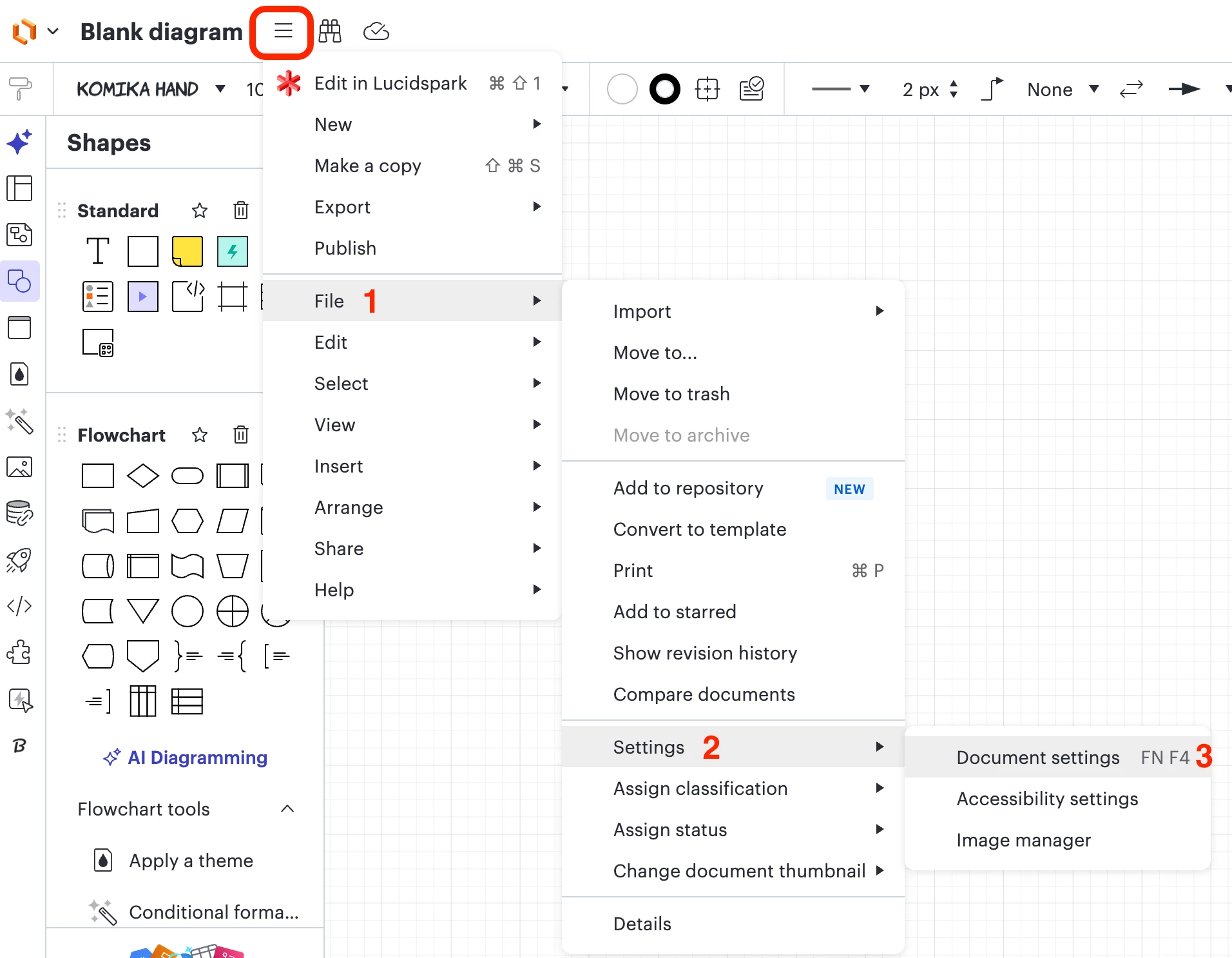
When clicking on Document settings, a panel will open where you can click on Double click and pick a setting of your choice:
Details on Document settings are further detailed in this Help Center article.
Please let me know if this is helpful. Cheers!






Create an account in the community
A Lucid or airfocus account is required to interact with the Community, and your participation is subject to the Supplemental Lucid Community Terms. You may not participate in the Community if you are under 18. You will be redirected to the Lucid or airfocus app to log in.
Log in to the community
A Lucid or airfocus account is required to interact with the Community, and your participation is subject to the Supplemental Lucid Community Terms. You may not participate in the Community if you are under 18. You will be redirected to the Lucid or airfocus app to log in.
Log in with Lucid Log in with airfocus
or
Enter your E-mail address. We'll send you an e-mail with instructions to reset your password.
 Your privacy choices


