Solved

PDF Export Preview Navigation Issues

  • March 26, 2026
  • 1 reply
  • 11 views

Forum|alt.badge.img

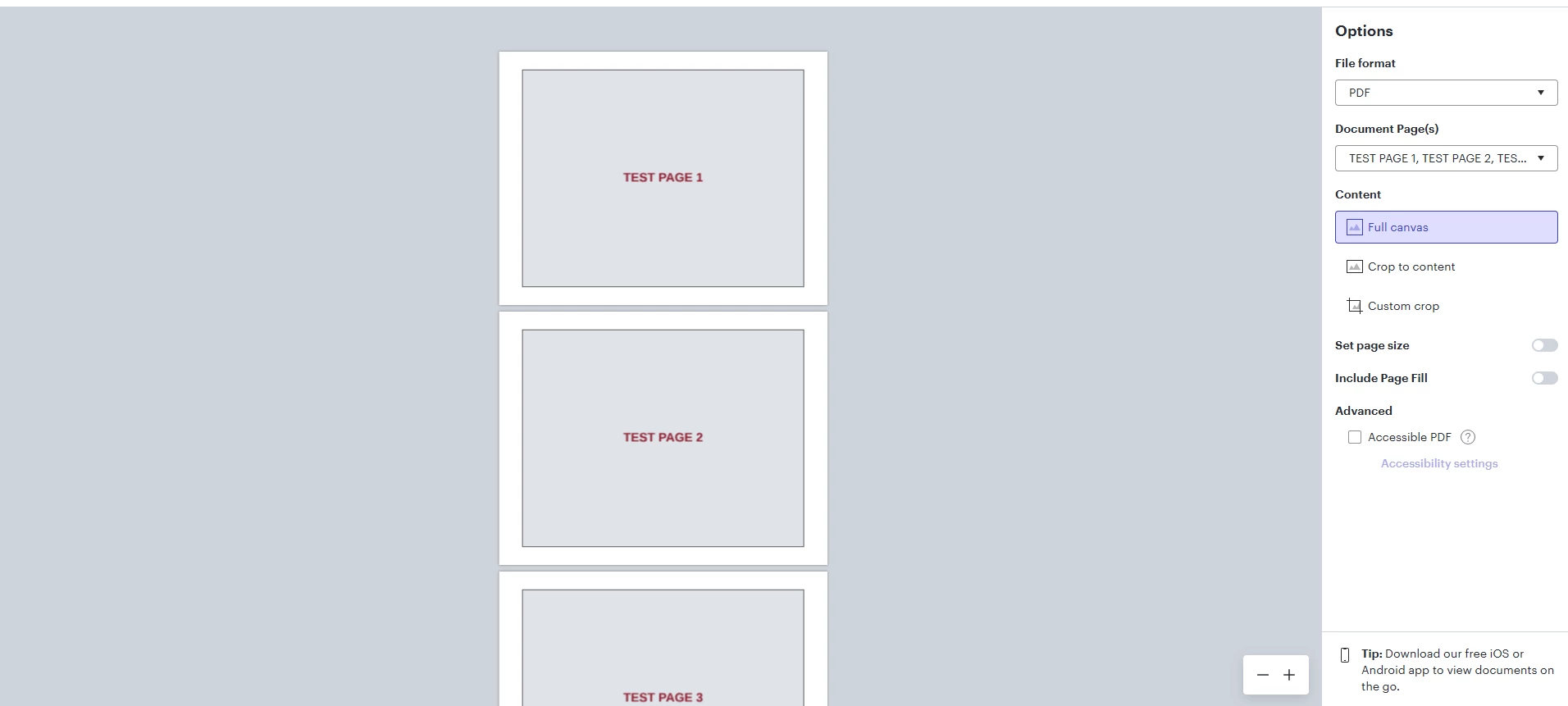
When exporting a multi-page document to PDF in Lucidchart, the document preview does not allow the user to scroll all pages as it once did. Only the first three pages are visible.

This is the maximum I can scroll to the bottom of this 6 page test document.  Additionally, the mouse wheel used to scroll pages and this was changed to zooming in and out.  Ctrl+Shift+MouseWheel is now required to scroll up and down

Browser is Chrome

Best answer by Ambar D

Hi ​@derickson, thank you for posting in the Lucid community!

First, I recommend trying the following steps. Sometimes account performance issues can be related to internet security/speed or browser issues. These steps will help us eliminate that possibility.

  • Could you try opening your board in a private or incognito window to help us narrow down the potential cause? For help with opening an incognito window, please see this community post.
  • Could you also try connecting to a different network or disconnecting from your VPN (if applicable)?

If those don’t resolve the problem, can you please send the following information so I can take a closer look?

  • A screenshot of the issue.
  • A screenshot of the associated Javascript Console output after reproducing the issue. You can open your Javascript Console by pressing Ctrl+Shift+J (if your computer is a Windows/Linux) OR Cmd+Opt+J (if your computer is a Mac).

Thanks in advance for your help and patience!

Comments

Ambar D
Forum|alt.badge.img+11
  • Lucid community team
  • Answer
  • March 27, 2026

Hi ​@derickson, thank you for posting in the Lucid community!

First, I recommend trying the following steps. Sometimes account performance issues can be related to internet security/speed or browser issues. These steps will help us eliminate that possibility.

  • Could you try opening your board in a private or incognito window to help us narrow down the potential cause? For help with opening an incognito window, please see this community post.
  • Could you also try connecting to a different network or disconnecting from your VPN (if applicable)?

If those don’t resolve the problem, can you please send the following information so I can take a closer look?

  • A screenshot of the issue.
  • A screenshot of the associated Javascript Console output after reproducing the issue. You can open your Javascript Console by pressing Ctrl+Shift+J (if your computer is a Windows/Linux) OR Cmd+Opt+J (if your computer is a Mac).

Thanks in advance for your help and patience!