February 19, 2025
Solved

Org Chart alignment of boxes

  • February 19, 2025
  • 18 replies
  • 384 views

I am trying to create an org cart where the boxes are not connected and the boxes under the managers are all vertical not a mix of vertical and horizontal. See image below


Best answer by Eric Padron

Wow, given the large number of employees, I would still recommend going with the native org chart component from Lucidchart over manually creating what I showed in Option 1 above.


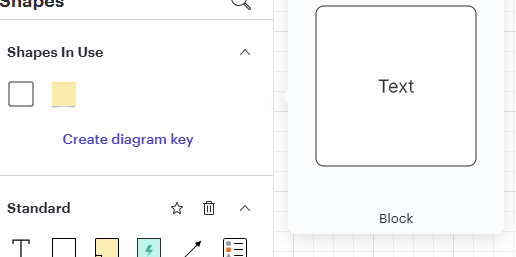
You can achieve what I did in Option 1 above by placing Text Blocks:
 

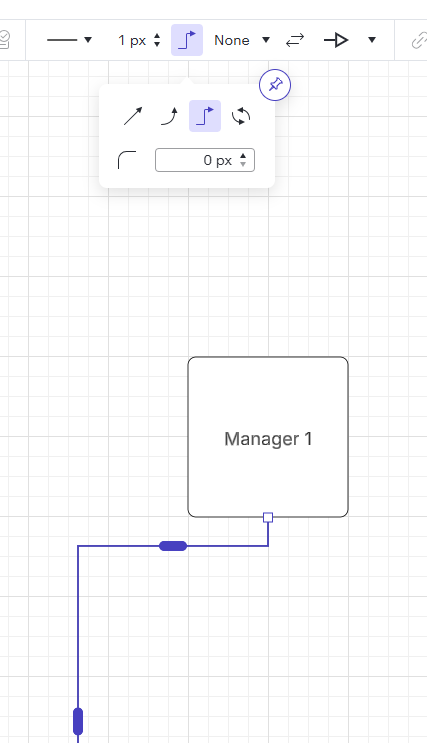
And manually connecting each one. The style of the connector (removing the waviness) can be achieved through this option shown here going to 0px:

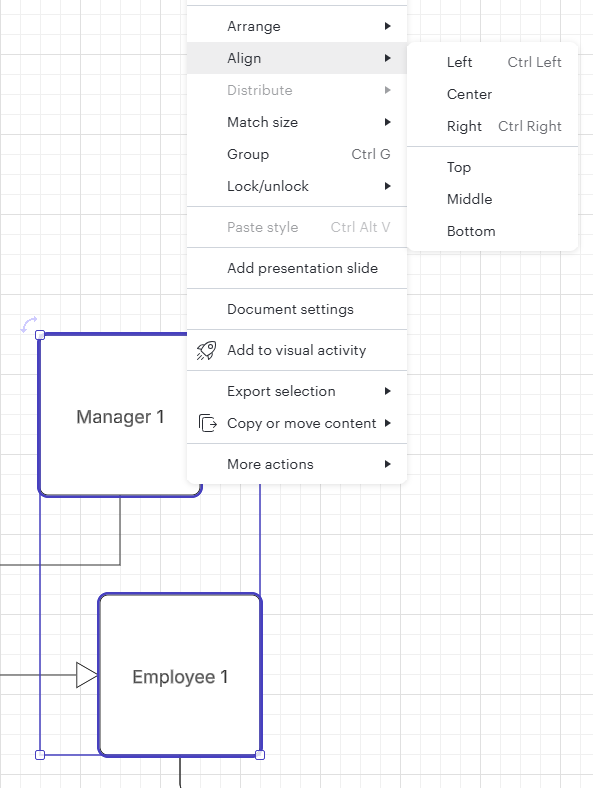
You will also have the option to manual align vertically like so:

Hope this was helpful for you.


Best

Comments

ElzaroAuthor
February 25, 2025

The first message I sent has the image of the desired outcome, let me know if you cannot see it. There are several issues I am trying to work through. The image you sent looks like what I want but I want the lines included.  My comment about the lines is because if you go back to the image I initially sent it shows vertical connected boxes. In addition, there is also a larger box with smaller boxes without lines within it. I am trying to duplicate the chart I Initially sent in the first message. I have since been able to create the larger box with the smaller boxes within it and remove the lines. What I am struggling with now is the vertical alignment of multiple layers of managers including the lines showing.

Eric Padron
February 25, 2025

@Elzaro Ok, I think we’re making progress. Option 1 or Option 2?


Eric Padron
ElzaroAuthor
February 25, 2025

We are getting there.

They look the same to me with the exception of the lines in option 2 expanding out toward the left more. 

If that’s the only difference I prefer option 1. 

Also, I prefer the lines to be straight not wavy, but I will take what gets me to the desired outcome of the vertical alignment. 

Eric Padron
February 25, 2025

@Elzaro how big is your org chart? How many total individuals and how many levels deep?

Eric Padron
ElzaroAuthor
February 25, 2025

I am creating multiple views of the same data. We were previously creating them in PowerPoint and had to create about 30 slides.

There are 200+ employees multiple levels. 

Eric Padron
February 25, 2025

Wow, given the large number of employees, I would still recommend going with the native org chart component from Lucidchart over manually creating what I showed in Option 1 above.


You can achieve what I did in Option 1 above by placing Text Blocks:
 

And manually connecting each one. The style of the connector (removing the waviness) can be achieved through this option shown here going to 0px:

You will also have the option to manual align vertically like so:

Hope this was helpful for you.


Best

Eric Padron
ElzaroAuthor
February 25, 2025

Thank you for your assistance, Eric. I was trying to do it with the org chart component b/c it would be an easier load. With what you suggested can I import from a CVS or Excel file into the boxes?

I am doing a full load into 1 org chart but then breaking out the various areas into different tabs. I am not sure if that is the best way to do it.

Eric Padron
February 25, 2025

Totally possible… here is a proof of concept that highjacks the Process Diagram Data Import from CSV. As you can see the elements and the connections are correct, BUT everything requires tweaking as far as placement and design.

Documentation:

https://help.lucid.co/hc/en-us/articles/15927090927508-Create-a-process-diagram-from-CSV-import#csv-import-example

Data:

Id Name Shape Library Page ID Contained By Line Source Line Destination Source Arrow Destination Arrow Text Area 1
1 Page               Org Chart from CSV Import
10 Process Flowchart Shapes 1           Manager 1
100 Process Flowchart Shapes 1           Employee 1
101 Process Flowchart Shapes 1           Employee 2
102 Process Flowchart Shapes 1           Employee 3
103 Process Flowchart Shapes 1           Employee a
104 Process Flowchart Shapes 1           Employee b
900 Line   1   10 100 None Arrow  
901 Line   1   10 101 None Arrow  
902 Line   1   10 102 None Arrow  
903 Line   1   100 103 None Arrow  
904 Line   1   100 104 None Arrow  


Output from import:


I would still recommend using the org chart component :)

Eric Padron