February 19, 2025
Solved

Org Chart alignment of boxes

  • February 19, 2025
  • 18 replies
  • 384 views

I am trying to create an org cart where the boxes are not connected and the boxes under the managers are all vertical not a mix of vertical and horizontal. See image below


Best answer by Eric Padron

Wow, given the large number of employees, I would still recommend going with the native org chart component from Lucidchart over manually creating what I showed in Option 1 above.


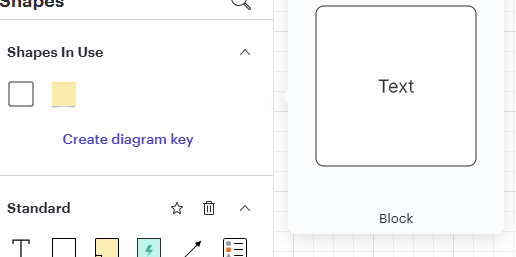
You can achieve what I did in Option 1 above by placing Text Blocks:
 

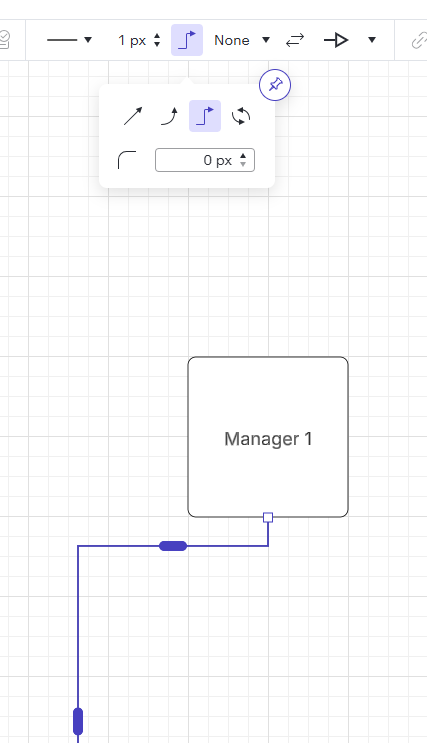
And manually connecting each one. The style of the connector (removing the waviness) can be achieved through this option shown here going to 0px:

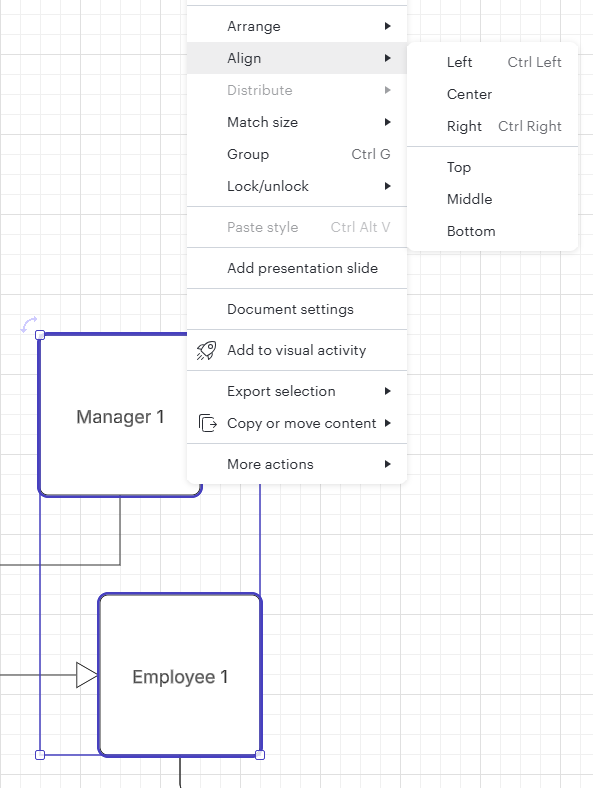
You will also have the option to manual align vertically like so:

Hope this was helpful for you.


Best

Comments

Zuzia S
Lucid community team
February 20, 2025

Hi ​@Elzaro, thanks for your post! 

The easiest way to achieve what you have in mind would be to use our Organization chart template to ensure properly aligned employees. Additionally, if you wish to remove the lines between employees, you can do so by removing the color of the lines, as such: 


Finally, for additional tips on customizing your org chart, I recommend going through Community post

Hope this helps, cheers!

ElzaroAuthor
February 21, 2025

Thank you for the response. I am able to create the boxes stacked on each other; however, when I add a subordinate box into one of the already created boxes the chart adjust itself and that entire branch is moved to be horizontal.

Eric Padron
February 21, 2025

Hey Elzaro, are you able to highlight a stack of shapes, then right click on one of the selected shapes, and select ‘Align’? You can then choose what type of alignment like ‘Left’ ‘Center’ ‘Right’ and so on.


Eric Padron
ElzaroAuthor
February 21, 2025

I don’t get the align option.

Eric Padron
February 22, 2025

Happy to try and reproduce. How are you creating the org chart? I see ​@Zuzia S's org chart option on my end, but what template are you using instead?

Eric Padron
Zuzia S
Lucid community team
February 24, 2025

Hi ​@Elzaro, thanks for following up! 

Could you please confirm whether you are using an Org chart template? If not, could you please elaborate on the method used, as requested by ​@Eric Padron above? We highly suggest using an Organizational chart template to obtain a chart put in order.

Additionally, could you please provide screenshots of the issue you are experiencing in Lucid when creating an Org chart, and provide more details on what you are trying to achieve? This will help us understand your experience. 

Cheers!

ElzaroAuthor
February 24, 2025

I am using the org chart widget to create the org chart. The first message I sent has a screenshot of the slide I am trying to recreate in Lucid, please see above. I am now attaching a recreation of what I am trying to do in Lucid so you can see it. I want all the branches to lay vertically but when I try and add a box to someone reporting into another manager it shifts the boxes horizontally. It also moves multiple people to report into the wrong manager. See the screen shots below.


Eric Padron
February 24, 2025

Thanks for the screenshots ​@Elzaro. Can you try selecting the middle layout style instead? You can then use ​@Zuzia S 's guidance for removing connecting lines.


Eric Padron
ElzaroAuthor
February 24, 2025

I used the style you suggested, and they were placed horizontally, so removing the lines doesn’t solve my original issue which is that I want all the boxes under a manager to be vertical including direct reports of the managers under the manager. For example, Russell looks like he has 1 person reporting into him and that person has 5 people reporting into him and 1 of those managers has 1 direct report. but they are showing horizontal and vertical, I am asking if we can make all the boxes under Russell vertical. Removing the lines won’t get them to be vertical. Look at Erica she has 2 people reporting into her and 1 of them is supposed to report into Erica and 3 into Norma. I’m not sure why they get placed horizontally and vertically. I was trying to give Erica 1 direct report and when I added (1) box to report into her they were all moved from reporting into Norma to report into Erica. If I try and grab and move it won’t do it. 


Eric Padron
February 24, 2025

@Elzaro not sure if I’m clear on the outcome you desire. Take a look at the following and let me know if this is what you want to achieve:


Eric Padron