Solved

Moving grouped items changes position

  • April 17, 2026
  • 5 replies
  • 21 views

Forum|alt.badge.img+1

I have a background and some items in front of it. I group them and when I drag them to another place, sometimes the item in the back moves to the front. 

 

Video of background items moving forward

Best answer by aishakhan

Hi ​@t.stone,


Thank you for granting access to the video, I was able to reproduce this issue and have reported this to our Development Team. In the meantime, as ​@Cycling Scott mentioned, Containers would be the suggested workaround here. I wasn’t able to reproduce the issue when using containers, but please reach out if this issue persists!

Comments

alison cheney
Forum|alt.badge.img+8
  • Lucid community team
  • April 17, 2026

Hi ​@t.stone,

Thank you for posting in the Lucid Community!

Could you try opening your document in a private or incognito window to help us narrow down the potential cause? Could you also try connecting to a different network or disconnecting from your VPN (if applicable)? Sometimes account performance issues can be related to internet security/speed or browser issues. These steps will help us eliminate that possibility. For help with opening an incognito window, please see this community post.

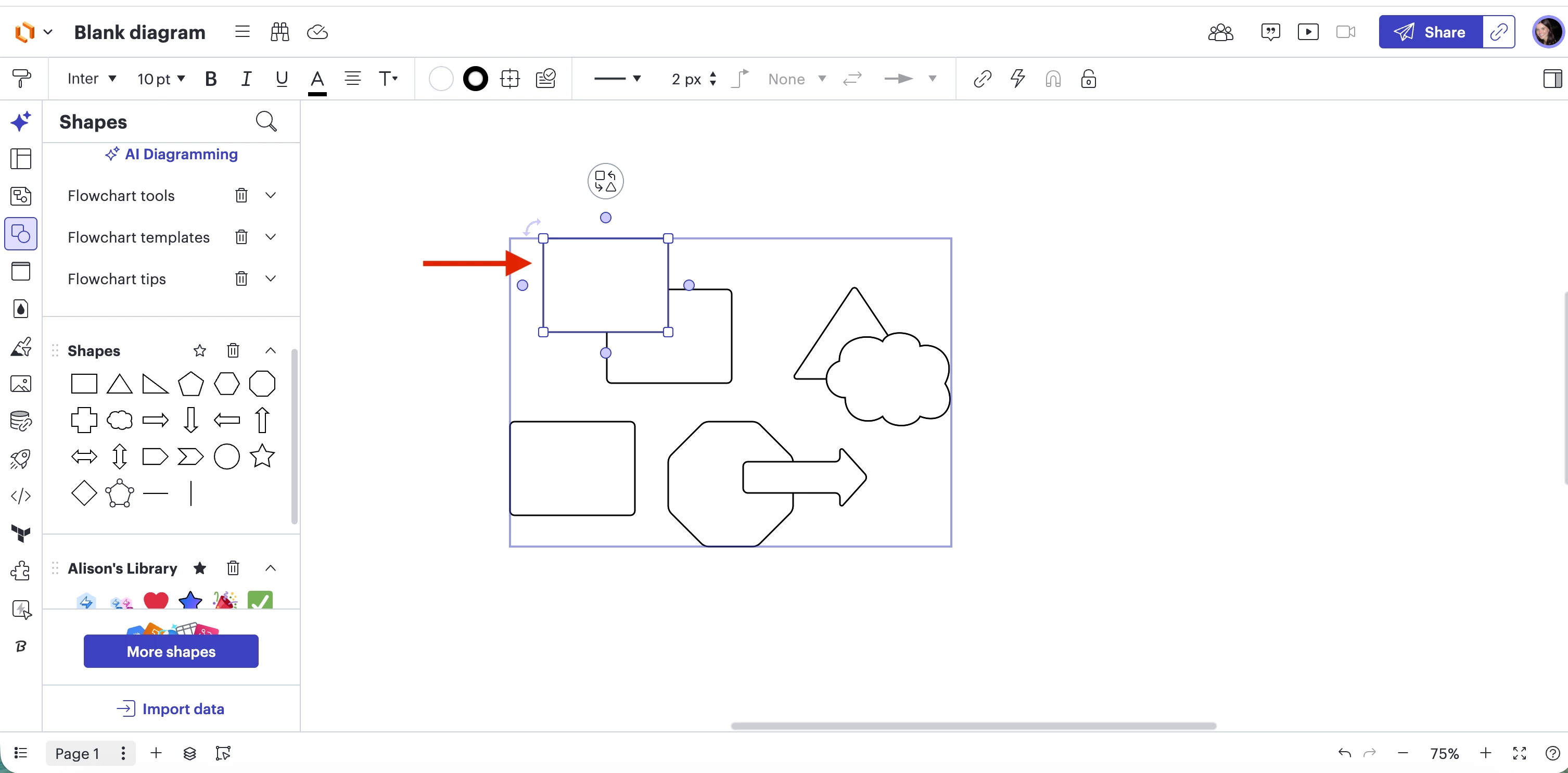
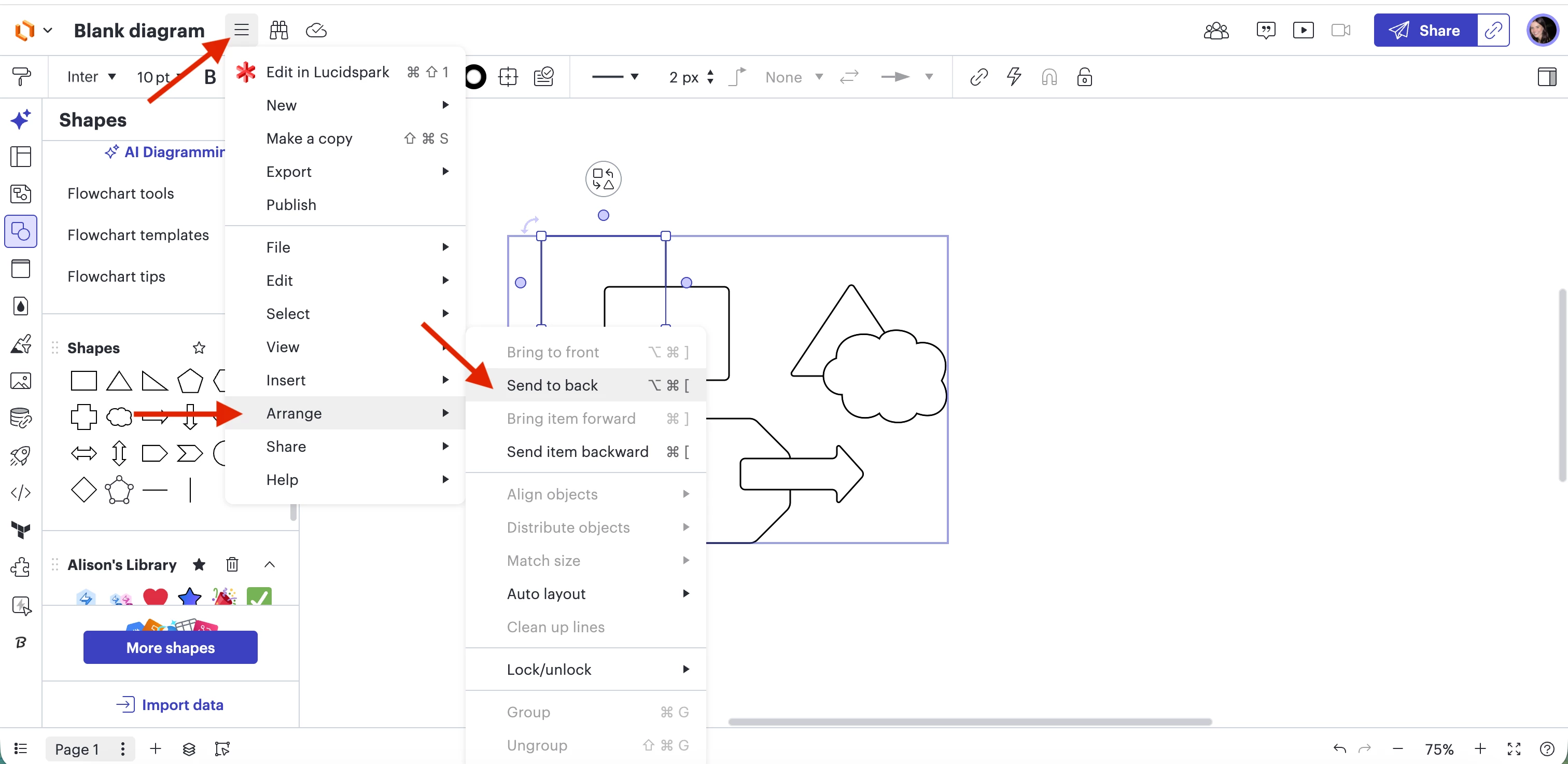
Have you tried the following workaround when your item moves from back to front? Please try the steps (see screenshots below) to move your items to the back! If you have any questions, please review this Lucid Help Center article on arranging overlapping objects. 

Step 1: Select the item (shape) within your group of items.
Step 2: Select Menu > Arrange > Send to back


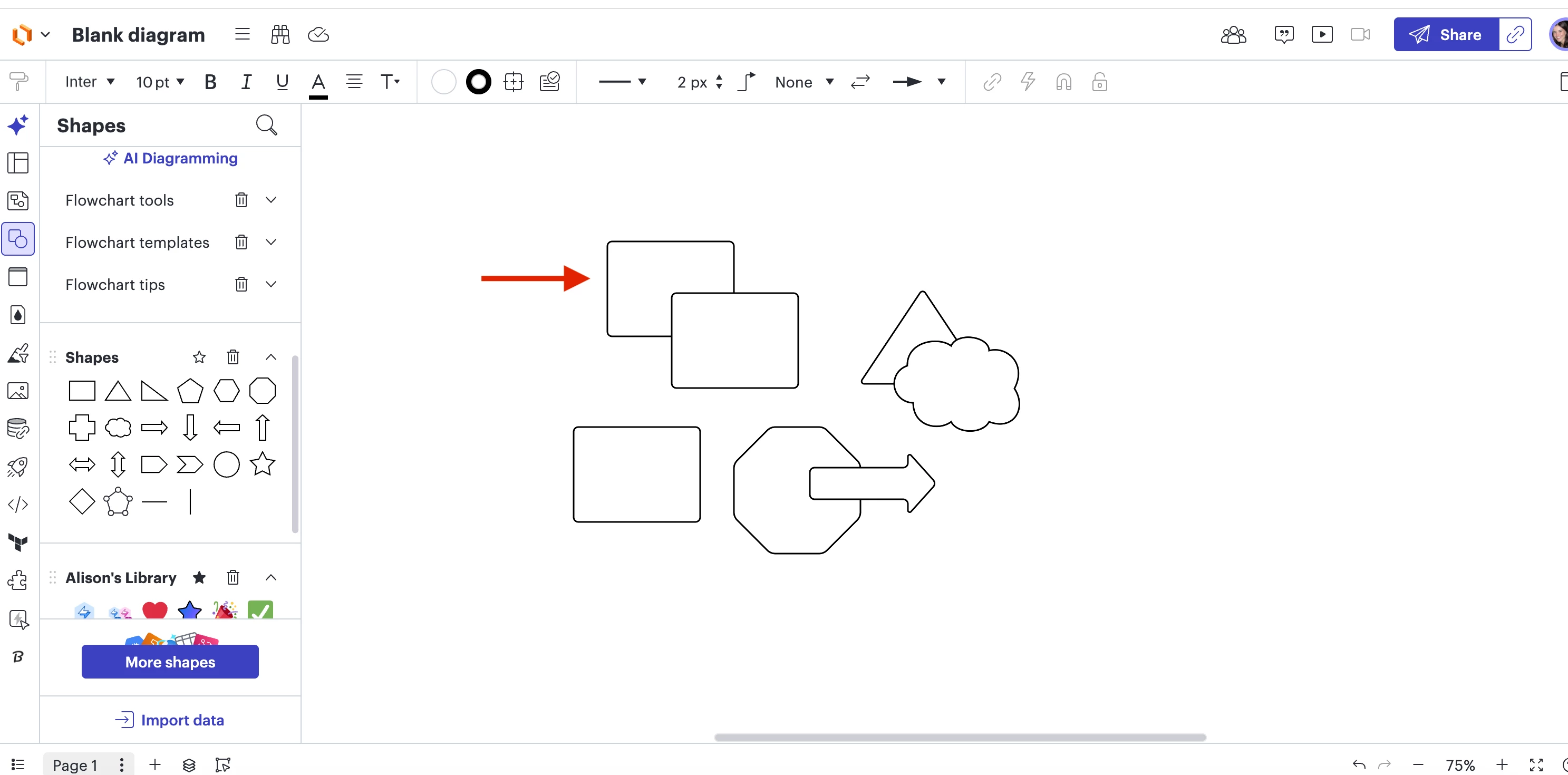
Your item will move to the back and look like this!

If the issue persists, can you send the following:

  • Which specific items are you using in Lucidchart?
  • A screenshot or screen recording showing the specific issue (Unfortunately, we were unable to open/access the link to the video you provided)

Thanks in advance for your help and patience!


Forum|alt.badge.img+1
  • Author
  • April 20, 2026

I logged out of VPN, I’m in Incognito mode. Dragging is still rearranging. Even if I ungroup, move the item to the back again and move again. These items move fine if they are not grouped. It only rearranges if grouped. I already attached a video in my first post, I had to add a link since I was unable to embed a recording and there’s no real way to attach a file here. Here is a new recording showing the steps you have recommended do not make a difference. If you can’t open the links, please let me know how I can properly share a file with support. Thanks

Video background rearranging off VPN and in Incognito


Forum|alt.badge.img+4
  • Lucid support team
  • April 20, 2026

Hi ​@t.stone,


Thank you for following up. I just requested access to take a closer look at this issue. Once granted access, I’ll follow up here with my findings! 


Cycling Scott
Lucid Legend Level 1
Forum|alt.badge.img+1
  • Lucid Legend Level 1
  • April 20, 2026

I’m between meetings so this will be quick; happy to stop back later to see whether this suggestion is helpful.

Instead of grouping the shapes, have you tried using a Container instead? When you move a container, all contained objects move with it and the front-back arrangement shouldn’t change. (Note: I don’t think it should change when you move a group either! But I’d be interested to know whether a container behaves properly for you.)

An added benefit of a container is that it’s easier to add and remove shapes: you just drag them in or out. 


Forum|alt.badge.img+4
  • Lucid support team
  • Answer
  • April 21, 2026

Hi ​@t.stone,


Thank you for granting access to the video, I was able to reproduce this issue and have reported this to our Development Team. In the meantime, as ​@Cycling Scott mentioned, Containers would be the suggested workaround here. I wasn’t able to reproduce the issue when using containers, but please reach out if this issue persists!