
Idea

Can I move the Lucid background grid on top of shapes in my document?

Related products:Lucid Suite
  • December 15, 2025
  • 1 reply
  • 25 views

Forum|alt.badge.img

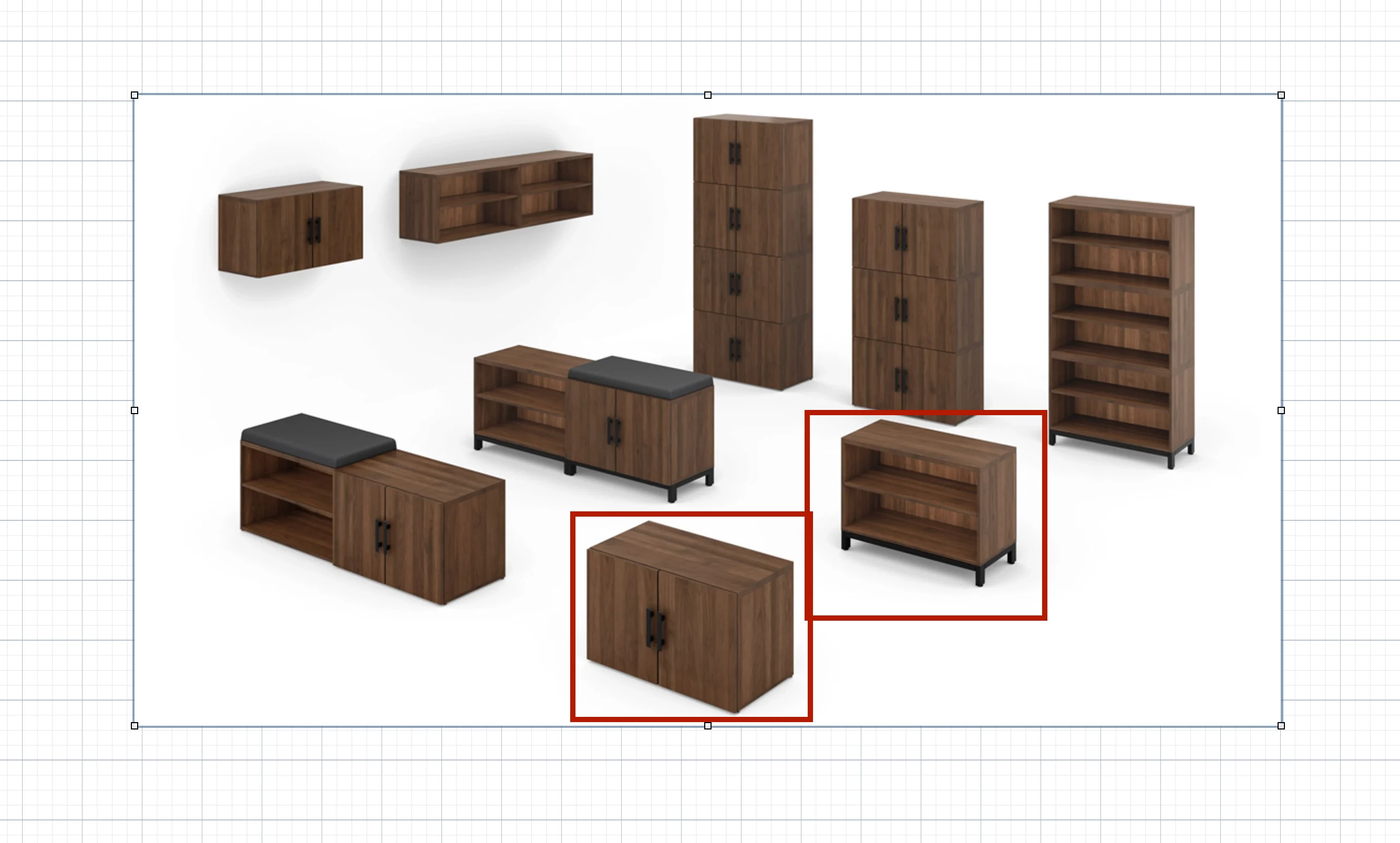
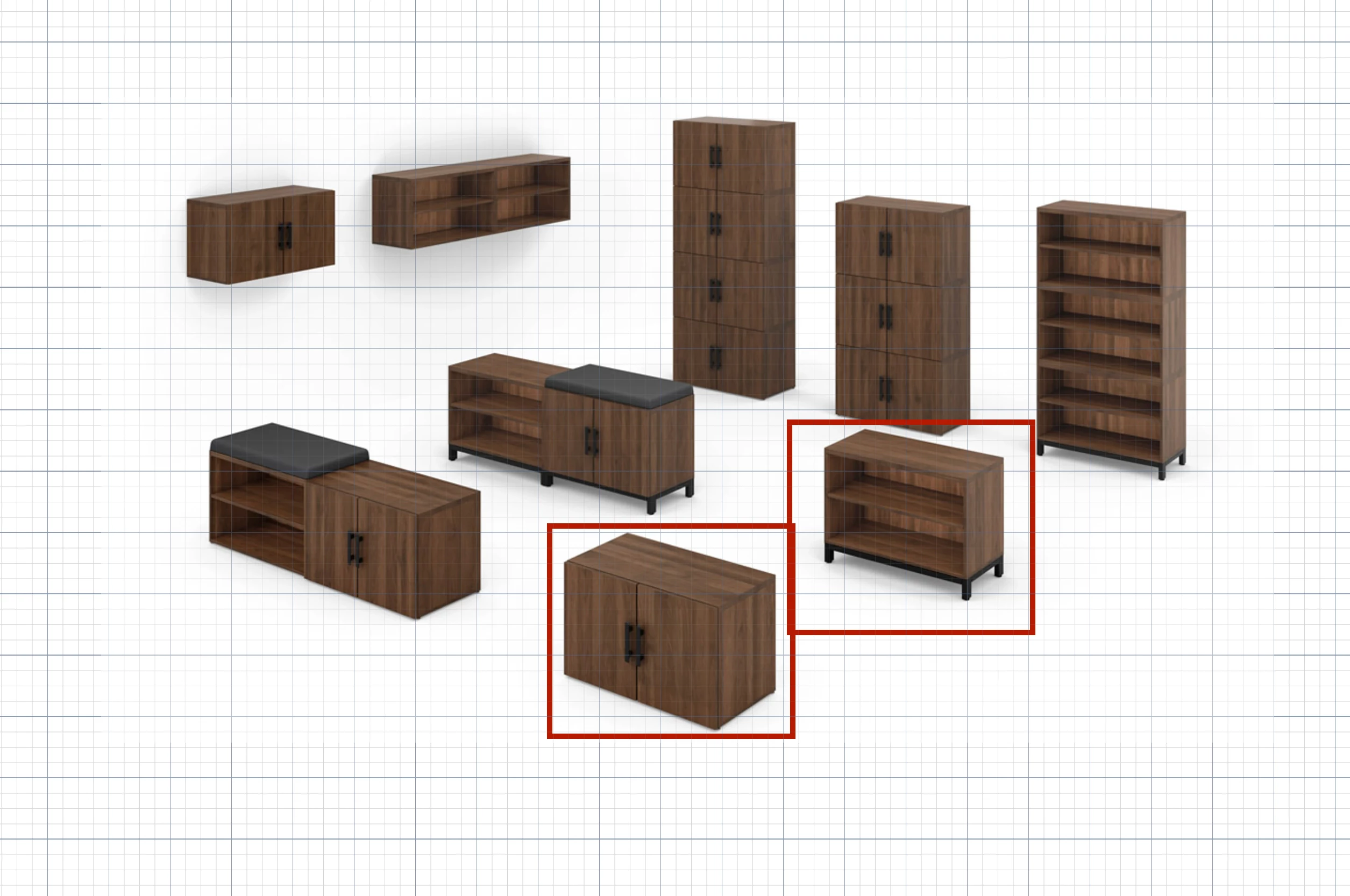
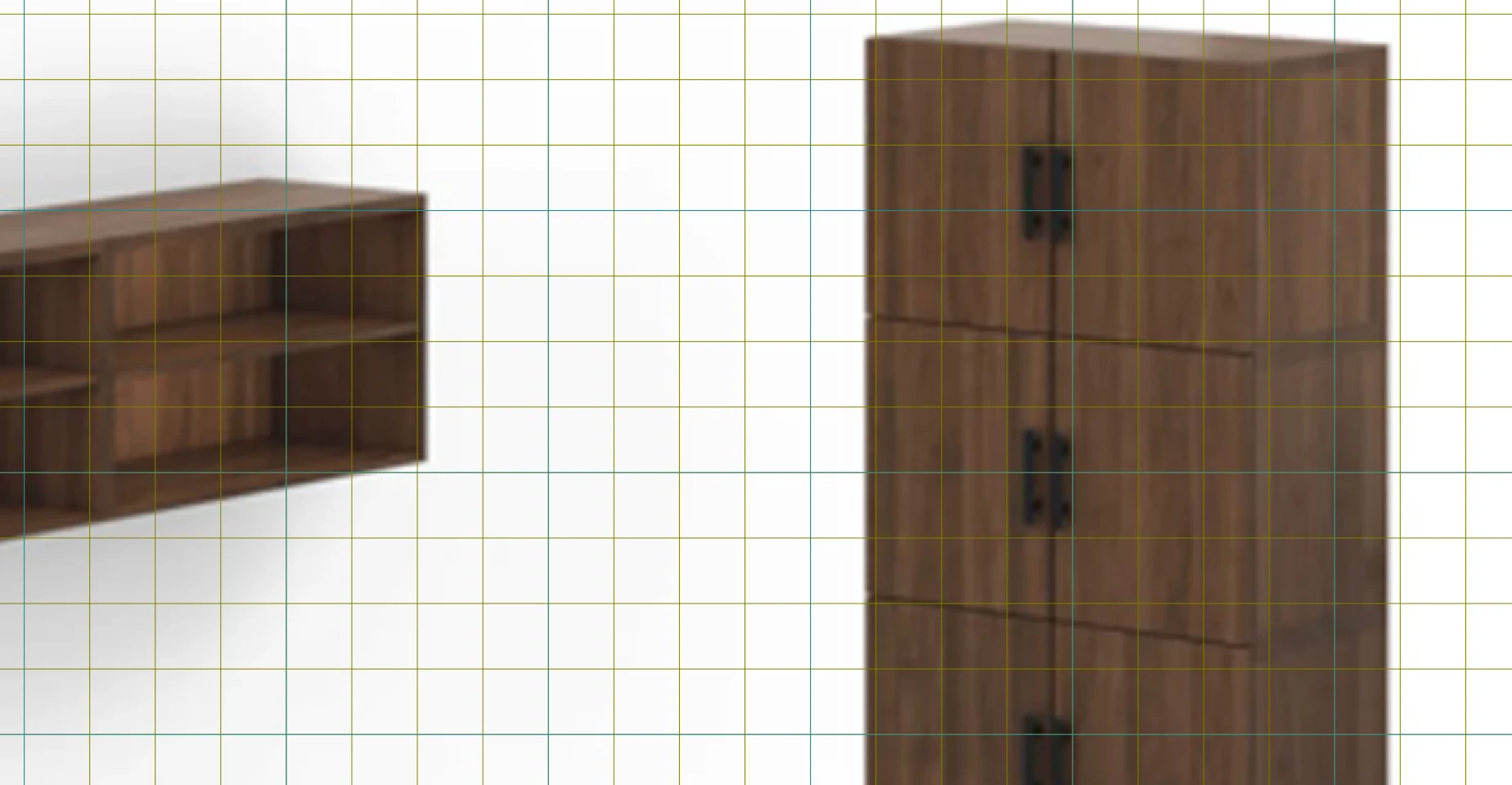
Is there any way to move the grid from the background to the front, on top of the objects? I have inserted an image I want to annotate. I am trying to layout objects on top of the image but to the grid. Because the image is opaque you cannot see the grid behind it. It would be nice to be able to choose where the grid is positioned. Here is an example what I am talking about using another diagramming application.

I have an opaque image and the grid is shown behind the image.
If I change the preferences of the grid I can now put it on top where it will not disappear if I zoom into the image.
If I zoom in and change the grid color to make it more noticeable you will see that the grid is on top of the image
 

Thanks.

December 16, 2025

Hi ​@Knox McCormac

Thanks for your post! Unfortunately, this isn’t currently supported in Lucid, but we’re very interested in your feedback and committed to continually improving our products. If you’re willing to share, we’d love to hear more details about your use case or what you’d like to see in this experience within this thread. I’ve also converted this post to an idea so that it’s visible to others within the Product Feedback section of the community - from here, they can upvote it and add details of their own.

Finally, for more information on how Lucid manages feedback via this community, take a look at this post:

What happens to my feedback? | Community

Comments

Forum|alt.badge.img+9
  • Lucid & airfocus support team
  • December 16, 2025

Hi ​@Knox McCormac

Thanks for your post! Unfortunately, this isn’t currently supported in Lucid, but we’re very interested in your feedback and committed to continually improving our products. If you’re willing to share, we’d love to hear more details about your use case or what you’d like to see in this experience within this thread. I’ve also converted this post to an idea so that it’s visible to others within the Product Feedback section of the community - from here, they can upvote it and add details of their own.

Finally, for more information on how Lucid manages feedback via this community, take a look at this post:

What happens to my feedback? | Community