August 20, 2026
Question

Missing stencil icons in Lucidchart

  • August 20, 2026
  • 1 reply
  • 92 views


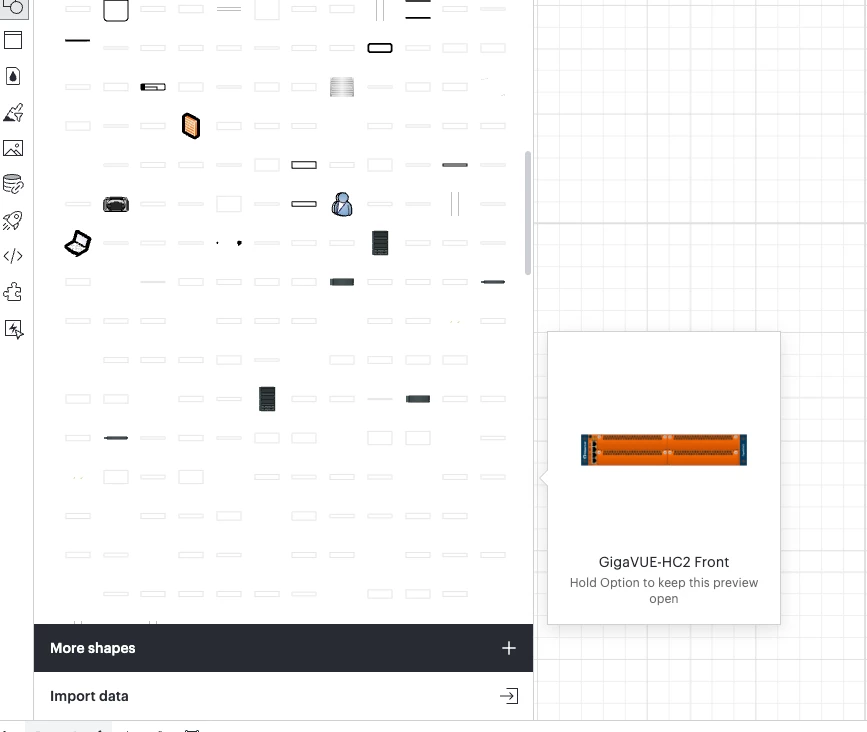
My stencils icons used to appear as expected and today they suddently no longer appear in the list. 

The stencil is showing and if I click on the blank icon It displays the object in the canvas .

I tried using a incognito mode, using  different browsers ( Chrome and Firefox) even on a different computer and all show the same.

see image below.  Appreciate assistance from anyone that experiance this kind of issue and knows how to fix it. 
 

Comments

kmougammadou
September 2, 2026

Hi ​@wizmany, thanks for your post in the community! Could you try opening your document in a private or incognito window to help us narrow down the potential cause? Could you also try connecting to a different network or disconnecting from your VPN (if applicable)? Sometimes account performance issues can be related to internet security/speed or browser issues. These steps will help us eliminate that possibility. For help with opening an incognito window, please see this community post.

If those don’t resolve the problem, can you please send the following information so I can take a closer look?

  • Could you share a temporary Document Support PIN for this document? This will help me take a closer look at what’s going on. This PIN is safe to post in this thread because it is only accessible by members of the Lucid support staff. You can find steps for generating a Support PIN in this Lucid Help Center article: Generate a Lucid Support PIN.

  • Can you share the name of the affected Shape Library / Stencil

Thanks in advance for your help and patience!