Hello - I’ve got a whiteboard workshop that I run which has 5 separate frames on the board. At the end of the workshop, I’d like to send a PDF output (with functioning embedded hyperlinks) that has each frame on a new page of the PDF. In this instance, there would then be a 5 page, well formatted PDF to share with the attendees. I thought the export to Google Slides might be an option, but the hyperlinks aren’t coming through (only a static image on each slide). Doing a print to PDF just grabs the whole board. Searching help I think it might work for Lucidchart, but not Lucidspark. Am I missing something?

Lucidspark export to multi-page PDF, with embedded links
Best answer by Zuzia S
Hi
Exporting multiple Pages in PDF at once is definitely an option in Lucid, all while keeping the links to other Pages/URLs in the document/page when the multipage PDF has been downloaded.
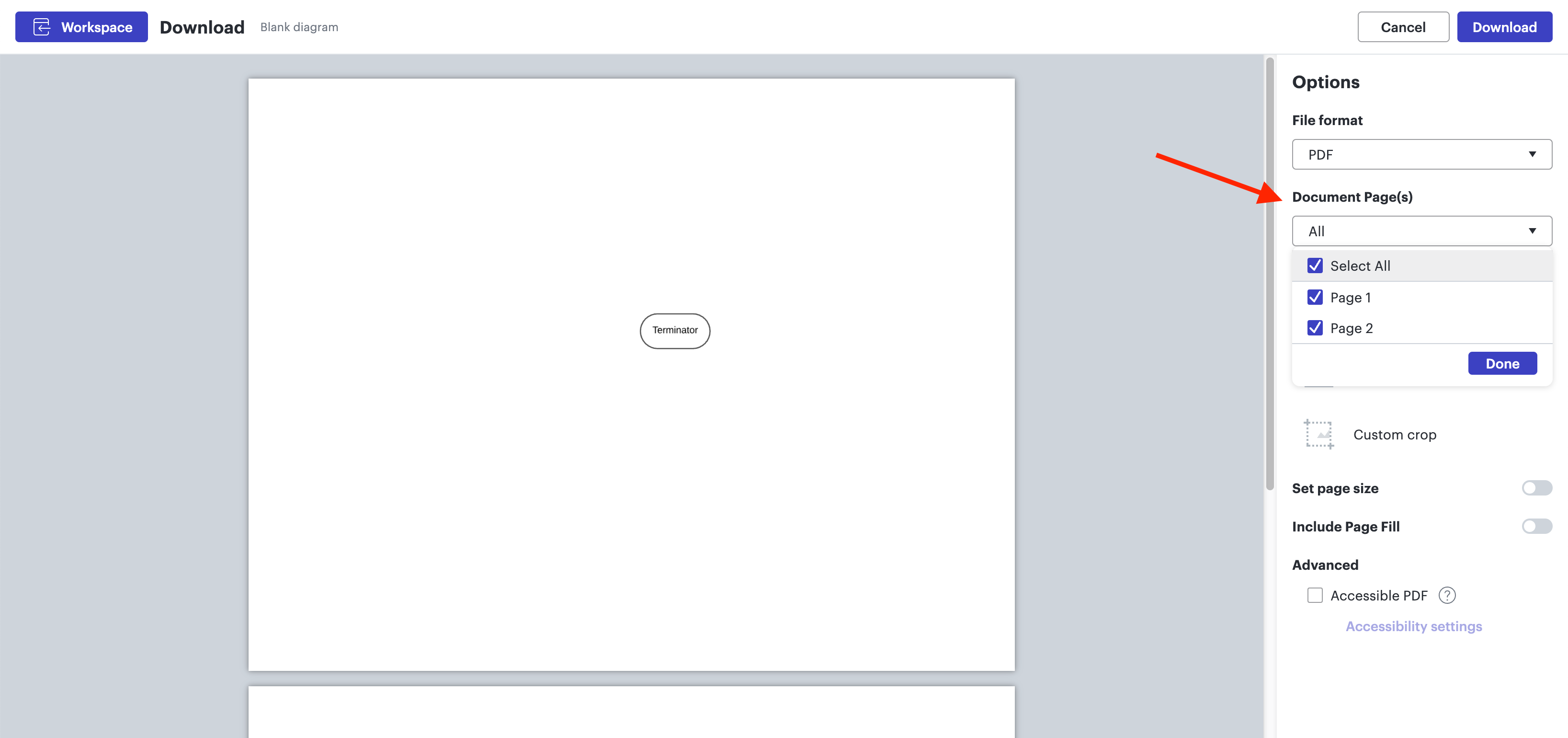
When exporting to PDF and clicking on File > Export > PDF, could you please make sure you select the Document pages you wish to include in your export in the Options panel on the right, as per the screenshot below:

Could you please try these steps and let me know how it goes?
Cheers!
Create an account in the community
A Lucid account is required to interact with the Community, and your participation is subject to the Supplemental Lucid Community Terms. You may not participate in the Community if you are under age 18. You will be redirected to the Lucid app to log in.
Log in to the community
A Lucid account is required to interact with the Community, and your participation is subject to the Supplemental Lucid Community Terms. You may not participate in the Community if you are under age 18. You will be redirected to the Lucid app to log in.
Log in with Lucid
Enter your E-mail address. We'll send you an e-mail with instructions to reset your password.