Solved

Jira card content missing

  • June 15, 2026
  • 4 replies
  • 99 views

Forum|alt.badge.img+2

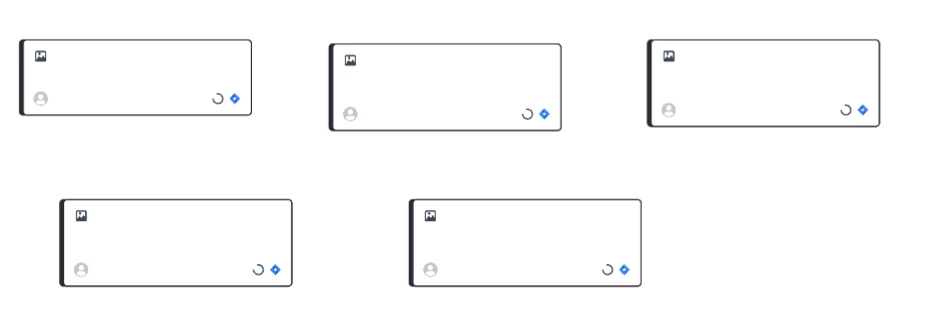
I tried to convert some Lucidspark notes to Jira work items and they have been spinning their waiting wheel for hours now and the items have not appeared on my Jira backlog. How do I reverse this and get my notes back?


Best answer by DavidMoor

Thanks for your suggestions.

I determined that the issue was caused by Jira requiring a Parent for the Stories that were being created, and as I hadn’t selected one when converting the sticky notes it had gone into a loop. 

I resolved the issue by reverting to an earlier copy of my board and then selecting a Parent when converting the sticky notes to Jira Stories.

Comments

aparrish
Lucid Legend Level 7
Forum|alt.badge.img+18
  • Lucid Legend Level 7
  • June 15, 2026

@DavidMoor here is the official Lucid article on the Lucid-Jira integration: https://help.lucid.co/hc/en-us/articles/14943046626964-Integrate-Lucid-Cards-with-Jira#lucid-cards-for-jira-troubleshooting

If that doesn’t help, submit a ticket to our Product Support team. Ticket support for product issues is a paid feature. See our Lucid Plans article for more details on our support offerings.


alison cheney
Forum|alt.badge.img+4
  • Lucid community team
  • June 17, 2026

Hi ​@DavidMoor,

Thank you for your post in the Lucid Community, and thank you ​@aparrish for your support!

Would you mind trying the following steps so I can take a closer look at what’s going on?

  • Could you try opening your document in a private or incognito window to help us narrow down the potential cause? For help with opening an incognito window, please see this community post.
  • Could you also try connecting to a different network or disconnecting from your VPN (if applicable)? Sometimes account performance issues can be related to internet security/speed or browser issues. These steps will help us eliminate that possibility.
  • It’s possible that WebGL is causing an issue with your graphics card. Please try turning WebGL off by going to View > Rendering > Use WebGL and unchecking the option.

If those don’t resolve the problem, can you please send the following information so I can take a closer look?

  • A screenshot of the issue.

  • A screenshot of the associated Javascript Console output after reproducing the issue. You can open your Javascript Console by pressing Ctrl+Shift+J (if your computer is a Windows/Linux) OR Cmd+Opt+J (if your computer is a Mac).

Thanks in advance for your help and patience!


Forum|alt.badge.img+2
  • Author
  • Answer
  • June 22, 2026

Thanks for your suggestions.

I determined that the issue was caused by Jira requiring a Parent for the Stories that were being created, and as I hadn’t selected one when converting the sticky notes it had gone into a loop. 

I resolved the issue by reverting to an earlier copy of my board and then selecting a Parent when converting the sticky notes to Jira Stories.


alison cheney
Forum|alt.badge.img+4
  • Lucid community team
  • June 23, 2026

Hi ​@DavidMoor,

Thanks so much for coming back and sharing the exact root cause! That is incredibly helpful to know.

It completely makes sense that a mandatory field constraint on the Jira side (like requiring a Parent issue) would cause the sync/conversion process to get stuck in a loop. Your workaround of reverting to a previous version of the board via revision history and then mapping the required fields during conversion is spot on and an excellent tip for anyone else who might run into this.

I'm glad you're up and running again, and thank you again for closing the loop for the community!