Solved

How to Search for Specific Tags in Lucid

  • March 16, 2026
  • 1 reply
  • 26 views

Forum|alt.badge.img

hi there! i added tags on my board, and question:
how i can search my tags by name quickly?

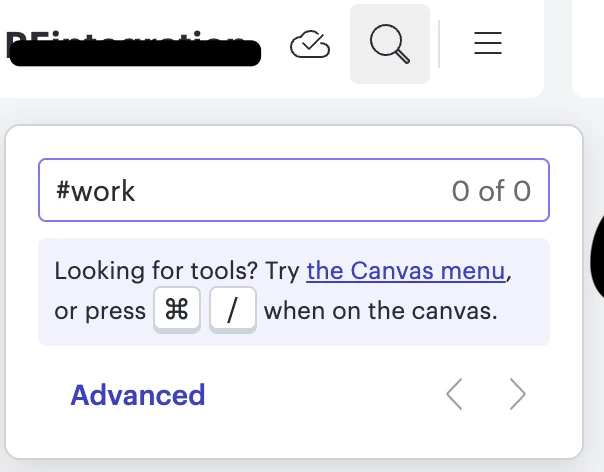
i added screen, i tried to find tag #work but it can’t show me my tags..
 

Best answer by Zuzia S

Hi ​@Alex95, thank you for posting in the Community! 

Indeed, our Quick tag mode does not include searching objects per tag, but shows taggable objects including the tags they already have. 

As a workaround, in order to search objects per tag, you can group those by tag. 

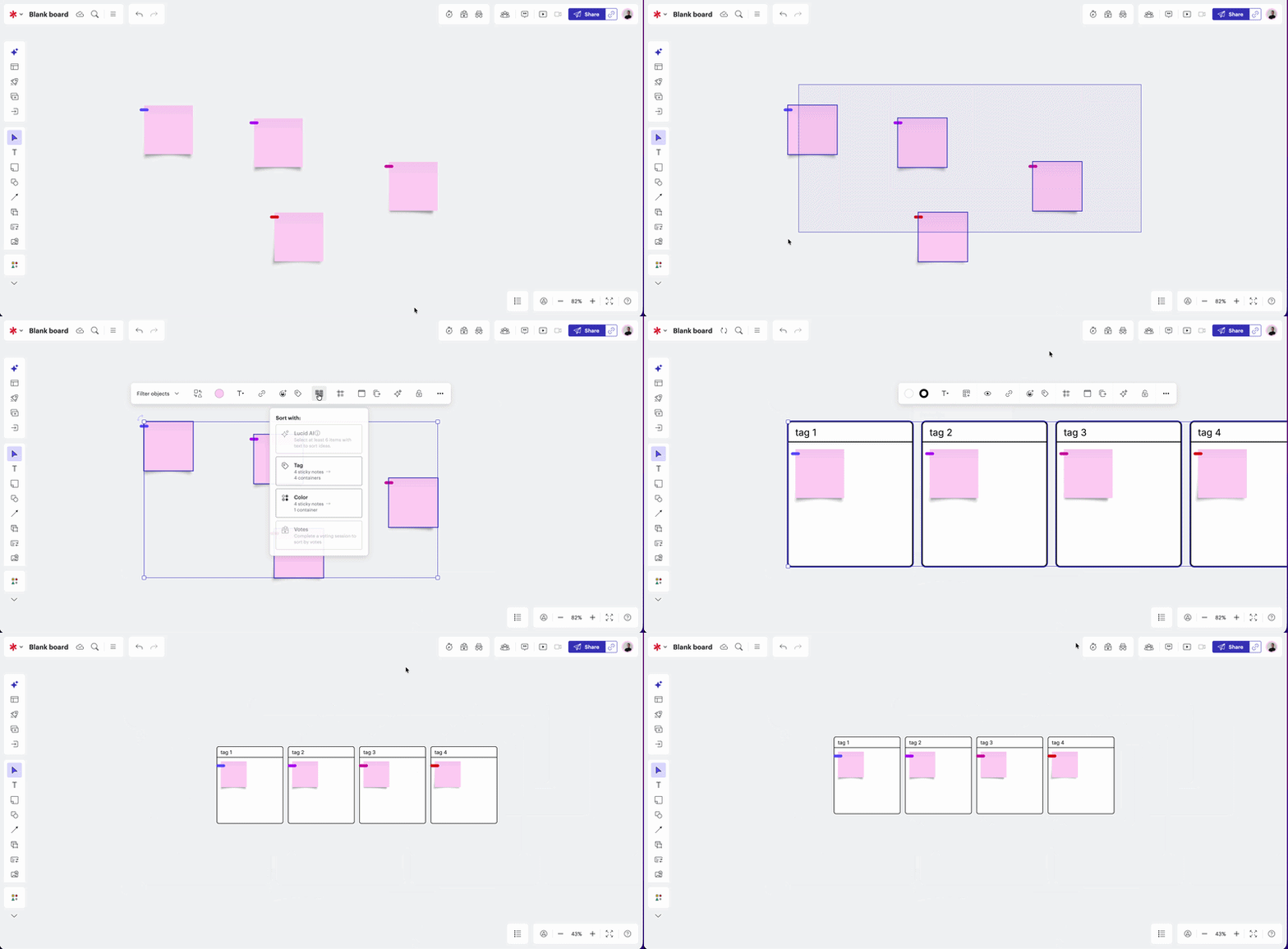
To do so, select the tagged objects > Sort > Tag. As such:

We’re very interested in your feedback and committed to continually improving our products. Please first search the Product Feedback section of this community (with the filter Topic Type = Idea) to see if it’s already been submitted. If so, please add any additional details you’d like and upvote the request - this consolidation helps to refine feedback and properly capture the popularity of the request.

If no one has submitted this idea yet, please create one of your own and be sure to include details about your use case or what you’d like to see in this experience. This will also allow other users with similar requests to discover and upvote it, then add details of their own.

Finally, for more information on how Lucid manages feedback via this community, take a look at this post:

Cheers!

Comments

Zuzia S
Forum|alt.badge.img+8
  • Lucid community team
  • Answer
  • March 20, 2026

Hi ​@Alex95, thank you for posting in the Community! 

Indeed, our Quick tag mode does not include searching objects per tag, but shows taggable objects including the tags they already have. 

As a workaround, in order to search objects per tag, you can group those by tag. 

To do so, select the tagged objects > Sort > Tag. As such:

We’re very interested in your feedback and committed to continually improving our products. Please first search the Product Feedback section of this community (with the filter Topic Type = Idea) to see if it’s already been submitted. If so, please add any additional details you’d like and upvote the request - this consolidation helps to refine feedback and properly capture the popularity of the request.

If no one has submitted this idea yet, please create one of your own and be sure to include details about your use case or what you’d like to see in this experience. This will also allow other users with similar requests to discover and upvote it, then add details of their own.

Finally, for more information on how Lucid manages feedback via this community, take a look at this post:

Cheers!