Rob W103
February 5, 2023
Solved

How do I rename the team on a Lucidspark template?

  • February 5, 2023
  • 12 replies
  • 817 views

For the life of me I can't figure out how to rename the swim lane.
Anyone?

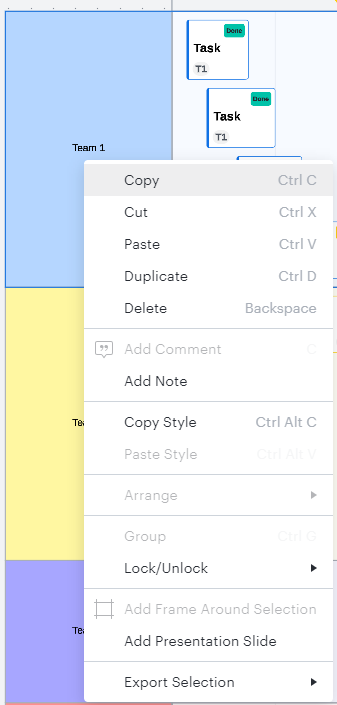
For example I want to rename "Team 1" to something else.
I've tried double clicking triple clicking right clicking and it doesn't budge.

I just want to be able to double-click and update the swim lane. 
Best answer by Micah

Hi Rob thanks for your post in the Lucid Community! You're correct - the Assignee field or "Team" in your example is automatically generated by the value within the Assignee field of an individual card. I appreciate you sharing what you learned and I apologize for the confusion this caused! I've noted your feedback about a more straightforward way to simply double-click and rename and will pass this along to our development team - they utilize feedback like this when prioritizing improvements to Lucidspark. Thanks for taking the time to share it!

As additional resources I recommend the Work with Timelines article from the Lucidspark Help Center as well as this Manage your project using a Gantt Chart community post. Both have great tips on customizing and working with your timelines. Please let me know if you have additional questions!

Comments

February 10, 2026

I have one more suggestion. Click on the + at the 

when it asks you for assignee, write a name. I wrote Zoom here 

Now select Zoom, it appears in the swimlane


Then delete all those swimlanes that are not needed

alison cheney
Lucid community team
February 11, 2026

Hi ​@Tulika S,

Thank you for responding in this thread! I understand your frustration when it comes to not being able to manually edit team names.

I wanted to clarify a couple of things so I can take a closer look. When you mention a “generic board,” are you referring to a blank board where you’ve added a Dynamic table or a Timeline to organize your cards?


Have you tried organizing your Jira cards in a Dynamic table or Timeline by setting the rows/columns to the “Team” field? (see screenshots below)


Put your Jira cards in a Dynamic table. Select “Set row” or “Set column” and select “Team.”


Put your Jira Cards in a Timeline. Select “Set row” and select “Team.”

If you are continuing to experience this issue, could you send a screenshot showing exactly where teams cannot be changed in your generic board? Thank you for your help and patience!