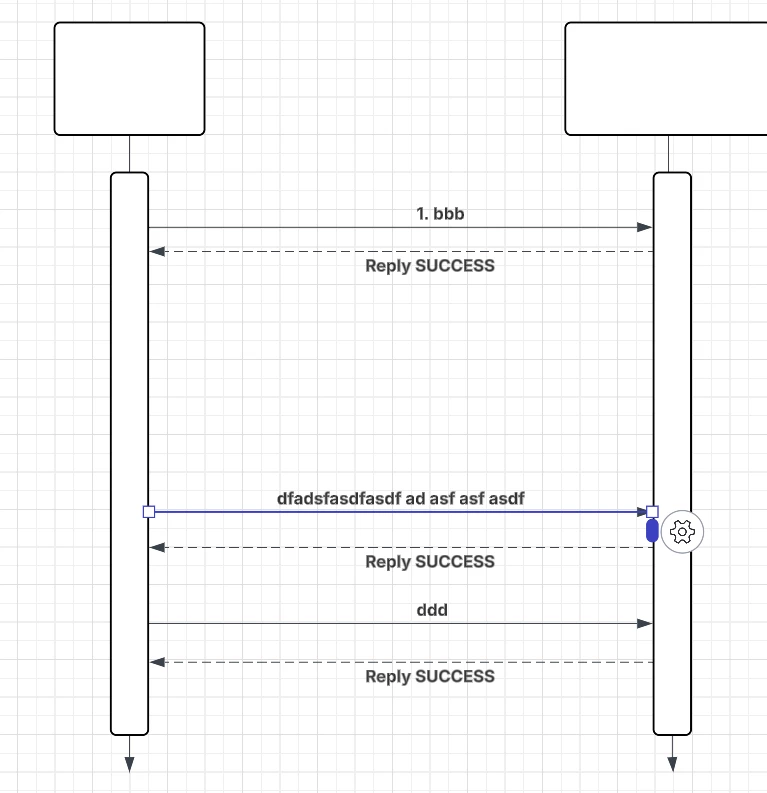
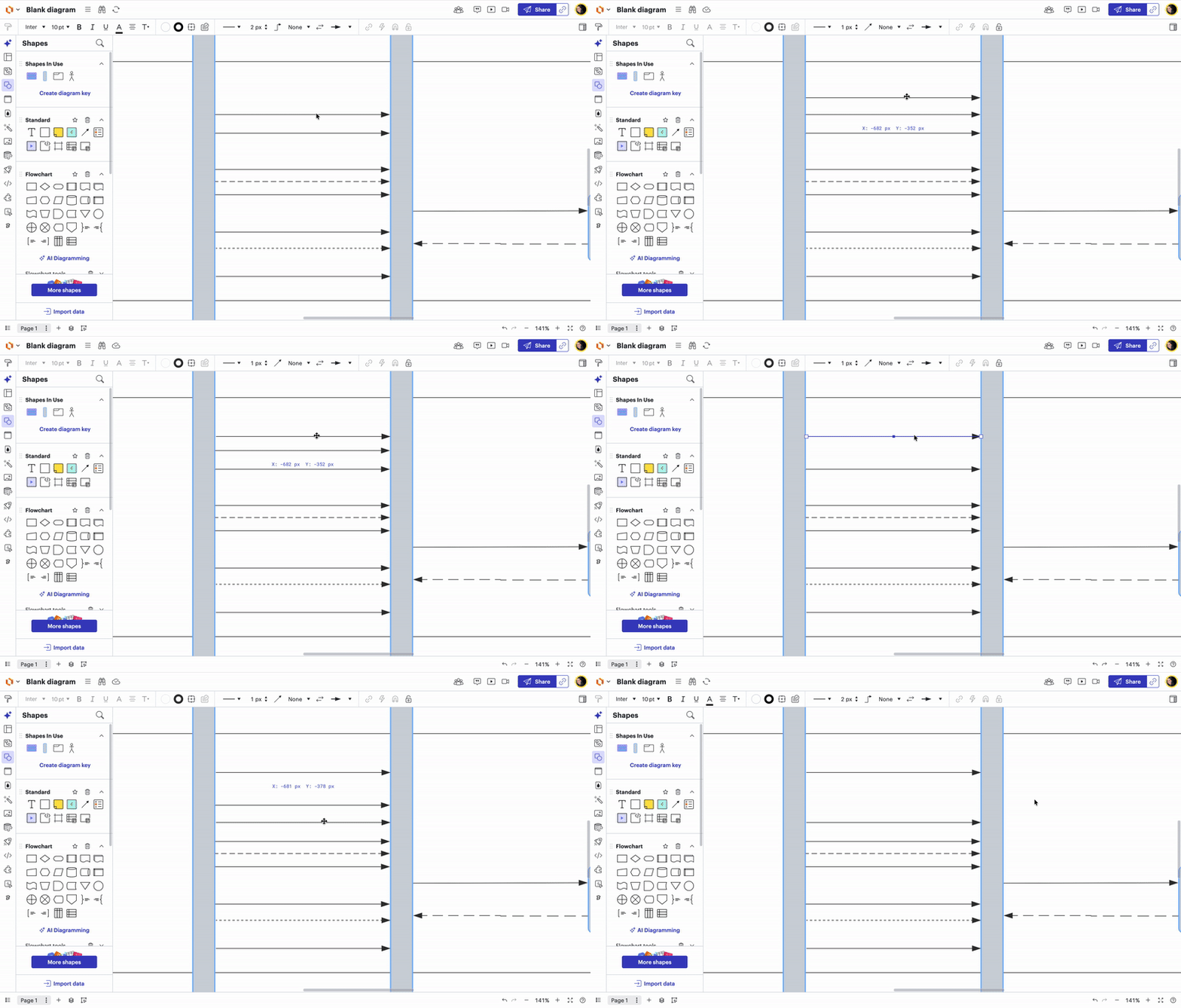
I am trying to move lines in a sequence diagrams up and down. not able to do it, i need to update the connect on both ends, how can I select one or more lines and quickly move them up and down? shift, ctrl, etc plus click and drag does not work.
There are a few ways to move one or more lines up and down in your sequence diagram. Here are the different methods you can take:
Method 1: Select multiple lines at once and group them.
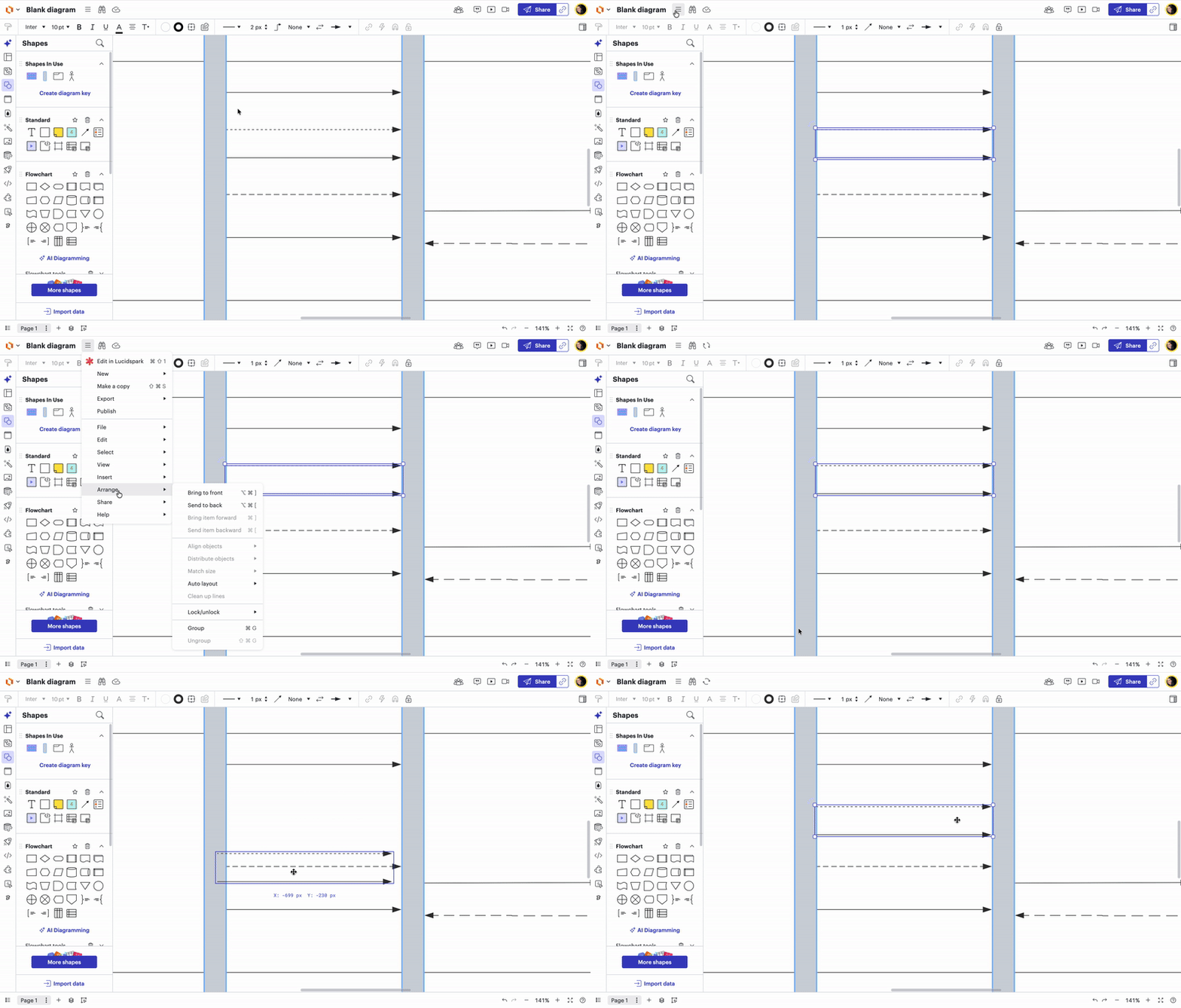
Step 1: Select 2 or more lines Step 2: Click the three horizontal line (hamburger) menu Step 3: Click “Arrange” Step 4: Select “Group”
This will allow you to move your lines freely up and down.
Method 2: Use the up and down Arrow Keys on your keyboard.
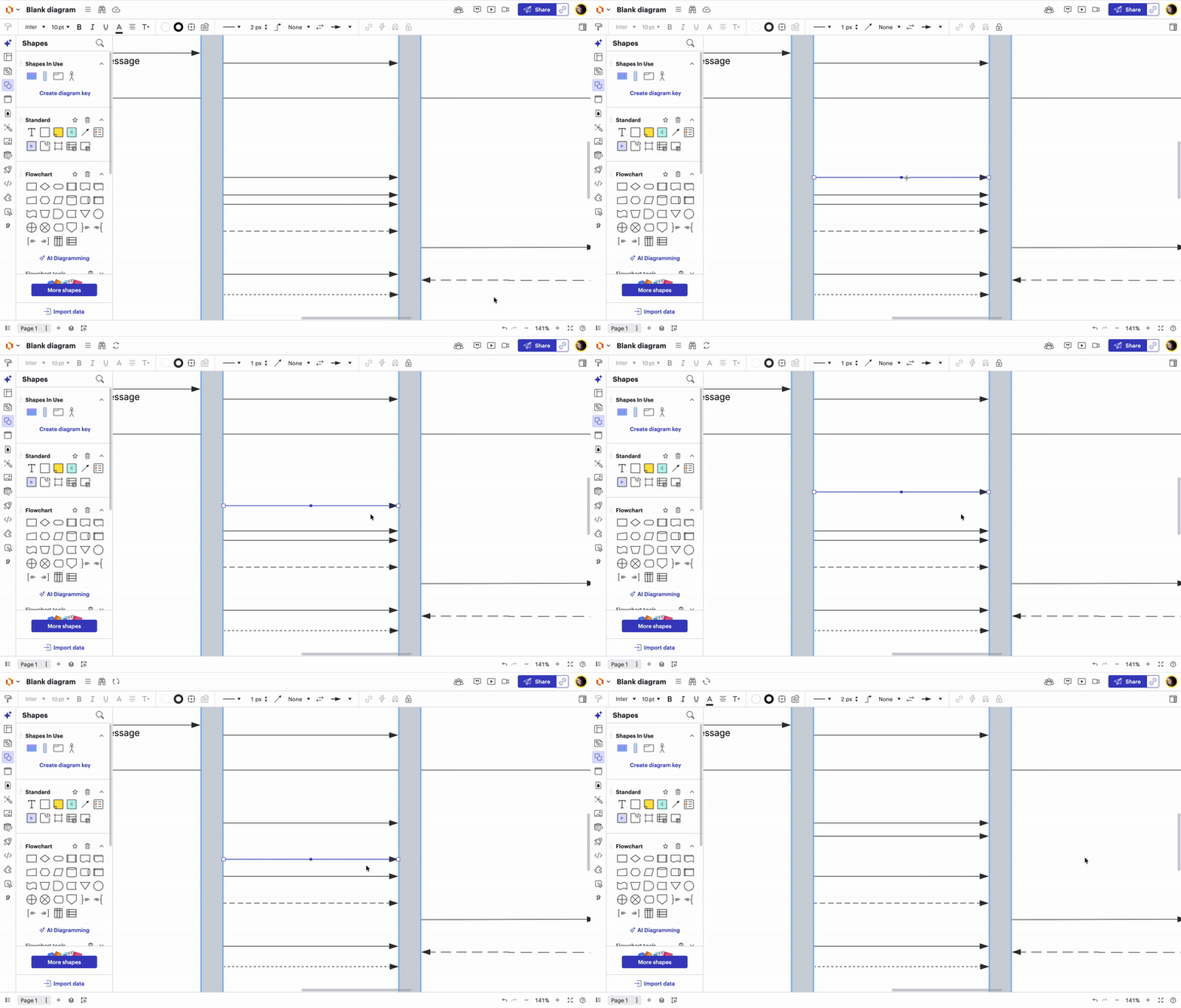
Step 1: Select a singular line you want to move Step 2: Use up and down arrow keys on your keyboard to move the line Note: If the lines are jumping too far when you move them, hold the Shift key while using the Up/Down arrow keys. This allows you to make micro-movements, moving the line pixel-by-pixel for perfect alignment.
Method 3: (combining Methods 1 & 2) Group multiple lines together and use arrow keys to move them up and down.
Follow steps outlined in Methods 1 & 2
Method 4: Hold down the “option” key to duplicate and reposition line exactly where you want it
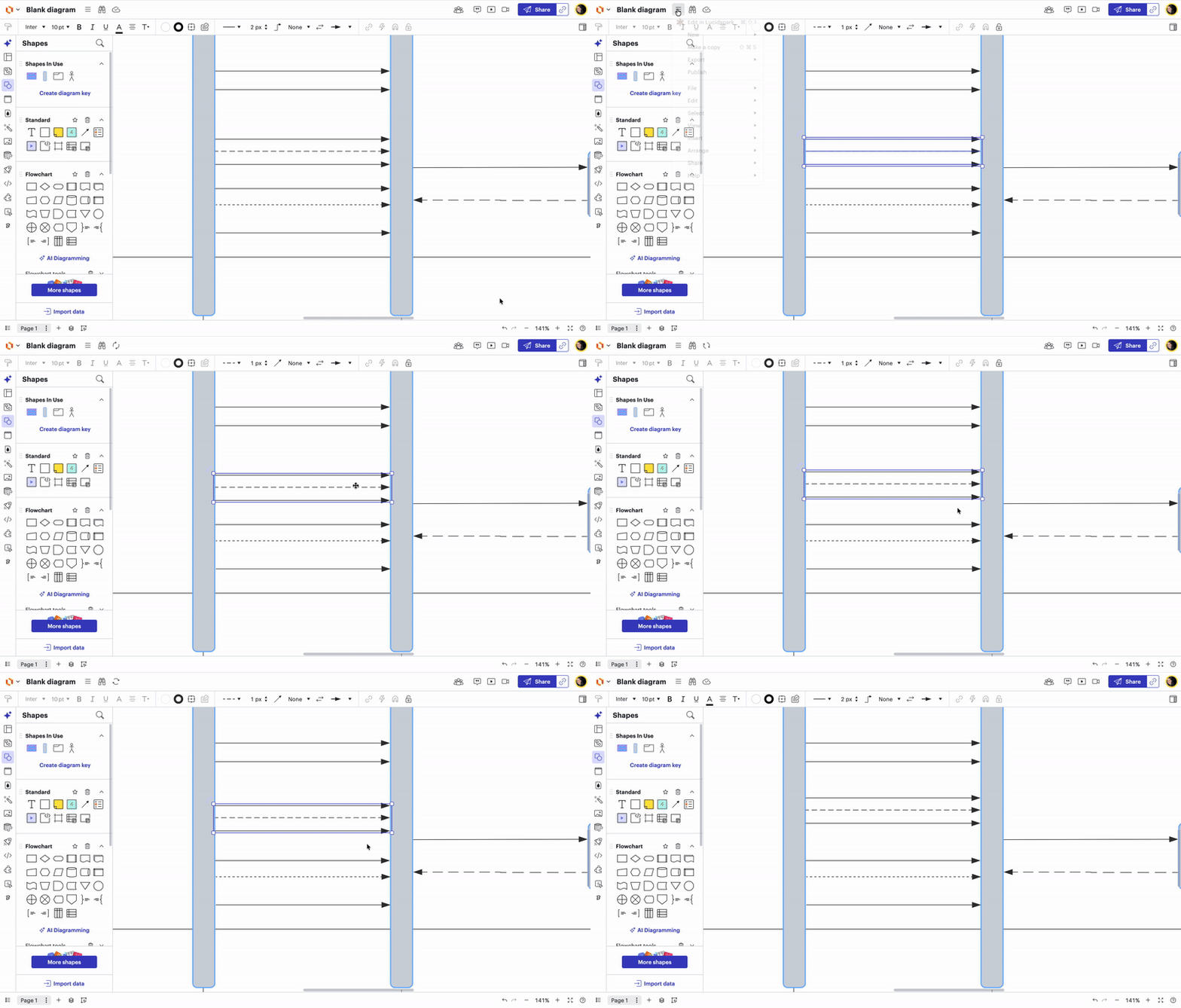
Step 1: Select singular line Step 2: Hold down the “option” key on your keyboard Step 3: Click and drag the line to its new position. This creates an identical duplicate that you can move freely and snap exactly where you need it. Step 4: Once the new line is in place, simply select the original "stuck" line and hit Delete. Note: If you want to move that new line in even smaller increments, remember that you can select it and use Shift + Arrow Keys to nudge it pixel-by-pixel until it’s perfectly aligned.
Please let me know if you have any additional questions!
To make sure I’m giving you the right instructions, are you currently using the UML markup tool to build your diagram?
If you are using the UML markup tool, here is how the tool currently functions:
When using UML markup, you are not able to manually drag or change shapes directly on the canvas. Instead, all changes must be made within the UML markup editor on the left-hand side. The diagram will then automatically update based on your code. (see screenshot below)
A workaround for this is to manually add the UML Shape Library to your shapes and manually add lines that can be moved around in your document however you would like. (see screenshots below for directions)
If you need further troubleshooting, please generate and send over a Document Support PIN. This will allow me to take a closer look at the specific document with you.
If you would like to submit a feature request, we would love to hear from you here. Thank you for engaging with our Lucid Community!
There are a few ways to move one or more lines up and down in your sequence diagram. Here are the different methods you can take:
Method 1: Select multiple lines at once and group them.
Step 1: Select 2 or more lines Step 2: Click the three horizontal line (hamburger) menu Step 3: Click “Arrange” Step 4: Select “Group”
This will allow you to move your lines freely up and down.
Method 2: Use the up and down Arrow Keys on your keyboard.
Step 1: Select a singular line you want to move Step 2: Use up and down arrow keys on your keyboard to move the line Note: If the lines are jumping too far when you move them, hold the Shift key while using the Up/Down arrow keys. This allows you to make micro-movements, moving the line pixel-by-pixel for perfect alignment.
Method 3: (combining Methods 1 & 2) Group multiple lines together and use arrow keys to move them up and down.
Follow steps outlined in Methods 1 & 2
Method 4: Hold down the “option” key to duplicate and reposition line exactly where you want it
Step 1: Select singular line Step 2: Hold down the “option” key on your keyboard Step 3: Click and drag the line to its new position. This creates an identical duplicate that you can move freely and snap exactly where you need it. Step 4: Once the new line is in place, simply select the original "stuck" line and hit Delete. Note: If you want to move that new line in even smaller increments, remember that you can select it and use Shift + Arrow Keys to nudge it pixel-by-pixel until it’s perfectly aligned.
Please let me know if you have any additional questions!
A Lucid or airfocus account is required to interact with the Community, and your participation is subject to the
Supplemental Lucid Community Terms.
You may not participate in the Community if you are under 18. You will be redirected to the Lucid or airfocus app to log in.
A Lucid or airfocus account is required to interact with the Community, and your participation is subject to the
Supplemental Lucid Community Terms.
You may not participate in the Community if you are under 18. You will be redirected to the Lucid or airfocus app to log in.


 Your privacy choices


