contains an image of what I used to see:
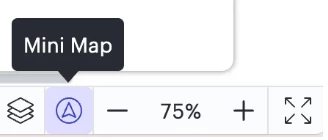
but I am no longer seeing that icon.
Previously, I used the Mini Map a lot for ease of navigation. The tool is very clunky without it.
How do I get the icon back?
contains an image of what I used to see:

but I am no longer seeing that icon.
Previously, I used the Mini Map a lot for ease of navigation. The tool is very clunky without it.
How do I get the icon back?
Best answer by Leianne C
Hi
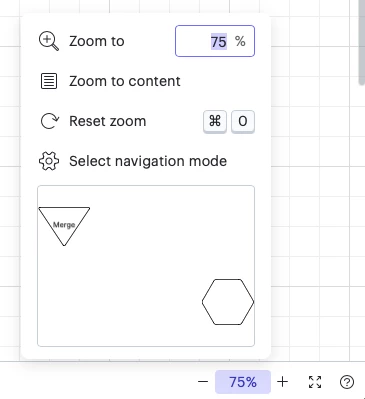
You can now find the map by clicking the zoom percentage found in the bottom right corner:

Could you please give this a try and let me know if this is not the case for you? Please let me know if you have any questions!
A Lucid or airfocus account is required to interact with the Community, and your participation is subject to the Supplemental Lucid Community Terms. You may not participate in the Community if you are under 18. You will be redirected to the Lucid or airfocus app to log in.
Enter your E-mail address. We'll send you an e-mail with instructions to reset your password.