I’m trying to make network diagrams. The ethernet symbol doesn’t let you make it longer. Only larger while maintaining aspect ratio. This is maddening. Is there a workaround or fix? I either need a tiny little ethernet symbol or a giant one that’s longer.
Hi @Bmax1985, thank you for posting in the Lucid Community!
I’m sorry you’re having trouble with this but I’m happy to help. Unfortunately there is no option to adjust the length of the lines directly on the ethernet symbol in Lucidchart. If you are using an icon from the Network Infrastructure library, it is likely an SVG that won't stretch or scale proportionally.
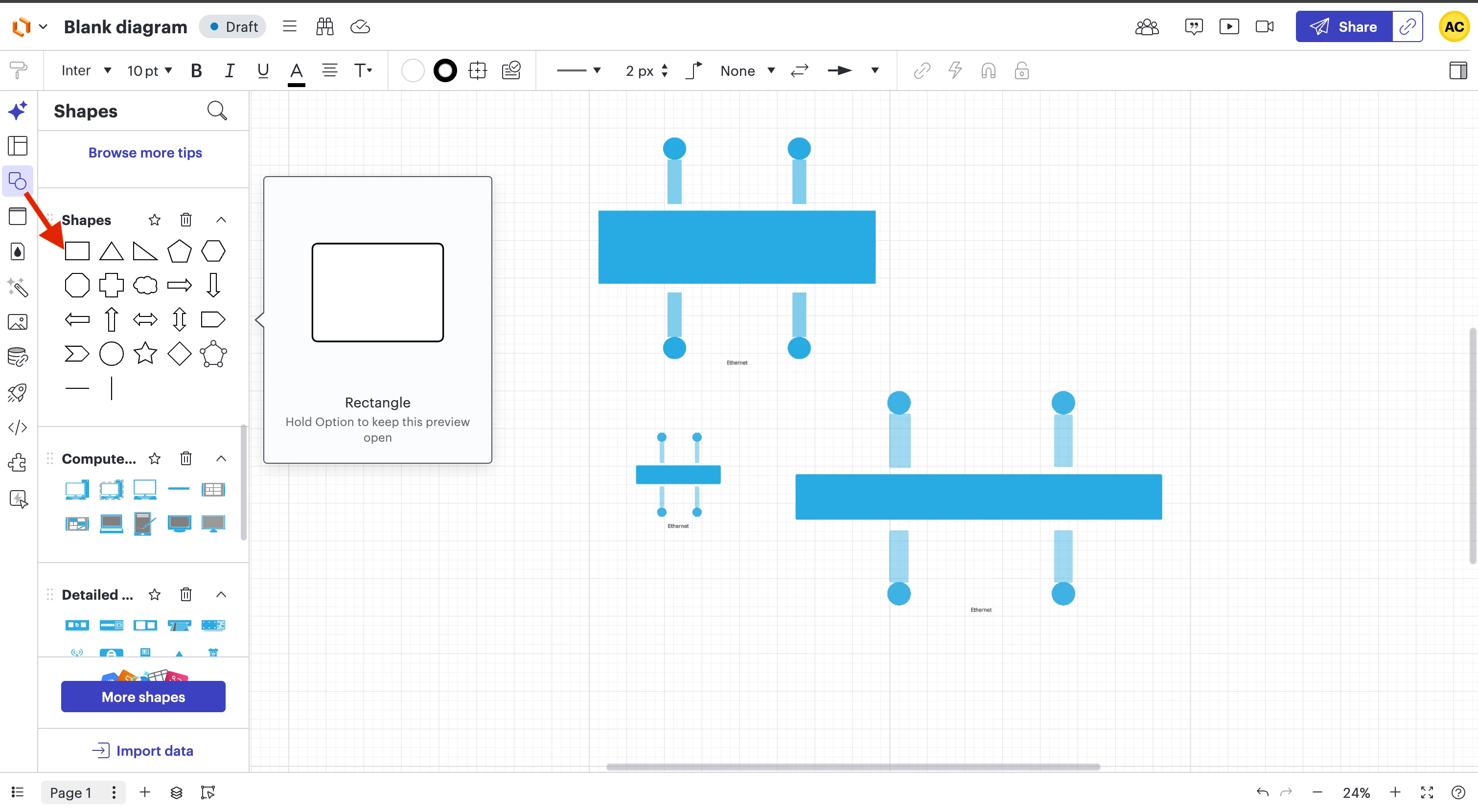
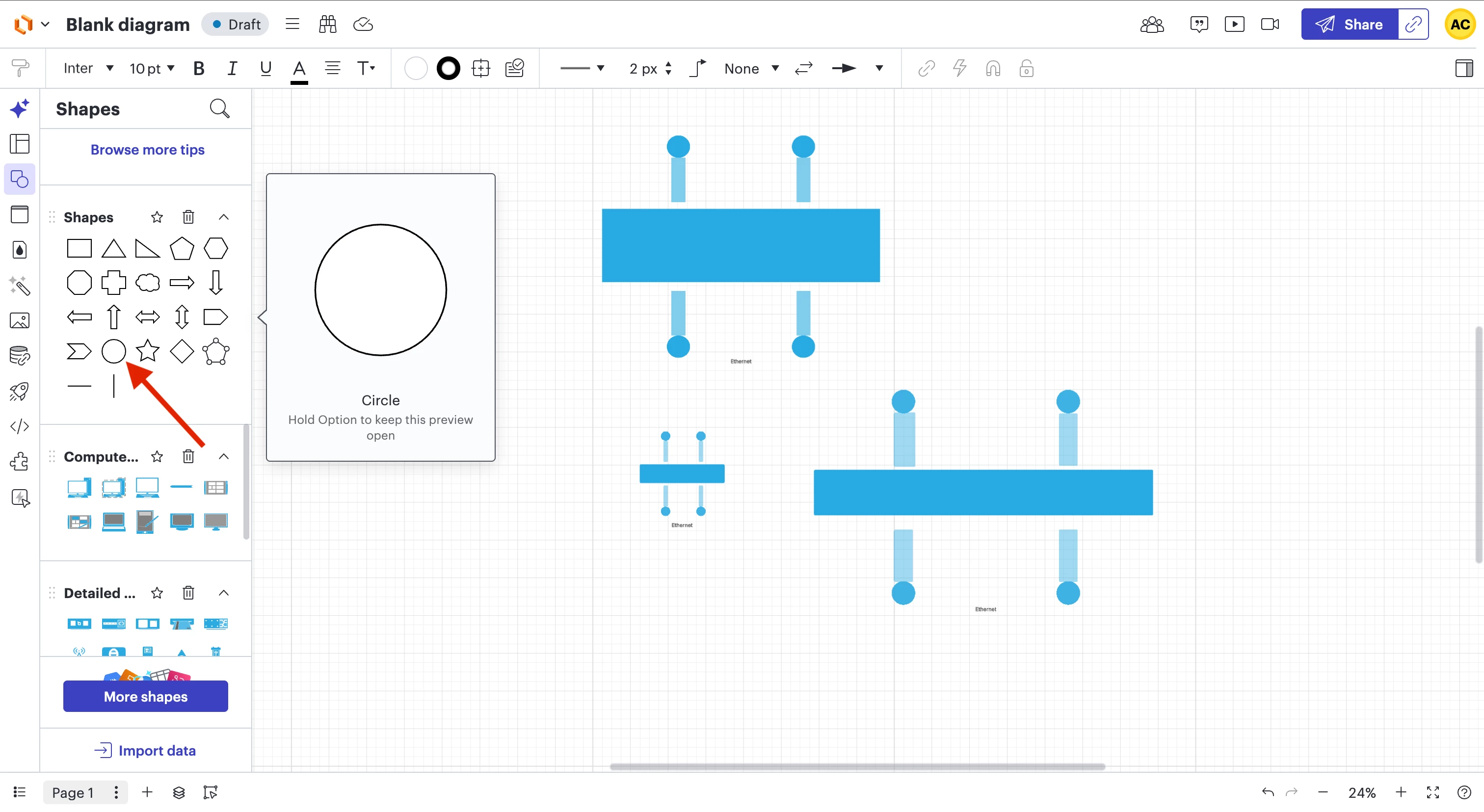
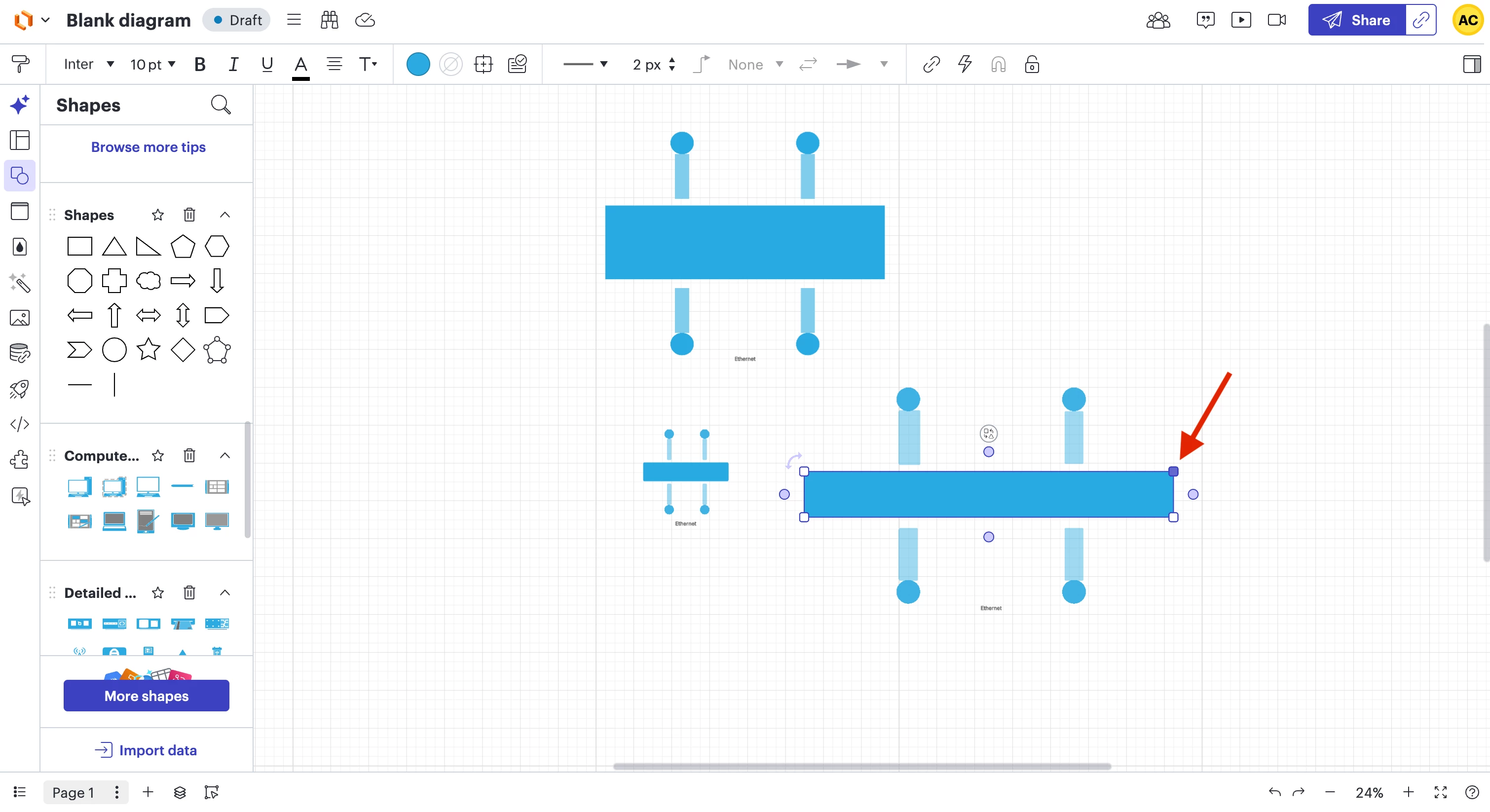
Here is the best workaround we recommend: (see screenshots attached)
Create the Main Line
Drag a Square or Rectangle onto the canvas from the Standard Shapes library.
Flatten it down until it is a thin horizontal bar.
Unlike icons, rectangles can be stretched horizontally as far as you want without increasing their vertical height.
Add the Node "Circles"
Drag a Circle (Oval) from the Standard library.
Shrink it down to a small size and place it at the ends or along the line to represent connection points.
Group the Shape
Once you have your line and circles positioned, highlight all of them and press Ctrl+G to group them.
Now you can move your custom Ethernet shape around the canvas as one single object.
Please let me know if you have any further questions!
Click Shapes in the Standard Shapes Library
Select Rectangle shapeAdd CirclesAdjust length of Rectangles
Hi @Bmax1985, thank you for posting in the Lucid Community!
I’m sorry you’re having trouble with this but I’m happy to help. Unfortunately there is no option to adjust the length of the lines directly on the ethernet symbol in Lucidchart. If you are using an icon from the Network Infrastructure library, it is likely an SVG that won't stretch or scale proportionally.
Here is the best workaround we recommend: (see screenshots attached)
Create the Main Line
Drag a Square or Rectangle onto the canvas from the Standard Shapes library.
Flatten it down until it is a thin horizontal bar.
Unlike icons, rectangles can be stretched horizontally as far as you want without increasing their vertical height.
Add the Node "Circles"
Drag a Circle (Oval) from the Standard library.
Shrink it down to a small size and place it at the ends or along the line to represent connection points.
Group the Shape
Once you have your line and circles positioned, highlight all of them and press Ctrl+G to group them.
Now you can move your custom Ethernet shape around the canvas as one single object.
Please let me know if you have any further questions!
Click Shapes in the Standard Shapes Library
Select Rectangle shapeAdd CirclesAdjust length of Rectangles
Thank you for an interesting work around. I’m confident that I’ll use that in this instance.
Just my .02 since I see you’re on the Lucid team… We have been pushed to Lucid from Visio and while Lucid does a lot of things really well, It’s my experience thus far that some basic things (Like the inability to expand the Network icon) got missed for basic diagramming.
It’s particularly interesting that you made the differentiation between icon and shape where everything was pretty much a shape in Visio.
I’m still learning but hope I can save what I create per your steps as a custom shape which I can reuse.
Hi @Bmax1985 , thanks for your response. I’m glad that workaround will help you move forward with your project.
I’ve attached a short Gif demonstrating how to drag your Ethernet shape directly into your Saved Shapes library for quick access in the future. For additional guidance on organizing your workspace, please refer to this article on adding custom shapes to your library.
We’re very interested in your feedback and committed to continually improving our products. Please first search the Product Feedback section of this community (with the filter Topic Type = Idea) to see if it’s already been submitted. If so, please add any additional details you’d like and upvote the request - this consolidation helps to refine feedback and properly capture the popularity of the request.
If no one has submitted this idea yet, please create one of your own and be sure to include details about your use case or what you’d like to see in this experience. This will also allow other users with similar requests to discover and upvote it, then add details of their own. Thank you for your engagement!
A Lucid or airfocus account is required to interact with the Community, and your participation is subject to the
Supplemental Lucid Community Terms.
You may not participate in the Community if you are under 18. You will be redirected to the Lucid or airfocus app to log in.
A Lucid or airfocus account is required to interact with the Community, and your participation is subject to the
Supplemental Lucid Community Terms.
You may not participate in the Community if you are under 18. You will be redirected to the Lucid or airfocus app to log in.



 Your privacy choices


