Question

Error when submitting AI prompt

  • March 10, 2026
  • 4 replies
  • 38 views

Forum|alt.badge.img

Hello team,

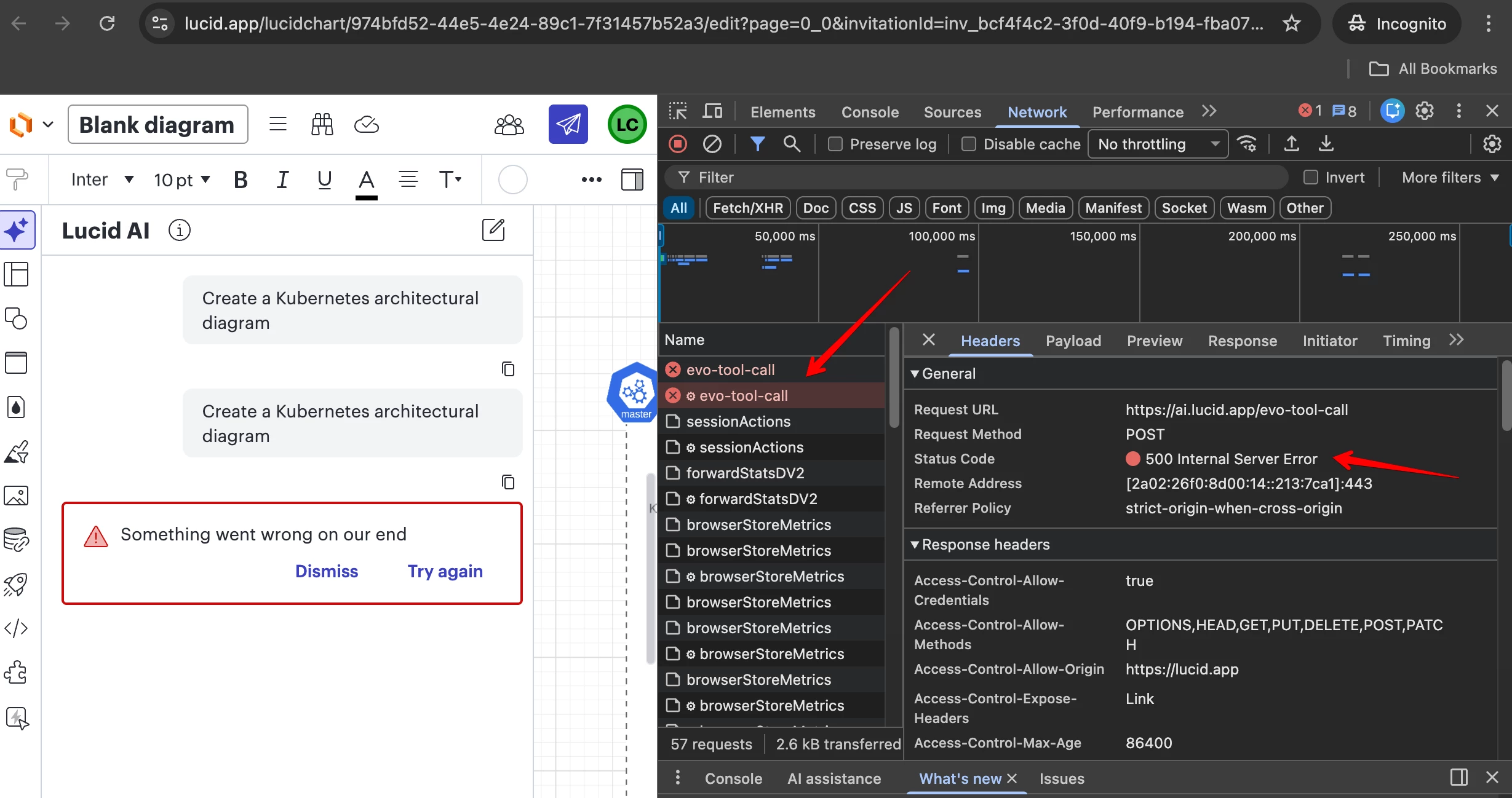
when submitting an AI prompt on Lucidchart I only get the error “Something went wrong on our end”. I tested it on different browsers, and in incognito but the error is the same.

By looking at the network requests I can see the call returns a 500 error. See screenshot below.

How to proceed?

Thanks
 

Comments

Zuzia S
Forum|alt.badge.img+8
  • Lucid community team
  • March 10, 2026

Hi ​@luisdavid7, thanks for reaching out! I am very sorry for the issue you are experiencing.

Our Development Team is urgently looking into this, and we expect the issue to be resolved shortly. I will make sure to update you as soon as the issue is resolved. In the interim, I apologize for any inconvenience the issue causes.

Feel free to let me know if you have any further questions. Thanks for your help and patience!


Becca G
Forum|alt.badge.img+3
  • Lucid support team
  • March 10, 2026

Hi there ​@luisdavid7!

I have good news! Our development team has let me know that the issue should now be resolved. I’m sorry for any inconvenience this may have caused. If you’re still seeing the issue or have any other questions, feel free to reach out. I’m happy to help!


Forum|alt.badge.img
  • March 12, 2026

Are there any additional updates on this issue? Becca G’s last comment indicates that the issue has been fixed, but I’ve been unable to use LucidAI most of yesterday and today because of this issue. 


Zuzia S
Forum|alt.badge.img+8
  • Lucid community team
  • March 13, 2026

@bgarvey thank you for following up in this thread and I am sorry to hear that the issue persists on your end!

Could you try opening your document in a private or incognito window? Could you also try connecting to a different network or disconnecting from your VPN (if applicable)? Sometimes account performance issues can be related to internet security/speed or browser issues. These steps will help us eliminate that possibility. For help with opening an incognito window, please see this community post.

If those don’t resolve the problem, can you please send a screenshot of the error message you see as well as the associated Javascript Console output after reproducing the issue? You can open your Javascript Console by pressing Ctrl+Shift+J (if your computer is a Windows/Linux) OR Cmd+Opt+J (if your computer is a Mac).

Thanks in for your help and patience!