Solved

Lucid board suddenly empty

  • March 9, 2026
  • 7 replies
  • 40 views

Forum|alt.badge.img+1

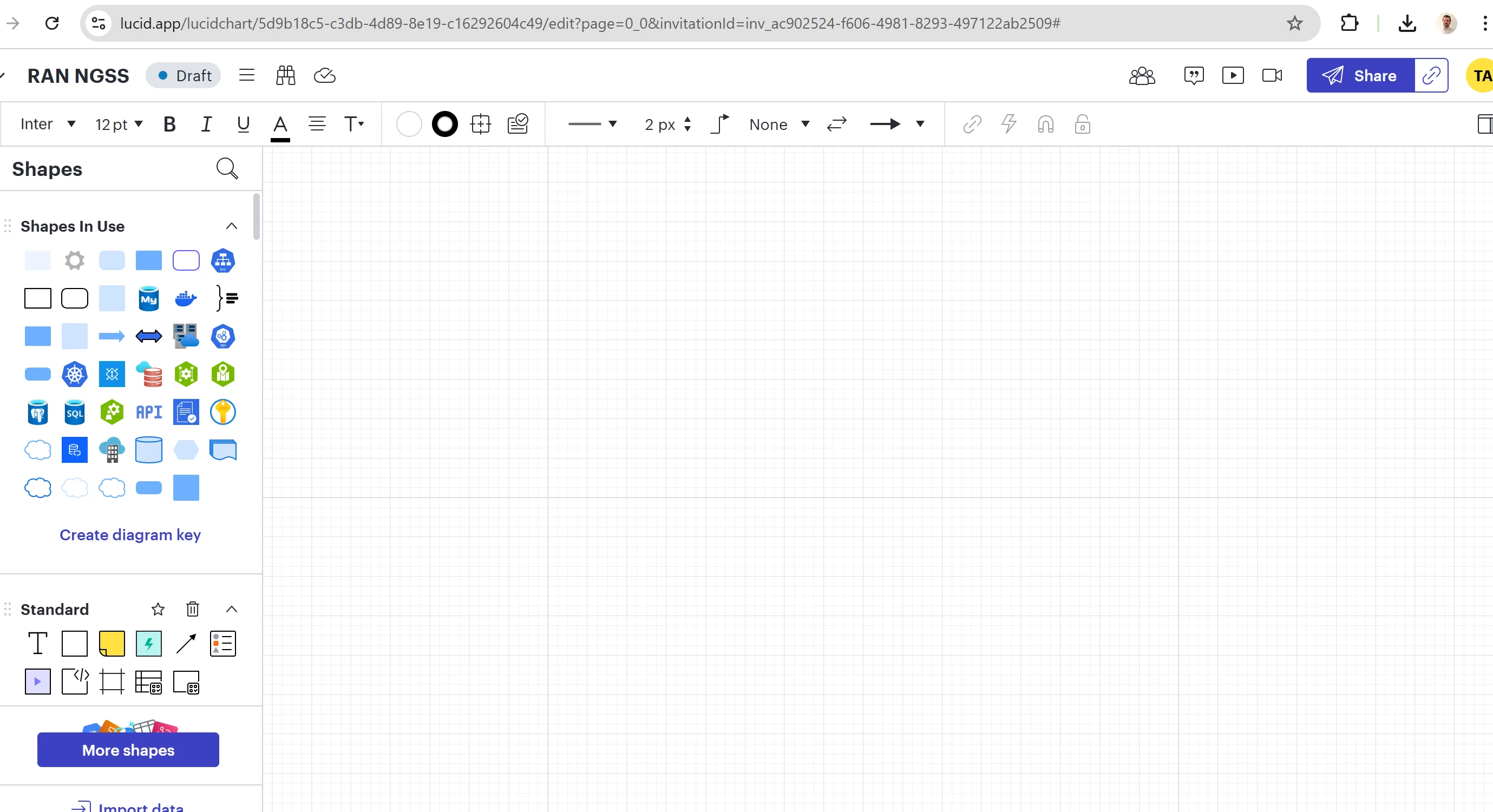
Hi I can see my project on Main page , However , After open project is empty. 

I have tried to logout and login.

,
 

Best answer by Leianne C

Hi ​@tameraksoy135 thanks for the reply and giving that a try! Could you share a temporary Document Support PIN for this document? This will help me take a closer look at what’s going on. This PIN is safe to post in this thread because it is only accessible by members of the Lucid support staff. You can find steps for generating a Support PIN in this Help Center article

Thanks in advance for your help and please let me know if you have any additional questions in the meantime! 

Comments

Leianne C
Forum|alt.badge.img+15
  • Lucid support team
  • March 10, 2026

Hi ​@tameraksoy135, thank you for posting in the community! If you can see your work in the main page but not in the document, it’s likely because you have two pages and your content is on the 2nd page. For an example of this, check out this Community post

Would you mind giving this a try and let me know if you are able to find your work this way? Please feel free to let me know if you have any questions! 


Forum|alt.badge.img+1

Hi ​@tameraksoy135, thank you for posting in the community! If you can see your work in the main page but not in the document, it’s likely because you have two pages and your content is on the 2nd page. For an example of this, check out this Community post

Would you mind giving this a try and let me know if you are able to find your work this way? Please feel free to let me know if you have any questions! 

Hi , İt is not related Page, I have clicked for Current Process to see. 


Leianne C
Forum|alt.badge.img+15
  • Lucid support team
  • Answer
  • March 11, 2026

Hi ​@tameraksoy135 thanks for the reply and giving that a try! Could you share a temporary Document Support PIN for this document? This will help me take a closer look at what’s going on. This PIN is safe to post in this thread because it is only accessible by members of the Lucid support staff. You can find steps for generating a Support PIN in this Help Center article

Thanks in advance for your help and please let me know if you have any additional questions in the meantime! 


Forum|alt.badge.img
  • March 17, 2026

Hello, this happened to me a few times a week as well! I generated this pin. duiPebzlxOxpsSUfBcp1M1y7BZvpfUwKOi192707808


Leianne C
Forum|alt.badge.img+15
  • Lucid support team
  • March 20, 2026

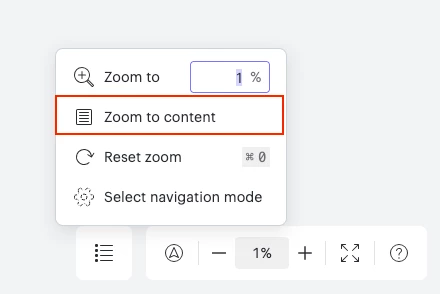
Hi ​@katrug, thank you for continuing this thread! Taking a closer look at your board, it seems like this might be a zoom issue caused by an empty sticky note placed in the top left, very far away from your main content. You can check this by selecting everything on your canvas by pressing press Ctrl + A in Windows or Command + A on a Mac, and following the selection box. 

Deleting the stray sticky note should help you quickly find your content when select “Zoom to content” in the navigation options. 

I hope this helps! Please feel free to let me know if you have trouble making this change or if you have any questions. 


Forum|alt.badge.img
  • March 23, 2026

Hi Leianne, I was able to find this crazy stray post it so thank you! After I deleted it though, it also seemed to delete all of my locked items in the process (a few frames and tables) so I just had a bunch of floating stickies. I also couldn’t get back to my content even after using that selection above. I had a coworker open it and they could see it the frames, so I followed them. It’s strange all around!


Leianne C
Forum|alt.badge.img+15
  • Lucid support team
  • March 26, 2026

Hi ​@katrug, thank you for the update. I’m glad to hear removing the stray sticky note helped. The behaviour your described sounds unexpected. It may be possible you accidentally had the items selected when deleting the sticky note.

Please let me know if the strange navigation issues are still persisting and I’d be happy to take a closer look!