Solved

Document preview and content differ

  • July 14, 2026
  • 4 replies
  • 170 views

Forum|alt.badge.img+1

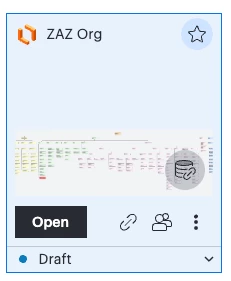
 I created an org chart and when I access it now it loads the default template but when I mouseover I can see that my org chart I created is there. Why is this and how can I open it and show the full org chart I created?
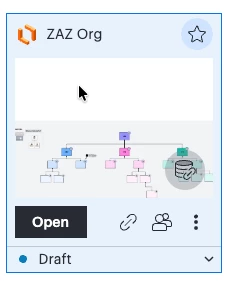
​​​​​No mouseover shows org template


Mouseover shows full org I created


Best answer by kmougammadou

Hi ​@rugeros, thanks for getting back to us and I am sorry to hear that the issue persists. Have you cleared your browser cache and cookies? This generally help with resolving temporary issues. 
I am not sure to understand the last message sent. Would you mind clarifying if this is still related to the issue initially reported? Thanks! 

Comments

kmougammadou
Forum|alt.badge.img+2

Hi ​@rugeros, thank you for posting in the Lucid community!

Could you try opening your document in a private or incognito window to help us narrow down the potential cause? Could you also try connecting to a different network or disconnecting from your VPN (if applicable)? Sometimes account performance issues can be related to internet security/speed or browser issues. These steps will help us eliminate that possibility. For help with opening an incognito window, please see this community post. If those don’t resolve the problem, please let us know. Thanks! 


Forum|alt.badge.img+1
  • Author
  • July 14, 2026

Hi, I can’t use an incognito window since my corporate SSO requires an extension to login to Lucid. I was disconnected from the VPN and have tried connected to it and have same issue. 


Forum|alt.badge.img+1
  • Author
  • August 5, 2026

It was a different page!


kmougammadou
Forum|alt.badge.img+2

Hi ​@rugeros, thanks for getting back to us and I am sorry to hear that the issue persists. Have you cleared your browser cache and cookies? This generally help with resolving temporary issues. 
I am not sure to understand the last message sent. Would you mind clarifying if this is still related to the issue initially reported? Thanks!