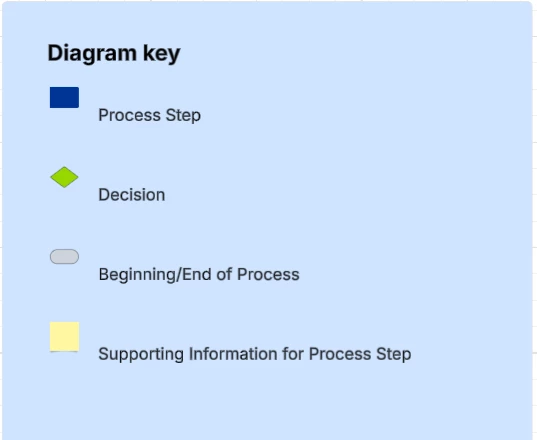
Logged in this morning to see all my Diagram Keys across ALL my Lucids were resized to 6 point?!?!? In trying to change this (to then copy and paste across the dozens of Lucids that are currently in-flight), the spacing is all wonky. PLEASE FIX!!!!

Logged in this morning to see all my Diagram Keys across ALL my Lucids were resized to 6 point?!?!? In trying to change this (to then copy and paste across the dozens of Lucids that are currently in-flight), the spacing is all wonky. PLEASE FIX!!!!

Best answer by TimW
Hi kimvandeest
I beleive that you may have 2 issues. One related to the font size and another related to the text alignment.
Currently the text describing each diagram element is aligned toward the bottom of the icon. To fix this and realign, select the diagram key, then from the toolbar click alignment and choos middle left.
The one relating to the Font size is slightly more challenging. The issue will most likely been caused when a user added a new item to the diagram key and tried to resize the text.
To resolve in this instance try the following:
Disable WebGL Rendering (if spacing looks distorted):
To prevent the issue from reoccuring
Avoid resizing individual items in the Diagram Key after adding new ones. Instead, try:
Use “Set Default Style”:
These links may be of futher interest:
🔧 Troubleshooting Text Issues – Lucid Help Center
📐 Help with Spacing and Default Font
A Lucid account is required to interact with the Community, and your participation is subject to the Supplemental Lucid Community Terms. You may not participate in the Community if you are under age 18. You will be redirected to the Lucid app to log in.
Enter your E-mail address. We'll send you an e-mail with instructions to reset your password.