June 17, 2024
Solved

Counting shapes of the same color

  • June 17, 2024
  • 23 replies
  • 474 views

How can I count shapes of the same color? I have multiple circles of different colors and I want to count number of circles with the same color.

Best answer by Shantel Gillette

Good morning,

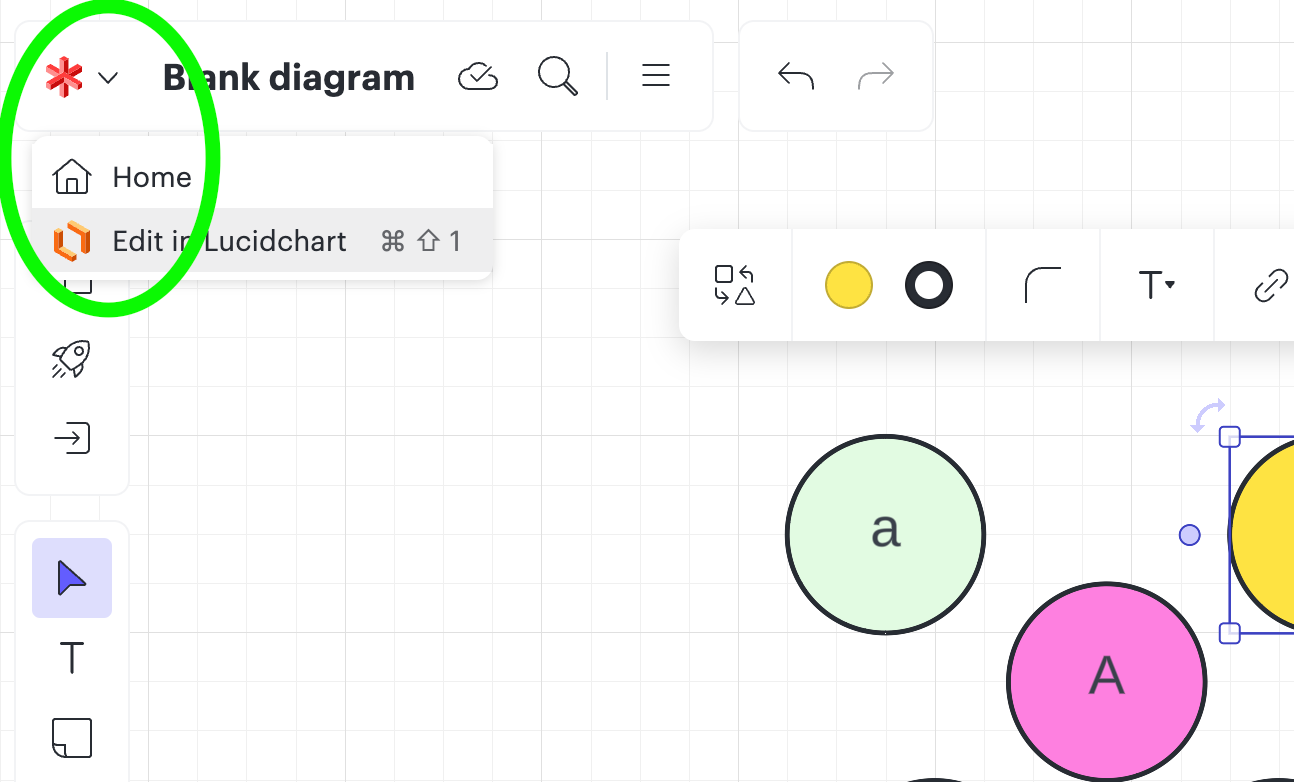
I have good news! I checked with our formula wizards, and I got the formula that you will use. To start you will need to be using Lucidchart. If your current diagram is in Lucidspark, simply use our fast product switching by clicking in the upper left corner of your document on the Lucidspark icon, and then select “edit in Lucidchart”. 


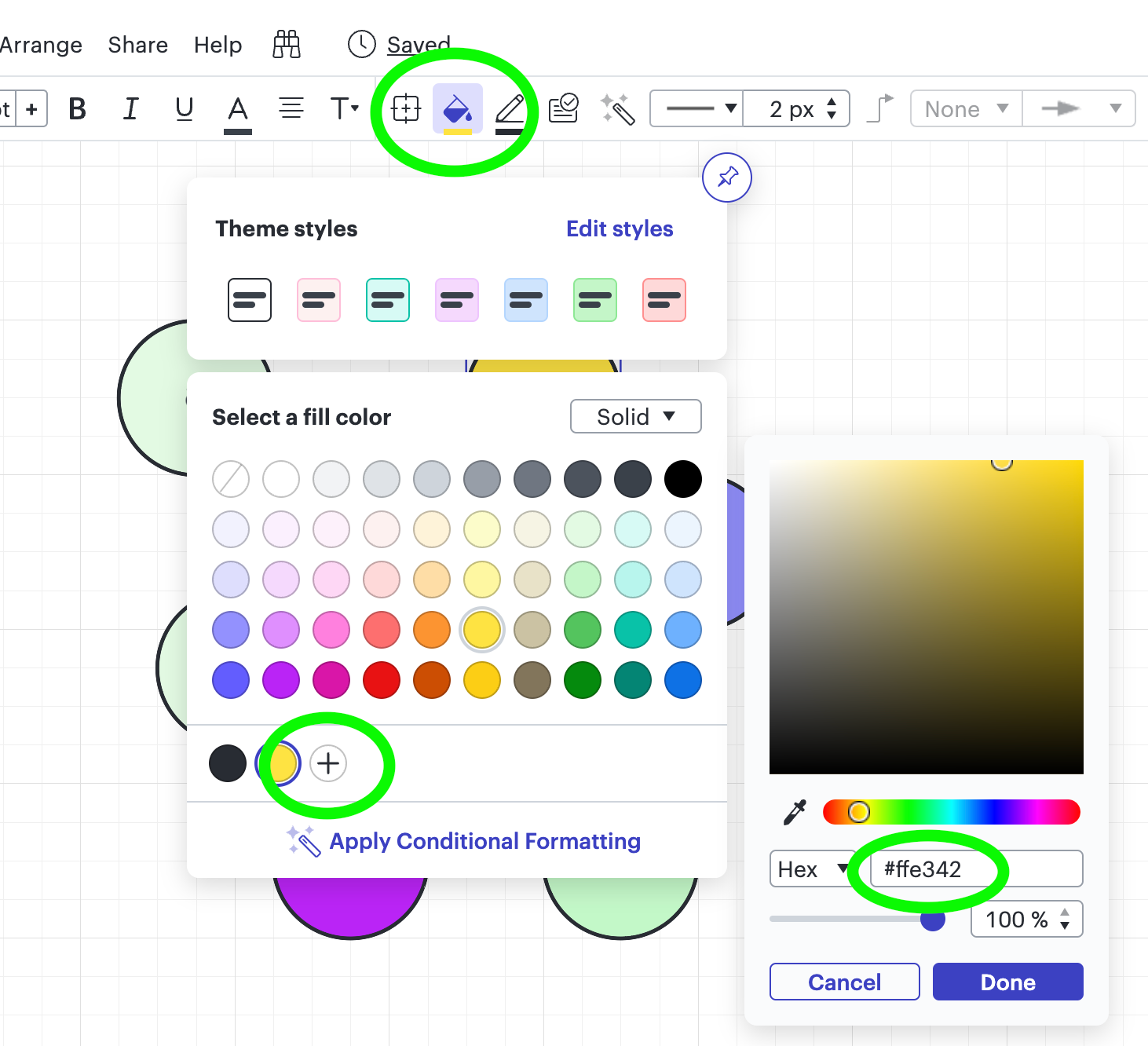
Next you will need to know the hex code of the colors you want to count. I did this by selecting the shape on the canvas that I needed to know the hex code for > selecting the color picker (the paint bucket icon) > selecting the plus sign in the bottom of the popup > and you can see the hex code to the right (see screenshot for reference). 


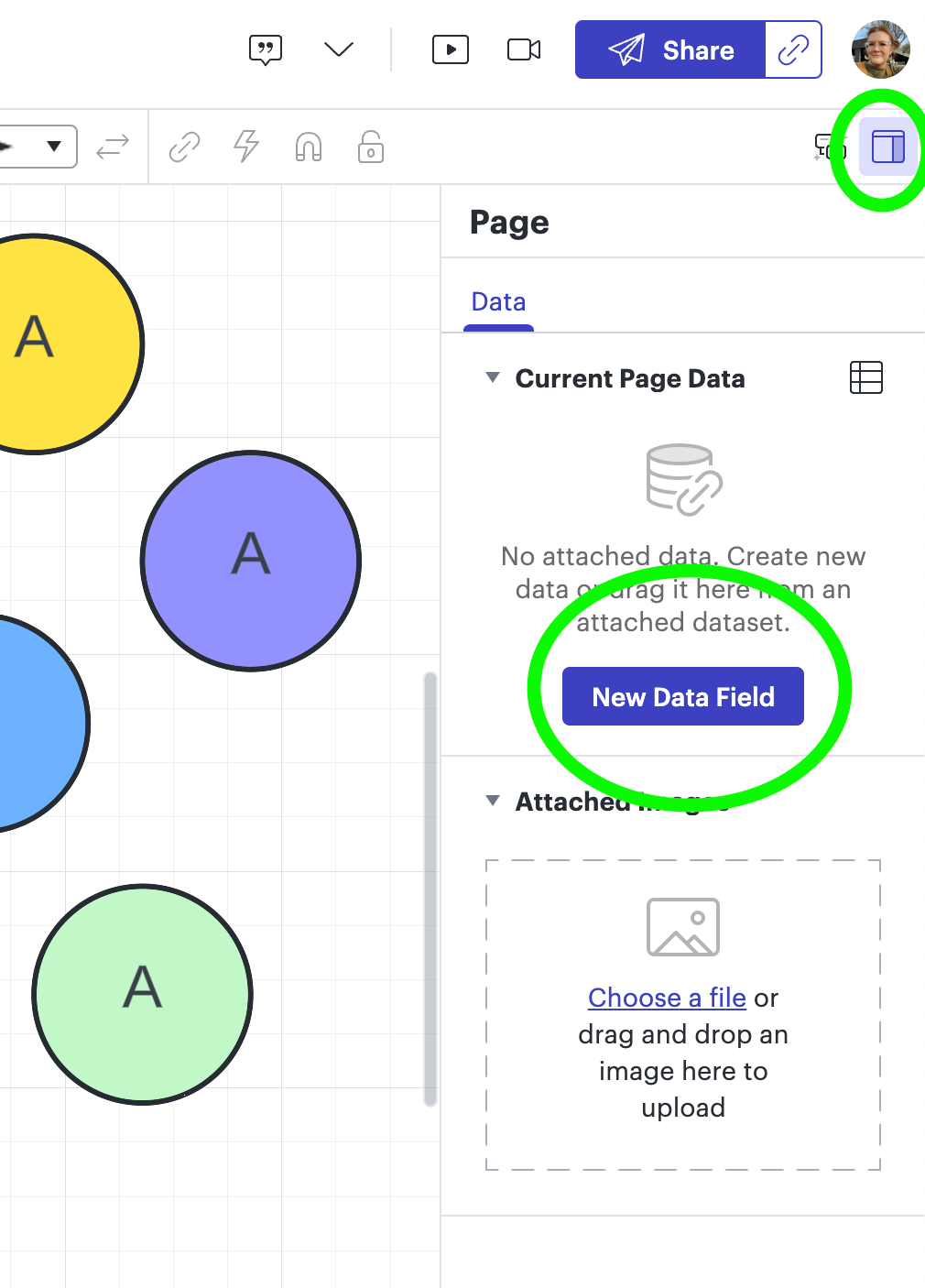
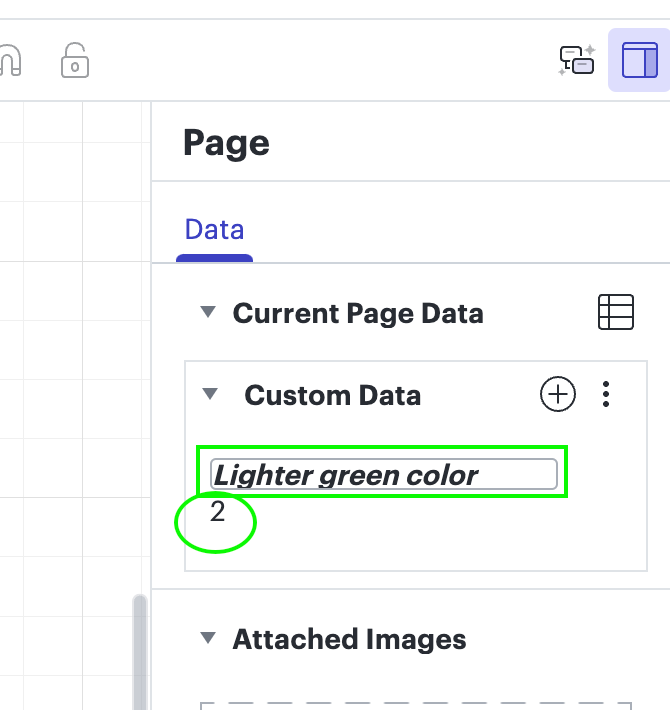
Next step is to add a formula to the page in the contextual panel. You can access this by clicking anywhere blank on the canvas > In the right hand upper corner you will select the little square (contextual panel) > then select the button to add a new data field. 


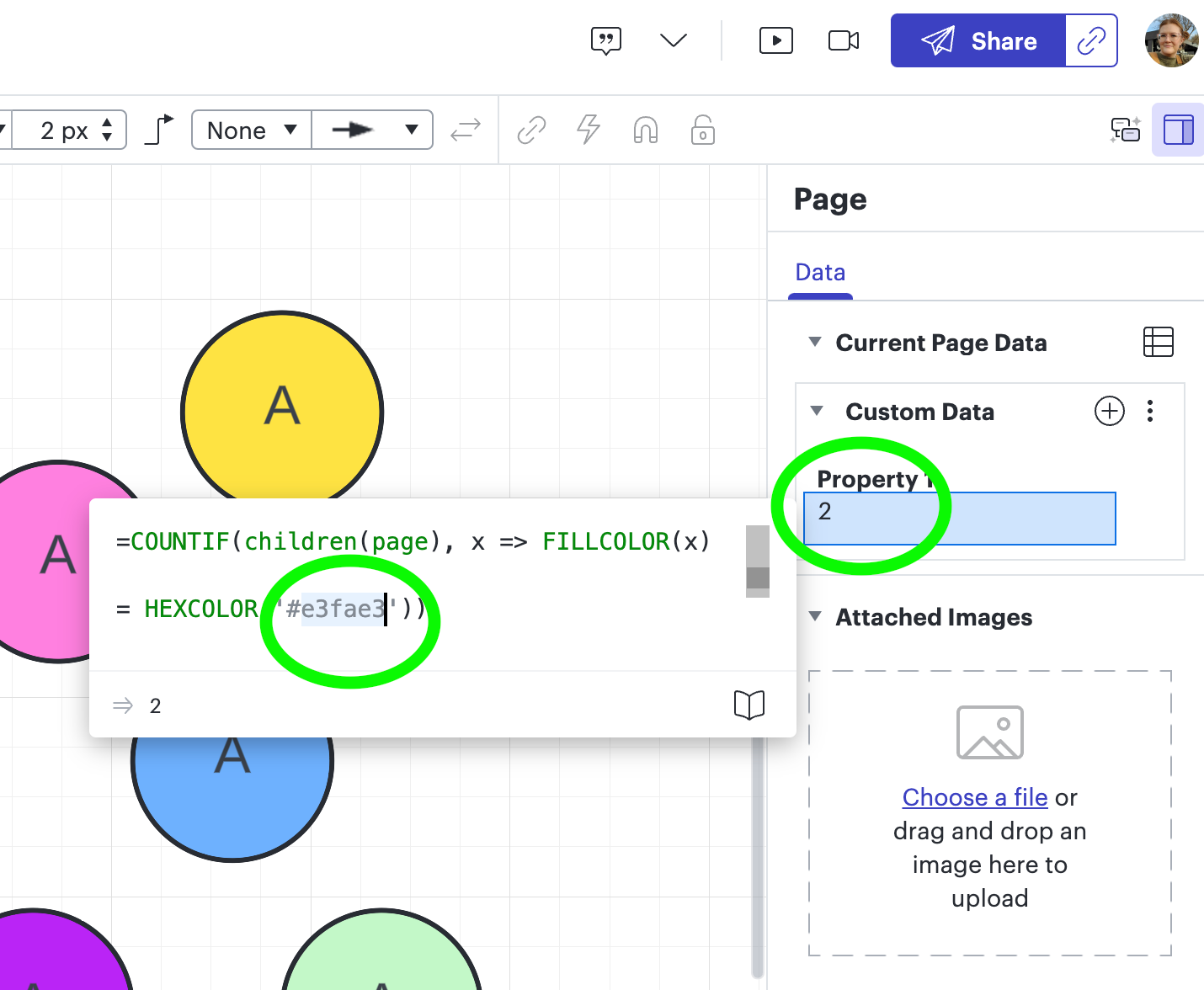
Next you will add the formula below (copy/paste it from the text below) in the “Property 1” field. You will need to edit the formula to use the hex code you identified following the previous steps. You can simply hit enter after you have entered the hex code.

* (One thing I noticed was that as I typed the new hex code, it kept the previous hex code there, so I just deleted that and made sure the one I wanted was the only one entered, it should only ever be 6 characters in length).


=COUNTIF(children(page), x => FILLCOLOR(x)

= HEXCOLOR('#e3fae3'))


You will see the number change in the field below the “Property 1” field which indicates how many shapes are using that hex code (color) to fill. If you want you can change the name of the “Property 1” field to anything you prefer to call it. 


Let me know if you have any questions! I hope this helps! 

Comments

Ambar D
Lucid community team
November 20, 2024

Hi ​@ConRob

Jumping in to suggest the Help Center article, Use formulas in Lucidchart, as a great starting point. Additionally, you can read through the developer documentation on formulas and syntax. Please let us know if there is anything else we can do to support your work!

December 12, 2024

Hi there,

Thank you for posting and sharing! ​@Shantel Gillette I am using this formula with success but its returning 1 extra. I thought it might be picking up two from the Swimlane lane and header, but when I tested it, that didn’t seem to be the issue. Where can I add -1 into the formula? Or is there an edit I should make make to the formula?


Amelia W
Lucid support team
December 13, 2024

Hi ​@ErmGord, thanks for adding to this thread! I’m currently working in a support ticket with your colleague on your document. It appears that it may be counting an extra due to a potential bug with Swim lane hex codes. ​@Shantel Gillette, if you have any insights though, based on the formula, please let me know!