June 17, 2024
Solved

Counting shapes of the same color

  • June 17, 2024
  • 23 replies
  • 474 views

How can I count shapes of the same color? I have multiple circles of different colors and I want to count number of circles with the same color.

Best answer by Shantel Gillette

Good morning,

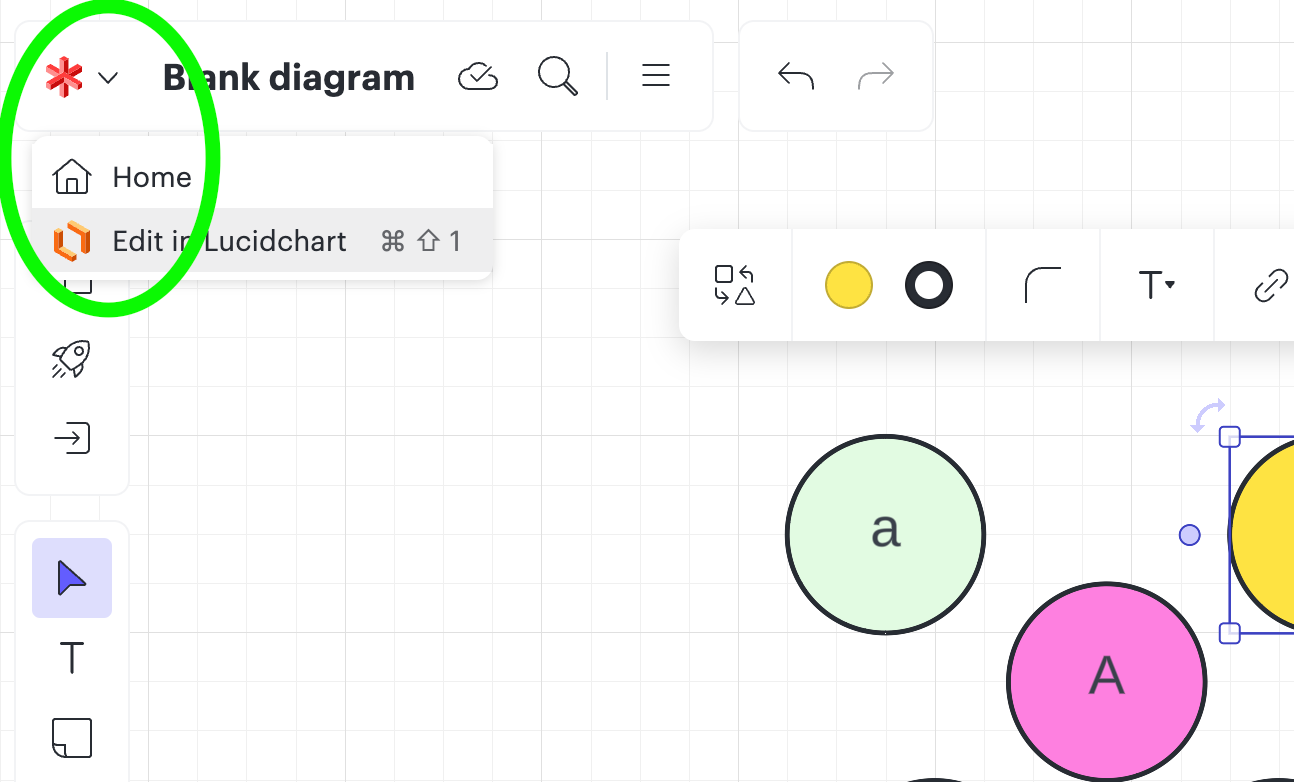
I have good news! I checked with our formula wizards, and I got the formula that you will use. To start you will need to be using Lucidchart. If your current diagram is in Lucidspark, simply use our fast product switching by clicking in the upper left corner of your document on the Lucidspark icon, and then select “edit in Lucidchart”. 


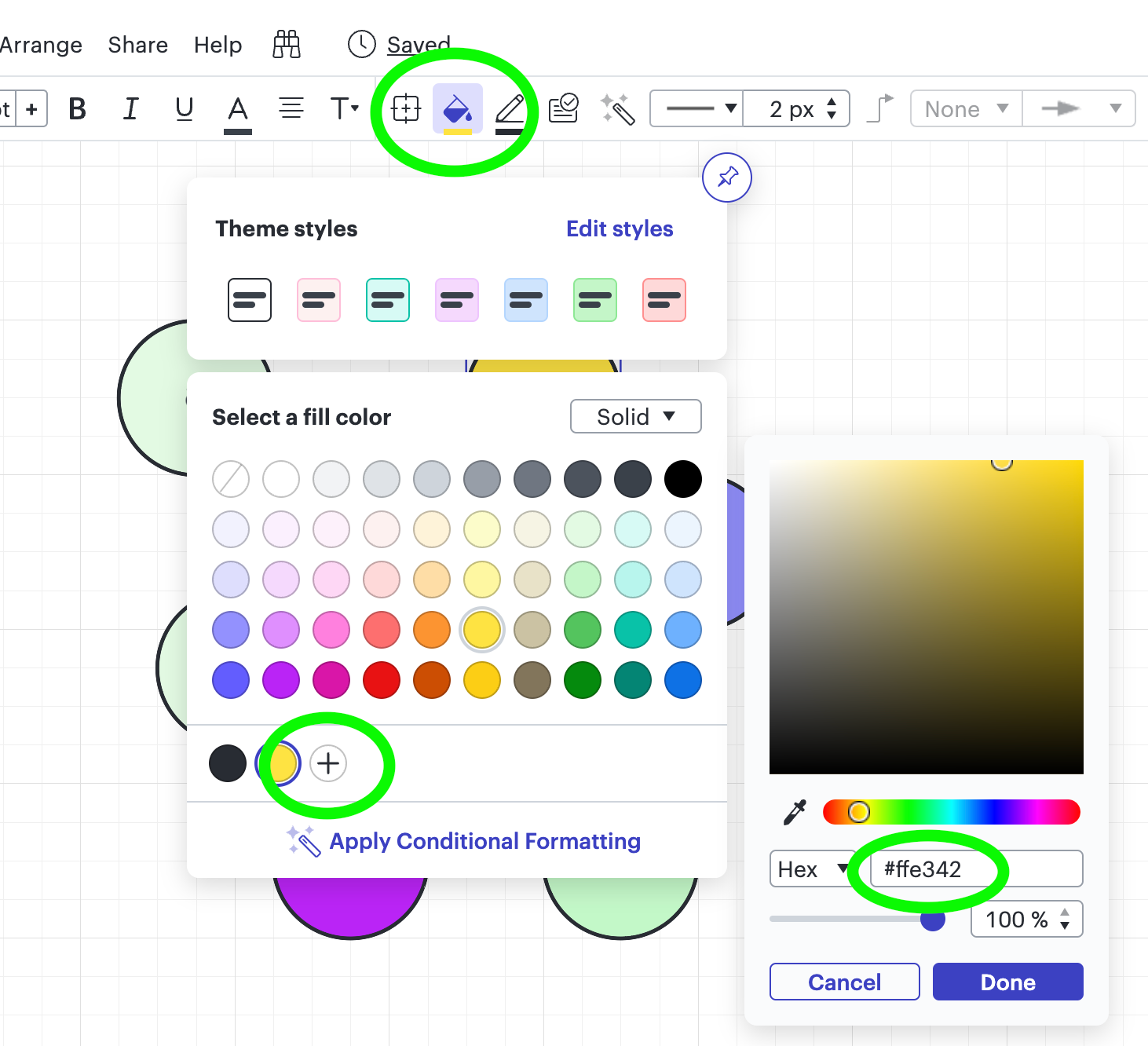
Next you will need to know the hex code of the colors you want to count. I did this by selecting the shape on the canvas that I needed to know the hex code for > selecting the color picker (the paint bucket icon) > selecting the plus sign in the bottom of the popup > and you can see the hex code to the right (see screenshot for reference). 


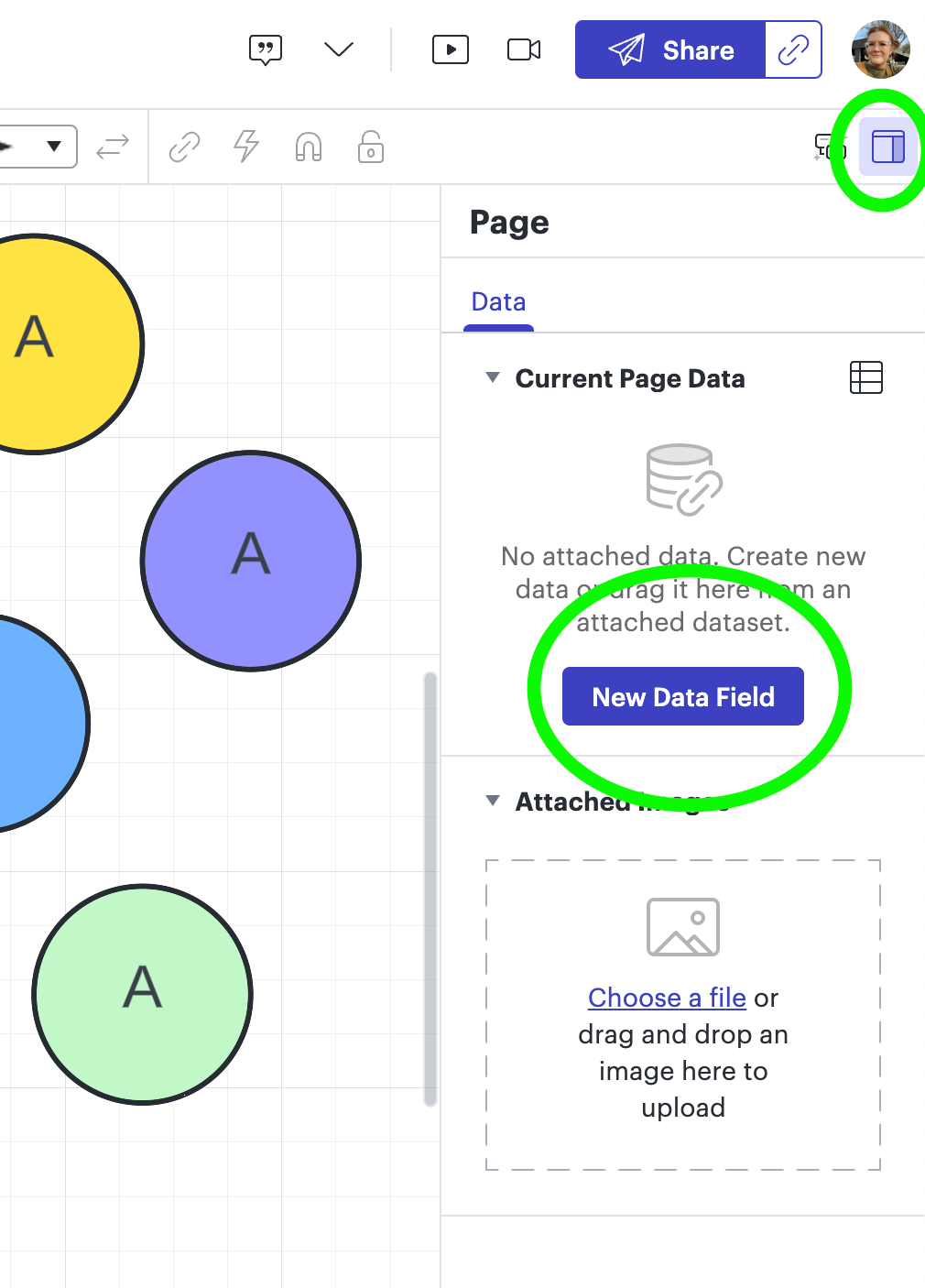
Next step is to add a formula to the page in the contextual panel. You can access this by clicking anywhere blank on the canvas > In the right hand upper corner you will select the little square (contextual panel) > then select the button to add a new data field. 


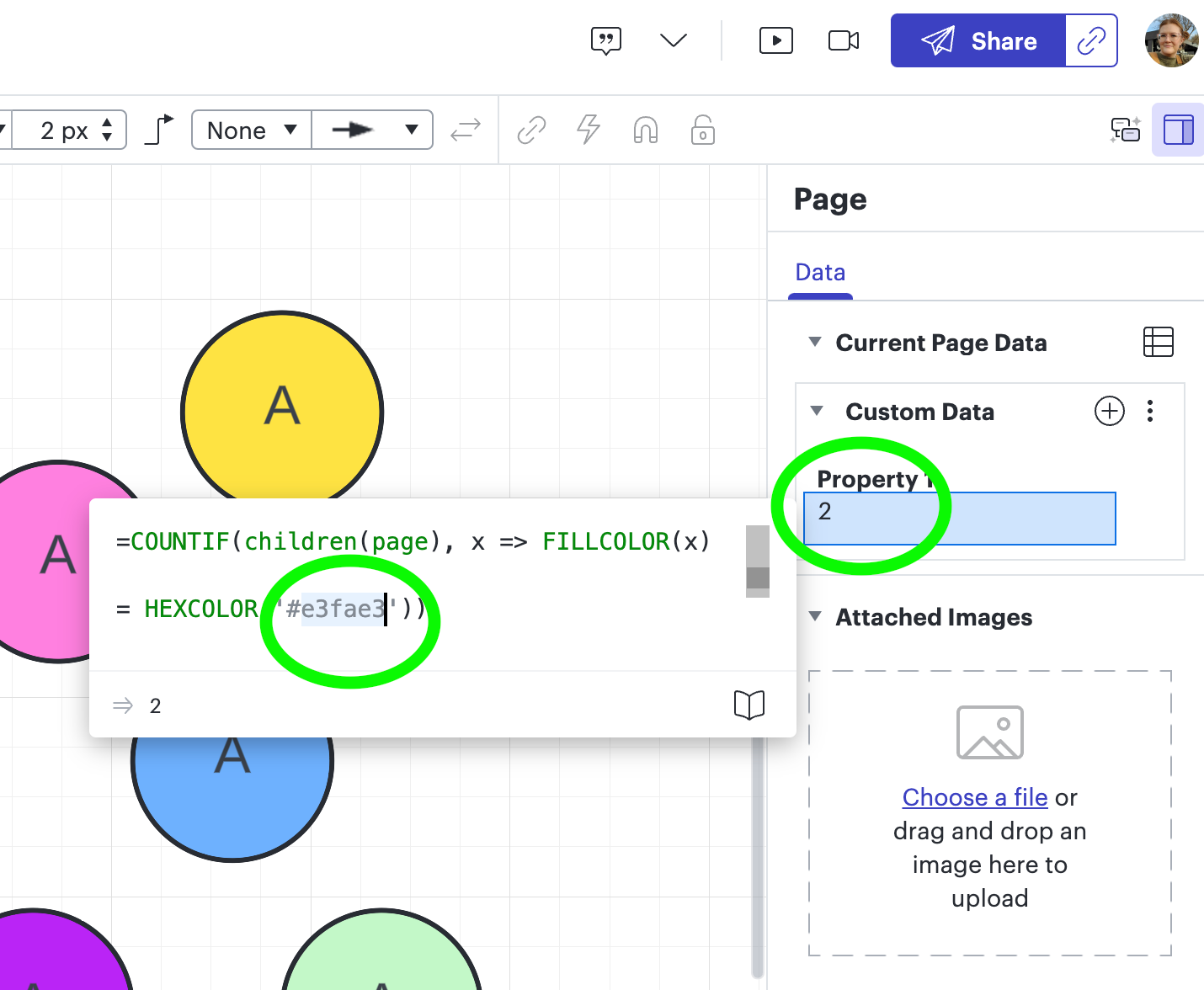
Next you will add the formula below (copy/paste it from the text below) in the “Property 1” field. You will need to edit the formula to use the hex code you identified following the previous steps. You can simply hit enter after you have entered the hex code.

* (One thing I noticed was that as I typed the new hex code, it kept the previous hex code there, so I just deleted that and made sure the one I wanted was the only one entered, it should only ever be 6 characters in length).


=COUNTIF(children(page), x => FILLCOLOR(x)

= HEXCOLOR('#e3fae3'))


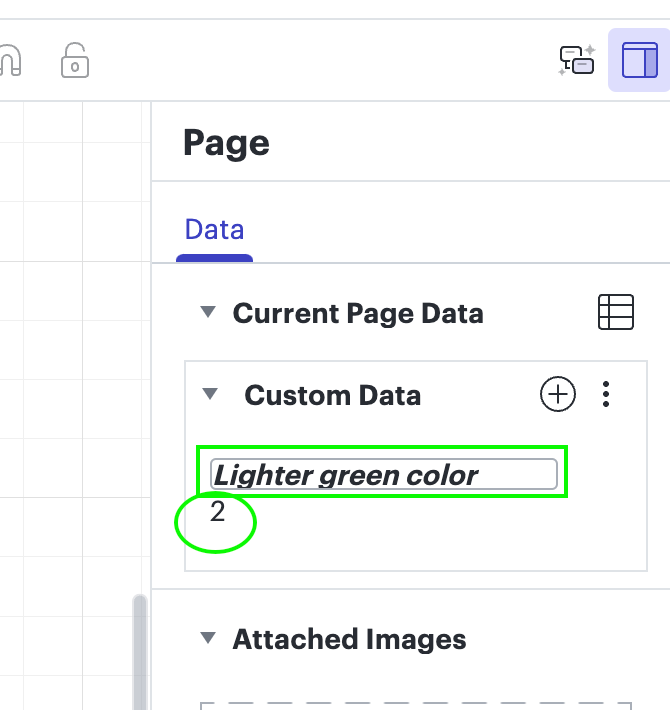
You will see the number change in the field below the “Property 1” field which indicates how many shapes are using that hex code (color) to fill. If you want you can change the name of the “Property 1” field to anything you prefer to call it. 


Let me know if you have any questions! I hope this helps! 

Comments

ConRob
November 13, 2024

Hey all, I can never get more than “0” for the count, even though I have tried multiple hex colors of different objects, I always get zero. How do I know it is looking at all the objects, and not just the background, as it’s selection search set, etc?

Shantel Gillette
Lucid product team
November 13, 2024

Hello @ConRob,

If you could share your formula that would be useful to help identify why it is only returning 0. 


I also wanted to show you how to edit an existing property that you asked about. If you click on the property, the popup should show you the formula you’ve entered. You just click into the formula to edit.


Shantel Gillette
ConRob
November 14, 2024

Thank you for your help!! Okay, here is what I am running into. I either get 0 or I get 17 (no matter the hex value) but I can never get an accurate count.

I get “0” with this syntax… (no space)
=COUNTIF(children(page), x => FILLCOLOR(x)= HEXCOLOR('#6db1ff'))

=COUNTIF(children(page), x => FILLCOLOR(x)= HEXCOLOR('#ff80df'))

=COUNTIF(children(page), x => FILLCOLOR(x)= HEXCOLOR('#ced4db'))

I get “17” with this syntax… (space after aopostrophe)
=COUNTIF(children(page), x => FILLCOLOR(x)= HEXCOLOR(' #6db1ff'))

=COUNTIF(children(page), x => FILLCOLOR(x)= HEXCOLOR(' #ff80df'))

=COUNTIF(children(page), x => FILLCOLOR(x)= HEXCOLOR(' #ced4db'))


Tried other syntax, like removing the apostrophes all together, but that also gives “0”

Micah
Lucid community team
November 14, 2024

@ConRob Jumping in to support, too! I’d love to take a closer look at your document. Would you please share a document support PIN for this document? This is for internal use only and won’t grant public access to your document, so you can share it safely here in this thread. You can follow the instructions in this Generate a Lucid Support PIN article from our help center to do so!

ConRob
November 14, 2024

I cloned the doc and deidentified it anyway
temp support pin is bJ4K9MTDJk29

Micah
Lucid community team
November 15, 2024

Hi ​@ConRob, thanks for your response. I just attempted to take a look at your document, but I didn’t realize that your account has Strict Privacy enabled, which means I’m not able to view your document in this way. If you’re willing to share your cloned, deidentified document with me directly, I’ll be able to continue assisting you. I’ll privately message you the email address you can share the document with! My apologies for the miscommunication.

ConRob
November 15, 2024

Thank you, I have added you to the doc

Micah
Lucid community team
November 15, 2024

Thank you for your help and patience ​@ConRob! We’ll take a closer look and reach out shortly.

Shantel Gillette
Lucid product team
November 18, 2024

Good morning ​@ConRob,

I checked with a colleague that is much better with formulas than myself, and I asked them if the org chart shapes you are using could be causing the issue.  Here is their response, and I hope this assists in solving this for you.

Formulas do work with org charts, generally, and can work with page-level formulas. The second example is giving 17 likely because HEXCOLOR(' #......') return white, due to it not being a valid color with the extra space). I believe what the user will likely want is DESCENDANTS not just CHILDREN (since CHILDREN is one-level down, it's just getting the org chart itself, not any of the people in the org chart).Here's an example:
 

One note is that the formula will count everything with that color (in my example, it includes the sticky note with the same fill color, which is why it's getting 3). To get only the org chart shapes, changing the formula to look at DESCENDANTS of the org chart shape (instead of the page) or filtering by type (e.g. something like =COUNTIF(DESCENDANTS(page), x => AND(SHAPETYPE(x) = 'TreeNodeBlock', FILLCOLOR(x) = HEXCOLOR("#e3fae3")))) should work.

Shantel Gillette
ConRob
November 18, 2024

That worked, thank you so much! Now I need to figure out how to do combinatorial queries based on role text and hex color. For example, if I want to get a separate count of FTEs vs Consultants within the Engineers that are all blue.

Is there any good training or documentation you can point me do for up-skilling my Lucid formula logic/syntax that I could dive into?