By default the date format for date fields (i.e. in a timeline chart) are formatted in USA format (MM/DD/YYYY) how do you change this to the non USA (DD/MM/YYYY) format? And is this possible to be set permanently for your account?
Change the Timeline date format in Lucidchart
Best answer by Anonymous
Clive
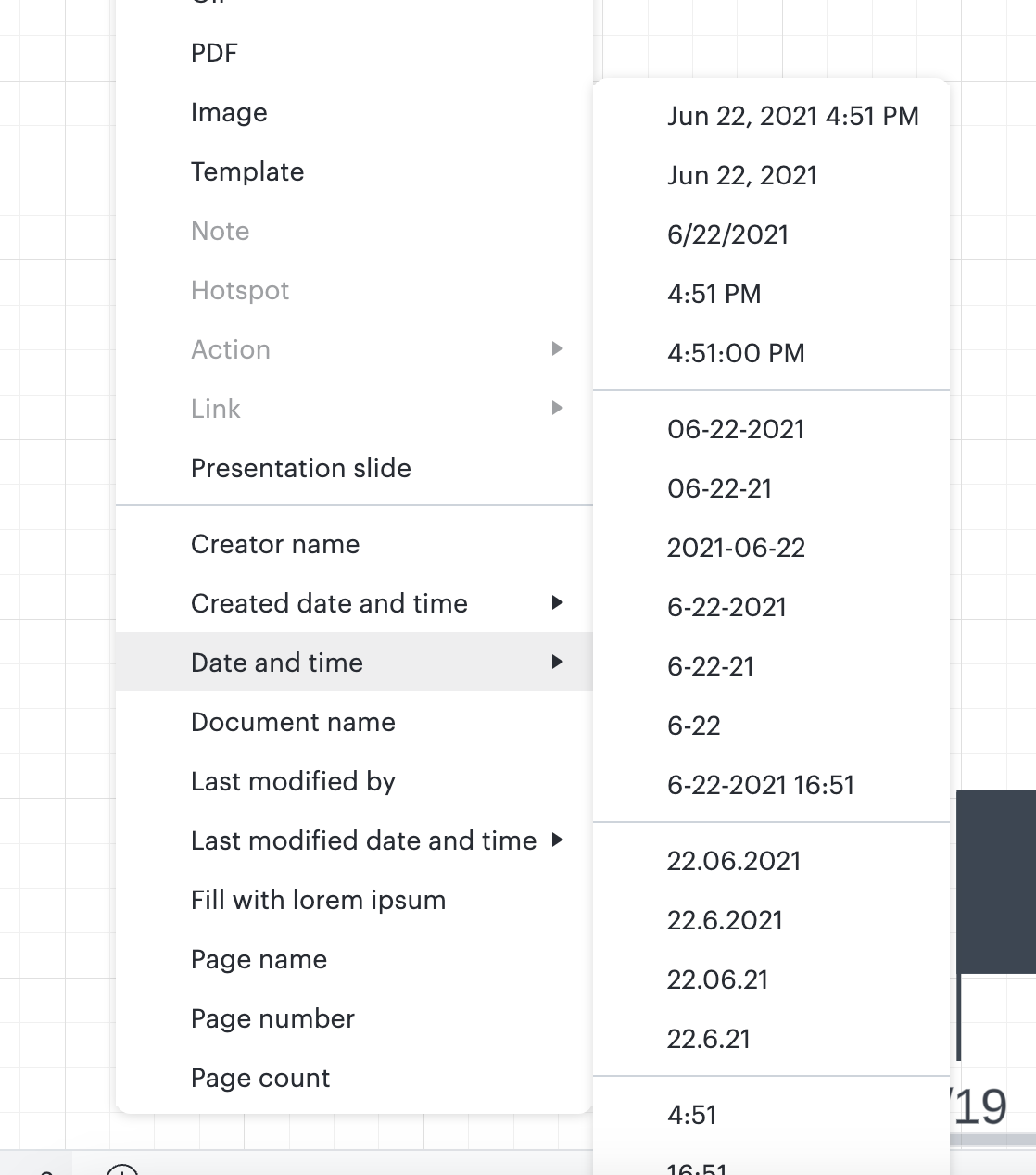
Thanks for reaching out. To change the format of a date for text inserted into a document highlight the text click on the "Insert" tab at the top left corner of the page hover over "Date and Time" from the dropdown menu and select the format that best fits your needs. Here's a screenshot you may find helpful.

Create an account in the community
A Lucid account is required to interact with the Community, and your participation is subject to the Supplemental Lucid Community Terms. You may not participate in the Community if you are under age 18. You will be redirected to the Lucid app to log in.
Log in to the community
A Lucid account is required to interact with the Community, and your participation is subject to the Supplemental Lucid Community Terms. You may not participate in the Community if you are under age 18. You will be redirected to the Lucid app to log in.
Log in with Lucid
Enter your E-mail address. We'll send you an e-mail with instructions to reset your password.


