Liz G
Lucid support team
April 11, 2024
Product update

Change Shape has moved!

  • April 11, 2024
  • 14 replies
  • 1317 views

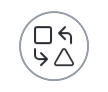
In a recent update to our UI, the change shape feature was updated and is now accessible via the change shape iconlixllWSh1lG8kx99SbMXOr70MzArP6jQCtgAgHIVsyONoBbsHtvUY_KLPAQbTXp_kkwzaFraxTsYoRPaVXBI_7C13bWNHP7jeqnpz7MO7ZUvftueIRsuDOaRYMf8mm-fC9YX0CQe_O2yjloJJ0KA94A


To access this feature, select your shape and the change shape icon will appear above your shape.

JZOf9afhvuIClQID3G9OidwPbUL4ECVtZsakg0Kwn7mpQC1XJ9AK0FupWOujwmrnEHNdmvQ-rKZE2PIEIgw0hc4-TSnX0oIVgoPvdDKCiExEndZp8LTd2pCBkJyCKPc79T5KoHdPM6ggONloVqbOVjg

Hope this helps!

Comments

January 16, 2025

the issue persists in a chrome incognito window, i sent a private message with the pin and url of the chart.  thanks in advance.

i think the issue is some of shapes are not flowchart shapes,  they are “text blocks” but otherwise act identically.  is there a way to “get info” to determine if a shape is not a flowchart shape

Zuzia S
Lucid community team
January 17, 2025

Hi ​@Tyson H, it seems like we might have figured out what was causing the uncertainty!

For context, basic shapes and flowchart shapes where the Change shape functionality applies are the following in the Shapes panel: 


It also looks like the “square” shape you referred to earlier is from our Standard shapes library, where the Change shape functionality doesn’t apply, as per this section of our Help Center article.

Below, please see the comparison between a Flowchart shape, a Basic shape, as well as a Standard shape and how the Change shape functionality applies to each of them. Additionally, to facilitate the recognition of these shapes, I recommend using our Contextual Panel on the right side of the canvas, which will help you get more information about the shape itself. As such: 


I understand however how the differentiation between a Basic and Standard shape could be confusing, so please do not hesitate to submit an idea in the Product Feedback section of this community, as suggested by my colleague earlier in this thread. 

I hope this is helpful, and if you have any other questions let us know!

February 13, 2025

Hi ​@Tyson H, it seems like we might have figured out what was causing the uncertainty!

For context, basic shapes and flowchart shapes where the Change shape functionality applies are the following in the Shapes panel: 


It also looks like the “square” shape you referred to earlier is from our Standard shapes library, where the Change shape functionality doesn’t apply, as per this section of our Help Center article.

Below, please see the comparison between a Flowchart shape, a Basic shape, as well as a Standard shape and how the Change shape functionality applies to each of them. Additionally, to facilitate the recognition of these shapes, I recommend using our Contextual Panel on the right side of the canvas, which will help you get more information about the shape itself. As such: 


I understand however how the differentiation between a Basic and Standard shape could be confusing, so please do not hesitate to submit an idea in the Product Feedback section of this community, as suggested by my colleague earlier in this thread. 

I hope this is helpful, and if you have any other questions let us know!

Why have this limitation?! I’m just a user trying to get stuff done, and shapes are shapes?! Will definitely follow-up… 

Ambar D
Lucid community team
February 13, 2025

Hi ​@fb27, I sincerely apologize for the confusion regarding Basic and Standard shapes.

If you would like to leave feedback about shapes, and if you’re willing to share, we would love to hear your thoughts. We’re very interested in your feedback and committed to continually improving our products. Feel free to create an idea that will go into the Product Feedback section of this community.