July 1, 2024
Solved

Azure DevOps integrated cards are all greyed out for editing

  • July 1, 2024
  • 32 replies
  • 870 views

Hi, I’ve got a board with a bunch of ADO linked cards that has been working great but today when I’ve logged into Lucid to try and edit the cards the edit fields are all greyed out.  I can open the cards in ADO from Lucid and make the updates in ADO which do sync back but I can’t seem to make any edits in Lucid directly.  It was all working find last week.  I’ve tried disconnecting and reconnecting my Microsoft account but the problem persists.  Any idea’s what the problem might be? 

Best answer by Shantel Gillette

Good afternoon,

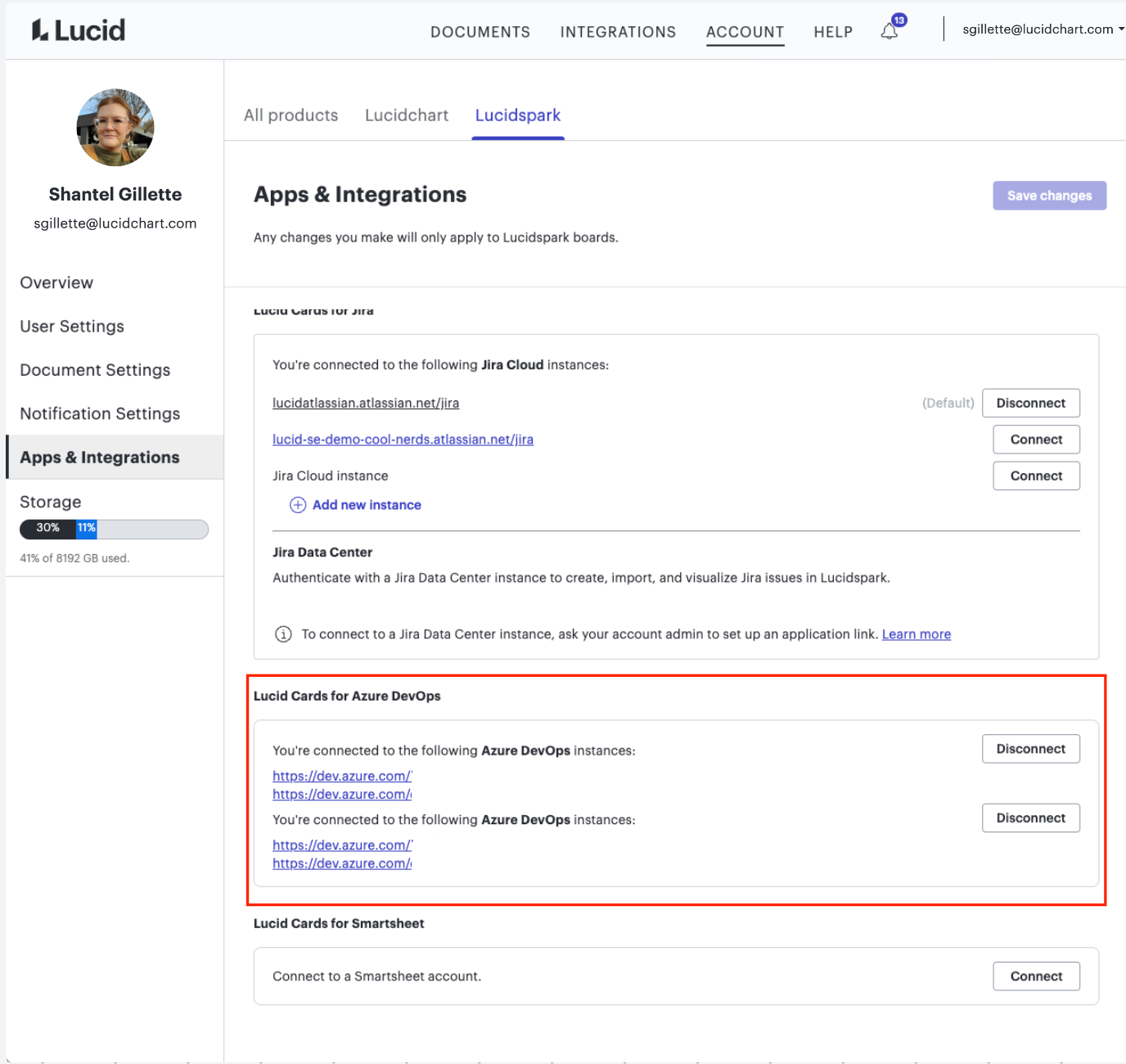
Thank you for trying those steps. It’s unfortunate that they didn’t resolve the issue. One possibility is that you are still somehow connected to two (or more) Azure instances. You can check that by going to your Account Settings (by clicking on your user icon in the upper right hand corner of the home page), then to the left clicking on “Apps and Integrations”, and then under Azure you should see how many connected instances there are. 


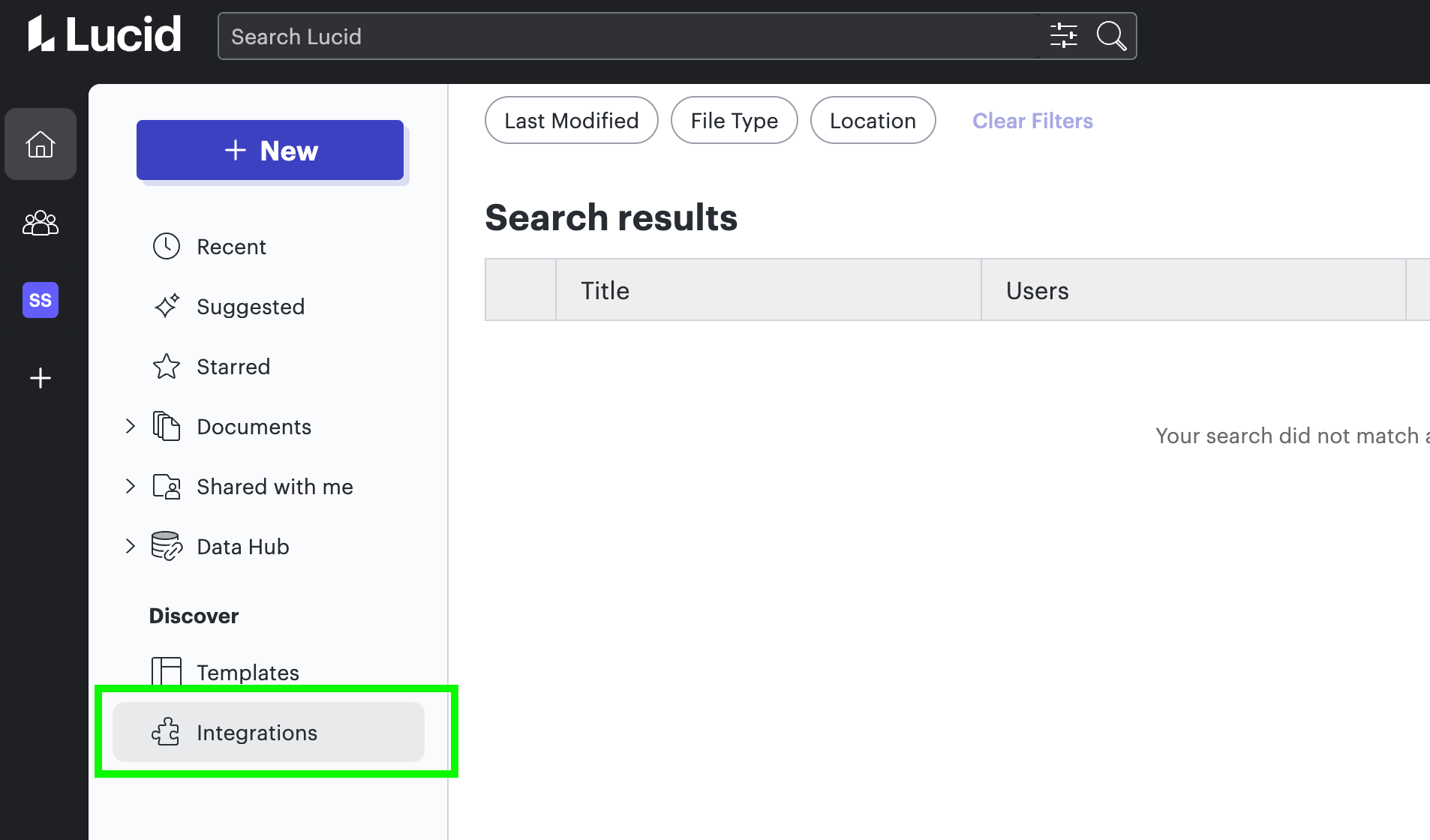
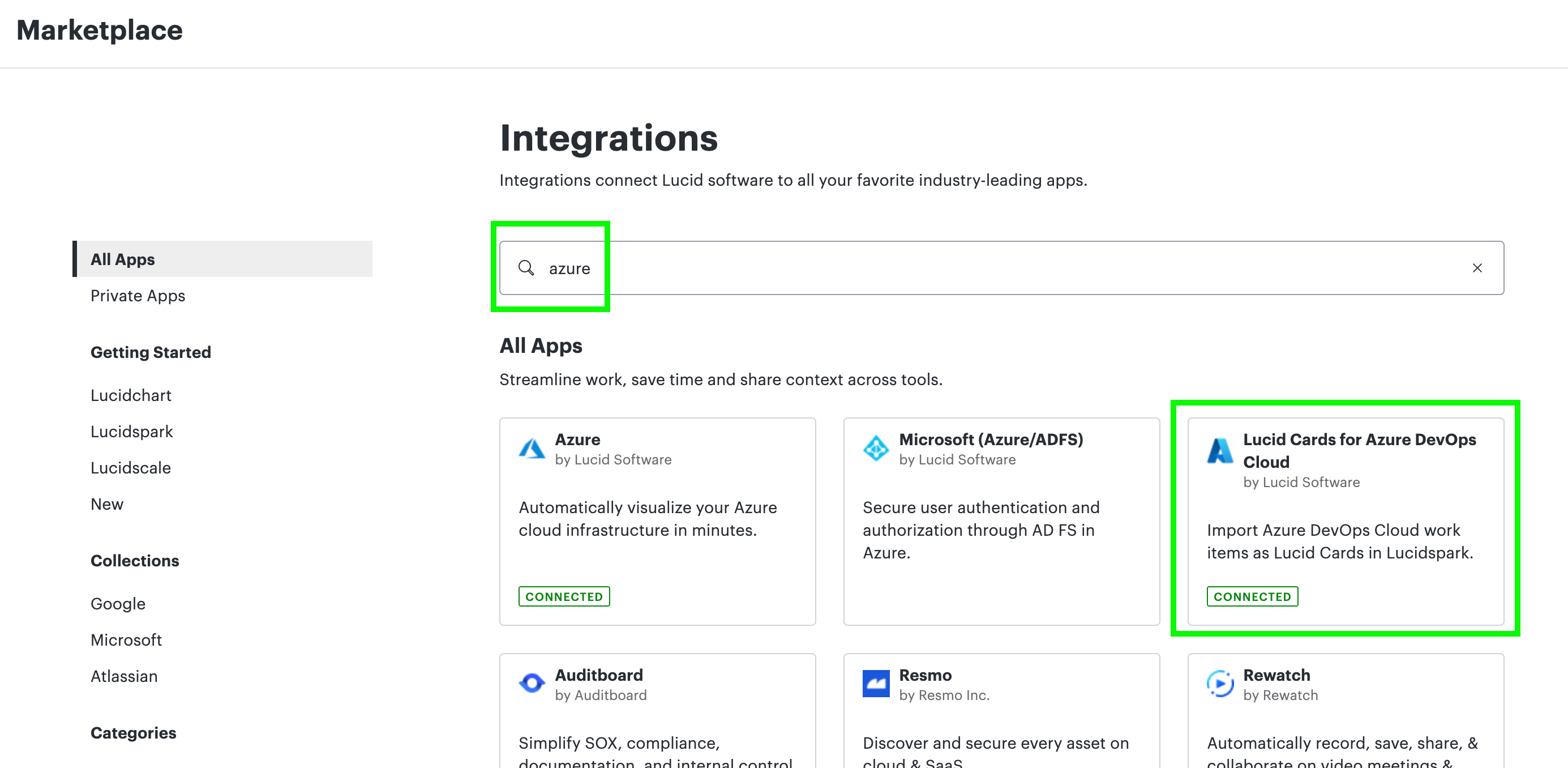
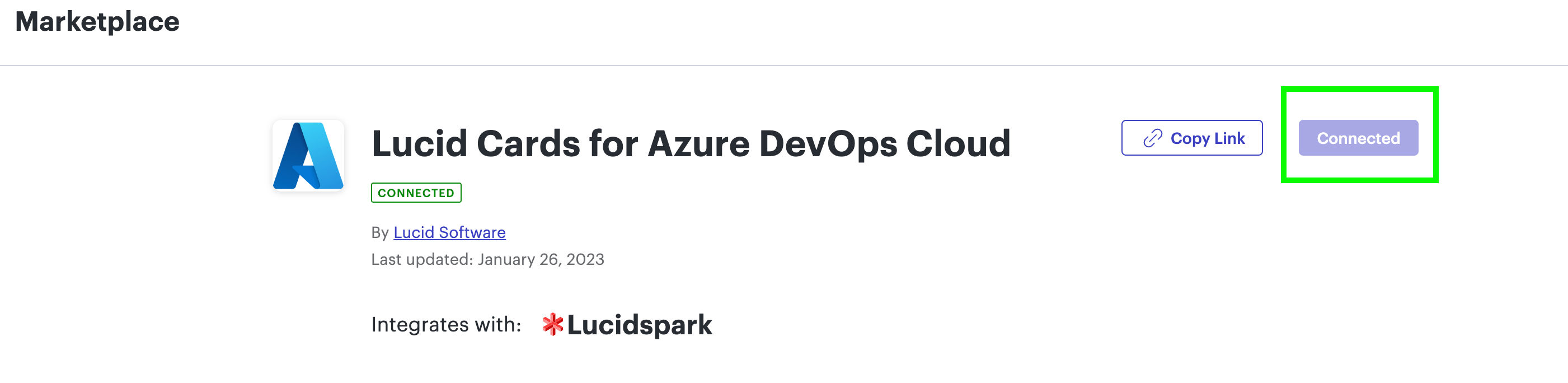
Another suggestion was to completely uninstall the integration from the Marketplace page. You can do this by going to Integrations> Click the Lucidspark tab> Find Lucid Cards for Azure DevOps (or just do a search)> Click the listing> Click “Disconnect” in the top right of the listing. It’s part of my corporate account so I can’t disconnect mine, but the images below should give you an idea of what to do.


Let me know if that works! 

Comments

Shantel Gillette
Lucid product team
July 1, 2024

Good morning! 

Is it possible that your document has been switched from Lucidspark to Lucidchart (using our fast product switching feature), and this is causing the issue with not being able to edit the cards? 

Shantel Gillette
July 2, 2024

Hi Shantel, thanks for the response.  I’ve tried switching between spark and chart but I see the same problem in both, edit is all greyed out. 

Shantel Gillette
Lucid product team
July 2, 2024

Popping in here to update you. I don’t have an answer yet, but I’m working to see if anyone knows what is happening. We made some changes recently that might be impacting you, but we are confirming first. Thank you for being patient! I will let you know as soon as I have more information, and resolution.

Shantel Gillette
Shantel Gillette
Lucid product team
July 2, 2024

Ok after some digging, it’s not likely that this is being caused by any changes Lucid has made recently (but I’m not ruling that out completely yet).

It sounds like Microsoft has a unique way of authenticating accounts and this could be the cause here, possibly your Microsoft has mistakenly been auto-provisioned with another Microsoft account. To rule that out, we would suggest the following: Completely log out of Microsoft accounts, clear cache and cookies, go through the ADO auth again. I’m hoping this resolves the issue. Can you let me know if that works?

Shantel Gillette
July 8, 2024

Hi Shantel, sorry for the delayed response.  I’ve been of ill for a few days.  I think I’ve done everything you’ve suggested above.  I unlinked my Microsoft integration from Lucid. Deleted the Lucid authorisation from my ADO account.  Cleared my Chrome browser history.  Logged back into Lucid and launched my board again.  Added a new ADO card.  Card added fine and appeared in ADO but when I try to edit this new card, or any of the old linked ones, they are still greyed out in Lucid and can only be edited directly in ADO.  Is there a step I’ve missed or got wrong?  

Shantel Gillette
Lucid product team
July 8, 2024

Good afternoon,

Thank you for trying those steps. It’s unfortunate that they didn’t resolve the issue. One possibility is that you are still somehow connected to two (or more) Azure instances. You can check that by going to your Account Settings (by clicking on your user icon in the upper right hand corner of the home page), then to the left clicking on “Apps and Integrations”, and then under Azure you should see how many connected instances there are. 


Another suggestion was to completely uninstall the integration from the Marketplace page. You can do this by going to Integrations> Click the Lucidspark tab> Find Lucid Cards for Azure DevOps (or just do a search)> Click the listing> Click “Disconnect” in the top right of the listing. It’s part of my corporate account so I can’t disconnect mine, but the images below should give you an idea of what to do.


Let me know if that works! 

Shantel Gillette
July 17, 2024

Hi Shantel, 

I’ve tried following these steps but I see something a bit different to your screen shot, am I looking in the right place? 


July 17, 2024

Also, I don’t seem to be able to disconnect from the Marketplace either… 


Shantel Gillette
Lucid product team
July 17, 2024

Good afternoon,

Yes, in this case, you will need your account admin to disconnect the integration and reconnect.

Shantel Gillette
July 23, 2024

I am having the same problem. It was working previously and now is not. I was hoping to use this feature for some upcoming planning sessions. I’ve tried removing and adding my DevOps linkage, and it has not helped. I can create cards and even see updates from them which implies it is able to communicate. However, editing appears to be nonfunctional. Are there other suggestions or fixes in the works?