Idea

copy diagram to powerpoint

  • April 9, 2024
  • 5 replies
  • 63 views

Forum|alt.badge.img+5

hello is it possible to copy a diagram from lucidchart to a ppt with the background transparent? currently it gets copied as an image which take up too much space and also covers things. not only that but if ppt background isnt white then it looks bad

Comments

Shantel Gillette
Forum|alt.badge.img+5

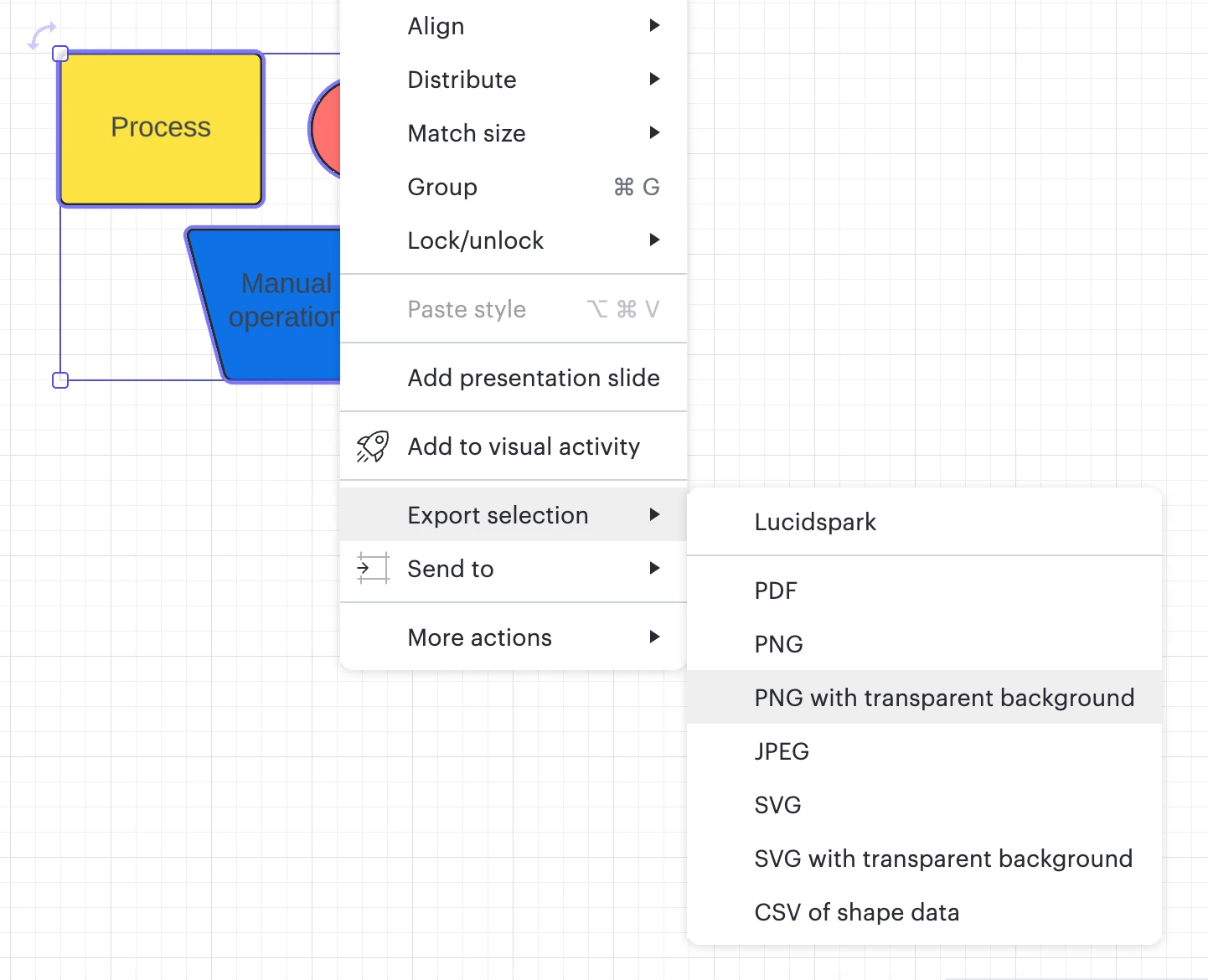
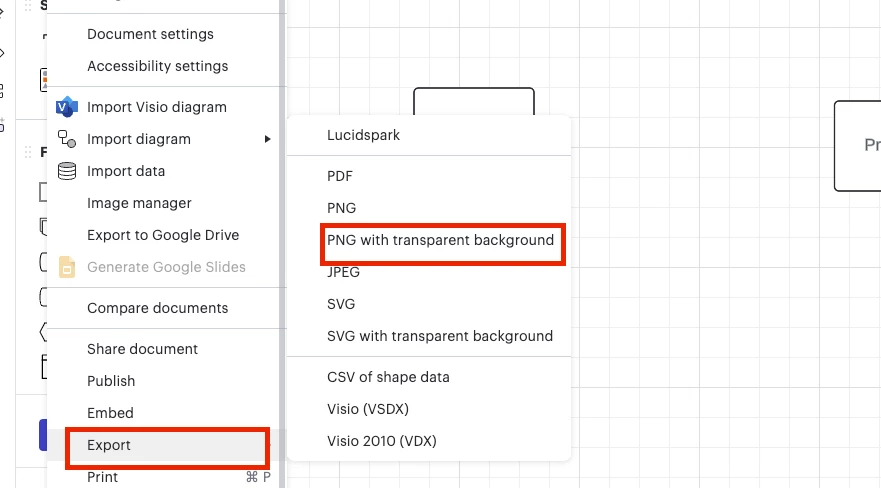
Good morning! Yes, you can export your selection on the canvas as a PNG with transparent background. You can do this by selecting a specific set of shapes and right clicking (as in my screenshot below) or you can also export the document by selecting the File menu > Export > and select the option with PNG with transparent background.


Forum|alt.badge.img+5
  • Author
  • April 10, 2024

hi thank you. when i export it i have to save it as png or will it be in my clipboard? because. if i have to do this for 30 diagrams itll get tedious


Kelsey Gaag
Forum|alt.badge.img+16
  • Lucidite
  • April 10, 2024

Hi @yianni

Thank you for the reply! Yes in order for your diagram to have a transparent background, it needs to be exported to your files as a PNG. However, you can export an entire page with multiple diagrams and crop as needed when adding them to your Powerpoint to make the process more efficient. You can do this by going to File > Export > PNG with transparent background.

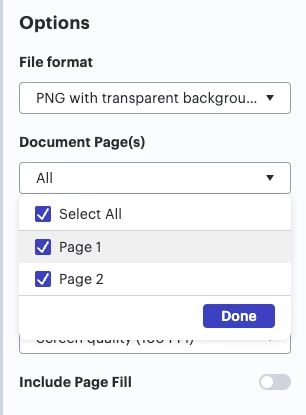
You can also export multiple pages in a document by following this same process and selecting all Document Pages in the export settings. 


Forum|alt.badge.img+5
  • Author
  • April 10, 2024

would be great if copy/paste had an option to have it transparent.


thanks


Kelsey Gaag
Forum|alt.badge.img+16
  • Lucidite
  • April 10, 2024

Hi @yianni

Thank you for the reply! That is a great idea. We’re very interested in your feedback and committed to continually improving our products. If you’re willing to share, we’d love to hear more details about your use case or what you’d like to see in this experience within this thread. I’ve also converted this post to an idea so that it’s visible to others within the Product Feedback section of the community - from here, they can upvote it and add details of their own.

Finally, for more information on how Lucid manages feedback via this community, take a look at this post:

https://community.lucid.co/welcome-to-the-lucid-community-15/feedback-and-feature-requests-5439