

New AI features: L@L March 2026 🎉
Thank you for joining the March Lately @ Lucid webinar!
In our first of the three-part Lately @ Lucid webinar series, we highlighted AI features across the Lucid platform to help you move from blank canvas to creation faster.
If you missed it, catch the webinar here!
In this post, we’re diving into the highlights of what’s new ⏬
Lucid AI Entry Points
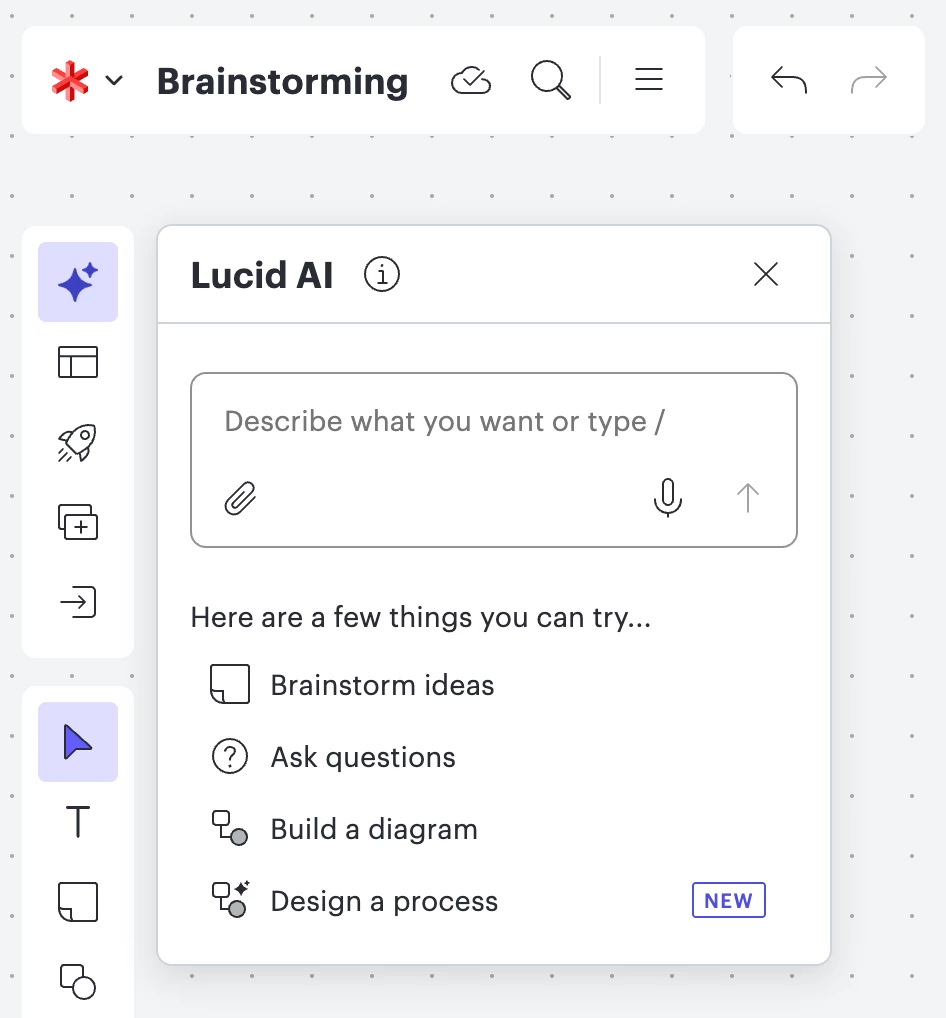
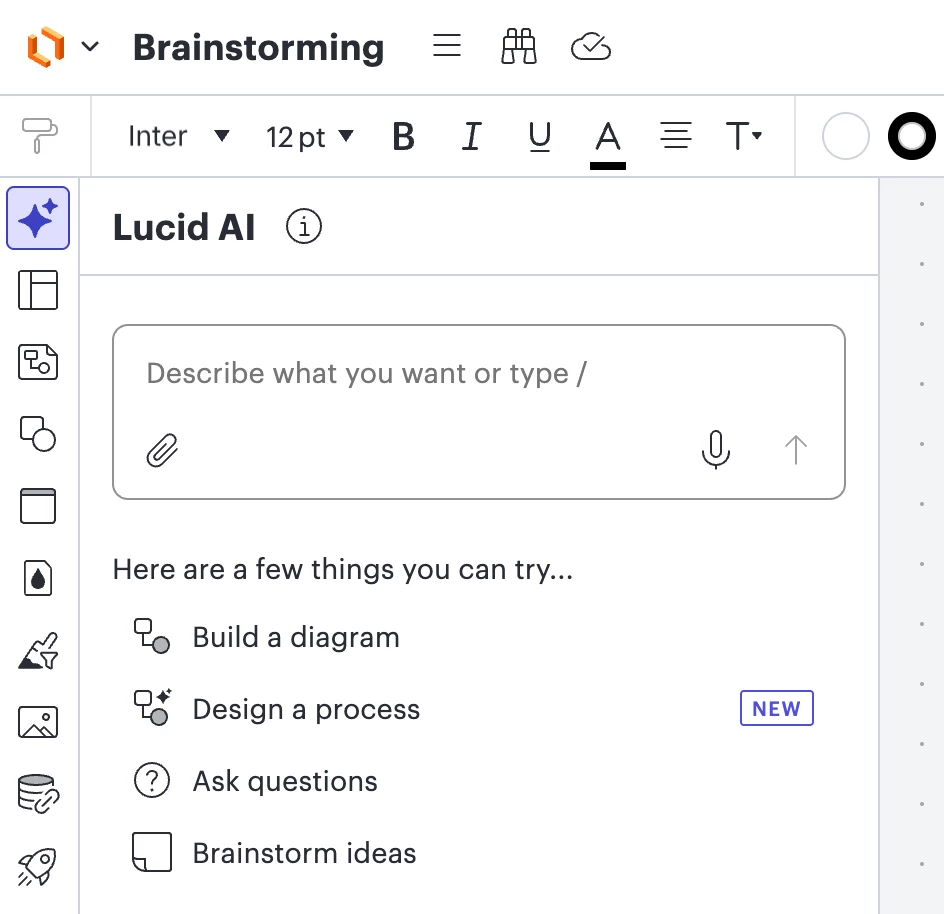
We’re excited to announce that Lucid AI is now available in both Lucidspark and Lucidchart!
With a unified interface, this conversational AI assistant acts as a collaborator on the canvas with you—boosting your productivity!
Lucid AI empowers you to:
- Brainstorm new ideas.
- Generate diagrams and boards.
- Summarize diagram content.
- Sort sticky notes into AI-generated categories.
- Add conditional formatting rules.
- Ask questions about your document.
- Get help from the Lucid help center.
Voice-to-text and video uploads in Lucid AI
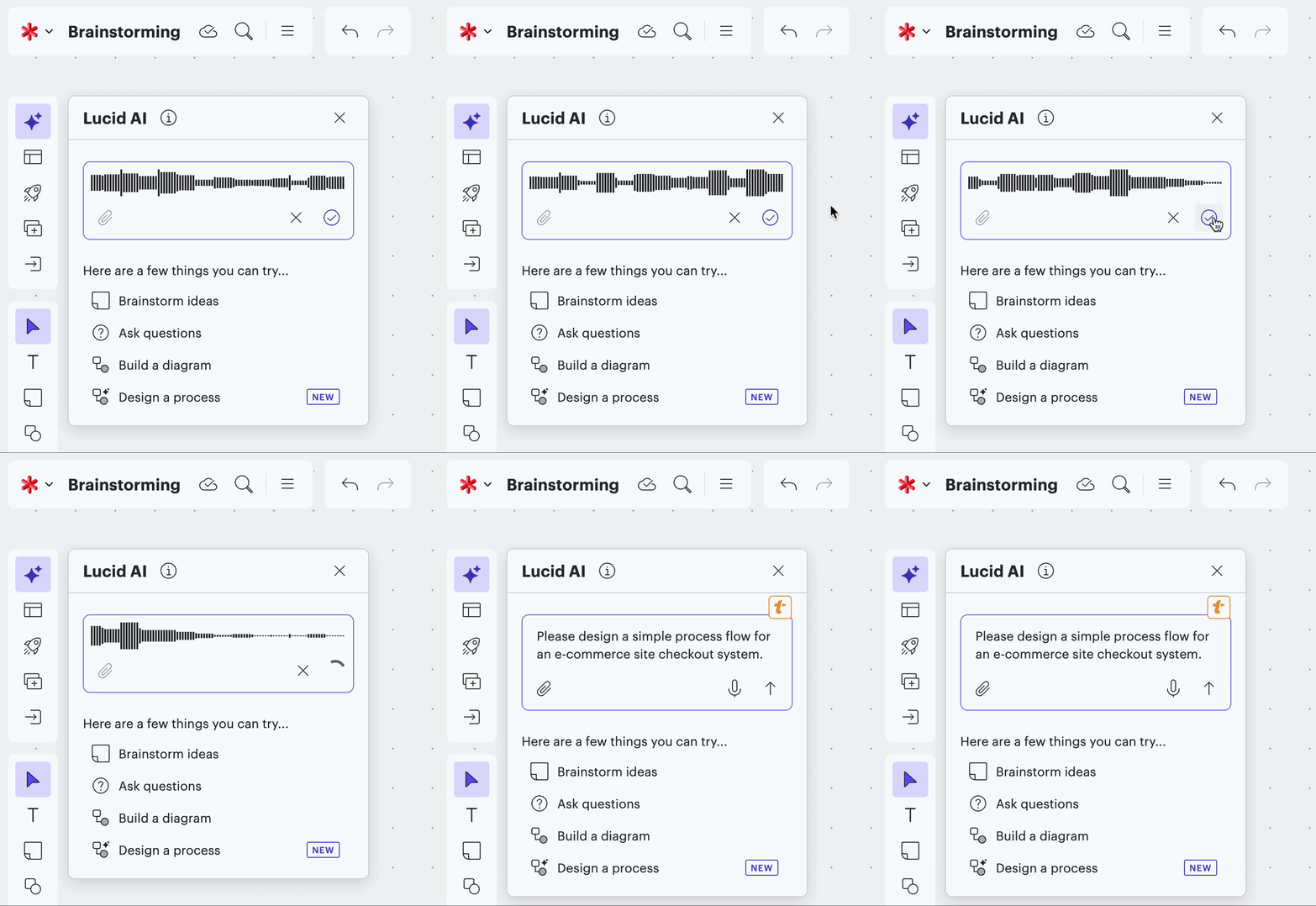
We’re excited to announce voice-to-text and video uploads have been added to Lucid AI!
Now you can speak your ideas into existence. Simply tell Lucid AI what you’d like to add in the prompt box, and it will transcribe it as a new prompt.
Additionally, you can attach a video transcript for Lucid AI to reference!
Generate Board
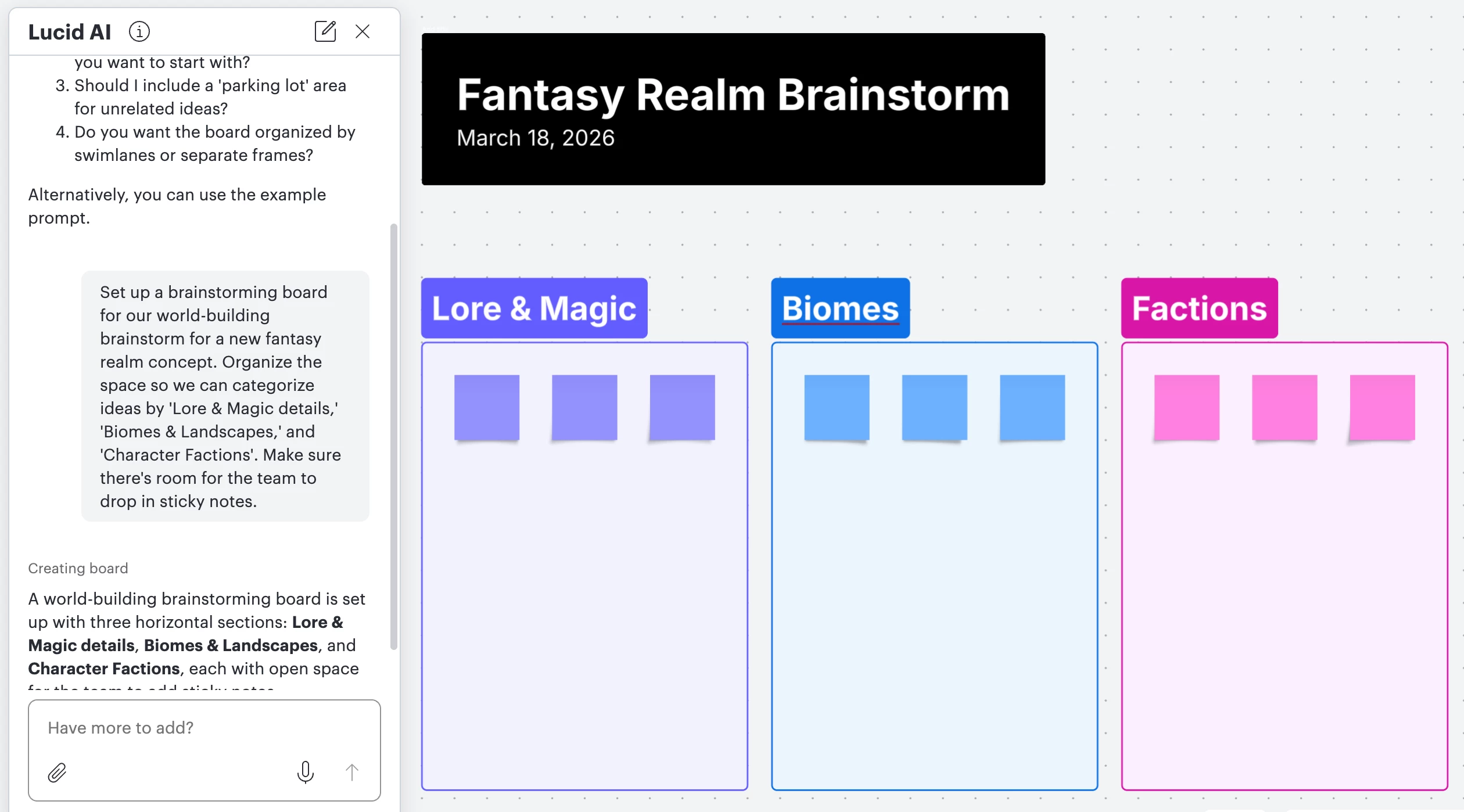
Create structured Lucidspark boards from prompts within Lucid AI!
Lucid AI will use your prompt to set up the canvas for you, eliminating the initial set-up work and saving your team's valuable time. It will include the needed frames, sticky notes, swim lanes, and text boxes.
MCP Server
Connect Lucid to your AI-powered workflows! The Model Context Protocol (MCP) server allows AI tools you’re already using to seamlessly interact with your Lucid documents.
Here’s a rundown of what the MCP server powers you to do:
- Search Lucid documents: Ask for documents that mention specific content.
- Summarize document details: For example, ask for a summary of action items from a team meeting.
- Share a document: Share your document with specific collaborators using their email address.
- Share Lucid documents: Create a shareable link to your Lucid document, and specify the type of permissions.
- Create a diagram: Create a diagram based on a dataset or based on a description of what you’d like to see.
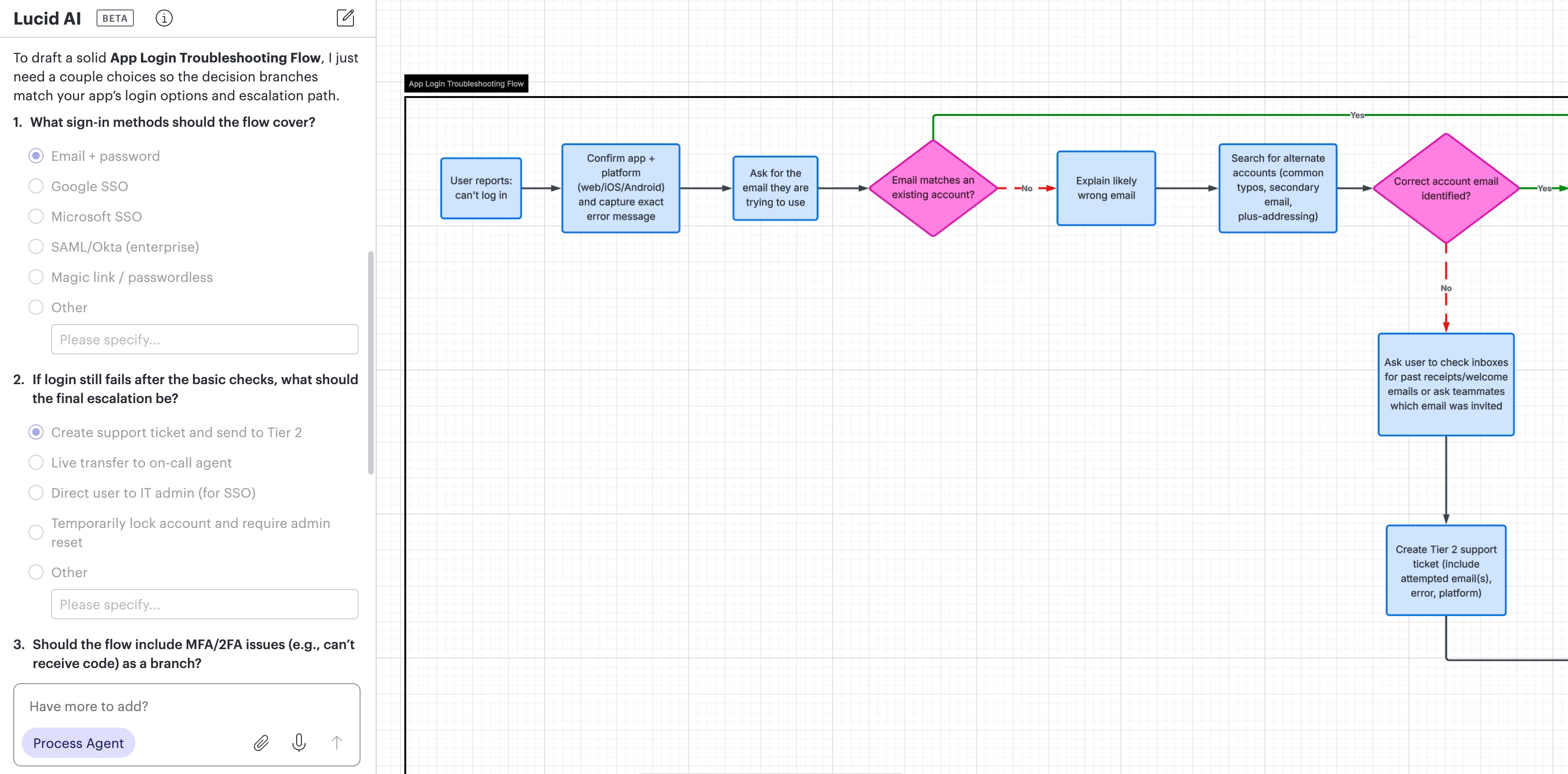
Process Agent
Meet your new AI teammate and accelerate your process documentation!
We’re excited to announce the new Process Agent, an interactive tool designed to help you build process diagrams. Based on your description of what you’d like to build, the Process Agent builds a first draft of your diagram for you.
Just like a proactive collaborator, it asks targeted follow-up questions to help you think through gaps and refine the diagram. The Process Agent produces more structured process outputs from your answers, maximizing your efficiency and reducing rework.
If you’re interested in providing feedback about the Process Agent, our product teams are seeking YOUR feedback in this post!
Explore and learn more
That’s a wrap on some of the newest AI features in Lucid!
We hope that these solutions enhance what Lucid already does well: accelerating your collaboration and workflows.
To learn more, check out A quick guide to Lucid’s AI Features from the Lucid blog and explore AI in Lucid articles from the Lucid help center.
Ready to explore these features? Test them out and let us know what you think in the comments below!
 Your privacy choices


