
News

Mermaid diagram as code update: automatic sync!

  • April 22, 2026
  • 2 replies
  • 133 views

JamesHart
Forum|alt.badge.img+2

If you’ve been using the diagram as code with Mermaid feature in Lucidchart, you know the routine: type in your code, move your mouse, select “Generate” or “Update”, and repeat. 

We’re excited to announce an update to this workflow!

Instead of manually updating your diagram, your diagrams will automatically update as you write your mermaid code. Now it’s easier than ever to build and iterate on complex diagrams without breaking your concentration.

What’s changing?

  • The ‘Generate’ button and ‘Update’ buttons have been removed.
  • Edits to your markup will sync with the on-document shape as you type in your code.

No more toggling back and forth- just focus on your logic, and watch the visual update as you go!
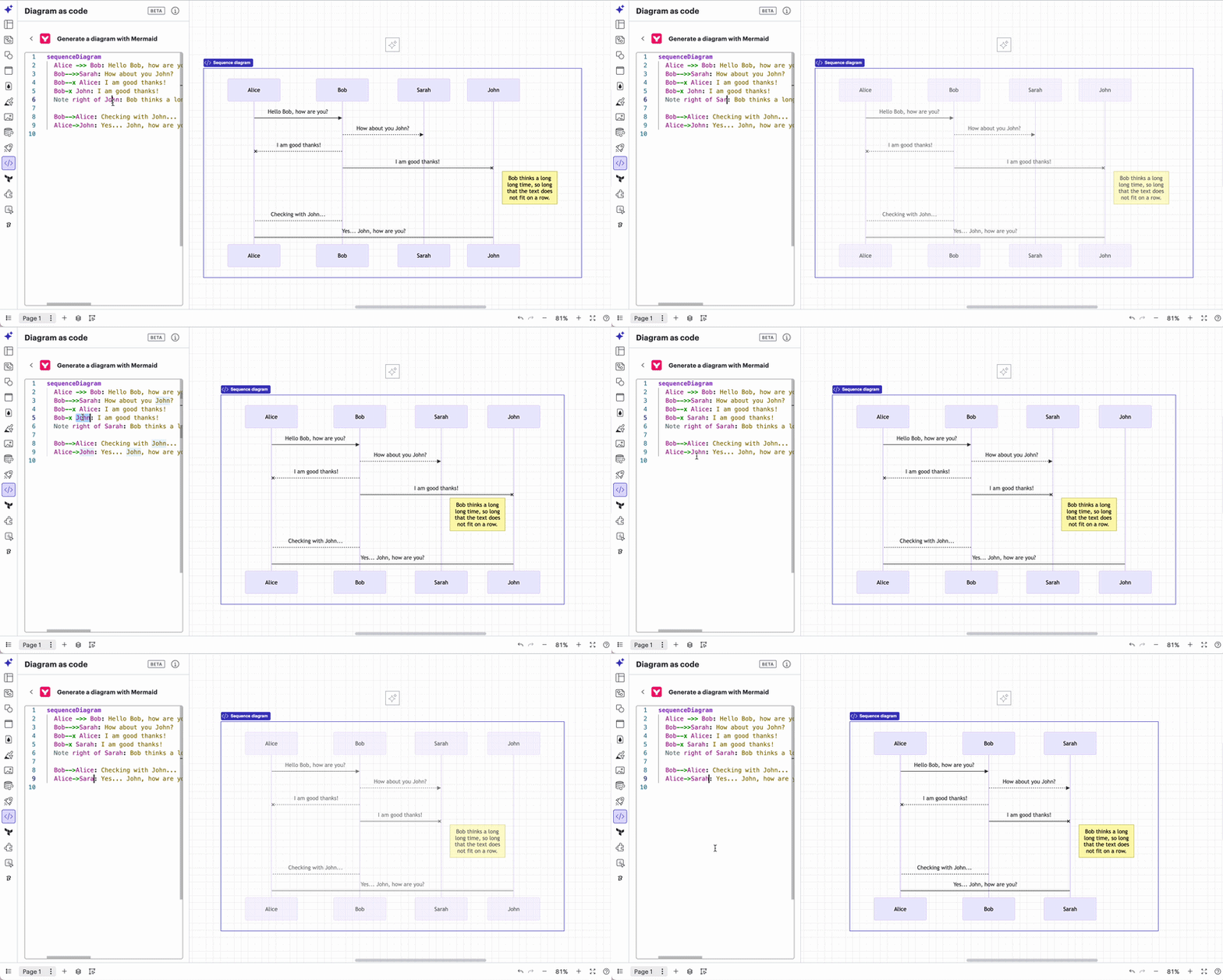
Mermaid diagram automatically updates on Lucid canvas

Give it a try and let us know what you think!


Comments

Forum|alt.badge.img
  • April 27, 2026

Hi ​@JamesHart 


Thanks for adding this.

One issue this now causes is that the cursor (sometimes) resets back to line 1 when the diagram is refreshing. This happens most often when trying to type quickly and overall makes it much more difficult to update diagrams. Please could you investigate why this is happening.

As an interim solution could you add the Update button back in with a manual toggle to trigger auto or manual update?

Kind regards.


JamesHart
Forum|alt.badge.img+2
  • Author
  • Lucid product team
  • May 4, 2026

Hi ​@JamesHart 


Thanks for adding this.

One issue this now causes is that the cursor (sometimes) resets back to line 1 when the diagram is refreshing. This happens most often when trying to type quickly and overall makes it much more difficult to update diagrams. Please could you investigate why this is happening.

As an interim solution could you add the Update button back in with a manual toggle to trigger auto or manual update?

Kind regards.


Phil,

Thanks for finding that! While we try to test things thoroughly before releasing them, we don’t always spot everything, and we rely on folks like you to bring them to our attention. We think we’ve fixed this particular problem now. Please test it and let us know if the problem is still there or not.

Sincerely,

James Hart