
Collapse and Expand your diagrams in Lucid!

  • March 26, 2026
  • 1 reply
  • 13 views

jimmy
Forum|alt.badge.img+8

Hey Lucid Community!

We have seen some truly impressive customer diagrams here at Lucid.  There’s the highly technical business architectures and processes, but also (my favorite) using lucid to map out narrative themes and plot points in theater productions or quest trees for homebrewed RPGs.

Common to all of these:  "Visual Overload" –  when you share a massive, complex board with a collaborator who just needs the high-level summary. We’ve all been there: either you spend hours creating a "simplified" duplicate version, or you hop on a call and spend 10 minutes saying, "Ignore this part for now..."

Enter: Collapse and Expand 🎉
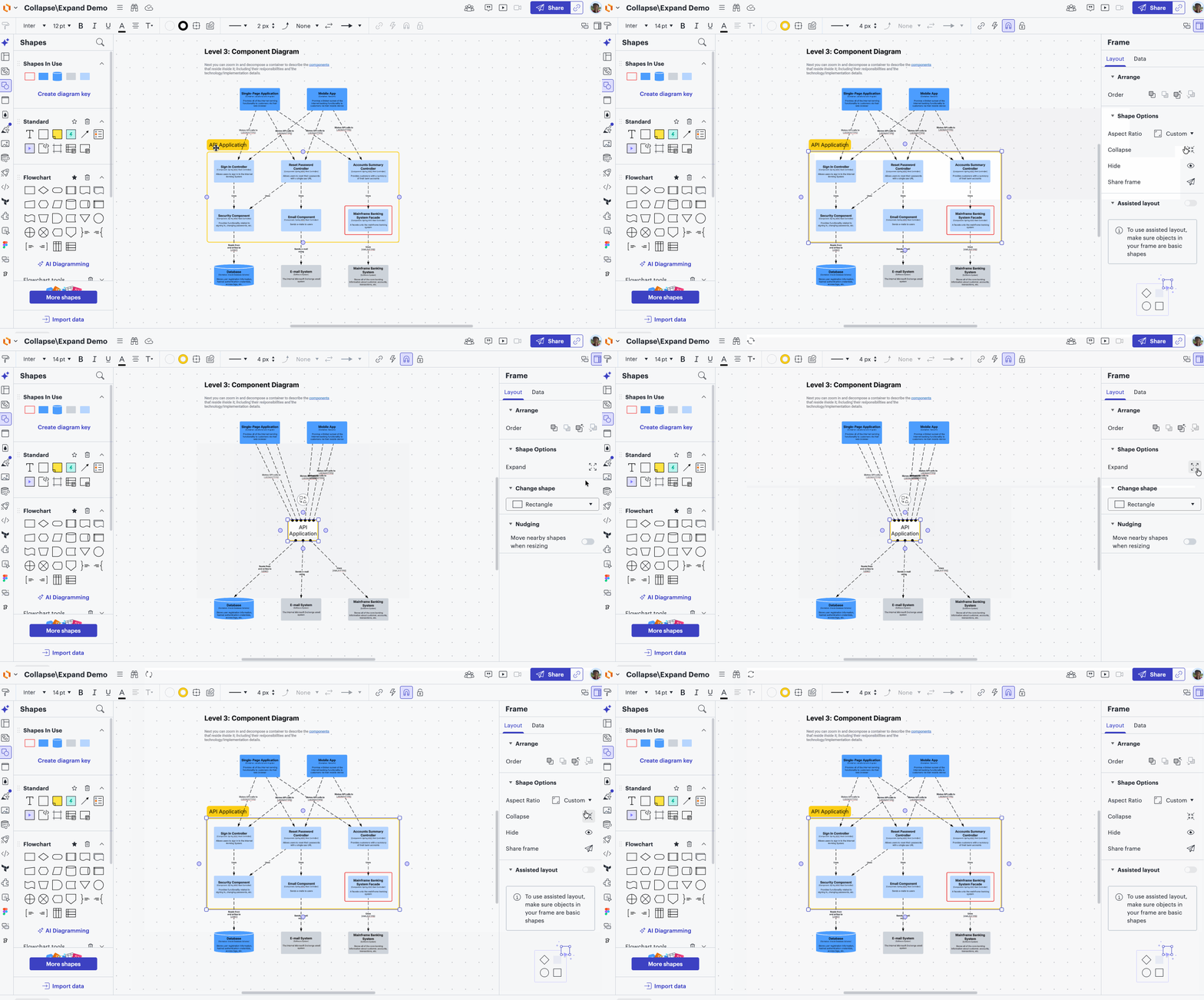


We built Collapse and Expand to act like packing your content into a storage box. Think of it like minimizing a window on your desktop; the work doesn't go away, it’s just neatly tucked into a single container so you can focus on the bigger picture. When you’re ready to dive back into the details, you just "open the box."


How it works: Collapse and Expand is available suitewide for basic container types: frames, rectangle containers, rounded rectangle containers, spark containers, pill and circle.  It’s also compatible with assisted layout!


  • In Lucidspark: Select your container and look for the Collapse icon in the floating contextual menu strip. 
  • In Lucidchart: You’ll find the "Collapse" property in the right-hand panel under Shape Options.
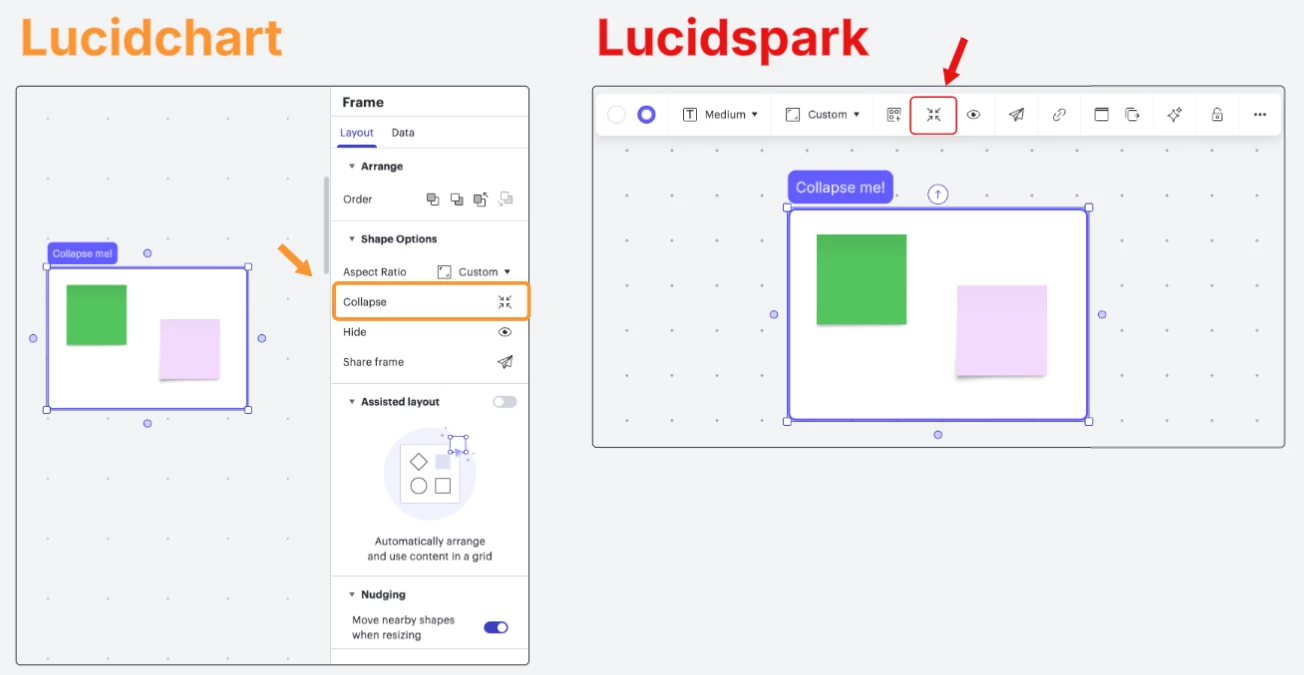
 

To expand: click this same icon to restore the original size of your canvas content. 

Bonus Tips:

  • Expand your container with the on-shape button:  Collapsed containers will have an expand button in the lower right corner.  Click that button to expand your container!
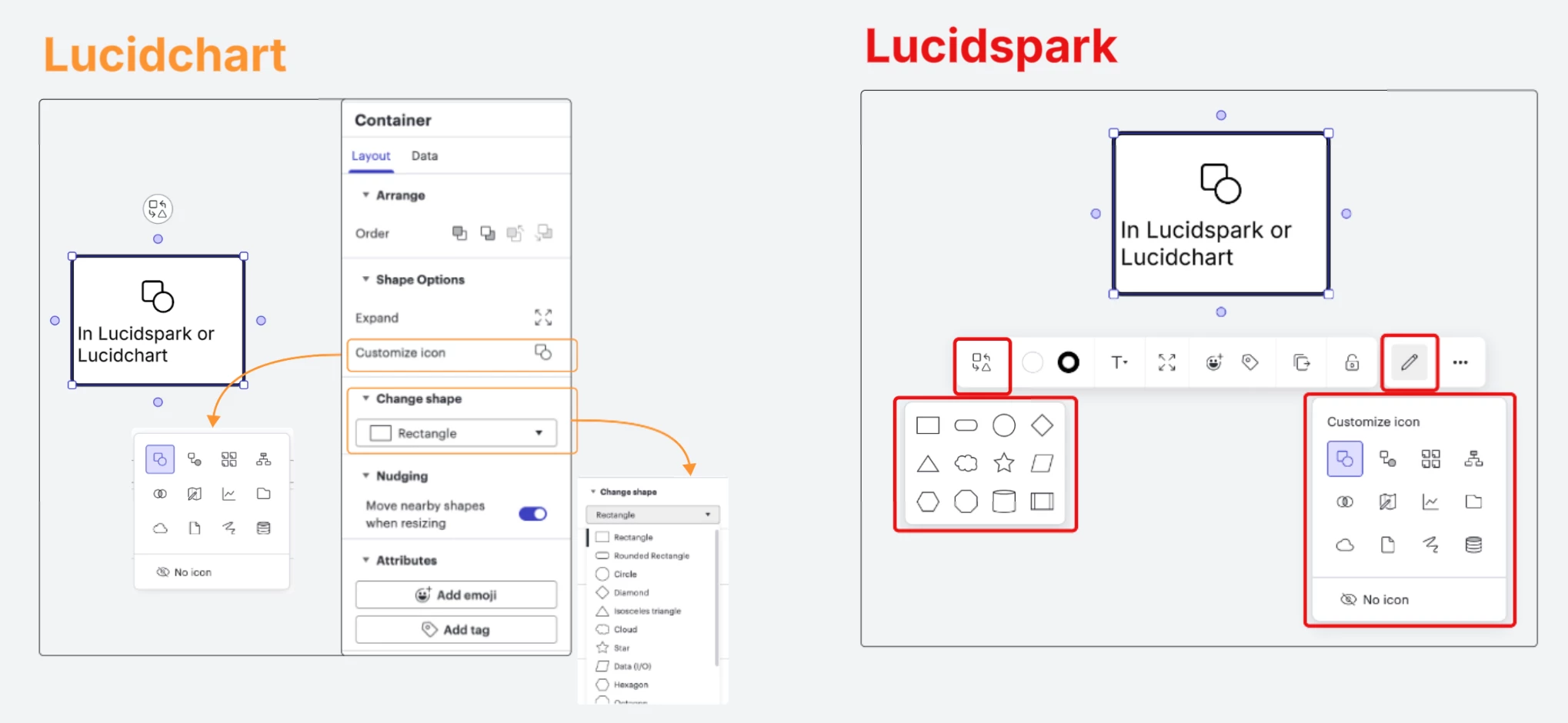
  • Customize the appearance of your collapsed container:  Choose a different shape type or icon to indicate the collapsed state
Note: This currently works for objects within containers. We are already working on expanding this to selection-based collapsing (no container required!) in the near future.

We’re constantly looking for ways to help you manage complexity. Let me know what you’d like to see in the future!

– Jimmy Moore, Sr. Product Manager


Comments

Forum|alt.badge.img

I guess I picked the correct time to search of Lucid had some form of collapsible object (the original post of this feature is only 2 hours old).


Short version:

Not a bad attempt for a BASIC feature, but does not work for complex diagrams.


Long Version:

Collapse direction:

The collapse action ALWAYS collapses to the CENTER of the original container.  This works great for simple diagrams.  For complex diagrams (my diagrams expanded both vertically and horizontally), having the option to collapse to a specified corner would be better (IE: The top left corner).

Connector routing:

Connecter routing to NOT collided with exiting objects has always been a shortcoming of Lucid.  And the collapsed object now makes this even worse.  If you have an object that has connectors using non-straight connectors, the connectors (almost always) have to be manually routed to not collide with other objects.  Now with the collapsed object, the non-straight connectors change between the collapsed / expanded versions.  If you fix the routing for one setting, you mess it up on the other setting.

Nudging:

This appeared to be an answer to the collapse direction and connector routing issues mentioned above.  However, in practice, if you collapse the object, move it to a new location, and then expand it, the nudging has a tendency to rearrange the drawing in a way that renders complex diagrams useless.  The only recommendation I can provide here is that the ‘location’ of object could be linked to relative positions of other objects.  IE: the top of container 2 is always 10 points below the bottom of container 1.  That way, when container 1 collapses / expands, container 2 keeps its relative position.

Applicability to object types:

The original post indicates that this feature only works on a select number of object types.  This limit is understandable for a new feature.  But since it does not work on objects in the ‘FlowChart’ menu, and since about 90% of my diagrams are process flowcharts showing overall process and sub processes, it means I would need to re-draw them to even use this feature.