

Feeling Crowded? Use nudging to help you create more space!
Hey Lucid Community!
As a new product manager here at Lucid, I’ve quickly learned that the 'perfect' leadership board is never actually finished. Every time I need to add just one more section for team alignment, I end up in a manual 'spatial Tetris' battle, moving every single element just to create a little breathing room. Does anyone else find themselves spending more time rearranging than actually building?
Enter: Nudging 🎉
We built Nudging to act like a "snowplow" for your canvas. Instead of manually rearranging your content to make new space to work with, your containers now do the heavy lifting for you.
Here’s how it works: You can toggle Nudging on by dragging a container or frame onto your canvas, then using the contextual panel in Lucidchart or right-clicking on the shape in Lucidspark. Now when you resize a container (horizontally, vertically, or even diagonally), any objects sitting outside that container will automatically move in the direction you’re resizing.
Bonus Tips:
- Board Controls: If you want this to apply to all your containers across the board, you can turn it on for all eligible containers in the Board Settings.
- Hotkey Help: Sometimes you want to overlap. If you need to temporarily disable the nudge while resizing, just hold down the Command/Control hotkey to encapsulate content without moving surrounding objects.
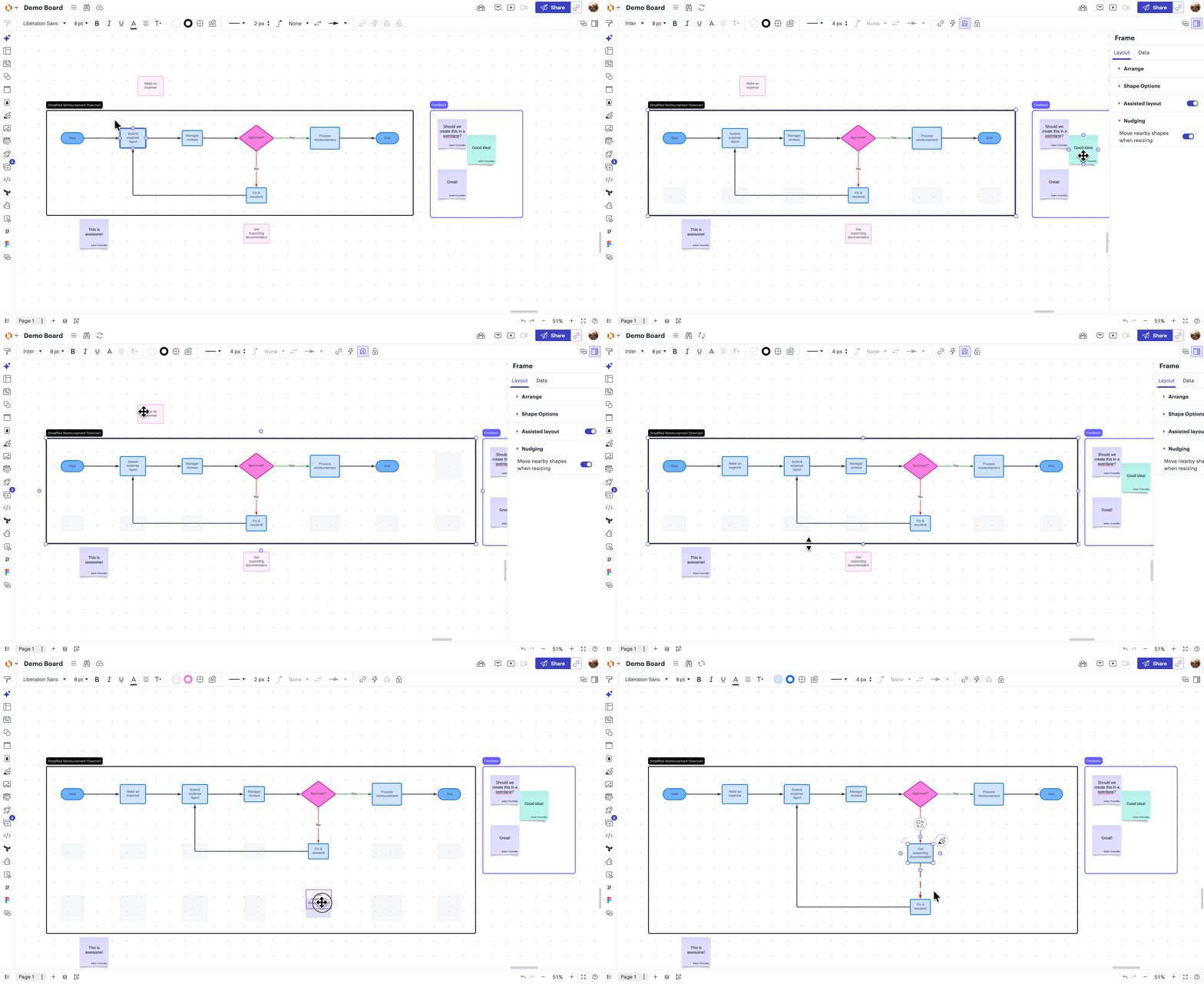
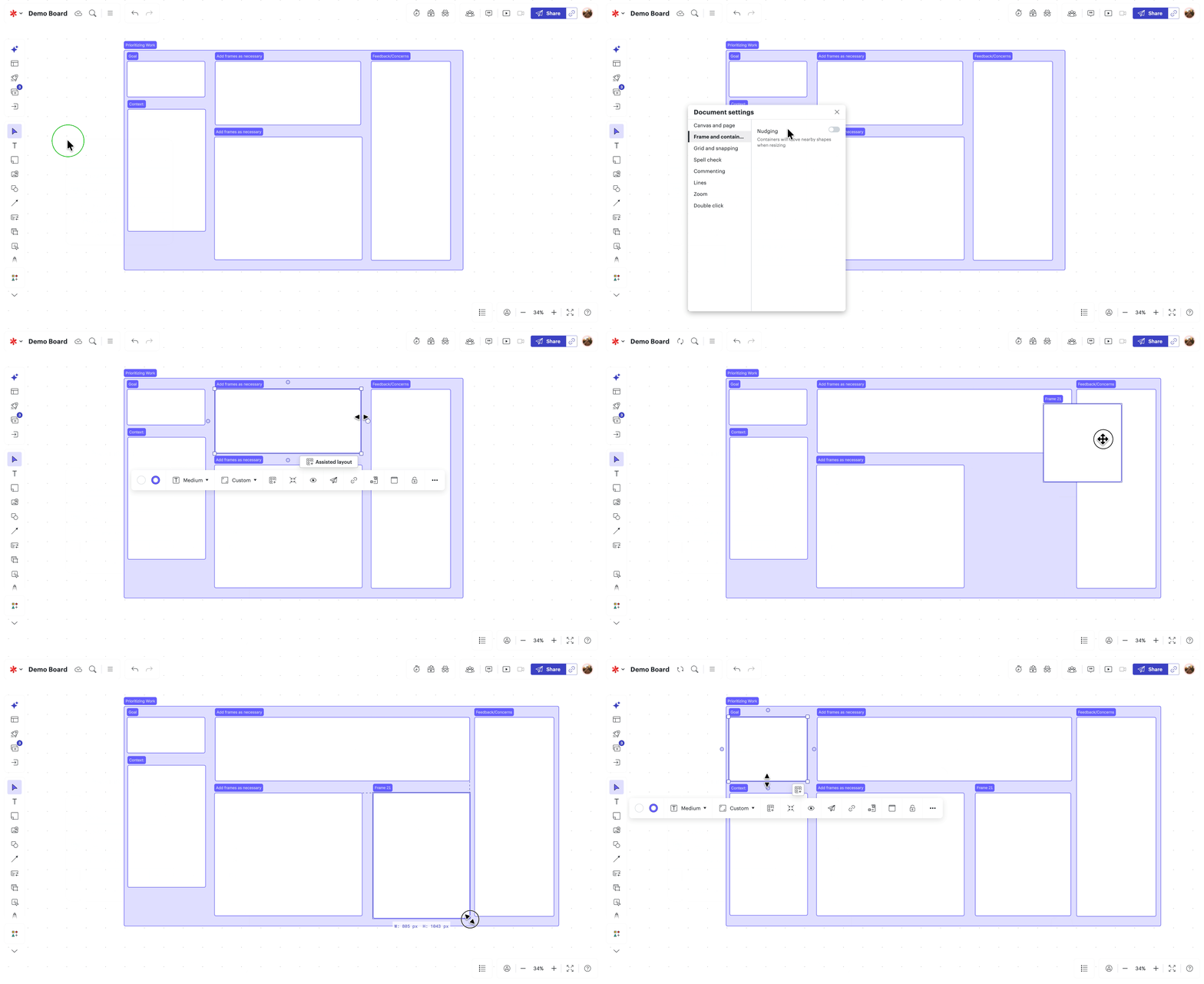
Note: This currently works on basic containers, frames, grid layout (formerly known as assisted layout) frames, and swimlanes.
We’re actively working on improving the way that YOU interact with the canvas. Let me know in the comments what else you would like to see to make your canvas experience better!
- Adam Trommlitz, Product Manager
 Your privacy choices


