

Update to the Lucid MCP Server: Generate Diagrams
You may have already used the Lucid MCP Server to connect Lucid with tools like Claude, ChatGPT, and Microsoft Copilot to search, retrieve, and summarize your documentation.. Today, we are excited to announce that we are extending the Lucid MCP server to move beyond understanding your documents.
We are officially adding the ability to create documents through the Lucid MCP Server! ⭐
You can now use your AI tools to convert text prompts into structured Lucid diagrams. This feature allows you to start your canvas with a meaningful starting point so you never have to stare at a blank page again.
Here is how you can utilize this new feature in your workflow.
Describe what you need, like a process flowchart or entity relationship diagram, and let AI handle the drawing. The Lucid MCP server can create any Lucid diagram with standard shapes.
Example: “In Lucid, create a user flow diagram for a mobile app login. Start at the ‘Welcome Screen,’ show the ‘Enter Password’ step, and include a branch for ‘Forgot Password’.”
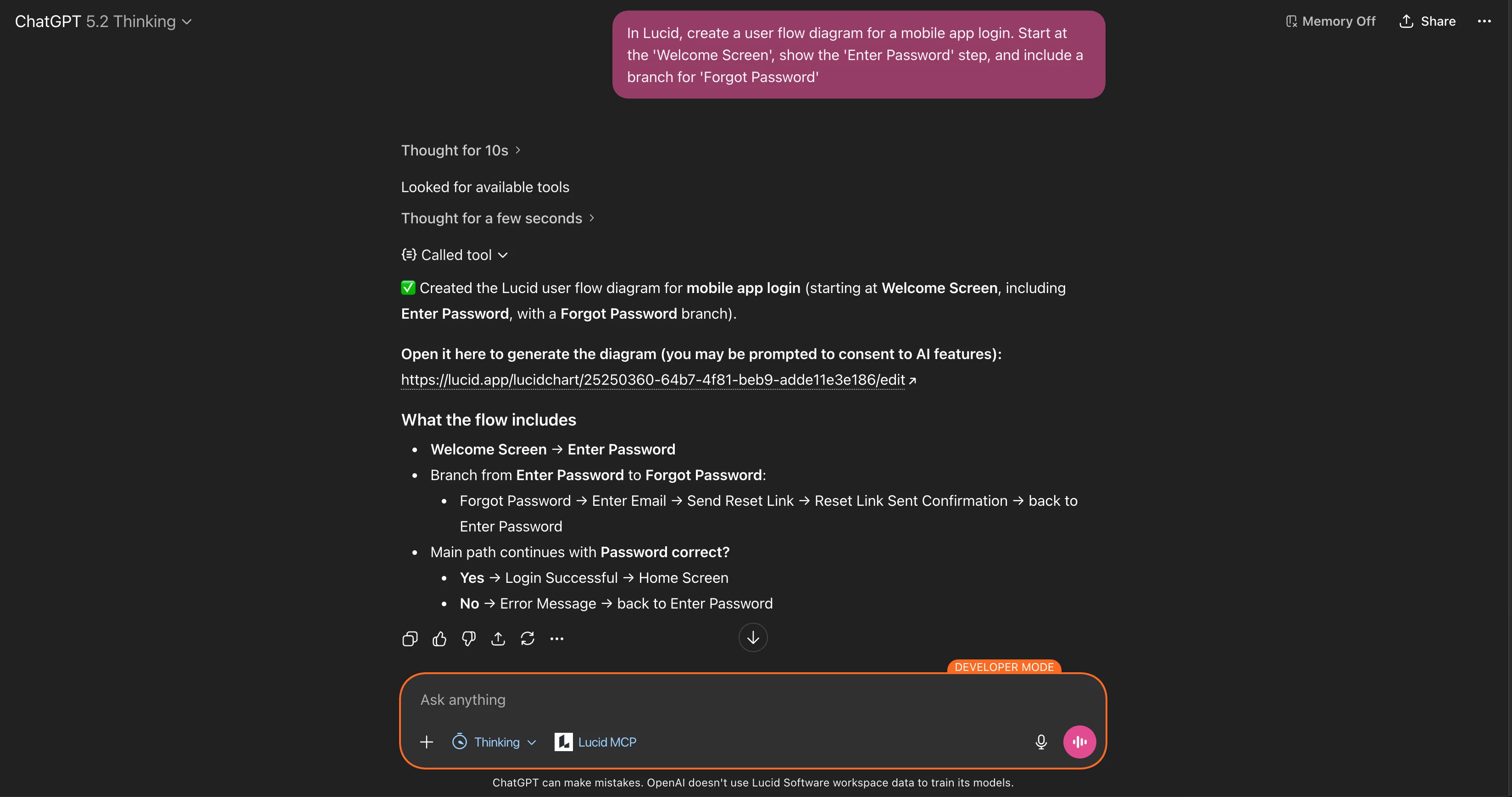
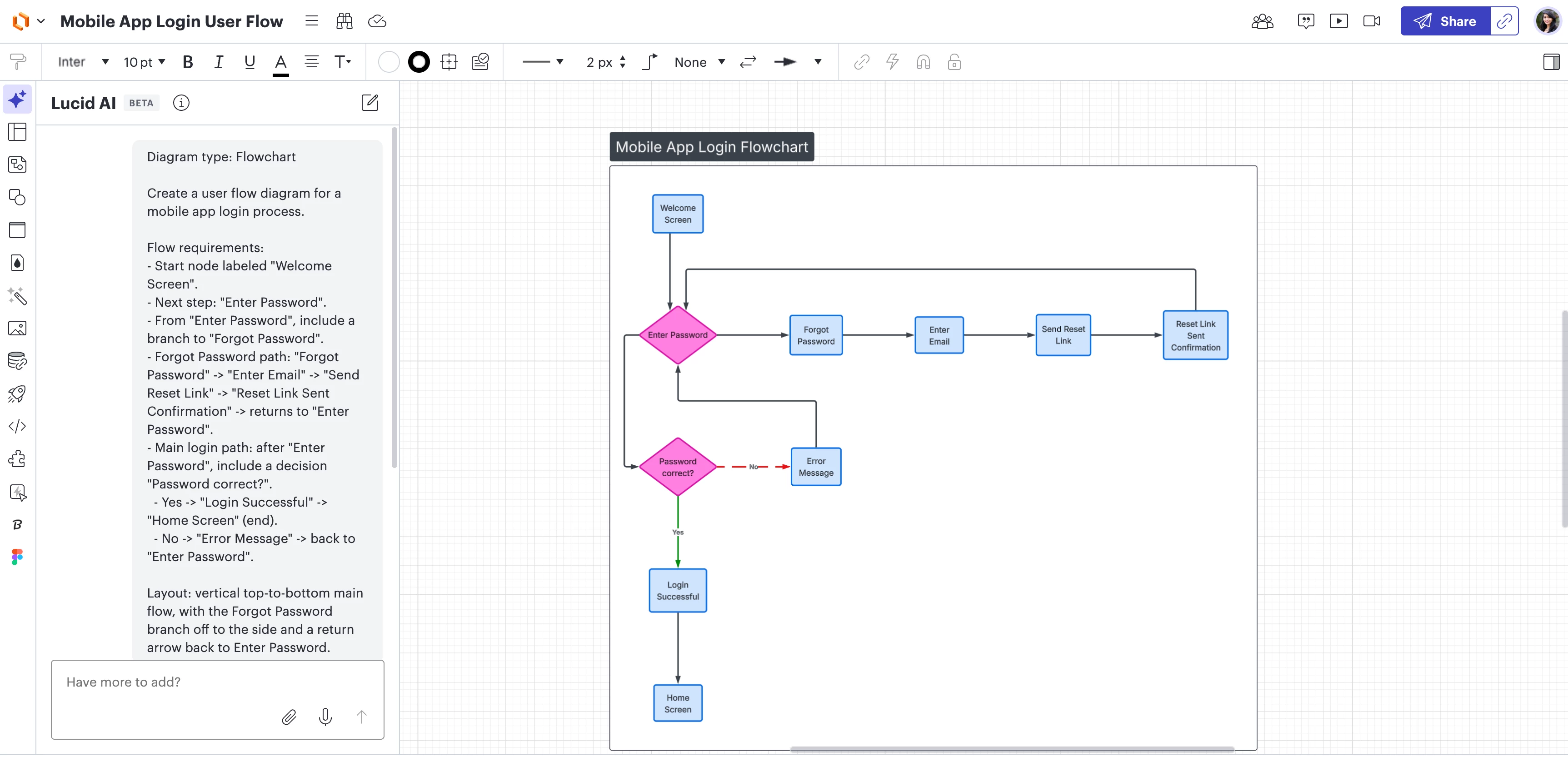
This feature is built to significantly reduce manual diagramming effort. By leveraging the MCP to handle initial setup and structure, you can accelerate your output within a single interface.
Learn more in this Help Center article.
 Your privacy choices


