October 29, 2024
Solved

Why are my 8.5" x 11" Portrait Settings Resulting in 11" x 16.5" Landscape?

  • October 29, 2024
  • 3 replies
  • 170 views

Hello Everyone,

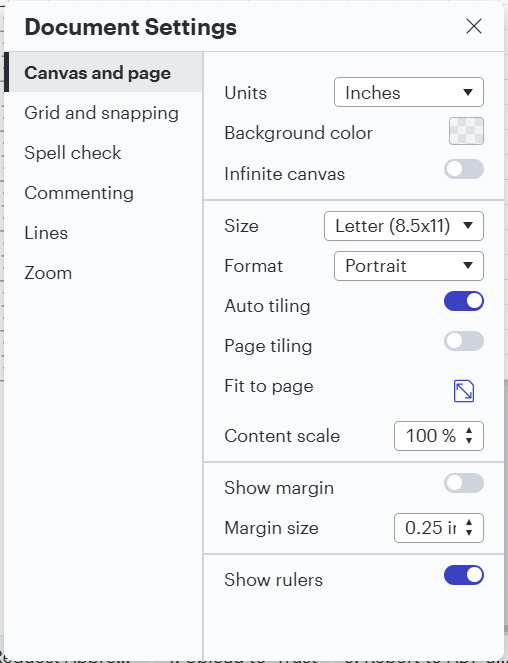
The Document Settings below result in an 11" x 16.5" Landscape page/canvas.  The handles used to resize the canvas aren’t popping up either.  Any advice?


Thank you!

Kevin
Best answer by Michelle S

Hi @kcrossley , 

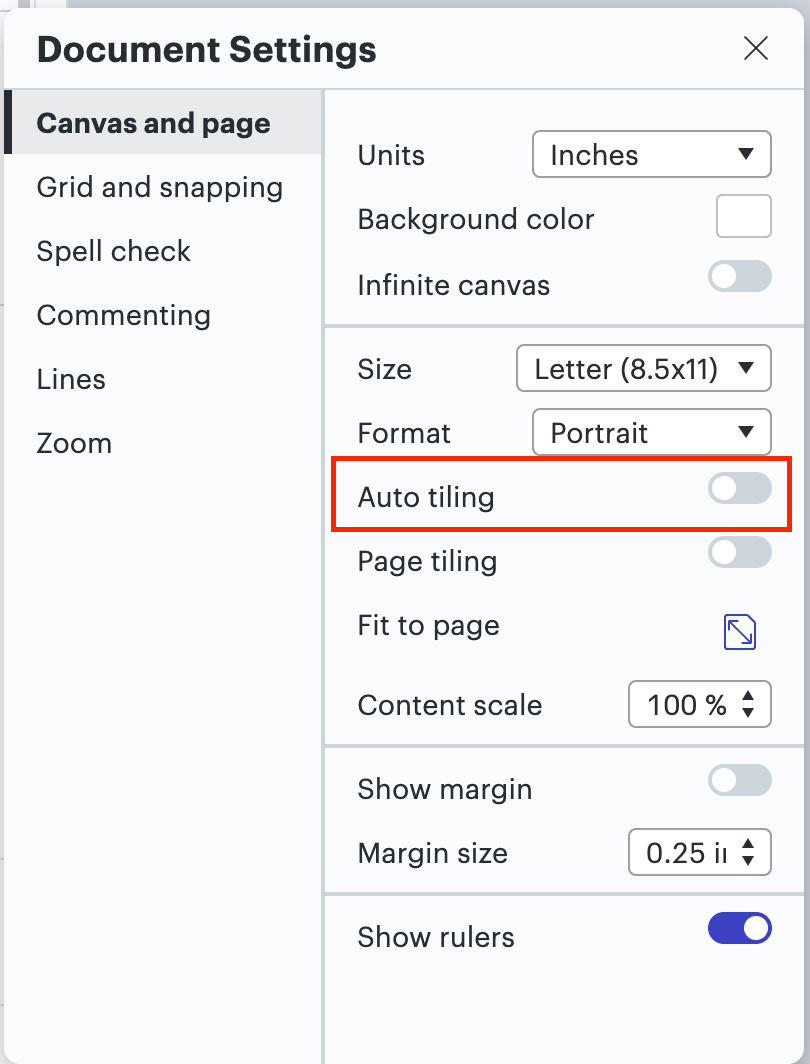
Thanks for posting in the Lucid Community! Can you turn off auto tiling and confirm if the issue still persists? 

Turning off auto tiling should resize your canvas to your desired settings, however, if this doesn’t fix the issue, please let me know so I can further investigate! 


Comments

Lucid & airfocus support team
October 30, 2024

Hi @kcrossley , 

Thanks for posting in the Lucid Community! Can you turn off auto tiling and confirm if the issue still persists? 

Turning off auto tiling should resize your canvas to your desired settings, however, if this doesn’t fix the issue, please let me know so I can further investigate! 


kcrossleyAuthor
October 30, 2024

@Michelle S, that’s the fix.  Thank you.  I would NEVER have toggled that switch.  “Auto-tiling” doesn’t mean anything to me.

Thanks again,

Kevin

Lucid & airfocus support team
October 30, 2024

Hi @kcrossley , 

Of course! I’m happy to help! Please don't hesitate to let me know if there is anything else I can do for you! Have a great rest of your day.