November 26, 2025
Solved

Where is the share button and embed function?

  • November 26, 2025
  • 4 replies
  • 97 views

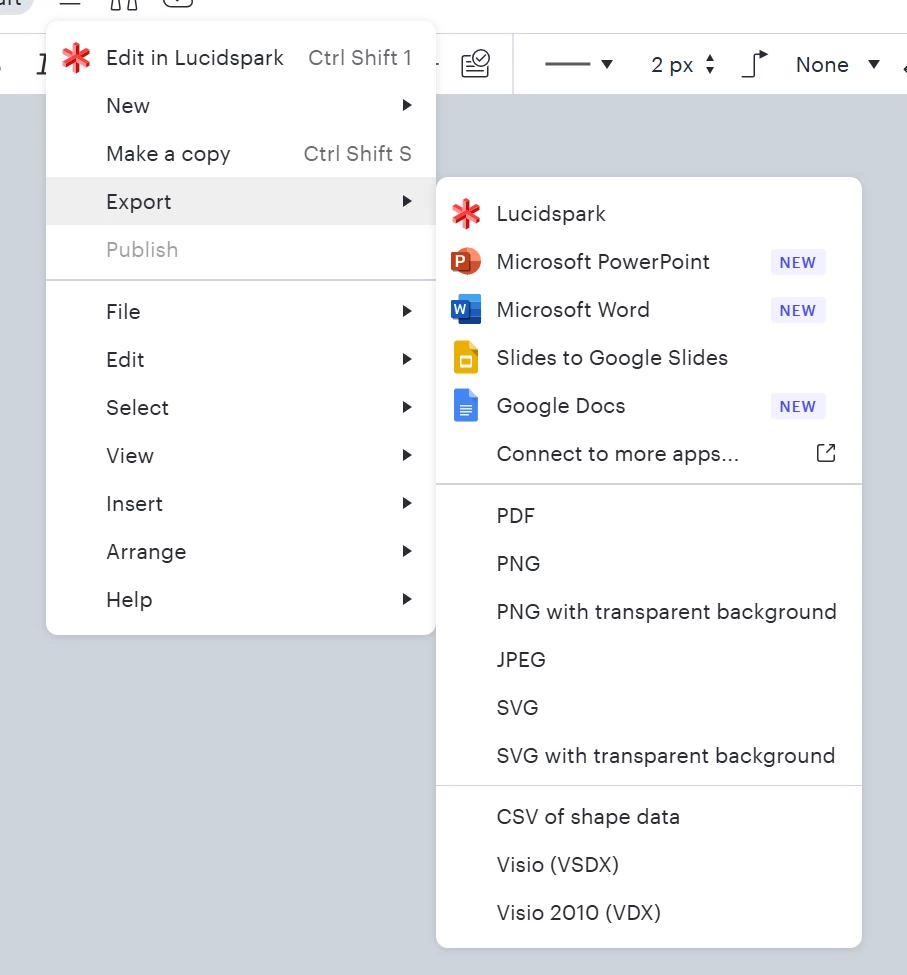
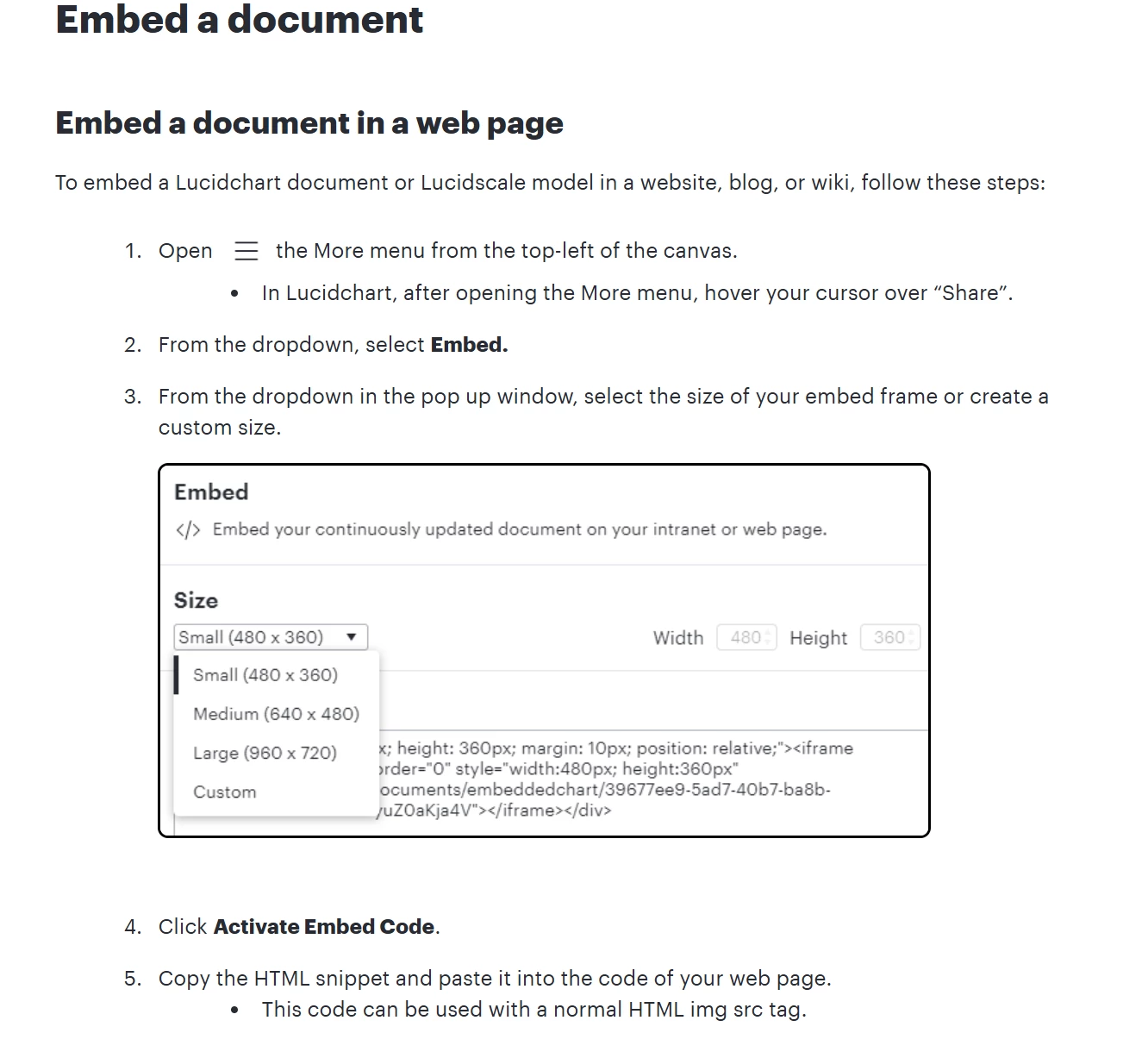
In the past I’ve been easily able to create an embed link to share a chart in an HTML rendering.  As stated in the help documents I used to easily be able to click on the 3 dot menu>share>embed

This function doesn't seem to be visible anywhere now, nor is it easy or intuitive to find where its been moved.  Please advise.


Best answer by ucchartingvs

SOLVED
I figured out that I wasn't able to see the share menu, share button, or embed function due to permissions configuration of the document.

Comments

Humas1985
Lucid Legend Level 10
November 26, 2025

Hi ​@ucchartingvs 

From the document you able to figure out the Embed and Share as shown below - please let us know if you still have issues at your end

Hope this helps - Happy to help further!!
Thank you very much and have a great one!
Warm regards

Huma || Lucid Legend
Humas1985
Lucid Legend Level 10
November 26, 2025

In addition - try to make use of the feature, “Find and Use Feature” as shown below


Huma || Lucid Legend
November 26, 2025

The screenshots you are showing were how I would’ve done this a week ago, this no longer reflects the interface I’m seeing.  See my screenshots.  No share menu is visible.  The embed feature is not showing up


ucchartingvsAuthorAnswer
November 27, 2025

SOLVED
I figured out that I wasn't able to see the share menu, share button, or embed function due to permissions configuration of the document.