September 25, 2026
Question

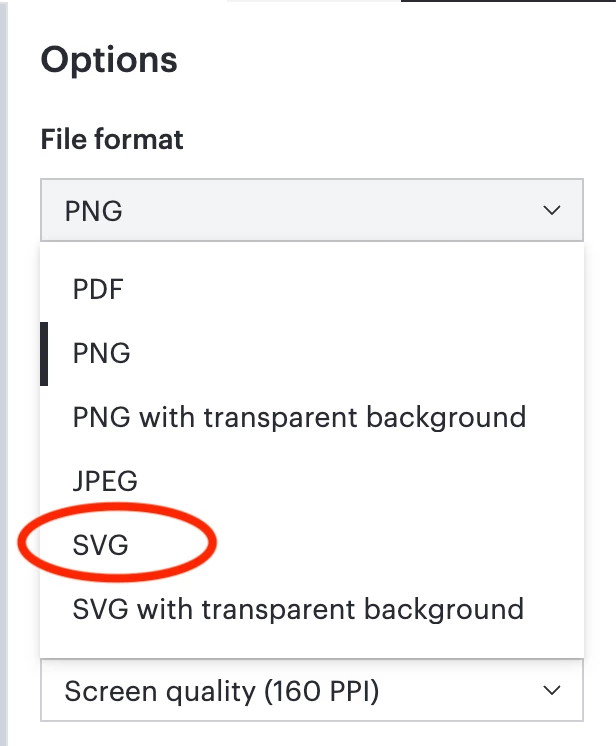
User cannot export to SVG

  • September 25, 2026
  • 5 replies
  • 36 views

Hello,

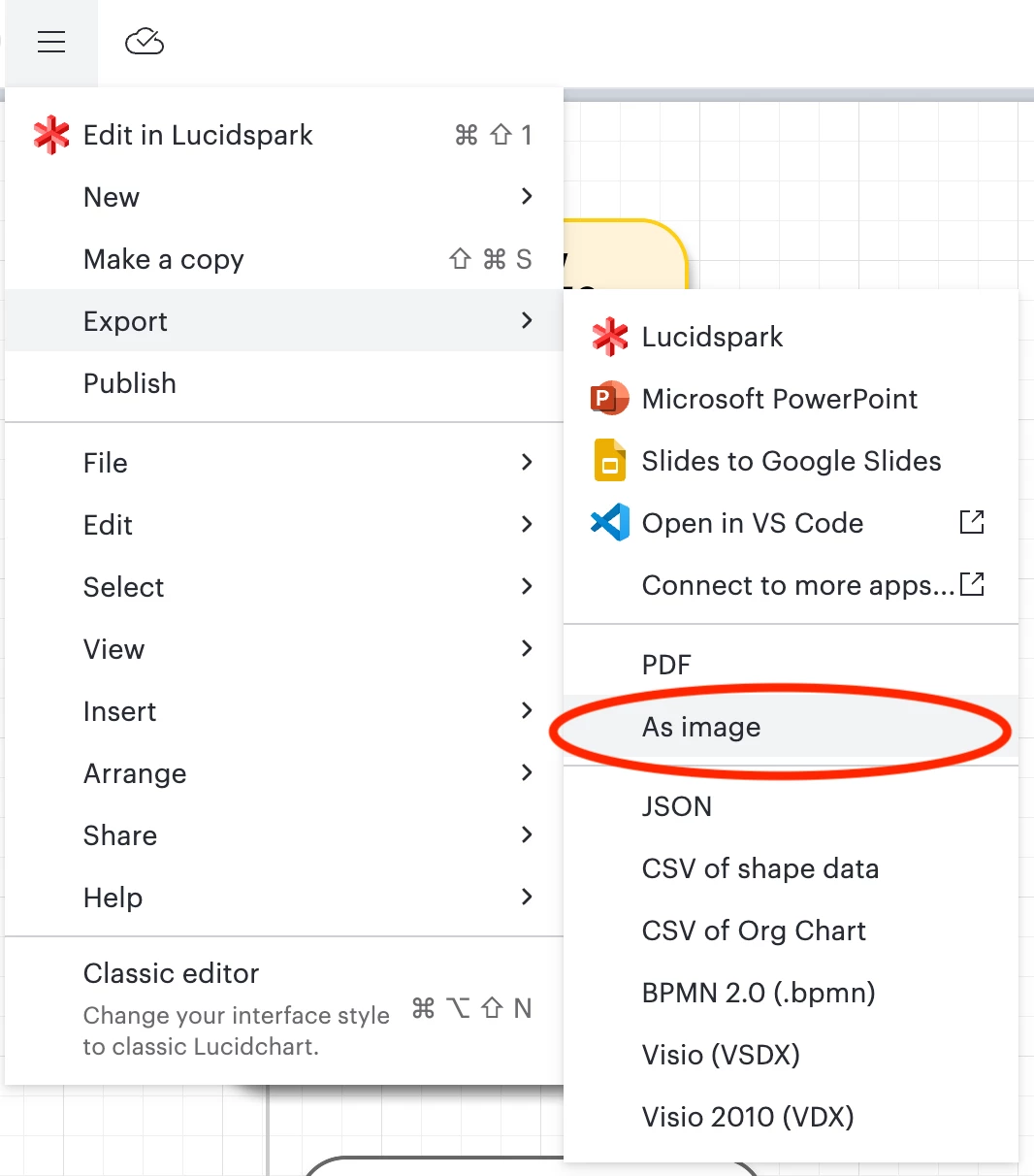
We have been using Lucid for a while and I have a user that needs to export to SVG. Last week she had the option to Export as SVG but this week its no longer an option for them. I logged into my account as the owner and I have the option and it works for me. What has changed to stop my user for exporting to SVG?

Comments

Humas1985
Lucid Legend Level 10
September 26, 2026

Hi ​@subType 

If SVG is not listed, confirm that user is editing a Lucidchart document in the full web editor and that user have edit/download permissions, shared, embedded, or restricted documents may not show the export option.

Hope this helps !!

Huma || Lucid Legend
Zuzia S
Lucid community team
September 29, 2026

Hi ​@subType, thank you for posting in the Community and thank you ​@Humas1985 for chiming in!

​@subType Could you please provide the following information in order for me to have a closer look?:

  • A detailed description of the steps taken by the user leading up to the issue
  • A screenshot of what the user in question sees when attempting to export the document to SVG
  • Is the user part of your Lucid account?

I appreciate your help and patience!

subTypeAuthor
September 29, 2026

I cannot get hold of the user right now but I can answer some of your questions

  1. They are a user in our Lucid account
  2. They open the document which is an Organogram. They go to export they are missing the following which I still have access to

These options were available two weeks ago and no changes were made to permissions. There are only two users on Lucid (myself and this user). I am the only admin for the site so the user cannot make any changes to the system.

Zuzia S
Lucid community team
October 1, 2026

​@subType Thank you for providing the above information!

In order for me to investigate further, could you please provide a screenshot from the user’s experience, as well as a Technical Support PIN for this user’s account? This will help me take a closer look at what’s going on. This PIN is safe to post in this thread because it is only accessible by members of the Lucid support staff. That user can find steps for generating a Support PIN in this  Help Center article .

Additionally, could you please confirm whether this occurs only for this one document in particular?

I appreciate your continued help and patience!

subTypeAuthor
October 1, 2026

iuwT8eIBeMp1fVanFCzBLTwqrjXgY1M01i220490275

We only have one document and a backup copy of the document in case of any changes.