
Kenzie E
December 18, 2023
Solved

Tooltip/Custom Hover Text

  • December 18, 2023
  • 13 replies
  • 1200 views

I have created custom hover text on conditional formatting, but I am unable to find a post or video on how to use it after the formula is inputted. My goal is to count the number of “children” in each container, so I do not have to do it manually as my chart grows. After researching this topic, I believe the proper formula on the custom hover text to be “=COUNT(children)”. Is this the proper formula to use for what I am trying to accomplish? If so, how do I view the custom hover text equation on my containers?
Best answer by Kirsten

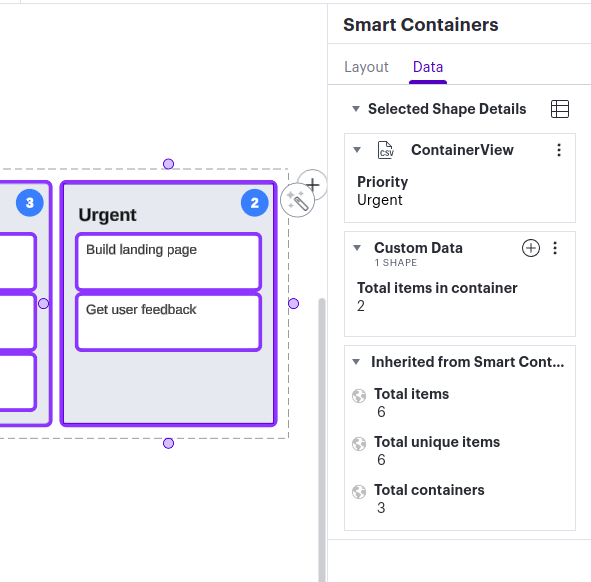
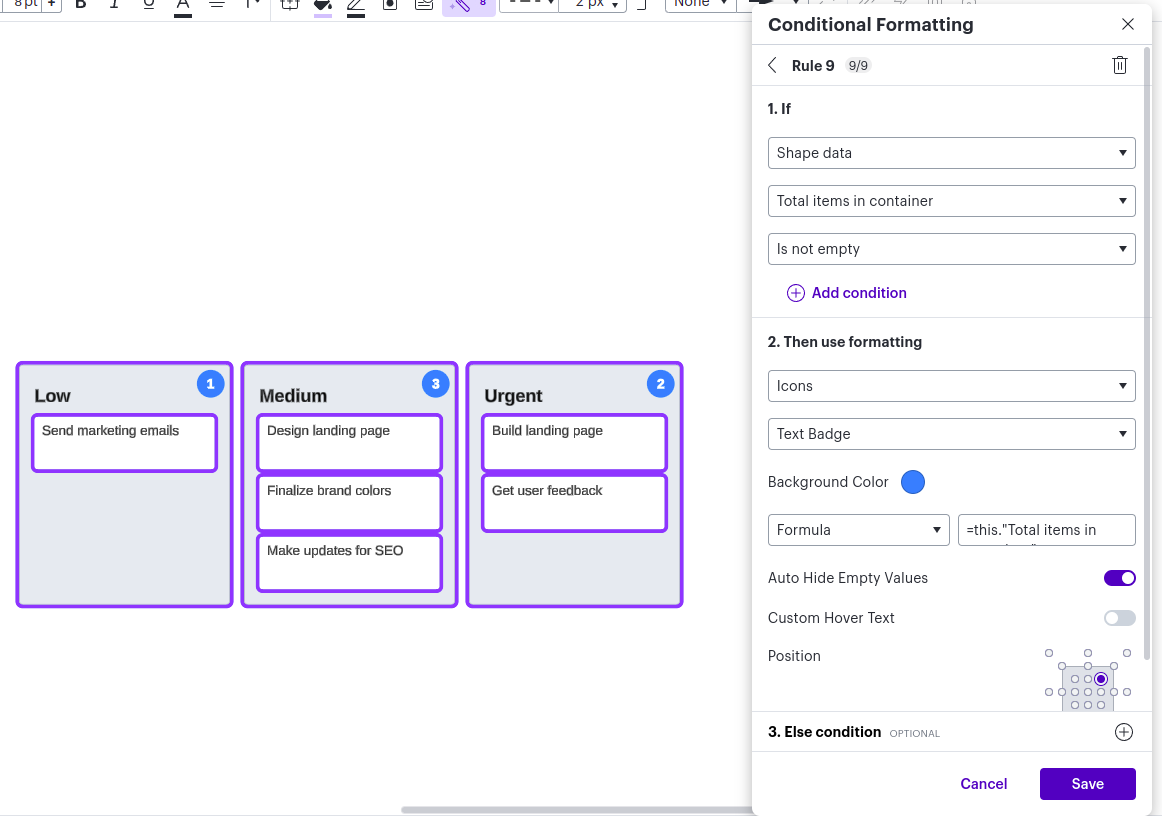
Smart Containers track the “Total items in container” for you so you can use that same value when creating your conditional formatting rule. 🤔


Comments

Lucid product team
December 19, 2023

The formula I used was “this.”Total items in container”, but then I realized I didn’t even need to use a formula!


Kenzie E
Kenzie EAuthor
December 19, 2023

Thank you! I was able to do it before, but was not able to pick the location. I put the formula in, and now I am able to adjust the location! Thank you all so much for our assistance!

Micah
Lucid community team
May 6, 2024

Hi! I’m Micah from Lucid’s community team. 👋 I thought you, and any others who might come across this topic in the future, might be interested in Lucid’s Data Trusted User Group. This group is made up of knowledgeable users who regularly analyze and visualize data in their work. As part of this group, you’ll have the opportunity to connect directly with Lucid’s product team, gain early access to beta features, and share insights about your needs, shaping the future of Lucid’s data solutions 🎉 You can learn more and request to join here. Thanks!