Answer

Ticket prioritising by substring matching not working

  • September 10, 2025
  • 1 reply
  • 8 views

Forum|alt.badge.img


On a board like https://lucid.app/lucidspark/[REDACTED]/edit?invitationId=[REDACTED]&page=0_0# :

Create a new yellow post-it note
Write the word ‘flows’ or the word ‘highlight’ on it
The ticket gets marked as LOW priority with a downward pointing green arrow, or HIGH priority with an upward pointing red arrow.
This appears to be because of simple substring matching based on the text content.
It would be better if it used a regex with word break characters, or something a little more intelligent so it doesn’t think ‘flows’ means ‘low’.
Best answer by Michelle S

Hi ​@sierrabravo

Thanks for posting in the Lucid Community! It looks the URL you sent is invalid. However, it seems like you are using conditional formatting, can you confirm? 

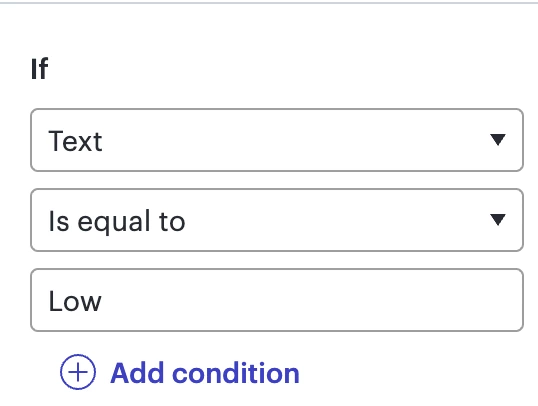
I would recommend editing your conditional formatting rules to ‘Is Equal to’ rather than ‘Contains’. If you use ‘Contains’ then the rules will apply to any word that contains “Low” or “High” including Highlighter and Flows.  

If you continue to run into any issues, can you please send a screenshot of your conditional formatting rules so I can take a closer look? 

Thanks for your help and patience! 

Comments

Forum|alt.badge.img+8
  • Lucid support team
  • Answer
  • September 11, 2025

Hi ​@sierrabravo

Thanks for posting in the Lucid Community! It looks the URL you sent is invalid. However, it seems like you are using conditional formatting, can you confirm? 

I would recommend editing your conditional formatting rules to ‘Is Equal to’ rather than ‘Contains’. If you use ‘Contains’ then the rules will apply to any word that contains “Low” or “High” including Highlighter and Flows.  

If you continue to run into any issues, can you please send a screenshot of your conditional formatting rules so I can take a closer look? 

Thanks for your help and patience!