Question

Text refuses to default font

  • April 7, 2026
  • 3 replies
  • 33 views

Forum|alt.badge.img+1

I have it set to automatically create a text box when I double click. 
Even though I have it set to ‘Atkinson Hyperlegible Next’ for all my creations ONLY the double click textbox refuses to adhere to it.

Updating and setting default style does not work. 
Deselecting everything and choosing my font does not work. It reverts back to Inter.

When I disable Inter and all other fonts to keep only Atkinson Hyperlegible Next, and refresh and it keeps auto-enabling itself!

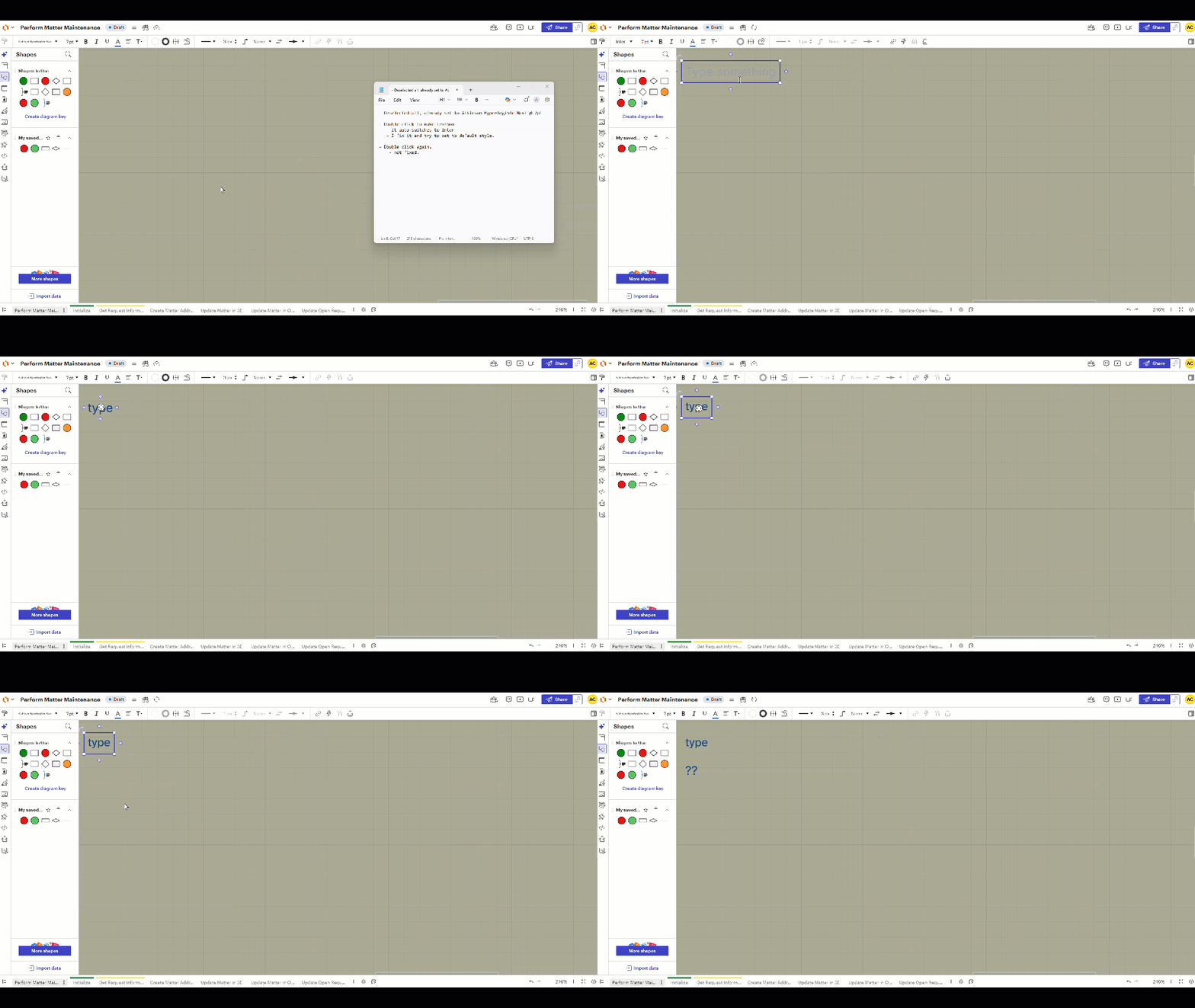
See gifs below.

- Deselected all, already set to Atkinson Hyperlegible Next @ 7pt

- Double click to make textbox
   - It auto switches to Inter
   - I fix it and try to set to default style.

- Double click again.
    - not fixed.


[link if gif broken]

Comments

justinjohnson57
Forum|alt.badge.img+1

Hi ​@Chervinsky! Thanks for reaching out to the Lucid Community! I’m sorry to hear you are having issues with setting your ‘Atkinson Hyperlegible Next’ as the default font. The steps you took to try and fix the issue and the GIF you provided have been very helpful as we look into this issue for you. Your diligence is much appreciated!

It seems you may have identified a bug, as I was able to replicate this on my end too -- luckily from my testing it does appear that setting the default font size is retained, if that is any help! 

I reached out to our Development team and it appears this is a known bug that is currently being worked on! In the meantime, the only workaround would be to set the font manually for every text box you create

I will be sure to update this thread once I have any updates on this issue. Again, I apologize for any disruption this may cause. Please follow along on this thread for updates, and post any additional questions or concerns below!


Best,

Justin J.


Forum|alt.badge.img+1
  • Author
  • April 9, 2026

@justinjohnson57 


New things I found:

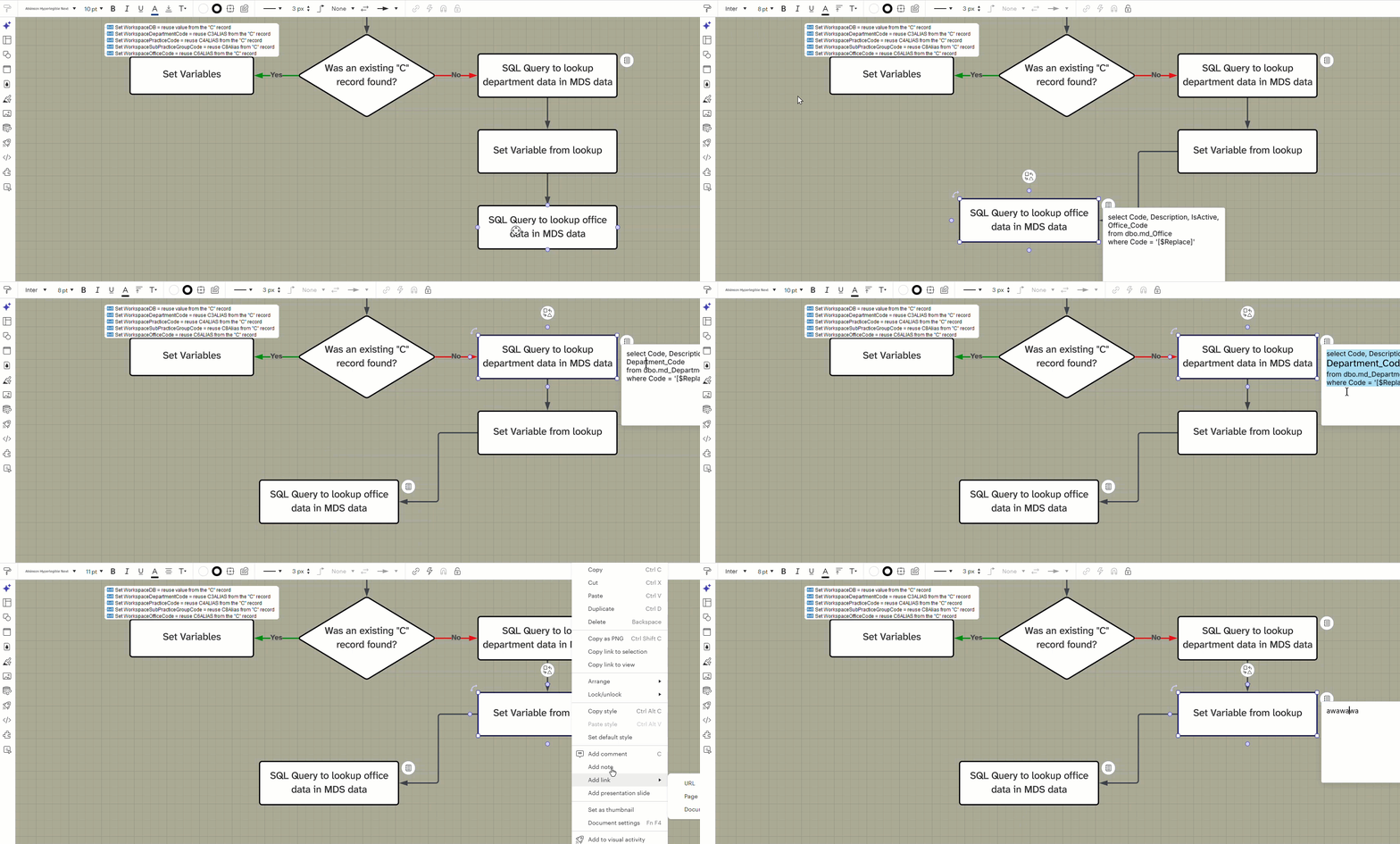
  • When making a note for a process / shape. It does the same thing. The note reverts to inter
  • Font size remains.
  • Font color remains.
  • Font highlighting / and other text formatting remains
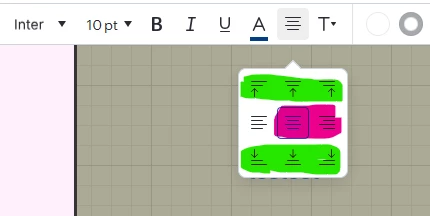
  • Alignment changes / reverts to left no matter what
  • But if I choose any of the green highlighted ones, that is retained???


I am using Chrome on a Windows computer, on a HP probook.


// I am a QA Software engineer at my company, which is why I am being diligent in my reporting.


//edit 2:
Gif of Adding Note to shape bug:


justinjohnson57
Forum|alt.badge.img+1

Hi ​@Chervinsky!

Thank you so much for following up and for sharing your additional findings. I’m so sorry that the “Set default style” setting is not working for some of the alignment options and when you add a note to a shape/process as well! I gave those a shot on my end and was able to reproduce the results regarding the font type when adding a note, the font size/color/highlight(s), and the alignment (both the green and red options you highlighted).

Since you are a QA Software Engineer, I hope it helps to let you know that I have updated the dev team on the bug filed for this issue! At this time, the only workaround would be to set the font settings manually -- I do apologize as I know that this isn’t ideal for your workflow.

Again, I will be sure to keep you updated in this thread as I learn more regarding this bug! Please do not hesitate to reach out with any further findings, questions, or concerns.


Best,

Justin J.